1
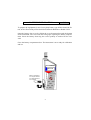
The calibrators recommended for use are the Castle GA601/607 calibrators,
which supply 94dB (relative to 20µPa pressure) at a frequency of 1KHz.
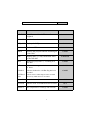
Turn the instrument on by pressing the POWER button.
Press STATUS until a good battery condition is shown. Replace the battery if
the indication is low i.e. one or two bars remaining.
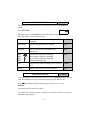
Press SETUP
CAL
<ENT
Note for GA208/214.: Select the 40dB range if calibrating to 94dB or 60 range
if calibrating to 104dB by pressing the À or ¿ button until the appropriate range
is displayed, if required refer to the CHANGING RANGE section. Press the
ENTER button.
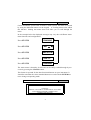
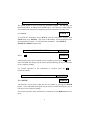
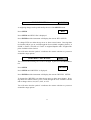
Press ENTER and the instrument will now display >94.0. The calibration will
be performed at a default of 94.0dB but may be changed using the UP/DOWN
arrow buttons. Position the calibrator firmly over the microphone. Turn the
calibrator on to the 94dB (or 104dB) setting.
Press ENTER after deciding on the calibration level of 94.0 dB or 104.0 dB.
Press ENTER and the instrument will calibrate to the level of the calibrator. The
displayed number may change from a higher or lower value as the instrument
calibrates to the chosen level. Press ENTER and the display will return to SPL
for the GA208 and GA214, and DOSE for the GA255.
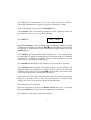
If the input level is not within 3dB of the chosen reference level then the display
will show CAL.NOW. Check to make sure the calibrator is switched on and
emitting the correct level before proceeding as indicated above.
The instrument is now calibrated.
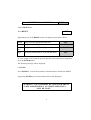
Reset the instrument by pressing the RESET button until 'ALL' is displayed
then press ENTER twice. This will clear readings due to calibration.
The instrument is now ready to take measurements.
5