1
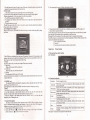
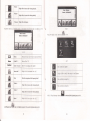
This chapter introduces how to use the photo viewer to browse pictues.
,1.6.1 Function
1.
2.
E
featues:
\^I
Supports JPG, BMPandPNG
Support pictue rotate, picture enltrge/shrint md automatic play.
Before using the photo viewer, please copy your photos to any folder
E
ll=l
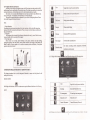
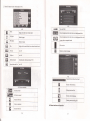
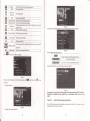
Prcvious
Show the previous picture
Nexl
Show the next picturc
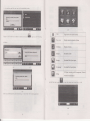
Single click and shiff to video file list, and then choose
File list
you favoite pictme
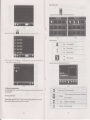
4.6,2 Operation method
l.
bunon
Single click lhe
ffi
X!
to open the phoro lrst
as
picue
'N
EI
4-2?
Rotate
Click to rotate the picture by 90 degree
Automatic Play
Play all the pictues circuldly on
full
cment pictue
@
Photo name and
nme
Show the photo
fomat
atrd
fomal
4.7 E-book reader interface and operation
This chapter inhoduces how to use GPS to read e-book.
4.7.1Function
1. Suppofr TXT
K
r!
t!
2.
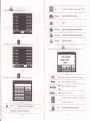
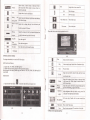
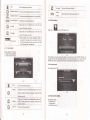
Close
Click to close the photo list;
Suppofi tuming over page, page browse, and file choosing.
Before using e-book f,rnction, please copy you TXT file md save it to any folder
Last page
Show the last page
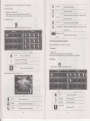
4.7.2oper^tion
Next page
Show the next page
File
Single click to enter the photo
Choose the picture to enter play interface
as
file;
l.
srngle click
m
bunon \ .f
&
qT
p
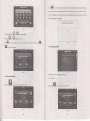
Shrink
Enlarge
as
4-10
4-29
K
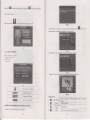
Close
to eorer Ebook lisr
r!
tt
ll
Click to close the viewer
Shrink
cmert picture
itr
propoltion
Enlarge curent pictEe in propoftion
18
g
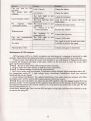
CIose
Click to close cment file
Last page
Show the last page;
Next page
Show the next page;
Name of
file
Show name
offile
screen
from the