1
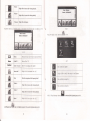
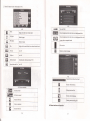
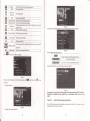
Volume
Click to decreme the system volume one level
click to oDen Mute
Mute
T
il
Volme size
9 levels altogether
instuction
ofT
Record
&
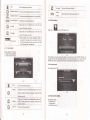
Click to
Indicate proglm pause
/
r
play, click to continue to play, click
asain to Dause
E
E
Next channel
E
Time
Figue
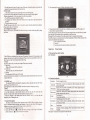
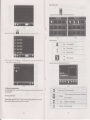
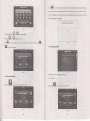
Click "general" on
Click to stoo
Previous channel
E'
offISDBT
Record curent hro,d.,<fino
E
Play/Pause
Stop
ffi
rst
tm
7
interface to enter the General
as
figure 8
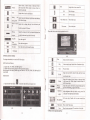
Click to play previous channel
Click to play next chamel
renl ume
Broadcast picture
Full-screen play mode, double-click the screetr to retum to
nomal
play mode
Sima
ls tren
button
gth
Displav sisnal strensth infonnation
Figure
8
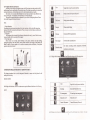
file list as figue 5
Main
Audio,
Sub
Click "about" to enter the version information interface
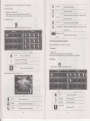
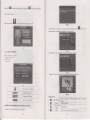
Select your favorite
progrm to enter broadcast interface,
clicl8to
exit file list, click
E
as
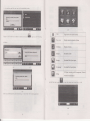
Audio and Dual three optioN
figue
9
to enter
ESG menu
1.
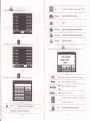
Displaychannellist
Figure 9
Note: please be sure !o pull out the whip antenna of body whetr using the digital Tv function !
This function is optional, and some models haye no such functiotr. Please refer to the real
subject!
Chapter
Five
Simple Problem shooting and maintenance
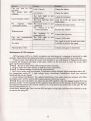
lF you GPS nevigator camot work nomally, piease check it as follows.
2,
Figure 6
Display your favorite
chmel list
problem, please contact our seryice center.
lf
you
cmor el\e
the