1
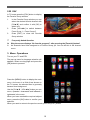
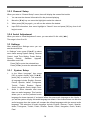
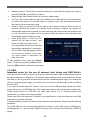
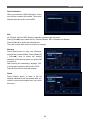
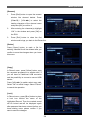
Menu Operations Wakeup Channel: Press [OK] to enter the channel list, and select the channel you want to see with [CH▲/▼], press [OK] to confirm it. Wakeup Date: Use number buttons to input your wakeup date. On Time: Use number buttons to input your wakeup time. If date and time are reached then no matter if the system is in standby mode or in playing mode, it will automatically switch to the channel you set and start to play. Duration: Here you can set the time you want to see or play this channel. When the time is reached, whenever the system is in standby mode or playing a channel, the system will automatically switch to the channel you select and play the channel within the duration time you set. The minimum duration unit is one minute. After the duration time, the system will automatically switch to Standby mode. Press [Exit] button to close the find window “Do you want to save?” and brings you back to the timer menu. If it is duplicated with the time zone that was already registered at a reservation list, the alarm message appears which it is not able to register. In this case, you must register a reservation for other time zone. To add additional timer, press the [Green] button. To edit time, press the [Yellow] button. Press the [Blue] button to delete the reservation. 3.5 USB Important notes for the use of external hard drives and USB Stick's Your receiver has a USB 2.0 interface to plug any external storage media for data transfer such as an external hard drive or USB stick. This interface has a standard power output of 500 mA. Please note that you will only connect external hard drives with a separate power supply. For hard drives without a separate power supply your receiver can not deliver a possible high inrush via USB to the hard drive. If you want to transfer data (film / photo / music, etc.) with a USB stick start, please note when buying that you buy a USB flash drive with a high read transfer rate and high write transfer rate. These values should be 15-20 MB / sec. With these values, e.g. TV recording without the interference e.g. judder of the image possible. Please note that we will assume no liability for the specifications of the manufacturer of the USB sticks and the external hard drive. In storage capacity, please note details of the respective manufacturers. Please note the following guidelines: On a 2GB USB stick you can save about 35 hours of music, or about 500 songs or 2400 photos, at 3 Megapixels / or 1 hour movies in MPEG-2 format / and 1 hour and 30 minute films in MPEG-4 format. 20