1
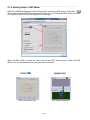
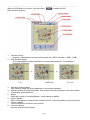
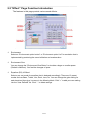
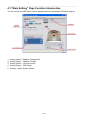
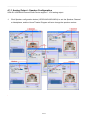
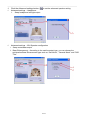
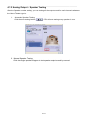
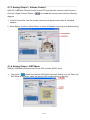
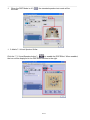
____________________________________________________________________________________________ When the DSP Mode is turned on, click the button ( Effect as below diagram. 1. 2. Volume Control: Increase / decrease the volume of all channels by 1 dB for one step. (+4dB~17dB) Auto Rotation Mode: The virtual speakers rotate clockwise or counterclockwise slowly. For example, if clockwise is selected: T=0 3. 4. 5. 6. 7. 8. ) to enable the DSP T=0.25 sec T= 1 sec Manually Rotation Mode: Use mouse to rotate the virtual speakers on the screen manually. Manual Shifting (Free Moving Mode): Use pointer and click-and-drag to move the location of individual virtual speakers. Reset: Reset the location of virtual speakers / virtual listener to default. Virtual Speaker: Each virtual speaker virtualizes one channel of the 5.1 channel speakers in the real world. Virtual Listener: The virtual listener virtualizes your position. Volume indicator: Indicate value for each channel. 11/32