1
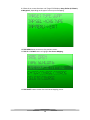
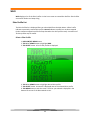
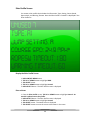
Tournament Jump Screen
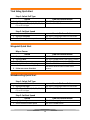
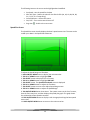
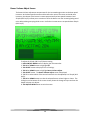
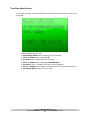
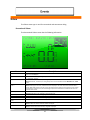
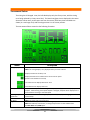
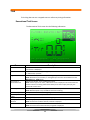
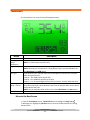
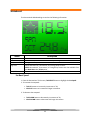
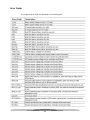
The Tournament Jump Screen has the following information
Name
4 Segment Jump
Times (Not shown)
Deviation Time
Boat Speed
Official Tournament
Set Speed
Page Icon
MPH or KPH
Boat Strength
Number
Jump Letter
Description
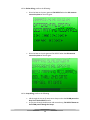
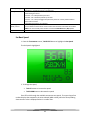
4 times are displayed: 52meter segment time, 30meter segment time, 82meter
segment time (52m time + 30m time) and 41meter segment time.
This is the amount of deviation from the actual time. If the number
time is faster than actual this number will be highlighted, if it is slower
than actual the number is as show above.
Tournament speed selected for the boat to travel.
An asterisk shows that the speed is an official Tournament speed.
NOTE: Available for Slalom and Jump events only. On a Tournament screen,
the set speed is always an official speed unless it has been modified to some
intermediate value on a Recreational screen.
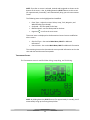
Highlight this icon using the SELECT button, then use the UP or
DOWN buttons to scroll through the Tournament, Timing, and General
Screens.
Shows either MPH or KPH.
This number either increases or decreases the intensity of the “bump”
value upon jump switch engagement depending on how strong or
weak the boat is. The number on the left side of the “:” is for the first segment in
the jump and the number on the right side of the “:” is for the second segment
of the jump. For a weak boat you want to raise this number to help you achieve
a balanced time, and for a stronger boat you use a lower number. Contact the
boat manufacturer to recommend the boat strength number that is best for your
boat.
This letter is used to give the boat a “bump” in speed upon switch
engagement and has a target speed depression for the more
46