1
CBU2U
1. Introduction ........................................................................... 2
1-1. Features .......................................................................................................2
1-2.Restrictions ...................................................................................................2
1-3. System Requirements .................................................................................2
2. Before installing... .................................................................. 3
2-1. Package Confirmation ...............................................................................3
3. Setting up ................................................................................ 3
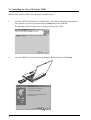
3-1. Installing the driver(Windows 98SE) ......................................................4
3-2. Installing the driver(Windows 2000) .......................................................8
3-3. Installing the driver(Windows Me) ........................................................ 11
3-4. Installing the driver(Windows XP)........................................................ 13
A. Installing the driver in Windows XP with Service Pack 1 .............. 13
B. Installing the driver in Windows XP without Service Pack 1 ........ 16
3-5. Confirming the driver(Macintosh) ........................................................ 19
A. When you use MacOS 9.x... ................................................................ 19
B. When you use MacOS X...................................................................... 21
4. Connecting a USB device .................................................... 22
4-1. Self-power device/Bus-power device .................................................... 22
4-2. Connecting a Bus-powered type of USB device to the CBU2 ........... 22
4-3. Confirming a USB device is recoginzed ............................................... 23
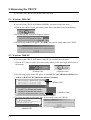
5. Removing the CBU2U ......................................................... 24
5-1. Windows 98SE/ME ................................................................................. 24
5-2. Windows 2000/XP ................................................................................... 24
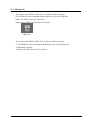
5-3. Macintosh ................................................................................................. 25
6. Registration and Tech-support........................................... 26
6-1. How to Register ....................................................................................... 26
6-2. Software Update and Support ............................................................... 26
7. Options.................................................................................. 27
8. Specifications ....................................................................... 28
Appendix................................................................................... 29
1