1
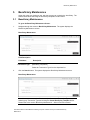
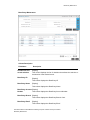
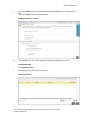
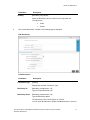
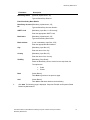
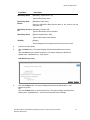
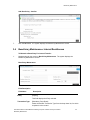
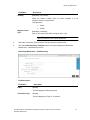
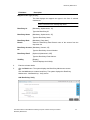
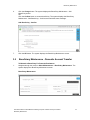
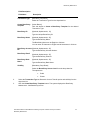
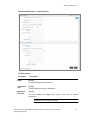
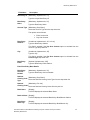
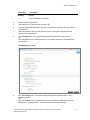
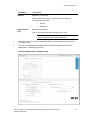
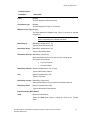
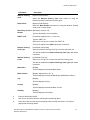
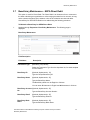
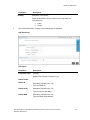
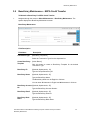
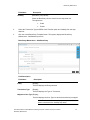
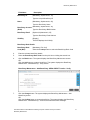
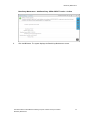
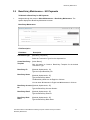
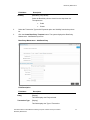
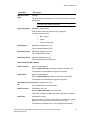
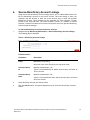
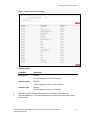
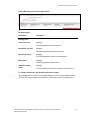
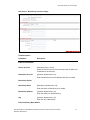
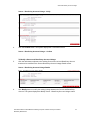
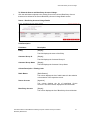
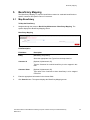
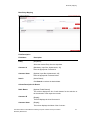
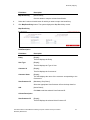
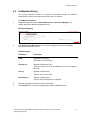
Beneficiary Maintenance Field Name Beneficiary Id Description [Mandatory, Alphanumeric, 10] Type the unique Beneficiary ID. Beneficiary Name [Mandatory, Alphanumeric, 25] Type the Beneficiary Name. Account Type [Mandatory, Drop-Down] Select the Account Type from the drop-down list. The options are as follows: Beneficiary Address Enter Account No Pay Over Counter [Conditional, Alphanumeric, 35, 2 Lines] Type the Beneficiary Address. This field is enabled if the Pay Over Counter option is selected from the Account Type drop-down list. City [Conditional, Alphanumeric, 35] Type the City. This field is enabled if the Pay Over Counter option is selected from the Account Type drop-down list. Beneficiary Email [Optional, Alphanumeric, 255] Type the Beneficiary Email Address. Enter Beneficiary Bank Details Beneficiary Account Number [Mandatory, Alphanumeric, 35] Type the Beneficiary Account Number. National [Mandatory, Drop-Down] Clearing Code Select the National Clearing Code Type from the drop-down list. Type National [Mandatory, Pick List] Clearing Codes Select the National Clearing Codes from the pick list. Bank Name [Display] This field displays the selected Bank Name. Bank Address [Display] This field displays the selected Beneficiary Bank/Branch Address. Beneficiary Bank City [Display] This field displays the selected Beneficiary Bank/Branch City. User Manual Oracle FLEXCUBE Direct Banking Corporate Transfer and Payment Global Beneficiary Maintenance 26