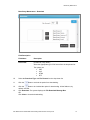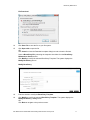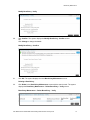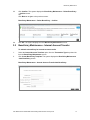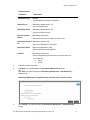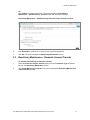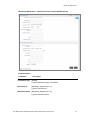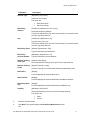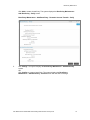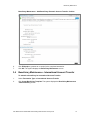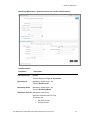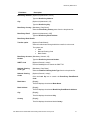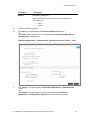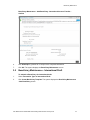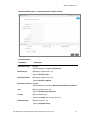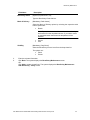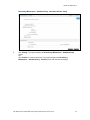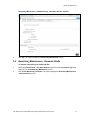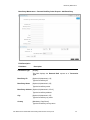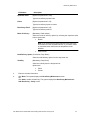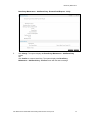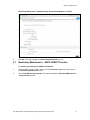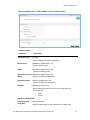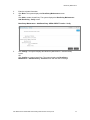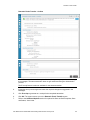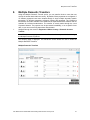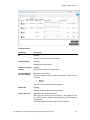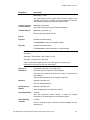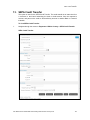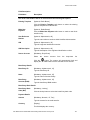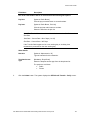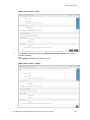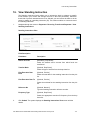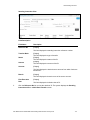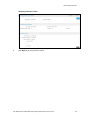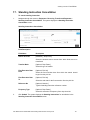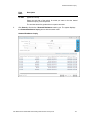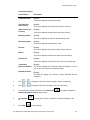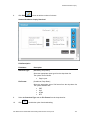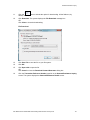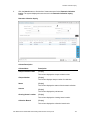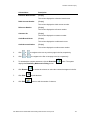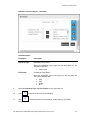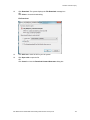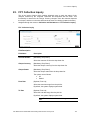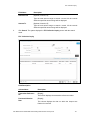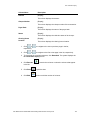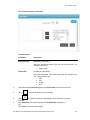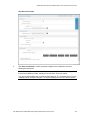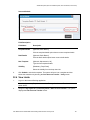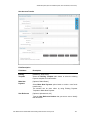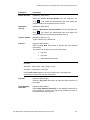
1
Oracle FLEXCUBE Direct Banking Retail Transfer and Payments User Manual Release 12.0.3.0.0 Part No. E52543-01 April 2014 Retail Tranfer and Payments User Manual April 2014 Oracle Financial Services Software Limited Oracle Park Off Western Express Highway Goregaon (East) Mumbai, Maharashtra 400 063 India Worldwide Inquiries: Phone: +91 22 6718 3000 Fax:+91 22 6718 3001 www.oracle.com/financialservices/ Copyright © 2008, 2014, Oracle and/or its affiliates. All rights reserved. Oracle and Java are registered trademarks of Oracle and/or its affiliates. Other names may be trademarks of their respective owners. U.S. GOVERNMENT END USERS: Oracle programs, including any operating system, integrated software, any programs installed on the hardware, and/or documentation, delivered to U.S. Government end users are “commercial computer software” pursuant to the applicable Federal Acquisition Regulation and agency-specific supplemental regulations. As such, use, duplication, disclosure, modification, and adaptation of the programs, including any operating system, integrated software, any programs installed on the hardware, and/or documentation, shall be subject to license terms and license restrictions applicable to the programs. No other rights are granted to the U.S. Government. This software or hardware is developed for general use in a variety of information management applications. It is not developed or intended for use in any inherently dangerous applications, including applications that may create a risk of personal injury. If you use this software or hardware in dangerous applications, then you shall be responsible to take all appropriate failsafe, backup, redundancy, and other measures to ensure its safe use. Oracle Corporation and its affiliates disclaim any liability for any damages caused by use of this software or hardware in dangerous applications. This software and related documentation are provided under a license agreement containing restrictions on use and disclosure and are protected by intellectual property laws. Except as expressly permitted in your license agreement or allowed by law, you may not use, copy, reproduce, translate, broadcast, modify, license, transmit, distribute, exhibit, perform, publish or display any part, in any form, or by any means. Reverse engineering, disassembly, or decompilation of this software, unless required by law for interoperability, is prohibited. The information contained herein is subject to change without notice and is not warranted to be error-free. If you find any errors, please report them to us in writing. This software or hardware and documentation may provide access to or information on content, products and services from third parties. Oracle Corporation and its affiliates are not responsible for and expressly disclaim all warranties of any kind with respect to third-party content, products, and services. Oracle Corporation and its affiliates will not be responsible for any loss, costs, or damages incurred due to your access to or use of third-party content, products, or services. User Manual Oracle FLEXCUBE Direct Banking Retail Transfer and Payments ii Table of Contents 1. 2. 3. 4. 5. 6. 7. 8. 9. 10. 11. 12. 13. 14. 15. 16. 17. 18. 19. 20. 21. 22. 23. 24. 25. 26. 27. 28. 29. 30. 31. 32. Preface ................................................................................................................................................. 4 Transaction Host Integration Matrix ................................................................................................. 5 Beneficiary Maintenance ................................................................................................................... 7 Own Account Transfer ..................................................................................................................... 41 Internal Transfer ............................................................................................................................... 46 Multiple Internal Transfer ................................................................................................................ 52 Domestic Funds Transfer ................................................................................................................ 59 Multiple Domestic Transfers ........................................................................................................... 67 International Account Transfer ....................................................................................................... 73 Multiple International Transfer..................................................................................................... 81 Domestic Drafts ............................................................................................................................. 87 International Drafts ....................................................................................................................... 94 SEPA Credit Transfer .................................................................................................................. 102 SEPA Card Payments ................................................................................................................. 107 UK Payments ............................................................................................................................... 112 View Standing Instruction .......................................................................................................... 118 Standing Instruction Cancellation ............................................................................................. 121 Pending Transfers ....................................................................................................................... 125 Inward Remittance Inquiry ......................................................................................................... 127 Outward Remittance Inquiry ...................................................................................................... 133 Domestic Collection Inquiry....................................................................................................... 141 FCY Collection Inquiry ................................................................................................................ 146 View Draft Details ........................................................................................................................ 151 Service Requests ........................................................................................................................ 158 View Limits Utilization ................................................................................................................ 167 Change Users Limits .................................................................................................................. 171 Move Money In............................................................................................................................. 173 Move Money Out ......................................................................................................................... 176 Linked Account ........................................................................................................................... 179 Savings Plan ................................................................................................................................ 181 Template Look Up ....................................................................................................................... 183 Additional Options (Save as Drafts\Template, Save and Submit, View Limits) .................... 186 User Manual Oracle FLEXCUBE Direct Banking Retail Transfer and Payments iii Preface 1. Preface 1.1 Intended Audience This document is intended for the following audience: Customers Partners 1.2 Documentation Accessibility For information about Oracle's commitment to accessibility, visit the Oracle Accessibility Program website at http://www.oracle.com/pls/topic/lookup?ctx=acc&id=docacc. 1.3 Access to OFSS Support https://support.us.oracle.com 1.4 Structure This manual is organized into the following categories: Preface gives information on the intended audience. It also describes the overall structure of the User Manual Transaction Host Integration Matrix provides information on host integration requirements for the transactions covered in the User Manual. Chapters post Transaction Host Integration Matrix are dedicated to individual transactions and its details, covered in the User Manual 1.5 Related Information Sources For more information on Oracle FLEXCUBE Direct Banking Release 12.0.3.0.0, refer to the following documents: Oracle FLEXCUBE Direct Banking Licensing Guide Oracle FLEXCUBE Direct Banking Installation Manuals User Manual Oracle FLEXCUBE Direct Banking Retail Transfer and Payments 4 Transaction Host Integration Matrix 2. Transaction Host Integration Matrix Legends NH No Host Interface Required. Host Interface to be developed separately. Pre integrated Host interface available. Pre integrated Host interface not available. Transaction Name FLEXCUBE UBS Third Party Host System Beneficiary Maintenance Beneficiary MaintenanceInternal Transfer Beneficiary Maintenance Domestic Transfer Beneficiary Maintenance – Domestic Drafts Beneficiary MaintenanceInternational Transfer Beneficiary Maintenance – International Draft Beneficiary Maintenance – SEPA CREDIT Transfer NH NH Beneficiary Maintenance – SEPA Card Payment NH NH Beneficiary Maintenance – UK Payments NH NH Own Account Transfer Internal Transfer Multiple Internal Transfer Domestic Funds Transfer International Transfer International Drafts Domestic Drafts Account User Manual Oracle FLEXCUBE Direct Banking Retail Transfer and Payments 5 Transaction Host Integration Matrix Transaction Name FLEXCUBE UBS Third Party Host System SEPA Credit Transfer SEPA Card Payments UK Payments View Standing Instruction Standing Cancellation Instruction Usage of Deals in Cross Currency Transactions Pending Transfers View Limits Utilization NH NH Change User Limits NH NH Inward Remittance Inquiry Outward Remittance Inquiry Domestic Collection Inquiry FCY Collection Inquiry View Drafts Details Move Money In Move Money Out Linked Account Savings Plan Templates Look up NH NH Additional Options (Save as Drafts\Template, Save and Submit, View Limits) NH NH User Manual Oracle FLEXCUBE Direct Banking Retail Transfer and Payments 6 Beneficiary Maintenance 3. Beneficiary Maintenance A Business user having access to Beneficiary Maintenance can maintain Beneficiary. You can also specify if the Beneficiary template created is available to other users of the same primary customer id by specifying the Template Access Level as Public. If the template is created with the Template Access Level as Private, then it is available only to the user who has created it. The search criteria allow searching the beneficiary templates created earlier. The Beneficiary Maintenance is supported for following Transactions: Internal Transfer Domestic Transfer International Transfer Domestic Drafts International Draft SEPA Credit Transfers SEPA Credit Card Transfers UK Payments 3.1 Beneficiary Maintenance 1. Navigate through the menus to Payments > Beneficiary Maintenance. Beneficiary Maintenance Note: You can create new beneficiaries template for various transaction types, by selecting any transaction type and clicking the Create Beneficiary Template button. Refer to the section Beneficiary Maintenance – Internal Transfer onwards for beneficiary creation. Field Description Field Name Transaction Type Description [Mandatory, Drop-Down] Select the Transaction Type, for which template is to be searched, from the drop-down list. User Manual Oracle FLEXCUBE Direct Banking Retail Transfer and Payments 7 Beneficiary Maintenance Field Name Beneficiary ID Description [Optional, Alphanumeric, 10] Type the beneficiary ID Beneficiary Name [Optional, Alphanumeric, 35] Type the beneficiary name. Beneficiary Account [Optional, Alphanumeric, 35] No. Type the beneficiary account number. Beneficiary Email [Optional, Alphanumeric, 35] Type the beneficiary email id. Beneficiary Bank Name Visibility [Optional, Alphanumeric, 35] Type the beneficiary bank name. [Mandatory, Drop-Down] Select the beneficiary access level from the drop-down list. The options are : All Public Private 2. Select the Transaction Type from the drop-down list. 3. Click the Search button. The system displays the Beneficiary Maintenance screen with exiting templates that can be viewed, deleted, or modified. User Manual Oracle FLEXCUBE Direct Banking Retail Transfer and Payments 8 Beneficiary Maintenance Beneficiary Maintenance 4. Click or 5. Click 6. Select a record and click the Download button to download the complete statement. The system displays the Beneficiary Maintenance Download screen dialog screen. 7. Click Reorder list. 8. Click Print to print the data. 9. Click Edit or to navigate to the next or previous page in the list, respectively. to navigate to the first or last page in the list, respectively. to reorder the columns or select the columns that appear in the column to edit the number of columns. User Manual Oracle FLEXCUBE Direct Banking Retail Transfer and Payments 9 Beneficiary Maintenance Beneficiary Maintenance - Download Field Description Field Name Description File Format [Conditional, Drop-Down] Select the appropriate type of file format from the drop-down list. The options are PDF XLS HTML RTF 10. Select the Download Type and File Format from the drop-down list. 11. Click the 12. Click the button to be included the option for downloading. All the fields are, by default, included. 13. Click Download. The system displays the File Download Message Box. OR Click Close to close the downloading. button to exclude the option from downloading. User Manual Oracle FLEXCUBE Direct Banking Retail Transfer and Payments 10 Beneficiary Maintenance File Download 14. Click Save File to save the file on your file system. 15. Click Open with to open the file. OR Click Cancel to close the Download complete dialog box and to view the file later. 16. Select a Beneficiary ID by selecting the respective checkbox from the Beneficiary Maintenance Search screen. 17. Click Modify to modify the selected Beneficiary Template. The system displays the Modify Beneficiary screen.0 Modify Beneficiary 18. Enter the details to modify the Beneficiary Template. 19. Click Modify to modify the selected Beneficiary Template. The system displays the Modify Beneficiary - Verify screen. OR Click Back to navigate to the previous screen. User Manual Oracle FLEXCUBE Direct Banking Retail Transfer and Payments 11 Beneficiary Maintenance Modify Beneficiary - Verify 20. Click Confirm. The system displays the Modify Beneficiary - Confirm screen. OR Click Change to change the details. Modify Beneficiary – Confirm 21. Click OK. The system displays the initial Beneficiary Maintenance screen. Deleting a Beneficiary: 22. Click Delete in the Beneficiary Maintenance screen with the search result. The system displays the Beneficiary Maintenance – Delete Beneficiary – Verify screen. Beneficiary Maintenance – Delete Beneficiary – Verify User Manual Oracle FLEXCUBE Direct Banking Retail Transfer and Payments 12 Beneficiary Maintenance 23. Click Confirm. The system displays the Beneficiary Maintenance – Delete Beneficiary – Confirm screen. OR Click Back to navigate to the previous screen. Beneficiary Maintenance – Delete Beneficiary – Confirm 24. Click OK. The system displays the initial Beneficiary Maintenance screen. 3.2 Beneficiary Maintenance - Internal Account Transfer To maintain a beneficiary for internal account transfer 1. Select the Internal Account Transfers option from the Transaction Type drop-down list from the Beneficiary Maintenance screen. 2. Click Create Beneficiary Template. The system displays the Beneficiary Maintenance - Add Beneficiary screen. Beneficiary Maintenance - Internal Account Transfer Add Beneficiary User Manual Oracle FLEXCUBE Direct Banking Retail Transfer and Payments 13 Beneficiary Maintenance Field Description Field Name Transaction Type Description [Display] This field displays the type of transaction. Beneficiary Id [Mandatory, Alphanumeric, 10] Type the beneficiary ID Beneficiary Name [Mandatory, Alphanumeric, 25] Type the beneficiary name Beneficiary Bank Branch [Mandatory, Drop down] Select the bank's branch in which account is held. Beneficiary Account [Mandatory, Numeric, 35] No Type the beneficiary account number. Beneficiary Email [Optional, Alphanumeric, 255] Type the beneficiary email address. Visibility [Mandatory, Drop-Down] Select the Beneficiary Access level from the drop-down list. The options are : Public Private 3. Enter the relevant information. 4. Click Back. The system displays the Beneficiary Maintenance screen. OR Click Add. The system displays the Beneficiary Maintenance - Add Beneficiary Verify screen. Beneficiary Maintenance - Add Beneficiary-Internal Account Transfer- Verify 5. Click Change. The system displays the Beneficiary Maintenance - Add Beneficiary screen. User Manual Oracle FLEXCUBE Direct Banking Retail Transfer and Payments 14 Beneficiary Maintenance OR Click Confirm to create a beneficiary. The system displays the Beneficiary Maintenance - Add Beneficiary - Confirm screen with the status message. Beneficiary Maintenance - Add Beneficiary-Internal Account Transfer- Confirm 6. Click E-Receipt to generate an e-receipt for the completed transaction. 7. Click OK. The system displays the Beneficiary Maintenance screen. 3.3 Beneficiary Maintenance - Domestic Account Transfer To maintain a beneficiary for Domestic Transfer: 1. Select the Domestic Account Transfer option from the Transaction Type drop-down list from the Beneficiary Maintenance screen. 2. Click Create Beneficiary Template. The system displays the Beneficiary Maintenance - Add Beneficiary screen. User Manual Oracle FLEXCUBE Direct Banking Retail Transfer and Payments 15 Beneficiary Maintenance Beneficiary Maintenance – Domestic Account Transfer-Add Beneficiary Field Description Field Name Transaction Type Description [Display] This field displays the type of transaction. Beneficiary Id [Mandatory, Alphanumeric, 10] Type the beneficiary ID Beneficiary Name [Mandatory, Alphanumeric, 25] Type the beneficiary name User Manual Oracle FLEXCUBE Direct Banking Retail Transfer and Payments 16 Beneficiary Maintenance Field Name Account Type Description [Mandatory, Drop-Down] Select the account type. The option are Beneficiary Address Enter Account No Pay Over Counter [Conditional, Alphanumeric, 35, 2 Lines] Select the beneficiary address. This field is enabled if the Pay Over Counter option is selected from the Account Type drop-down list. City [Conditional, Alphanumeric, 35] Type the name of the city. This field is enabled if the Pay Over Counter option is selected from the Account Type drop-down list. Beneficiary Email [Optional, Alphanumeric, 255] Type the beneficiary Email Address. Beneficiary Account Number [Mandatory, Alphanumeric, 35] National Clearing Code Type [Optional, Drop-Down] National Clearing Codes [Optional, Search, Lookup] Bank Name [Display] Type the beneficiary Account Number. Select the National Clearing Code Type from the drop-down list. Click the Look Up icon to search the beneficiary bank/branch code. This field displays the selected bank name. Bank Address [Display] This field displays the selected beneficiary bank/branch address. Beneficiary Bank City [Display] Visibility [Mandatory, Drop-Down] This field displays the selected beneficiary bank/branch city. Select the Beneficiary Access Level from the drop-down list. The options are : Public Private 3. Enter the relevant details. 4. Click Back. The system displays the Beneficiary Maintenance screen. OR User Manual Oracle FLEXCUBE Direct Banking Retail Transfer and Payments 17 Beneficiary Maintenance Click Add to create a beneficiary. The system displays the Beneficiary Maintenance Add Beneficiary - Verify screen. Beneficiary Maintenance - Add Beneficiary - Domestic Account Transfer - Verify 5. Click Change. The system displays the Beneficiary Maintenance - Add Beneficiary screen. OR Click Confirm to create a beneficiary. The system displays the Beneficiary Maintenance - Add Beneficiary - Confirm screen with the status message. User Manual Oracle FLEXCUBE Direct Banking Retail Transfer and Payments 18 Beneficiary Maintenance Beneficiary Maintenance - Add Beneficiary-Domestic Account Transfer- Confirm 6. Click E-Receipt to generate an e-receipt for the completed transaction. 7. Click OK. The system displays the Beneficiary Maintenance screen. 3.4 Beneficiary Maintenance - International Account Transfer To maintain a beneficiary for International Account Transfer: 1. Select Transaction Type as International Account Transfer. 2. Click Create Beneficiary Template. The system displays the Beneficiary Maintenance - Add Beneficiary screen. User Manual Oracle FLEXCUBE Direct Banking Retail Transfer and Payments 19 Beneficiary Maintenance Beneficiary Maintenance - International Account Transfer- Add Beneficiary Field Description Field Name Transaction Type Description [Display] This field displays the Type of Transaction. Beneficiary Id [Mandatory, Alphanumeric, 10] Type the Beneficiary ID. Beneficiary Name [Mandatory, Alphanumeric, 25] Type the Beneficiary Name. Destination Account [Mandatory, Drop-Down] Select the destination Account Type. The options are: Pay Over Counter Account Number User Manual Oracle FLEXCUBE Direct Banking Retail Transfer and Payments 20 Beneficiary Maintenance Field Name Description Beneficiary Address [Optional, Alphanumeric, 35 x 2] Type the Beneficiary Address. City [Optional, Alphanumeric, 35] Type the Beneficiary City. Beneficiary Country [Mandatory, Drop-Down] Select the Beneficiary Country name from the drop-down list. Beneficiary Email [Optional, Alphanumeric, 255] Type the Beneficiary Email Address. Beneficiary Bank Details Transfer option [Optional, Radio Button] Select the radio button through which the transfer is to be made. The options are: Swift National Clearing Code Bank Details Beneficiary Account [Mandatory, Numeric, 35] Number Type the Beneficiary Account Number. SWIFT Code [Optional, Search, Lookup] Click the Look Up icon to search the SWIFT ID. National Clearing Code Type [Mandatory, Drop Down] National Clearing Codes [Optional, Search, Lookup] Bank Name [Display] Select the National Clearing Code Type from the drop-down list. Click the Look Up icon to search the Beneficiary Bank/Branch Code. This field displays the selected Bank Name. Bank Address [Display] This field displays the selected Beneficiary Bank/Branch Address. City [Display] This field displays the selected City. Country [Display] This field displays the selected bank Country. User Manual Oracle FLEXCUBE Direct Banking Retail Transfer and Payments 21 Beneficiary Maintenance Field Name Visibility Description [Mandatory, Drop-Down] Select the Beneficiary Access Level from the drop-down list. The options are: Public Private 3. Enter the relevant information. 4. Click Back. The system displays the Beneficiary Maintenance screen. OR Click Add to create a beneficiary. The system displays the Beneficiary Maintenance Add Beneficiary - Verify screen. Beneficiary Maintenance - Add Beneficiary- International Account Transfer - Verify 5. Click Change. The system displays the Beneficiary Maintenance - Add Beneficiary screen. OR Click Confirm to create a beneficiary. The system displays the Beneficiary Maintenance - Add Beneficiary - Confirm screen with the status message. User Manual Oracle FLEXCUBE Direct Banking Retail Transfer and Payments 22 Beneficiary Maintenance Beneficiary Maintenance - Add Beneficiary- International Account Transfer Confirm 6. Click E-Receipt to generate an e-receipt for the completed transaction. 7. Click OK. The system displays the Beneficiary Maintenance screen. 3.5 Beneficiary Maintenance - International Draft To maintain a Beneficiary for-international draft 1. Select Transaction Type as International Draft. 2. Click Create Beneficiary Template. The system displays the Beneficiary Maintenance - Add Beneficiary screen. User Manual Oracle FLEXCUBE Direct Banking Retail Transfer and Payments 23 Beneficiary Maintenance Beneficiary Maintenance – International Draft - Add Beneficiary Field Description Field Name Transaction Type Description [Display] This field displays the Type of Transaction. Beneficiary Id [Mandatory, Alphanumeric, 10] Type the Beneficiary ID. Beneficiary Name [Mandatory, Alphanumeric, 80] Type the Beneficiary Name. Beneficiary Address [Display] This field displays the selected Beneficiary Bank/Branch Address. City [Optional, Alphanumeric, 35] Type the Beneficiary’s City Name. Country [Optional Drop Down] Select the Country from the drop-down list. Zip/Postal Code [Optional, Numeric, 10] Type the Zip/Postal Code. User Manual Oracle FLEXCUBE Direct Banking Retail Transfer and Payments 24 Beneficiary Maintenance Field Name Beneficiary Email Description [Optional, Alphanumeric, 35] Type the Beneficiary Email Address. Mode of Delivery [Mandatory, Radio button] Select the Mode of Delivery options by selecting the respective radio button. Options are: Branch Note: If you select branch radio button then also select city and branch from the dropdowns shown. If you select courier or post radio button then those two dropdowns will be disabled. Visibility Courier Post [Mandatory, Drop-Down] Select the Beneficiary Access Level from the drop-down list. The options are : Public Private 3. Enter the relevant information. 4. Click Back. The system displays the Beneficiary Maintenance screen. OR Click Add to create a beneficiary. The system displays the Beneficiary Maintenance Add Beneficiary - Verify screen. User Manual Oracle FLEXCUBE Direct Banking Retail Transfer and Payments 25 Beneficiary Maintenance Beneficiary Maintenance - Add Beneficiary- International Draft - Verify 5. Click Change. The system displays the Beneficiary Maintenance - Add Beneficiary screen. OR Click Confirm to create a beneficiary. The system displays the Beneficiary Maintenance - Add Beneficiary - Confirm screen with the status message. User Manual Oracle FLEXCUBE Direct Banking Retail Transfer and Payments 26 Beneficiary Maintenance Beneficiary Maintenance - Add Beneficiary- International Draft - Confirm 6. Click OK. The system displays the Beneficiary Maintenance screen. 3.6 Beneficiary Maintenance - Domestic Drafts To maintain a beneficiary for Demand Drafts: 1. Select the Demand Draft – Pay Order Request option from the Transaction Type dropdown list from the Beneficiary Maintenance screen. 2. Click Create Beneficiary Template. The system displays the Beneficiary Maintenance - Add Beneficiary screen. User Manual Oracle FLEXCUBE Direct Banking Retail Transfer and Payments 27 Beneficiary Maintenance Beneficiary Maintenance – Demand Draft Pay Order Request - Add Beneficiary Field Description Field Name Transaction Type Description [Display] This field displays the Demand Draft request as a Transaction Type. Beneficiary ID [Optional, Alphanumeric, 10] Type the beneficiary ID Beneficiary Name [Optional, Alphanumeric, 35] Type the beneficiary name. Beneficiary Address [Optional, Alphanumeric, 35 x 2] Type the beneficiary address. City [Optional, Alphanumeric, 35] Type the beneficiary city name. Country [Mandatory, Drop-Down] Type the beneficiary country name. User Manual Oracle FLEXCUBE Direct Banking Retail Transfer and Payments 28 Beneficiary Maintenance Field Name Zip/Postal Code Description [Optional, Alphanumeric, 255] Type the beneficiary’s postal code. Phone [Optional, Alphanumeric, 35] Type the beneficiary’s phone number. Beneficiary Email [Optional, Alphanumeric, 35] Type the beneficiary email id. Mode of Delivery [Mandatory, Radio button] Select the mode of delivery options by selecting the respective radio button. Options are: Branch Note: If you select branch radio button then also select city and branch from the dropdowns shown. If you select courier or post radio button then those two dropdowns will be disabled. Post /Courier Draft Delivery Option [Conditional, Drop-Down] Select the draft delivery option from the drop-down list. Visibility [Mandatory, Drop-Down] Select the visibility from the drop-down list. Options are: Public Private 3. Enter the relevant information. 4. Click Back. The system displays the Beneficiary Maintenance screen. OR Click Add to create a beneficiary. The system displays the Beneficiary Maintenance Add Beneficiary - Verify screen. User Manual Oracle FLEXCUBE Direct Banking Retail Transfer and Payments 29 Beneficiary Maintenance Beneficiary Maintenance - Add Beneficiary- Demand Draft Request - Verify 5. Click Change. The system displays the Beneficiary Maintenance - Add Beneficiary screen. OR Click Confirm to create a beneficiary. The system displays the Beneficiary Maintenance - Add Beneficiary - Confirm screen with the status message. User Manual Oracle FLEXCUBE Direct Banking Retail Transfer and Payments 30 Beneficiary Maintenance Beneficiary Maintenance - Add Beneficiary- Demand Draft Request - Confirm 6. Click OK. The system displays the Beneficiary Maintenance screen. 3.7 Beneficiary Maintenance – SEPA CREDIT Transfer To maintain a beneficiary for-SEPA Credit transfer 1. Select the SEPA Credit Transfer option from the Transaction Type drop-down list from the Beneficiary Maintenance screen. 2. Click Create Beneficiary Template. The system displays the Beneficiary Maintenance - Add Beneficiary screen. User Manual Oracle FLEXCUBE Direct Banking Retail Transfer and Payments 31 Beneficiary Maintenance Beneficiary Maintenance – SEPA CREDIT Transfer -Add Beneficiary Field Description Field Name Transaction Type Description [Display] This field displays the type of transaction. Beneficiary Id [Mandatory, Alphanumeric, 10] Type the beneficiary ID Name [Mandatory, Alphanumeric, 80] Type the beneficiary name. Beneficiary Account [Mandatory, Alphanumeric, 35] (IBAN) Type the beneficiary IBAN number. Beneficiary Email [Optional, Alphanumeric, 35] Type the beneficiary email address. Visibility [Mandatory, Drop-Down] Select the Beneficiary Access level from the drop-down list. The options are : Public Private Beneficiary Bank Details Beneficiary Bank Code (BIC)* [Search, Lookup] Click the search button to select the beneficiary bank code. User Manual Oracle FLEXCUBE Direct Banking Retail Transfer and Payments 32 Beneficiary Maintenance 3. Enter the relevant information. 4. Click Back. The system displays the Beneficiary Maintenance screen. OR Click Add to create a beneficiary. The system displays the Beneficiary Maintenance Add Beneficiary - Verify screen. Beneficiary Maintenance - Add Beneficiary- SEPA CREDIT Transfer - Verify 5. Click Change. The system displays the Beneficiary Maintenance - Add Beneficiary screen. OR Click Confirm to create a beneficiary. The system displays the Beneficiary Maintenance - Add Beneficiary - Confirm screen with the status message. User Manual Oracle FLEXCUBE Direct Banking Retail Transfer and Payments 33 Beneficiary Maintenance Beneficiary Maintenance - Add Beneficiary- SEPA CREDIT Transfer - Confirm 6. Click OK. The system displays Beneficiary Maintenance screen. 3.8 Beneficiary Maintenance – SEPA Card Payment To maintain a beneficiary for-SEPA card payment 1. Select the SEPA Card Payment option from the Transaction Type drop-down list from the Beneficiary Maintenance screen. 2. Click Create Beneficiary Template. The system displays the Beneficiary Maintenance - Add Beneficiary screen. Beneficiary Maintenance - Add Beneficiary – SEPA CARD PAYMENT User Manual Oracle FLEXCUBE Direct Banking Retail Transfer and Payments 34 Beneficiary Maintenance Field Description Field Name Transaction Type Description [Display] This field displays the type of transaction. Beneficiary Id [Mandatory, Alphanumeric, 10] Type the beneficiary ID Name [Mandatory, Alphanumeric, 80] Type the beneficiary name. Beneficiary Account(IBAN) [Mandatory, Alphanumeric, 35] Type the beneficiary IBAN number. Beneficiary Email [Optional, Alphanumeric, 35] Type the beneficiary email address. Visibility [Mandatory, Drop-Down] Select the Beneficiary Access level from the drop-down list. The options are : Public Private Beneficiary Bank Details Beneficiary Bank Code (BIC)* [Search, Lookup] Click the Search button to select the beneficiary bank code. 3. Enter the relevant information. 4. Click Back. The system displays the Beneficiary Maintenance screen. OR Click Add to create a beneficiary. The system displays the Beneficiary Maintenance Add Beneficiary - Verify screen. User Manual Oracle FLEXCUBE Direct Banking Retail Transfer and Payments 35 Beneficiary Maintenance Beneficiary Maintenance - Add Beneficiary - SEPA Card Payment- Verify 5. Click Change. The system displays the Beneficiary Maintenance - Add Beneficiary screen. OR Click Confirm to create a beneficiary. The system displays the Beneficiary Maintenance - Add Beneficiary - Confirm screen with the status message. Beneficiary Maintenance - Add Beneficiary- SEPA Card Payment - Confirm 6. Click OK. The system displays the Beneficiary Maintenance screen. 3.9 Beneficiary Maintenance – UK Payments To maintain a beneficiary for-UK payments 1. Select the UK Payments option from the Transaction Type drop-down list from the Beneficiary Maintenance screen. 2. Click the Create Beneficiary Template button. The system displays the Beneficiary Maintenance - Add Beneficiary screen. User Manual Oracle FLEXCUBE Direct Banking Retail Transfer and Payments 36 Beneficiary Maintenance Beneficiary Maintenance Field Description Field Name Entity Description [Display] This field displays the name of the entity selected. Transaction Type [Mandatory, Drop-Down] Select the Transaction Type from the dropdown list, for which template is to be created. Visibility [Mandatory, Drop-Down] Select the Beneficiary Access Level from the drop-down list. The options are as follows: Mapped to User type General Restricted [Mandatory, Checkbox] Click on the required checkbox to map the user type. Note: These check-boxes are displayed only when Generic option is selected in the Visibility drop-down. 3. Select the Transaction Type as UK Payments option and the Visibility from the dropdown list. 4. Click Create Beneficiary Template. The system displays the Beneficiary Maintenance - Add Beneficiary screen. User Manual Oracle FLEXCUBE Direct Banking Retail Transfer and Payments 37 Beneficiary Maintenance Beneficiary Maintenance – UK payment - Add Beneficiary Field Description Field Name Transaction Type Description [Display] This field displays the type of transaction. Type of Payments [Mandatory, Radio Button] Select the type of payment. The options are as: Beneficiary Id Non - Urgent Urgent Faster UK Payments [Mandatory, Alphanumeric, 10] Type the beneficiary ID. Beneficiary Name [Mandatory, Alphanumeric, 80] Type the beneficiary name. Beneficiary Email [Optional, Alphanumeric, 35] Type the beneficiary email address. Enter Beneficiary Bank Details User Manual Oracle FLEXCUBE Direct Banking Retail Transfer and Payments 38 Beneficiary Maintenance Field Name Bank Sort Code Description [Conditional, Radio Button] Select button to select the bank code. Bank Details [Mandatory, Radio Button] Select the type of payment. The options are as: Non - Urgent Urgent Faster UK Payments Beneficiary Account [Mandatory, Alphanumeric, 35] No Type the beneficiary account number. Bank Sort Code [Conditional, Search Button] Click the Search button to select the bank code. This field is enabled if the bank sort code is selected. Bank Name [Conditional, Alphanumeric, 40]. Type the bank name. This field is enabled if the Bank Details is selected. Bank Address [Conditional, Alphanumeric, 40] Type the bank address. This field is enabled if the Bank Details is selected. City [Display] This field displays the city. Visibility [Mandatory, Drop-Down] Select the beneficiary access level from the drop-down list. The options are : Public Private 5. Enter the relevant information. 6. Click Back. The system displays the Beneficiary Maintenance screen. OR Click Add to create a beneficiary. The system displays the Beneficiary Maintenance Add Beneficiary - Verify screen. User Manual Oracle FLEXCUBE Direct Banking Retail Transfer and Payments 39 Beneficiary Maintenance Beneficiary Maintenance - Add Beneficiary-UK Payments- Verify 7. Click Change. The system displays the Beneficiary Maintenance - Add Beneficiary screen. OR Click Confirm to create a beneficiary. The system displays the Beneficiary Maintenance - Add Beneficiary - Confirm screen with the status message. Beneficiary Maintenance - Add Beneficiary- UK Payments - Confirm 3. Click OK. The system displays the Beneficiary Maintenance screen. User Manual Oracle FLEXCUBE Direct Banking Retail Transfer and Payments 40 Own Account 4. Transfer Own Account Transfer Using the Own Account Transfer option, you can initiate funds transfer between any of your accounts, i.e. the accounts that are under the customer IDs mapped to you. Such transfer can be done either by making a new payment transaction or by using the Existing Beneficiary Details (i.e. templates) to make the payment. The payment can be processed immediately, or on a specific future date, or you can set recurring instructions with the bank. 1. Navigate through the menus to Payments > Within Bank > Own Account Transfer. The system displays the Own Account Transfer screen. Own Account Transfer Field Description Field Name Description Existing Template [Mandatory, Drop-Down] Select Existing Template radio button to select the existing payment template for funds transfer. User Manual Oracle FLEXCUBE Direct Banking Retail Transfer and Payments 41 Own Account Transfer Field Name Description Make New Payment [Optional, Radio Button] Select Make New Payment option button to make a new funds transfer entry. The transfer can be done either by using the Existing Payment Template or Make New Payment. User Reference [Optional, Alphanumeric, 40] Source Account [Mandatory, Drop-Down] Type the User Reference Number that you want to use to identify this transaction. Select the Source Account Number from the drop-down list. Click the button. The system will automatically fetch and display the available balance for the selected source account. Destination Account [Mandatory, Drop-Down] Select the destination account number from the drop-down list. Click the button. The system will automatically fetch and display the available balance for the selected destination account. Transfer Amount [Mandatory, Numeric, 15] Pay Now [Optional, Radio Button] Type the amount to be transferred. Select the Pay now radio button to process the funds transfer immediately. The transfer can be done in any of the three modes: Pay Now Pay Later Setup Standing Instruction Note: The Transfer Date to be selected should lie between the Start Date and the End Date. Start Date – Current Date + No of days (1 to 20) End Date – Current Date + 365 Days If the Transfer Date happens to be a non-working day or a holiday, then transaction is processed on the next working day. Pay Later [Optional, Radio Button] Select the Pay Later radio button to make the funds transfer on a future date. User Manual Oracle FLEXCUBE Direct Banking Retail Transfer and Payments 42 Own Account Transfer Field Name Description Setup Standing Instruction [Optional, Radio Button] Select Setup Standing Instruction to setup standing instructions for funds transfer for a period. The system auto transfers the fund on the specified date and frequency. Note: The Transfer Date to be selected should lie between the Start Date and End Date. Start Date – Current Date + No of days (1 to 20) End Date – Current Date + 365 Days If the Transfer Date happens to be a non-working day or a holiday, then transaction is processed on the next working day. SI Execution Frequency [Conditional, Pick List] Select the standing instruction execution frequency for the funds transfer from the drop-down list. The options are: Daily Weekly Fortnightly Monthly Bi-Monthly Quarterly Half -Yearly Yearly This field is displayed if you select the Setup Standing Instruction option. First Execution Date [Conditional, Pick List] Select the execution date for the first standing instruction from the Calendar pick list. This field is displayed if you select the Setup Standing Instruction option. Expiry Date [Conditional, Pick List] Select the standing instruction Expiry Date from the Calendar pick list. This field is displayed if you select the Setup Standing Instruction option. Narrative [Optional, Alphanumeric, 35] Type the Narrative. Template Access Type [Optional, Drop-Down] Select Template Access Type from the drop-down list. For Retail Users, template access type will be Private. View Limits [Action Button] Click the button to check limits for the transfer. User Manual Oracle FLEXCUBE Direct Banking Retail Transfer and Payments 43 Own Account Transfer Field Name Description Save as Template [Action Button] Save as Draft [Action Button] Initiate [Action Button] Click the button to save the details as a template for future reference. Click the button to save the details as a draft. Click the button to initiate with the transaction process. Save and Submit 2. [Action Button] Click the button to save and submit the details. Click Initiate. The system displays the Own Account Transfer - Verify screen. Own Account Transfer - Verify 3. Click Confirm. The system displays the Own Account Transfer - Confirm screen with the status message. OR Click Change to navigate to the previous screen. User Manual Oracle FLEXCUBE Direct Banking Retail Transfer and Payments 44 Own Account Transfer Own Account Transfer - Confirm 4. Click E-Receipt to generate an e-receipt for the completed transaction. Own Account Transfer – e-receipt 5. Click OK. The system displays the Own Account Transfer screen. User Manual Oracle FLEXCUBE Direct Banking Retail Transfer and Payments 45 Internal Transfer 5. Internal Transfer Using the Internal Transfer option, you can transfer funds within the bank, i.e. you can transfer funds to any accounts of the same bank. You can also create and save payment templates to be used later for funds transfer. Such transfer can be done either by making a new payment transaction or using the existing beneficiary details (i.e. templates) to make the payment. The payment can be processed immediately or on a specific future date, or you can set recurring instructions with the bank. To view Internal Account Transfer: 1. Navigate through the menus to Payments > Within Bank > Internal Account Transfer. The system displays the Internal Account Transfer screen. Internal Transfer User Manual Oracle FLEXCUBE Direct Banking Retail Transfer and Payments 46 Internal Transfer Field Description Field Name Description Existing Template [Optional, Drop-Down] Make New Payment [Optional, Radio Button] Select the Existing Template radio button option button to select the existing Payment template for the funds transfer. Select the Make New Payment radio button to make a new funds transfer entry. The transfer can be done either by using the Existing Payment Template or Make New Payment. User Reference [Optional, Alphanumeric, 40] Source Account [Mandatory, Drop-Down] Type the User Reference Number that you want to use to identify this transaction. Select the Source Account number/nickname for the Internal Transfer from the drop-down list. Click the button. The system will automatically fetch and display the available balance for the selected source account. Beneficiary Account [Mandatory, Lookup] Beneficiary Branch [Display] Beneficiary Email [Display] Transfer Amount [Mandatory, Numeric, 15] Transfer Currency [Mandatory, Drop-Down] Click the Lookup button to select any beneficiary. The account of that selected beneficiary will get displayed here. The beneficiary branch will get automatically populated here after the selection of Beneficiary Account. The beneficiary email will get automatically populated here after the selection of beneficiary account. Type the transfer amount for the internal transfer. Select the transfer currency for the internal transfer from the drop-down list. User Manual Oracle FLEXCUBE Direct Banking Retail Transfer and Payments 47 Internal Transfer Field Name Description Pay Now [Optional, Radio Button] Select Pay Now to process the internal transfer immediately. The transfer can be done in any of the three modes: Pay Later Pay Now Pay Later Setup Standing Instruction [Optional, Radio Button] Select pay later to make the internal transfer on a future date. The transfer can be done in any of the three modes: Pay Now Pay Later Setup Standing Instruction Note: The transfer date to be selected should lie between the Start Date and End Date. Start Date – Current Date + No of days (1 to 20) End Date – Current Date + 365 Days If the Transfer Date happens to be a non-working day or a holiday, then transaction is processed on the next working day. Deal Details [Optional, Radio button] Select deal details by selecting appropriate radio button Options are: Pre booked Online Bank Note: The Deal Options are available to you only if the deal is allowed for your user. Please refer to the Foreign Exchange User Manual for Deal Details. Setup Standing Instruction [Optional, Radio Button] Select setup standing instruction to set standing instructions for the internal transfer for a period. The system auto transfers the fund on the specified date and frequency. The transfer can be done in any of the three modes: Pay Now Pay Later Setup Standing Instruction User Manual Oracle FLEXCUBE Direct Banking Retail Transfer and Payments 48 Internal Transfer Field Name Description Note: The Transfer Date to be selected should lie between the Start Date and End Date. Start Date – Current Date + No of days (1 to 20) End Date – Current Date + 365 Days If the Transfer Date happens to be a non-working day or a holiday, then transaction is processed on the next working day. SI Execution Frequency [Conditional, Drop-Down] Select the standing instruction execution frequency for the internal transfer from the drop-down list. The options are: Daily Weekly Fortnightly Monthly Bi-Monthly Quarterly Half -Yearly Yearly This field is displayed if you select the Setup Standing Instruction option. First Execution Date [Conditional, Pick List] Select the Execution Date for the First Standing Instruction from the Calendar pick list. This field is displayed if you select the Setup Standing Instruction option. Expiry Date [Conditional, Pick List] Select the Standing Instruction Expiry Date from the Calendar pick list. This field is displayed if you select the Setup Standing Instruction option. Narrative [Optional, Alphanumeric, 35] Type the narrative. Template Access Type [Optional, Drop-Down] Select template access type from the drop-down list. Options are: View Limits Public Private [Action Button] Click the view limits button to check limits for the transfer. User Manual Oracle FLEXCUBE Direct Banking Retail Transfer and Payments 49 Internal Transfer Field Name Description Save as Template [Action Button] Save as Draft [Action Button] Initiate [Action Button] Click the button to save the details as a template for future reference. Click the button to save the details as a draft. Click the button to initiate with the transaction process. Save and Submit 2. [Action Button] Click the button to save and submit the details. Click Initiate. The system displays the Internal Transfer - Verify screen. Internal Transfer - Verify 3. Click Confirm. Depending on the type of verify screen, the system displays the Internal Transfer - Confirm screen with the status message. OR Click Cancel to cancel the funds transfer. User Manual Oracle FLEXCUBE Direct Banking Retail Transfer and Payments 50 Internal Transfer Internal Transfer Confirm 4. Click e-receipt to generate an e-receipt for the completed transaction. 5. Click OK. The system displays the Internal Transfer screen. User Manual Oracle FLEXCUBE Direct Banking Retail Transfer and Payments 51 Multiple Internal Transfer 6. Multiple Internal Transfer This option allows you to initiate multiple internal transfers. You can transfer money from one account to as many as fifteen different accounts. In addition you can transfer money from different accounts to a single or multiple accounts as per the instructions. 1. Navigate through the menus to Payments > Within Bank > Multiple Internal Transfer. The system displays the Multiple Internal Transfer screen. Note: The minimum one payment Instruction ID needs to be completed before initiating the Multiple Internal Payment. Multiple Internal Transfers- Debit Single Account User Manual Oracle FLEXCUBE Direct Banking Retail Transfer and Payments 52 Multiple Internal Transfer Field Description Field Name Description ID [Incremental Label] Displays the ID No. Choose Beneficiary [Icon] Choose Template [Icon] Click the icon to select the desired beneficiary. Click the icon to select the desired template. Recipient Account Number [Display] Recipient Branch [Display] Depending upon the Beneficiary you select, the respective recipient account number is displayed. Depending upon the Beneficiary you select, the respective recipient branch is displayed. Source Account [Dropdown] Select the source account from the dropdown list. Transfer Amount [Mandatory, Input Box, Numeric, 18] Type the transfer amount to be transferred. Transfer Currency [Mandatory, Drop-Down] Select the transfer currency from the drop-down list. Pay Now [Optional, Radio Button] Select pay now to process the transaction immediately. Pay Later [Optional, Radio Button] Select pay later to make the payment on future date. Note: The Transfer Date to be selected should lie between the Start Date and End Date. Start Date – Current Date + No of days (1 to 20) End Date – Current Date + 365 Days If the Transfer Date happens to be a non-working day or a holiday, then the transaction is processed on the next working day. Other Details Purpose of remittance [Dropdown] This field is enabled only when others is selected. Enter the desired purpose of remittance. User Manual Oracle FLEXCUBE Direct Banking Retail Transfer and Payments 53 Multiple Internal Transfer Field Name Description Narrative [Mandatory, Alphanumeric, 15] Type the brief description of the transaction. User Reference Number [Optional, Input Box, 35] Payment Instructions [Drill Down] Enter the user reference number. Click the respective drill down for the desired Payment ID. As per the selection of beneficiary and the existing template, automatically the respective payment instructions are displayed. Delete Row [Icon] Removes the corresponding row. Pay Later [Date-Picker] Select the desired date for payment. Note: The Transfer Date to be selected should lie between the Start Date and End Date. Start Date – Current Date + No of days (1 to 20) End Date – Current Date + 365 Days If the Transfer Date happens to be a non-working day or a holiday, then transaction is processed on the next working day. Add More [Action Button] Click Add More to add specific number of rows from the following options: View Limits Add 1 row Add 3 rows Add 5 rows Add 10 rows [Display] Displays the limit status. Initiate [Action Button] Click the Initiate button to initiate the transfer process. 2. To fill the details for Multiple Debit Account, select the Debit Multiple Account radio button. User Manual Oracle FLEXCUBE Direct Banking Retail Transfer and Payments 54 Multiple Internal Transfer Multiple Internal Transfer- Debit Multiple Account Field Description Field Name Description Debit Single Account [Optional, Radio Button] Debit Multiple Account [Optional, Radio Button] User Reference [Optional, Alphanumeric, 15] Select the Debit Single Account to debit an account. Select the Debit Multiple Account to debit more than one account. Type the User Reference Number for the transaction. Source Account [Mandatory, Drop-Down] Select the Source Account from the drop-down list. Destination Branch [Mandatory, Drop-Down] Select the Branch of Destination account from the drop-down list. Payment Instruction Source Account [Display] This field displays the Source Account selected in the source account dropdown. Destination Account [Mandatory, Alphanumeric, 34] Type the Destination Account which will act as a credit account for the transaction. User Manual Oracle FLEXCUBE Direct Banking Retail Transfer and Payments 55 Multiple Internal Transfer Field Name Description Destination Branch [Display] Transfer Amount [Mandatory, Numeric, 18] This field displays the Destination Branch selected in the destination branch dropdown. Type the Amount to be transferred. Transfer Currency [Mandatory, Drop-Down] Select the Currency from the drop-down list. Pay Now [Optional, Radio Button] Select Pay Now to process the transaction immediately. Pay Later [Optional, Radio Button] Select Pay Later to make the payment on future date. Note: The Transfer Date to be selected should lie between the Start Date and End Date. Start Date – Current Date + No of days (1 to 20) End Date – Current Date + 365 Days If the Transfer Date happens to be a non-working day or a holiday, then transaction is processed on the next working day. Narrative [Mandatory, Alphanumeric, 15] Type the brief description of the transaction. 3. Click Add More to add multiple records. User Manual Oracle FLEXCUBE Direct Banking Retail Transfer and Payments 56 Multiple Internal Transfer Multiple Internal Transfers - Initiate 4. Click the button to delete a record from the grid. 5. Click Initiate. The system displays the Multiple Internal Transfer - Verification screen. Multiple Internal Transfer - Verify 6. Click Confirm. The system displays the Multiple Internal Transfer - Confirmation screen with the status message. OR Click Change to navigate to the previous screen. User Manual Oracle FLEXCUBE Direct Banking Retail Transfer and Payments 57 Multiple Internal Transfer Multiple Internal Transfer - Confirm 7. Click e-receipt to generate an e-receipt for the completed transaction. 8. Click OK. The system displays the Multiple Internal Transfer screen. User Manual Oracle FLEXCUBE Direct Banking Retail Transfer and Payments 58 Domestic Funds 7. Transfer Domestic Funds Transfer Using the Domestic Account Transfer option, you can transfer funds to any account in another bank within the country. The transfer is usually made through the local payments network. The payment can be processed immediately, or on a specific future date, or you can set recurring instructions with the bank. To view Domestic Funds Transfer: 1. Navigate through the menus to Payments > Within Country > Domestic Account Transfer. Domestic Funds Transfer User Manual Oracle FLEXCUBE Direct Banking Retail Transfer and Payments 59 Domestic Funds Transfer Field Description Field Name Description Payment To Existing Template [Optional, Radio Button] Make New Payment [Optional, Radio Button] Select Existing Template option button to select the existing Payment Template for Funds Transfer. Select Make New Payment option button to make a new funds transfer entry. The transfer can be done either by using Existing Payment Template or Make New Payment. User Reference Number [Optional, Alphanumeric, 40] Type the User Reference Number that you want to use to identify this transaction. If a payment template is selected from the Payment Template, this field displays the User Reference Number of the selected payment template. User Manual Oracle FLEXCUBE Direct Banking Retail Transfer and Payments 60 Domestic Funds Transfer Field Name Description Source Account [Mandatory, Drop-Down] Select the Source Account Number from the drop-down list. Click the button. The system will automatically fetch and display the available balance for the selected source account. Beneficiary Name [Mandatory, Lookup] Destination Account Type [Mandatory, Drop Down] Click the Lookup button to select any beneficiary. The name of that selected beneficiary will get displayed here. Select the Destination Account Type from the drop-down list. The options are: Account No Pay Over Counter Beneficiary Account [Display] Identification Type [Dropdown] Identification Reference Number [Optional, Input Box, 35] Beneficiary Address [Display] City [Display] The Beneficiary Account Number will be automatically populated here after the selection of the Beneficiary Name. Select the desired value from the dropdown. Enter the respective Identification Reference Number, for the selected Identification Type. The Beneficiary Address will be automatically populated here after the selection of Beneficiary Name. The Beneficiary City will be automatically populated here after the selection of Beneficiary Name. Beneficiary Email [Display] The Beneficiary E-mail will be automatically populated here after the selection of Beneficiary Name. Beneficiary Bank Details National Clearing Codes This section provides the National Clearing Code Look-up icon to search the National Clearing Code Details. The Look-up icon allows you to view all the Clearing Codes, Bank Name and the Address. You can either type the National Clearing Code Details or select the same using the Look-up function for maintaining the details. User Manual Oracle FLEXCUBE Direct Banking Retail Transfer and Payments 61 Domestic Funds Transfer Field Name Description Processing Mode [Optional, Radio Button] Swift/Bank Code [Optional, Lookup] Bank Name [Display] Select the desired Processing Mode. Click the Search button to select the appropriate Swift/Bank Code. Type the name of the Beneficiary Bank. This field is enabled if you select the Bank Details option. If you select National Clearing Codes option then bank name will get automatically populated here. Bank Address [Display] City [Display] Type the address of the beneficiary bank. This field is enabled if you select the Bank Details option. If you select National Clearing Codes option then the Bank Address will get automatically populated here. Type the city of the Beneficiary Bank. This field is enabled if you select the Bank Details option. If you select the National Clearing Codes option then Bank City will get automatically populated here. Payment Details Transfer Amount [Mandatory, Numeric, 15] Transfer Currency [Mandatory, Drop-Down] Pay Now [Optional, Radio Button] Type the Transfer Amount for the Domestic Transfer. Select the Transfer Currency for the Domestic Transfer from the drop-down list. Select Pay Now to process the transaction immediately. The transfer can be done in any of the three modes: Pay Later Pay Now Pay Later Setup Standing Instruction [Optional, Radio Button] Select Pay Later to make the payment on future date. User Manual Oracle FLEXCUBE Direct Banking Retail Transfer and Payments 62 Domestic Funds Transfer Field Name Description Note: The Transfer Date to be selected should lie between the Start Date and the End Date. Start Date – Current Date + No of days (1 to 20) End Date – Current Date + 365 Days If the Transfer Date happens to be a non-working day or a holiday, then transaction is processed on the next working day. Setup Standing Instruction [Optional, Radio Button] Select Setup Standing Instruction to set the standing instruction for a period for multiple debits. Note: The Transfer Date to be selected should lie between the Start Date and the End Date. Start Date – Current Date + No of days (1 to 20) End Date – Current Date + 365 Days If the Transfer Date happens to be a non-working day or a holiday, then transaction is processed on the next working day. Setup Standing Instruction SI Execution Frequency [Optional, Radio Button] Select Setup Standing Instruction to set standing instructions for the Domestic Transfer for a period. The system auto transfers the fund on the specified date and frequency. [Conditional, Drop-Down] Select the standing instruction execution frequency for the Domestic Transfer from the drop-down list. The options are: Daily Weekly Fortnightly Monthly Bi-Monthly Quarterly Half -Yearly Yearly This field is displayed if you select the Setup Standing Instruction option. First Execution Date [Conditional, Pick List] Select the Execution Date for the first Standing Instruction from the Calendar pick list. This field is displayed if you select the Setup Standing Instruction option. User Manual Oracle FLEXCUBE Direct Banking Retail Transfer and Payments 63 Domestic Funds Transfer Field Name Description Expiry Date [Conditional, Pick List] Select the standing instruction Expiry Date from the Calendar pick list. This field is displayed if you select the Setup Standing Instruction option. Other Details Purpose of Remittance [Optional, Drop-Down] Narrative [Optional, Alphanumeric, 35] Select the Purpose of Remittance from the drop-down list. Type the Narrative. Template Access Type [Optional, Drop-Down] Select template access type from the drop-down list. The options are 2. Public Private Click Initiate. The system displays the Domestic Funds Transfer - Verify screen. User Manual Oracle FLEXCUBE Direct Banking Retail Transfer and Payments 64 Domestic Funds Transfer Domestic Funds Transfer - Verify 3. Click Confirm. The system displays the Domestic Funds Transfer - Confirm screen with the status message. OR Click Change to navigate to the previous screen. User Manual Oracle FLEXCUBE Direct Banking Retail Transfer and Payments 65 Domestic Funds Transfer Domestic Funds Transfer - Confirm Note: If the transaction contains any invalid value, the system prompts the same through the messages. The same transaction does not get authorized during the Authorization process. The E-receipt feature is also not available for the same transaction. 4. Initiate the same process again and make the required changes as suggested in the Messages. 5. Click E-receipt to generate an e-receipt for the completed transaction. 6. Click OK. The system returns you to the Domestic Funds Transfer screen. 7. Refer to the Additional Options section for options like Save as Draft/Templates, Save and Submit, View Limits. User Manual Oracle FLEXCUBE Direct Banking Retail Transfer and Payments 66 Multiple Domestic 8. Transfers Multiple Domestic Transfers Using the Multiple Domestic Transfer option, you can transfer funds to more than one account in another bank within the country. By default, fifteen payments are configured. If 15 different payments have been initiated through a single multiple domestic transfer transaction, 15 different transactions reference numbers are generated. The 15 different transactions are made available in the dashboard as separate domestic transfers and are available for individual authorization. The transfer is usually made through the Local Payments Network. The payment can be processed immediately, or on a specific future date, or you can set recurring instructions with the bank. 1. Navigate through the menus to Payments > Within Country > Domestic Account Transfer. Note: The minimum one payment Instruction ID needs to be completed before initiating the Multiple Domestic Payments. The following page is displayed. This transaction screen allows the user to initiate the Multiple Domestic Transfers. Multiple Domestic Transfers User Manual Oracle FLEXCUBE Direct Banking Retail Transfer and Payments 67 Multiple Domestic Transfers Field Description Field Name Description ID [Display] Displays the payment instruction number. Recipient Name [Display] Displays the recipient name. Recipient Account Number [Display] Clearing Network For China Region [Mandatory, Drop-Down] Displays the recipient’s account number. Select the desired clearing network (processing mode) from the dropdown: Normal Urgent The user can switch the network for payment. Bank Code [Display] Displays the bank code for the recipient bank. Source Account [Mandatory, Searchable Dropdown] Start typing the desired account number in the dropdown input box. All the account numbers containing those similar characters are populated. Select the desired account number from the dropdown. User Manual Oracle FLEXCUBE Direct Banking Retail Transfer and Payments 68 Multiple Domestic Transfers Field Name Description [Mandatory, Lookup] The auto-complete feature along with the search lookup is also available only when the number of accounts mapped to the user and enabled for payment exceeds the specified limit. Currency Type for Transfer Amount [Mandatory, Dropdown] Transfer Amount [Mandatory, Input Box, 15] Select the desired currency type from the dropdown. Enter the desired transfer amount. Pay On Pay Now [Conditional, Radio Button] Click Pay Now to make an immediate transfer. Pay Later [Conditional, Radio Button] Click Pay Later to make a transfer on a specified date. Note: The Transfer Date to be selected should lie between the Start Date and the End Date. Start Date – Current Date + No of days (1 to 20) End Date – Current Date + 365 Days If the Transfer Date happens to be a non-working day or a holiday, then transaction is processed on the next working day. Purpose of Remittance [Conditional, Dropdown - Input Box, 35*2] Select the desired purpose from the dropdown. The input box is enabled only when the “others” is selected from the dropdown. Enter the desired purpose in the respective input box. Narrative [Optional, Input Box, 35] Enter the desired narrative. User Reference Number [Optional, Input Box, 35] Select Beneficiary [Lookup] Enter the appropriate user reference number. Click the beneficiary search lookup to select the desired beneficiary. The details appear in the respective fields. Select Existing Template [Lookup] Click the template lookup to select the desired template from the existing ones. User Manual Oracle FLEXCUBE Direct Banking Retail Transfer and Payments 69 Multiple Domestic Transfers Field Name Description Payment Instructions [Drill Down] Click the respective drill down for the desired payment ID. As per the selection of beneficiary and the existing template, automatically the respective payment instructions are displayed. Delete Row [Icon] Removes the corresponding row. Pay Later [Date-Picker] Select the desired date for payment. Note: The Transfer Date to be selected should lie between the Start Date and the End Date. Start Date – Current Date + No of days (1 to 20) End Date – Current Date + 365 Days If the Transfer Date happens to be a non-working day or a holiday, then transaction is processed on the next working day. Add More [Action Button] Click Add More to add no. of rows from the following options: View Limits Add 1 row Add 3 rows Add 5 rows Add 10 rows [Display] Displays the limit status. Initiate [Action Button] Click Initiate to initiate the transfer process. The Verify screen is displayed. User Manual Oracle FLEXCUBE Direct Banking Retail Transfer and Payments 70 Multiple Domestic Transfers Multiple Domestic Transfer – Verify 2. Verify the details. 3. Click the drilldown 4. Click Change to make the desired changes. 5. Click Confirm to confirm the details. to verify the payment instructions. Note: On the confirmation of multiple domestic transfers, a unique Transaction Reference Number is displayed against each payment id to the user. A user can track the status of the transaction using this Reference Number. The status of the transaction is shown against each Payment ID. The error and warnings (if any) in any payment instruction is shown on the hovering the mouse over the status icon (in the form of tool tip). User Manual Oracle FLEXCUBE Direct Banking Retail Transfer and Payments 71 Multiple Domestic Transfers Multiple Domestic Transfer - Confirm 6. Click E-receipt to generate an e-receipt for the completed transaction. 7. Click OK to proceed with the next multiple domestic transfers. User Manual Oracle FLEXCUBE Direct Banking Retail Transfer and Payments 72 International Account 9. Transfer International Account Transfer Using the international transfer option, you can transfer funds globally, i.e., you can transfer funds to any account in any bank across the globe. Such transfer can be made either by using an existing template or as a new payment transaction. The payment can be processed immediately, or on a specific future date, or as per your standing instructions with the bank. To view International Account Transfer: 1. Navigate through the menus to Payments > Cross Border > International Account Transfer. User Manual Oracle FLEXCUBE Direct Banking Retail Transfer and Payments 73 International Account Transfer International Account Transfer User Manual Oracle FLEXCUBE Direct Banking Retail Transfer and Payments 74 International Account Transfer Field Description Field Name Description Payment To Existing Template [Optional, Radio Button] Select Existing Template option button to select the Existing Payment Template for funds transfer. Make New Payment [Optional, Radio Button] Select Make New Payment option button to make a new funds transfer entry. The transfer can be done either by using existing payment template or make new payment. User Reference Number [Optional, Alphanumeric, 20] Source Account [Mandatory, Drop-Down] Type the user reference number as per your choice. Select the source account from the drop-down list. Click the button. The system will automatically fetch and display the available balance for the selected source account. Beneficiary Details Beneficiary Name [Mandatory, Alphanumeric, 35, Lookup] Click the Look-up button to select any beneficiary. Name of that selected beneficiary will get displayed here. Destination Account Type [Conditional, Drop-Down] Select the destination account from the drop-down list. The options are as follows: Beneficiary Address Enter Account No Pay Over The Counter [Conditional, Alphanumeric, 35 x 2] The beneficiary address will get automatically populated here after the selection of beneficiary name. This field is editable when you select the pay over the counter option from the destination account type dropdown. City [Conditional, Alphanumeric, 35] The beneficiary city will get automatically populated here after the selection of the beneficiary name. This field is enabled when you select the pay over the counter option from the destination account type dropdown. User Manual Oracle FLEXCUBE Direct Banking Retail Transfer and Payments 75 International Account Transfer Field Name Description Country [Conditional, Drop-Down] Select the country of the beneficiary from the drop-down list. This field is enabled when you select the pay over the counter option from the destination account type dropdown. Beneficiary Email [Conditional, Alphanumeric, 40] Type the beneficiary email address. This field is enabled if you select the make new payment option. Account Number [Conditional, Alphanumeric, 34] Type the beneficiary account number. This field is enabled when you select the account no option from the Destination Account Type dropdown. Beneficiary Bank Details Enter Beneficiary Bank Details [Optional, Radio Button] Select the option to enter the beneficiary bank details. The options are follows: SWIFT Code SWIFT National Clearing Codes Bank Details [Conditional, Lookup] Click the Lookup button to select the swift code. Bank Name [Display] The beneficiary bank name will get automatically populated here after the selection of swift code. This field is enabled if the bank details option is selected from the enter beneficiary bank details. Bank Address [Conditional, Alphanumeric, 70] Type the bank address. This field is enabled if the bank details option is selected from the enter beneficiary bank details. If you select the swift code then this field will get automatically populated. National Clearing Code [Search, Lookup] Click the Search button to select the beneficiary bank code. This field is enabled if the national clearing codes option is selected from the enter beneficiary bank details. National Clearing Code Type [Mandatory, Drop-Down] Select the national clearing code type from drop-down list. User Manual Oracle FLEXCUBE Direct Banking Retail Transfer and Payments 76 International Account Transfer Field Name Description Country [Conditional, Alphanumeric, 35] Type the country name. This field is enabled if the bank details option is selected from the enter beneficiary bank details. If you select the swift code then this field will get automatically populated. City [Conditional, Alphanumeric, 26] Type the city of the beneficiary. This field is enabled if the bank details option is selected from the enter beneficiary bank details. If you select the swift code then this field will get automatically populated Intermediary Bank Details [Conditional, Radio button] Select from the radio button : Swift Code Bank Details Note: If you select Swift Code radio button, then after selecting any swift code through search option at Swift Code field, remaining details will get auto populated. If you select Bank details radio button then you will have to enter remaining details. Swift Code [Conditional, Lookup] Select the desired swift code using the Search button provided. Bank Name [Conditional, Alphanumeric, 40] Type the bank name. Bank Address [Conditional, Alphanumeric, 70] Type the bank address. City [Conditional, Alphanumeric, 26] Type the city of the beneficiary. This field is enabled if the bank details option is selected from the enter beneficiary bank details. Country [Conditional, Alphanumeric, 35] Type the country name. This field is enabled if the bank details option is selected from the enter beneficiary bank details. Payment Details User Manual Oracle FLEXCUBE Direct Banking Retail Transfer and Payments 77 International Account Transfer Field Name Description Transfer Amount [Mandatory, Numeric, 15] Type the transfer amount. If a payment template is selected from the payment template drop-down list, this field displays the transfer amount of the selected payment template. Transfer Currency [Mandatory, Drop-Down] Select the transfer currency for the international transfer from the drop-down list. Pay Now [Optional, Radio Button] Select pay now to process the transaction immediately. Pay Later [Optional, Radio Button] Select pay later to make the payment on future date. Note: The Transfer Date to be selected should lie between the Start Date and the End Date. Start Date – Current Date + No of days (1 to 20) End Date – Current Date + 365 Days If the Transfer Date happens to be a non-working day or a holiday, then transaction is processed on the next working day. Other Details Payment Details 1 [Mandatory, Drop-Down] Select the payment details from the drop-down list. Payment Details 2/3/4 [Optional, Alphanumeric, 35 x 3] Type the description for payment details. Other Details Correspondence Charges [Mandatory, Drop-Down] Narrative [Optional, Alphanumeric, 35] Select the correspondence charges from the drop-down list. Type the narrative. Template Access Type [Optional, Drop-Down] Select the template access type from the drop-down list. Options are: Public Private User Manual Oracle FLEXCUBE Direct Banking Retail Transfer and Payments 78 International Account Transfer 2. Click the Initiate button. The system displays the Internal Account Transfer Verify screen. International Account Transfer Verify 3. Click Confirm. The system displays the International Account Transfer Confirm screen. OR Click Change to navigate to the previous screen. User Manual Oracle FLEXCUBE Direct Banking Retail Transfer and Payments 79 International Account Transfer International Account Transfer Confirm 4. Click e-receipt to generate an e-receipt for the completed transaction. 5. Click OK. The system displays the International Account Transfer screen. 6. Refer to Additional Options sections for options like Save as Draft/Templates, Save and Submit, View Limits. User Manual Oracle FLEXCUBE Direct Banking Retail Transfer and Payments 80 Multiple International Transfer 10. Multiple International Transfer Using the Multiple International Transfer option, you can transfer funds to more than one account in another bank under the International Clearing Network. By default, 15 payments are configured. If 15 different payments have been initiated through a Single Multiple Domestic Transfer transaction, 15 different Transactions Reference Numbers are generated. The 15 different transactions are made available in the dashboard as separate Domestic Transfers and are available for individual authorization. The transfer is usually made through the local payments network. The payment can be processed immediately, or on a specific future date, or you can set recurring instructions with the bank. 1. Navigate through the menus to Payments > Cross Border > Domestic Account Transfer. Note: The minimum one Payment Instruction ID needs to be completed before initiating the Multiple International Payment. The following page is displayed. This transaction screen allows the user to initiate the Multiple Domestic Transfers. Multiple International Transfer – Initiate User Manual Oracle FLEXCUBE Direct Banking Retail Transfer and Payments 81 Multiple International Transfer Field Description Field Name Description ID [Display] Displays the payment instruction number. Recipient Name [Display] Displays the recipient name. Recipient Account Number [Display] Clearing Network [Mandatory, Input Box, 35] Displays the recipient’s account number. Enter the desired clearing network (processing mode). SWIFT \ Bank Code [Display] Source Account [Mandatory, Searchable Dropdown] Displays the bank code for the recipient bank. Start typing the desired Account Number in the dropdown input box. All the account numbers containing those similar characters are populated. Select the desired account number from the dropdown. [Mandatory, Lookup] The auto-complete feature along with the search lookup is available If only when the number of accounts mapped to the user and enabled for payment exceeds the specified limit. User Manual Oracle FLEXCUBE Direct Banking Retail Transfer and Payments 82 Multiple International Transfer Field Name Description Currency Type for Transfer Amount [Mandatory, Dropdown] Transfer Amount [Mandatory, Input Box, 15] Select the desired currency type from the dropdown. Enter the desired transfer amount. Pay On Pay Now [Conditional, Radio Button] Click pay now to make an immediate transfer. Pay Later [Conditional, Radio Button] Click pay later to make a transfer on a specified date. Note: The Transfer Date to be selected should lie between the Start Date and End Date. Start Date – Current Date + No of days (1 to 20) End Date – Current Date + 365 Days If the Transfer Date happens to be a non-working day or a holiday, then transaction is processed on the next working day. Payment Details 1 [Mandatory, Dropdown] Select the desired value from the dropdown. Payment Details 2 [Optional, Input Box, 35] Enter the required payment details. Payment Details 3 [Optional, Input Box, 35] Enter other payment details, if any. Payment Details 4 [Optional, Input Box, 35] Enter other payment details, if any. Charges [Mandatory, Dropdown] Select the desired value from the dropdown. Narrative Beneficiary (Ben) Remitter (Rem) Shared (Sha) [Optional, Input Box, 35] Enter the desired narrative. User Reference Number [Optional, Input Box, 35] Enter the appropriate user reference number. User Manual Oracle FLEXCUBE Direct Banking Retail Transfer and Payments 83 Multiple International Transfer Field Name Description Select Beneficiary [Lookup] Click the beneficiary search lookup to select the desired beneficiary. The details appear in the respective fields. Select Existing Template [Lookup] Payment Instructions [Drill Down] Click the template lookup to select the desired template from the existing ones. Click the respective drill down for the desired payment ID. As per the selection of beneficiary and the existing template, automatically the respective payment instructions are displayed. Delete Row [icon] Removes the corresponding row. Pay Later [Date-Picker] Select the desired date for payment. Note: The Transfer Date to be selected should lie between the Start Date and the End Date. Start Date – Current Date + No of days (1 to 20) End Date – Current Date + 365 Days If the Transfer Date happens to be a non-working day or a holiday, then transaction is processed on the next working day. Add More [Action Button] Click Add More to add no. of rows from the following options: View Limits Add 1 row Add 3 rows Add 5 rows Add 10 rows [Display] Displays the limit status. Initiate [Action Button] Click the Initiate button to initiate the transfer process. The Verify screen is displayed. User Manual Oracle FLEXCUBE Direct Banking Retail Transfer and Payments 84 Multiple International Transfer Multiple International Transfers - Verify 2. Verify the details. 3. Click the drilldown 4. Click Change to make the desired changes. 5. Click Confirm to confirm the details. to verify the payment instructions. Note: On confirmation of multiple international transfers, a unique transaction reference number is displayed against each payment ID to the user. A user can track the status of the transaction using this reference number. The status of the transaction is shown against each payment ID. The error and warnings (if any) in any payment instruction is shown on the hovering the mouse over the status icon (in the form of tool tip). User Manual Oracle FLEXCUBE Direct Banking Retail Transfer and Payments 85 Multiple International Transfer Multiple International Transfers – Confirm 6. Click E-Receipt to generate an e-receipt for that particular transaction. 7. Click OK to proceed with the next multiple international transfers. User Manual Oracle FLEXCUBE Direct Banking Retail Transfer and Payments 86 Domestic Drafts 11. Domestic Drafts Using this option, you can initiate an online demand draft requisition. You will be able to specify the location where the demand draft should be payable. If the draft is payable at location other than the source account location then a demand draft will be issued else banker’s cheque will be issued. You can save the demand draft request as a draft by clicking the Save as Draft button and submit it in the future or you can save the entered information on the demand draft request screen as a template by clicking the Save as Template button and can use the same template to initiate the Demand Draft Requests in future. 1. Navigate through the menus to Payments > Within Country > Demand Draft Request. User Manual Oracle FLEXCUBE Direct Banking Retail Transfer and Payments 87 Domestic Drafts Demand Draft – Pay Order Request User Manual Oracle FLEXCUBE Direct Banking Retail Transfer and Payments 88 Domestic Drafts Field Description Field Name Description Existing Template [Optional, Radio Button] Click the Existing Template radio button to select the existing payment template to initiate a demand draft. Make New Payment [Optional, Radio Button] Select the Make New Payment radio button to make a new demand draft initiation. User Reference Number [Optional, Alphanumeric, 40] Type the number which will be the reference number of the user. The system auto generates the reference number, if the field is blank. Source Account [Mandatory, Drop-Down] Select the Source Account number from the dropdown list. This account will be debited to initiate demand draft. Click the button. The system will automatically fetch and display the available balance for the selected source account. Beneficiary Details: Beneficiary Name [Mandatory, Lookup] Click the Lookup button to select the beneficiary. Draft Details: Draft Favoring [Mandatory, Alphanumeric, 80] Type the name of the beneficiary of the draft. Draft Payable at [Mandatory, Drop-Down] Select the draft payable location from the drop-down list. Select Branch [Mandatory, Dropdown] Select the bank branch where the draft should be payable from the drop-down list. Draft Amount [Mandatory, Numeric, 15] Type the amount for the demand draft. Note: The amount and charges of the demand draft will be debited from the specified account. User Manual Oracle FLEXCUBE Direct Banking Retail Transfer and Payments 89 Domestic Drafts Field Name Description Pay Now [Optional, Radio Button] Select the Pay immediately. Pay Later Now to process the transaction [Optional, Radio Button] Select the Pay Later to make the payment on future date. Note: The Transfer Date to be selected should lie between the Start Date and the End Date. Start Date – Current Date + No of days (1 to 20) End Date – Current Date + 365 Days If the Transfer Date happens to be a non-working day or a holiday, then transaction is processed on the next working day. Other Details Remitter’s Instruction [Optional, Alphanumeric, 50] Narrative [Optional, Alphanumeric, 80] Type the Instructions for issuing a demand draft or any additional information regarding demand draft. Type the narrative. Mode of Delivery [Mandatory, Radio button] Select any one mode of delivery from the below. Select City Branch Post / Courier [Conditional, Drop-Down] Select the city from the drop-down list. This field is enabled if the branch radio button is selected. Select Branch [Conditional, Drop-Down] Select the bank branch from the drop-down list. This field is enabled if the branch radio button is selected. Draft Delivery Option [Conditional, Drop-Down] Select the draft delivery option from the drop-down list. The options are as follows: Mail to Remitter Mail to Beneficiary This field is enabled if the post / courier radio button is selected. User Manual Oracle FLEXCUBE Direct Banking Retail Transfer and Payments 90 Domestic Drafts Field Name Description Name [Conditional, Alphanumeric, 35] Type the name of the remitter/ beneficiary of the demand draft. Address [Conditional, Alphanumeric, 35 x 3] Type the address for the delivery. City [Optional, Alphanumeric, 35] Type the city of the beneficiary of the demand draft. Country [Optional, Alphanumeric, 35] Type the country of the beneficiary of the demand draft. Zip/Postal Code [Optional, Alphanumeric, 35] Type the zip postal code of the beneficiary of the demand draft. Phone [Optional, Alphanumeric, 35] Type the beneficiary’s phone number. Email [Optional, Alphanumeric, 35] Type the beneficiary’s email-ID. Template Access Type [Optional, Drop-Down] Select template access type from the drop-down list. The options are: Private Public Note: This field is mandatory if you want to save the transaction information as a template. Terms and Condition [Mandatory, Checkbox] Select the terms and conditions check box to accept the conditions. Note: Unless this is checked, you will not be able to initiate demand draft request. 2. Click the Initiate button. The system displays the Demand Draft – Pay Order Request Verify screen. User Manual Oracle FLEXCUBE Direct Banking Retail Transfer and Payments 91 Domestic Drafts Demand Draft – Pay Order Request Verify 3. Click Confirm. The system displays the Online Demand Draft - Confirm screen with the status message. OR Click Change to navigate to the previous screen. User Manual Oracle FLEXCUBE Direct Banking Retail Transfer and Payments 92 Domestic Drafts Demand Draft – Pay Order Request Confirm 4. Click E-receipt to generate an e-receipt for the completed transaction. 5. Click OK. The system displays the Demand Draft – Pay Order Request screen. 6. Refer to Additional Options sections for options like Save as Draft/Templates, Save and Submit, View Limits. User Manual Oracle FLEXCUBE Direct Banking Retail Transfer and Payments 93 International Drafts 12. International Drafts Using the international draft option, you can issue drafts payable at any bank located in any country across the globe, as specified by you. Such a draft can be initiated either by using an existing template or as a new payment transaction. 1. Navigate through the menus to Payments > Cross Border > International Draft. User Manual Oracle FLEXCUBE Direct Banking Retail Transfer and Payments 94 International Drafts International Draft User Manual Oracle FLEXCUBE Direct Banking Retail Transfer and Payments 95 International Drafts Field Description Field Name Description Payment To Existing Template [Optional, Radio Button] Make New Payment [Optional, Radio Button] User Reference Number [Optional, Alphanumeric, 40] Source Account [Mandatory, Drop-Down] Select the Existing Template option button to select the existing Payment template for funds transfer. Select the Make New Payment option button to make a new funds transfer entry. Type the user reference number that you want to use to identify this transaction. Select the source account from the drop-down list. Click the button. The system will automatically fetch and display the available balance for the selected source account. Beneficiary Details Beneficiary Name [Mandatory, Lookup] Click the lookup button to select beneficiary. Draft Details Drafting Favoring [Mandatory, Alphanumeric, 70] Draft Payable at [Mandatory, Drop-Down] Select City [Mandatory, Drop-Down] Type the drafts details. Select the country from the dropdown list as the draft payable at location. Select the city from the dropdown list. Draft Amount [Mandatory, Numeric, 15] Draft Currency [Mandatory, Drop-Down] Pay Now [Optional, Radio Button] Type the amount of the draft. Select the draft currency from the drop-down list. Click the pay now to process the transaction immediately. Pay Later [Optional, Radio Button] Click the pay later to make the payment on future date. User Manual Oracle FLEXCUBE Direct Banking Retail Transfer and Payments 96 International Drafts Field Name Description Note: The Transfer Date to be selected should lie between the Start Date and the End Date. Start Date – Current Date + No of days (1 to 20) End Date – Current Date + 365 Days If the Transfer Date happens to be a non-working day or a holiday, then transaction is processed on the next working day. Select date [Conditional, Pick List] Select the appropriate future date on which you want to make the international transfer from the Calendar pick list. This field is displayed if you select the pay later option. Other Details Remitter’s Instruction [Optional, Alphanumeric, 35*2] Narrative [Optional, Alphanumeric, 35] Type the remitter’s instruction. Type the narrative for the transaction. Delivery Details Mode of Delivery [Mandatory, Radio button] Select the mode of delivery for draft delivery by selecting from the following radio buttons: The option are as follows: Name Branch Post / Courier [Conditional, Alphanumeric, 35] Type the name for the receiver in case of mode of delivery is post / courier. Address [Conditional, Alphanumeric, 35 x 3] Type the address of the delivery in case of mode of delivery is post / courier. City [Optional, Alphanumeric, 26] Type the City of the delivery in case of mode of delivery is post / courier. Country [Optional, Drop-Down] Select the country of the delivery in case of mode of delivery is post / courier from the drop-down list. Zip/Postal Code [Optional, Numeric, 10] Type the zip / postal code. User Manual Oracle FLEXCUBE Direct Banking Retail Transfer and Payments 97 International Drafts Field Name Description Email [Optional, Alphanumeric, 40] Type the beneficiary email address. Template Access Type [Optional, Drop-Down] Select template access type from the drop-down list. Options are: Terms and Conditions 2. Public Private [Mandatory, Checkbox] Click the terms and conditions check box to accepts the term and conditions Click Initiate. The system displays the International Draft - Verification screen. User Manual Oracle FLEXCUBE Direct Banking Retail Transfer and Payments 98 International Drafts International Draft - Verification 3. Click Confirm. The system displays the International Draft - Confirmation screen with the status message. OR Click Change to navigate to the previous screen. User Manual Oracle FLEXCUBE Direct Banking Retail Transfer and Payments 99 International Drafts International Draft - Confirmation 4. Click E-receipt to generate an e-receipt for the completed transaction. E-Receipt User Manual Oracle FLEXCUBE Direct Banking Retail Transfer and Payments 100 International Drafts 5. Click OK. The system displays the International Draft screen. 6. Refer to Additional Options sections for options like Save as Draft/Templates, Save and Submit, View Limits. User Manual Oracle FLEXCUBE Direct Banking Retail Transfer and Payments 101 SEPA Credit Transfer 13. SEPA Credit Transfer This option is used for the SEPA Credit Transfer. The credit transfer is an instruction from a customer to their bank authorizing the bank to debit amount from the customer's account, and pass on the credit to his beneficiary account in another Bank or Financial Institution. To view SEPA Credit Transfer: 1. Navigate through the menus to Payments > Within Country > SEPA Credit Transfer. SEPA Credit Transfer User Manual Oracle FLEXCUBE Direct Banking Retail Transfer and Payments 102 SEPA Credit Transfer Field Description Field Name Description One of the radio buttons has to be selected from the following two options. Existing Template [Optional, Radio Button] Click the Existing Template radio button to select the existing payment template for funds transfer. Make New Payment [Optional;, Radio Button] User Reference Number [Optional, Alphanumeric, 40] OIN [Optional, Alphanumeric, 35] Click the Make New Payment radio button to make a new funds transfer entry. Type the user reference number which identifies this transaction. Type the originator identification number. OIN Description [Optional, Alphanumeric, 40] Type the description of the originator identification number. Source Account [Mandatory, Drop-Down] Select the source account from the drop-down list. Click the button. The system will automatically fetch and display the available balance for the selected source account. Beneficiary Details Beneficiary ID [Mandatory, Alphanumeric, 10] Type the beneficiary ID. Name [Mandatory, Alphanumeric, 35] Type the name of the beneficiary. Beneficiary Account (IBAN) [Mandatory, Alphanumeric, 35] Type the beneficiary IBAN number. Beneficiary Bank Details Beneficiary Bank Code (BIC) [Mandatory, Lookup] Click the lookup button to select the beneficiary bank code. Payment Details Amount [Mandatory, Numeric, 15, Two] Type the amount for the credit transfer. Currency [Display] This field displays the currency. User Manual Oracle FLEXCUBE Direct Banking Retail Transfer and Payments 103 SEPA Credit Transfer Field Name Description One of the radio buttons has to be selected from the following two options. Pay Now [Optional, Radio Button] Click the pay now radio button to set earliest date. Pay Later [Optional, Radio Button, Pick List] Click the pay later radio button to set date. Select the date from the pick list. Note: The Transfer Date to be selected should lie between the Start Date and End Date. Start Date – Current Date + No of days (1 to 20) End Date – Current Date + 365 Days If the Transfer Date happens to be a non-working day or a holiday, then transaction is processed on the next working day. Other Details Narrative [Optional, Alphanumeric, 35] Type the narrative for the transaction. Template Access Type [Mandatory, Drop-Down] Select the template access type from the drop-down list. The option are as follows: 2. Public Private Click the Initiate button. The system displays the SEPA Credit Transfer - Verify screen. User Manual Oracle FLEXCUBE Direct Banking Retail Transfer and Payments 104 SEPA Credit Transfer SEPA Credit Transfer - Verify 3. Click Confirm. The system displays the SEPA Credit Transfer - Confirm screen with the status message. OR Click Change to navigate to the previous screen. SEPA Credit Transfer - Confirm User Manual Oracle FLEXCUBE Direct Banking Retail Transfer and Payments 105 SEPA Credit Transfer 4. Click E-receipt to generate an e-receipt for that particular transaction. 5. Click OK. The system displays SEPA Credit Transfer screen. 6. Refer to Additional Options sections for options like Save as Draft/Templates, Save and Submit, View Limits. User Manual Oracle FLEXCUBE Direct Banking Retail Transfer and Payments 106 SEPA Card Payments 14. SEPA Card Payments This option is used for the card payment. The card payment is an instruction from a customer to their bank authorizing the bank to debit varying amounts from his Credit Card, and pass on the credit to his creditor’ a account in another Bank or Financial Institution. 1. Navigate through the menus to Payments > Online Payments > SEPA Card Payments. SEPA Card Payments User Manual Oracle FLEXCUBE Direct Banking Retail Transfer and Payments 107 SEPA Card Payments Field Description Field Name Description One of the radio buttons has to be selected from the following two option Existing Template [Optional, Radio Button] Make New Payment [Optional, Radio Button] User Reference Number [Optional, Alphanumeric, 40] OIN [Mandatory, Alphanumeric, 35] Click the Existing Template radio button to select the existing payment template for funds transfer. Click the Make New Payment radio button to make a new funds transfer entry. Type the User Reference Number which identifies this transaction. Type the Originator Identification Number. The OIN is the unique number given to participants who are authorized to use the direct debit scheme. SEPA Card Number [Mandatory, Numeric, 16] OIN Description [Mandatory, Alphanumeric, 40] Type the SEPA card number. Type the description of the originator identification number. Beneficiary Details Beneficiary ID [Mandatory, Lookup] Click the Lookup button to select the beneficiary ID. Name [Display] This field displays the beneficiary name. Beneficiary Account (IBAN) [Display] Beneficiary Email [Display] This field displays the beneficiary IBAN. This field displays the beneficiary email. Beneficiary Bank Details Beneficiary Bank Code (BIC) [Mandatory, Lookup] Click the lookup button to select the beneficiary bank code. Payment Details Amount [Mandatory, Numeric, 15] Type the amount for the credit transfer. User Manual Oracle FLEXCUBE Direct Banking Retail Transfer and Payments 108 SEPA Card Payments Field Name Description Currency [Display] This field displays the currency. One of the radio buttons has to be selected from the following three option Pay Now [Optional, Radio Button] Click the pay now radio button to set earliest date. Pay on [Optional, Radio Button, Pick List] Click the pay on radio button to set date. Select the date from the pick list. Note: The Transfer Date to be selected should lie between the Start Date and the End Date. Start Date – Current Date + No of days (1 to 20) End Date – Current Date + 365 Days If the Transfer Date happens to be a non-working day or a holiday, then transaction is processed on the next working day. Setup Standing Instruction [Optional, Radio Button] Select setup standing instruction radio button for the setting an instructions. Note: The Transfer Date to be selected should lie between the Start Date and the End Date. Start Date – Current Date + No of days (1 to 20) End Date – Current Date + 365 Days If the Transfer Date happens to be a non-working day or a holiday, then transaction is processed on the next working day. SI Execution Frequency [Conditional, Drop-Down] Select the standing instruction execution frequency from the dropdown list. This field is enabled if the setup standing instructions radio button is selected. First Execution Date [Conditional, Pick List] Select the first execution date from the pick list. This field is enabled if the setup standing instructions radio button is selected. User Manual Oracle FLEXCUBE Direct Banking Retail Transfer and Payments 109 SEPA Card Payments Field Name Description Expiry Date [Conditional, Pick List] Select the standing instruction expiry date from the calendar pick list. This field is displayed if you select the setup standing instruction option. Other Details Narrative [Optional, Alphanumeric, 35] Type the narrative for the transaction. Template Access Type [Optional, Drop-Down] Select the template access type from the drop-down list. The option are as follows: 2. Public Private Click Initiate. The system displays the SEPA Card Payment Verify screen. SEPA Card Payment Verify 3. Click Confirm. The system displays the SEPA Card Payment Confirm screen. OR Click Change to change the inputs. User Manual Oracle FLEXCUBE Direct Banking Retail Transfer and Payments 110 SEPA Card Payments SEPA Card Payment Confirm 4. Click OK. The system displays the SEPA Card Payments screen. 5. Click E-receipt to generate an e-receipt for that particular transaction. 6. Refer to Additional Options sections for options like Save as Draft/Templates, Save and Submit, View Limits. Note: The online integration for this transaction with the FLEXCUBE UBS is not available currently. User Manual Oracle FLEXCUBE Direct Banking Retail Transfer and Payments 111 UK Payments 15. UK Payments This option is used to initiate the payment through payment networks available in UK. 1. Navigate through the menus to Payments > Online Payments > UK Payments. UK Payments User Manual Oracle FLEXCUBE Direct Banking Retail Transfer and Payments 112 UK Payments Field Description Field Name Description One of the radio buttons has to be selected from the following two options. Existing Template [Optional, Radio Button] Make New Payment [Optional, Radio Button] Type of Payments [Mandatory, Radio Button] Click the existing template option button to select the existing payment template for funds transfer. Click the make new payment to create the new payment template. Select the type of payment. The options are as follows: Non - Urgent Urgent Faster UK Payments User Reference Number [Optional, Alphanumeric, 40] Source Account [Mandatory, Drop-Down] Type the user reference number which identifies this transaction. Select the source account from the drop-down list. Click the button. The system will automatically fetch and display the available balance for the selected source account. Beneficiary Details Beneficiary Name [Mandatory, Lookup] Beneficiary Account [Display] Beneficiary Email [Display] Click the lookup button to select the beneficiary name. This field displays the beneficiary account. This field displays the beneficiary email. The following fields are displayed if the Non – Urgent OR the Faster UK payment radio button is selected as a payment type. User Manual Oracle FLEXCUBE Direct Banking Retail Transfer and Payments 113 UK Payments Beneficiary Bank Details Beneficiary Bank Details [Mandatory, Radio Button] Select the beneficiary bank details. The options are as follow: Bank Sort Code Bank Sort Code Bank Details [Conditional, Lookup] Click the Lookup button to select the bank code. This field is enabled if the Bank Sort Code is selected. Bank Name [Conditional, Alphanumeric, 40] Type the bank name. This field is enabled if the Bank Details is selected. Bank Address [Conditional, Alphanumeric, 40] Type the bank address. This field is enabled if the Bank Details is selected. City [Conditional, Alphanumeric, 40] Type the city. This field is enabled if the Bank Details is selected. The following fields are displayed if Urgent radio button is selected as a payment type. SWIFT Code [Mandatory, Lookup] Click the Lookup to select the SWIFT Code. Bank Name [Display] This field displays the Bank Name. Bank Address [Display] This field displays the Bank Address. City [Display] This field displays the name of the City. Country [Display] This field displays the name of the Country. Payment Details Transfer Amount [Mandatory, Numeric, 15] Type the amount for the Credit Transfer. Transfer Currency [Display] This field displays the Transfer Currency. User Manual Oracle FLEXCUBE Direct Banking Retail Transfer and Payments 114 UK Payments One of the radio buttons has to be selected from the following option. Pay Now [Optional, Radio Button] Select Pay Now radio button to set earliest date. Pay Later [Optional, Radio Button, Pick List] Select Pay Later radio button to set date. Select the date from the pick list. Note: The Transfer Date to be selected should lie between the Start Date and the End Date. Start Date – Current Date + No of days (1 to 20) End Date – Current Date + 365 Days If the Transfer Date happens to be a non-working day or a holiday, then transaction is processed on the next working day. Setup Standing Instruction [Optional, Radio Button] Select Setup Standing Instruction radio button for setting up an instructions. Note: The Transfer Date to be selected should lie between the Start Date and the End Date. Start Date – Current Date + No of days (1 to 20) End Date – Current Date + 365 Days If the Transfer Date happens to be a non-working day or a holiday, then transaction is processed on the next working day. SI Execution Frequency [Conditional, Drop-Down] Select the Standing Instruction Execution frequency from the drop-down list. This field is enabled if the Setup Standing Instructions is selected. First Execution Date [Conditional, Pick List ] Select the First Execution Date from the pick list. This field is enabled if the Setup Standing Instructions is selected. Expiry Date [Conditional, Pick List] Select the standing instruction Expiry Date from the Calendar pick list. This field is displayed if you select the Setup Standing Instruction option. Other Details User Manual Oracle FLEXCUBE Direct Banking Retail Transfer and Payments 115 UK Payments Correspondence Charges [Optional, Drop-Down] Narrative [Optional, Alphanumeric, 35] Select the Correspondence Charges from the drop-down list. Type the Narrative for the transaction. Template Access Type [Optional, Drop-Down] Select the Template Access Type from the drop-down list. The option are as follows: 2. Public Private Click the Initiate button. The system displays the UK Payments - Verify screen. UK Payments – Verify 3. Click Confirm. The system displays the UK Payments – Confirm screen. OR. Click Cancel to navigate to the previous screen. User Manual Oracle FLEXCUBE Direct Banking Retail Transfer and Payments 116 UK Payments UK Payments - Confirm 4. Click OK. The system displays the UK Payments screen. 5. Click E-Receipt to generate an e-receipt for that particular transaction. 6. Refer to Additional Options sections for options like Save as Draft/Templates, Save and Submit, and View Limits. Note: The Online Integration for this transaction with FLEXCUBE UBS is not available currently. User Manual Oracle FLEXCUBE Direct Banking Retail Transfer and Payments 117 View Standing Instruction 16. View Standing Instruction The Standing Instruction facility allows you to intimate the bank in advance to transfer funds between your current and savings accounts in the bank periodically. Whenever these kind of periodic transactions are to be affected, you can instruct the bank to do the same by setting up a standing instruction (SI). This section enables to view and cancel the standing instruction. 1. Navigate through the menus to Payments > Recurring Transfer and Payments > View Standing Instructions. Standing Instructions View Field Description Field Name Description Source Account [Mandatory, Drop-Down] Select the desired source account from which funds are transferred. Transfer Mode [Optional, Drop-Down] Select the type of transfer from the drop-down list. First Execution Date From [Optional, Pick list] First Execution Date To [Optional, Pick list] Select the start date for the standing instruction from the pick list. Select the end date for the standing instruction from the pick list. Reference No [Optional, Numeric] Type the standing instruction reference number. Frequency Type [Optional, Drop-Down] Select the appropriate execution SI frequency from the drop down list. 2. Click Submit. The system displays the Standing Instructions View screen with the details. User Manual Oracle FLEXCUBE Direct Banking Retail Transfer and Payments 118 View Standing Instruction Standing Instruction View Field Description Field Name Description Reference No [Display] This field displays the standing instruction reference number. Transfer Mode [Display] This field displays the type of transfer. Status [Display] This field displays the status of the SI. Amount [Display] This field displays the amount of the SI. Account [Display] This field displays the desired source account from which funds are transferred. Branch [Display] This field displays the branch name of the source account. First Execution Date 3. [Display] This field displays the initiation date of SI. Click the Reference No link to view the details of SI. The system displays the Standing Instructions View – within Bank Transfer screen. User Manual Oracle FLEXCUBE Direct Banking Retail Transfer and Payments 119 View Standing Instruction Standing Instructions View 4. Click Back to go to the previous screen. User Manual Oracle FLEXCUBE Direct Banking Retail Transfer and Payments 120 Standing Instruction Cancellation 17. Standing Instruction Cancellation To cancel standing instruction 1. Navigate through the menus to Payments > Recurring Transfer and Payments > Standing Instruction Cancellation. The system displays the Standing Instruction Cancellation screen. Standing Instructions Cancellation Field Description Field Name Description Source Account [Mandatory, Drop-Down] Select the desired source account from which funds are to be transferred Transfer Mode [Optional, Drop-Down] Select the type of transfer. First Execution Date From [Optional, Pick list] First Execution Date To [Optional, Pick list] Reference No [Optional, Numeric] Select the first execution date from which the search should begin from the pick list. Select the end date for the first execution from the pick list. Type the standing instruction reference number. Frequency Type [Optional, Drop-Down] Select the execution SI frequency from drop down list. 2. Click Submit. The system displays the Standing Instructions for cancellation in the Standing Instruction Cancellation screen. User Manual Oracle FLEXCUBE Direct Banking Retail Transfer and Payments 121 Standing Instruction Cancellation Standing Instructions Cancellation Field Description Field Name Description Reference No [Display] This field displays the standing instruction reference number. Transfer Mode [Display] This field displays the type of transfer. Status [Display] This field displays the status of SI. Amount [Display] This field displays the amount of SI. Account [Display] This field displays the desired source account from which funds are to be transferred. Branch [Display] This field displays the branch name of the source account. First Execution Date 3. [Display] This field displays the initiation date of SI. Click the Reference No Link of SI that has to be cancelled. The system displays the Standing Instruction Cancellation – Within Bank Transfer – Verify screen. User Manual Oracle FLEXCUBE Direct Banking Retail Transfer and Payments 122 Standing Instruction Cancellation Standing Instructions Cancellation- Within Bank Transfer - Verify 4. Click Confirm to cancel the standing instructions. The system displays the Standing Instruction Cancellation – Within Bank Transfer – Confirm screen. OR Click Change to change the Standing Instruction that has to be cancelled Standing Instructions Cancellation - Confirm 5. Click E-Receipt to generate an e-receipt for the completed transaction. User Manual Oracle FLEXCUBE Direct Banking Retail Transfer and Payments 123 Standing Instruction Cancellation E-Receipt 4. Click OK. The system displays the Initial Standing Instruction Cancellation screen. User Manual Oracle FLEXCUBE Direct Banking Retail Transfer and Payments 124 Pending Transfers 18. Pending Transfers This section enables the customers to view the pending transfers whether it is move money in or move money out and group them for clarity purpose. It also allows canceling any pending transfers from the system. 1. Navigate through the menus to Payments > Pending Transfer. Pending Transfers Field Description Field Name Description Transfer Type [Display] This column displays the type of transfer. Host Reference Number [Display] Source Account [Display] This column displays the host reference number. This column displays the desired source account for the transaction. Destination Account [Display] Transfer Date [Display] This column displays the destination account for the transaction. This column displays the transfer date for the transaction. User Manual Oracle FLEXCUBE Direct Banking Retail Transfer and Payments 125 Pending Transfers Field Name Description Amount [Display] This column displays the amount of the transaction. Status [Display] This column displays the reason due to which the transfer is pending. 2. Select any of the Transfer Type radio button of which the transfer is to be canceled. 3. Click Cancel Transfer. The system displays the Cancel Pending Transfer – Verify screen. Pending Transfers View – Cancel Verify 4. Click Confirm. The system displays the Pending Transfer - Cancel – Confirm screen. OR Click Change to change the entered details. Pending Transfers – Cancel - Confirm 5. Click OK. The system displays the Pending Transfer screen. User Manual Oracle FLEXCUBE Direct Banking Retail Transfer and Payments 126 Inward Remittance Inquiry 19. Inward Remittance Inquiry Using this option, you can inquire on Inward Remittance received on an account. 1. Navigate through the menus to Collection and Remittances > Inward Remittance Inquiry. Inward Remittance Inquiry Field Description Field Name Description Account Number [Mandatory, Drop-Down] Select the appropriate Account Number from the drop-down list. Click the button. The system will automatically fetch and display the available balance for the selected account. Currency [Mandatory, Drop-Down] Select the currency from the drop-down list. Channel Type [Mandatory, Drop-Down] Amount From [Optional, Numeric, 15] Amount To [Optional, Numeric, 15] Select the channel type from the drop-down list. Type the minimum amount range for the search criteria. Type the maximum amount range for the search criteria. Note: The amount to set here cannot be less than the amount from. From Date [Optional, Pick list] Select the start date of the period, for which you want to view the inward remittance inquiry, from the pick list. The start date should not be greater than the current date. User Manual Oracle FLEXCUBE Direct Banking Retail Transfer and Payments 127 Inward Remittance Inquiry Field Name Description To Date [Optional, Pick list] Select the end date of the period, for which you want to view the inward remittance inquiry, from the pick list. The end date should be greater than or equal to start date. 2. Click Search. The system displays the inward remittance inquiry results screen. Inward Remittance Inquiry Column Description Column Name Description Transaction Ref. No. [Display] Transaction Date [Display] This column displays the transaction reference number. This column displays the transaction date. Debit Amount and Currency [Display] This column displays the currency and the amount. User Manual Oracle FLEXCUBE Direct Banking Retail Transfer and Payments 128 Inward Remittance Inquiry Column Name Description Credit Amount and Currency [Display] Remitter Bank [Display] This column displays the credit currency and the amount. This column displays the name of the remitter bank. Remitter Name [Display] This column displays the name of the remitter. 3. Click or to navigate to the next or previous page in the list, respectively. 4. Click or 5. Click the Download button, to download the complete statement. The system displays the Inward Remittance Inquiry Download screen. 6. Click the Customize Columns button to reorder the columns or select the columns that appear in the list. 7. Click Print 8. Click Edit to navigate to the first or last page in the list, respectively. to print the data. column to edit the number of columns. User Manual Oracle FLEXCUBE Direct Banking Retail Transfer and Payments 129 Inward Remittance Inquiry Download Inward Remittance Inquiry Field Description Field Name Description Download Type [Mandatory, Drop-Down] Select the appropriate Report Type from the drop-down list. The options are as follows: File Format Page Layout [Conditional, Drop-Down] Select the appropriate type of file format from the drop-down list. The options are as follows: PDF XLS HTML RTF 9. Select the desired Download Type and the File Format from the drop-down list. 10. Click the 11. Click the button to include the option for downloading. All the fields are, by default, included. 12. Click Download. The system displays the File Download message box. OR Click Close to close the downloading. button to exclude the option from downloading. User Manual Oracle FLEXCUBE Direct Banking Retail Transfer and Payments 130 Inward Remittance Inquiry File Download 13. Click Save File to save the file on your file system. 14. Click Open with to open the file OR Click Cancel to close the Download Outward Guarantee dialog box. 15. Click the desired Transaction Ref. No. hyperlink in the Inward Remittance Inquiry screen. The system displays the Inward Remittance Details screen. Inward Remittance Detail User Manual Oracle FLEXCUBE Direct Banking Retail Transfer and Payments 131 Inward Remittance Inquiry Field Description Field Name Description Transaction Ref. No. [Display] This field displays the transaction reference number for which the data is displayed. Funds Received From Name [Display] This field displays the name of the remitter. Bank and Branch [Display] This field displays the name of the bank and the branch of the remitter. Account Number [Display] This field displays the account number of the sender. Funds Deposited To Account Number [Display] This field displays the account number of the receiver. Branch [Display] This field displays the name of the branch of the receiver. Transaction Details Received Funds [Display] This field displays the amounts of funds received. Funds Received On [Display] Funds Credited On [Display] Credited Funds [Display] This field displays the date on which funds are received. This field displays the date on which the funds are credited on receiver’s account. This field displays the amount credited to the account. Other Details Remittance Purpose [Display] Remark [Display] This field displays the purpose of remittance. This field displays the remarks. 16. Click Back to go to the previous screen. User Manual Oracle FLEXCUBE Direct Banking Retail Transfer and Payments 132 Outward Remittance Inquiry 20. Outward Remittance Inquiry This option provides the inquiry of outward remittances sent through various domestic and international channels. 1. Navigate through the menus to Collection and Remittances > Outward Remittance Inquiry. Outward Remittance Inquiry Field Description Field Name Description Account Number [Mandatory, Drop-Down] Select the desired account number from the drop-down list. Click the button. The system will automatically fetch and display the available balance for the selected account. Currency [Mandatory, Drop-Down] Select the Currency from the drop-down list. Channel Type [Mandatory, Drop-Down] Amount From [Optional, Numeric, 15] Amount To [Optional, Numeric, 15] Select the Channel Type from the drop-down list. Type the minimum amount range for the search criteria. Type the maximum amount range for the search criteria. Note: The amount to set here cannot be less than the amount from. From Date [Optional, Pick list] Select the start date of the period, for which you want to view the inward remittance inquiry, from the pick list. The start date should not be greater than the current date. User Manual Oracle FLEXCUBE Direct Banking Retail Transfer and Payments 133 Outward Remittance Inquiry Field Name Description To Date [Optional, Pick list] Select the end date of the period, for which you want to view the inward remittance inquiry, from the pick list. The end date should be greater than or equal to start date. 2. Click Search to find the list of Outward Remittance made by you. The system displays the Outward Remittance Inquiry screen with the search result. Outward Remittance Inquiry User Manual Oracle FLEXCUBE Direct Banking Retail Transfer and Payments 134 Outward Remittance Inquiry Column Description Column Name Description Transaction Date [Display] This column displays the transaction date. Credit Amount and Currency [Display] Debit Amount and Currency [Display] Beneficiary Bank [Display] This column displays the credit amount and the currency. This column displays the debit amount and the currency. This column displays the name of the beneficiary bank. Beneficiary Name [Display] This column displays the beneficiary name. Account [Display] This column displays the account number of the customer. Branch [Display] This column displays the Branch to which account belongs. Customer Id [Display] This column displays the Customer ID to which account belongs. Transaction Reference Number [Display] Remittance Notes [Display] This column displays the Transaction Reference Number. You can click on this link to view the transaction details. This field will display any remarks or Notes attached with the remittance. 3. Click or to navigate to the next or previous page in the list, respectively. 4. Click or to navigate to the first or last page in the list, respectively. 5. To download the complete statement, click Download Outward Remittance Inquiry dialog screen. 6. Click Reorder list. 7. Click Print . The system displays the to reorder the columns or select the columns that appear in the to print the data. User Manual Oracle FLEXCUBE Direct Banking Retail Transfer and Payments 135 Outward Remittance Inquiry 8. Click Edit column to edit the number of columns. Outward Remittance Inquiry Download Field Description Field Name Description Download Type [Mandatory, Drop-Down] Select the appropriate report type from the drop-down list. The options are as follows: File Format Page Layout [Conditional, Drop-Down] Select the appropriate type of file format from the drop-down list. The options available are: PDF XLS HTML RTF 9. Select the Download Type and the File Format from the drop-down list. 10. Click to exclude the option from downloading. User Manual Oracle FLEXCUBE Direct Banking Retail Transfer and Payments 136 Outward Remittance Inquiry 11. Click the button to include the option for downloading. All the fields are, by default, included. 12. Click Download. The system displays the File Download message box. OR Click Close to close the downloading. File Download 13. Click Save File to save the file on your file system. 14. Click OK. 15. Click Open with to open the file. OR Click Cancel to close the Download Outward Guarantee dialog box. 16. Click the Transaction Reference Number hyperlink in the Outward Remittance Inquiry screen. The system displays the Outward Remittance Details screen. User Manual Oracle FLEXCUBE Direct Banking Retail Transfer and Payments 137 Outward Remittance Inquiry Outward Remittance Details Field Description Field Name Description Transaction Details Transaction Ref. No. [Display] This field displays the transaction reference number. Transaction Date [Display] This field displays the date on which the transaction is received by the bank. Account Debited [Display] This field displays the account number that is to be debited. Remittance Amount [Display] This field displays the amount that is remitted. Purpose of Remittance [Display] This field displays the reason of remittance. Funds Remitted To Beneficiary Name [Display] This field displays the name of the beneficiary. Beneficiary Address [Display] This field displays the beneficiary address. User Manual Oracle FLEXCUBE Direct Banking Retail Transfer and Payments 138 Outward Remittance Inquiry Field Name Description Beneficiary Account Number [Display] Beneficiary Bank [Display] This field displays the beneficiary account number. This field displays the beneficiary bank name. Beneficiary Bank Address [Display] This field displays the address of the beneficiary’s bank. View SWIFT Advices [Display, Hyperlink] This section displays the SWIFT advices linked to the transaction. 17. Click Cancel Payment to cancel the payment. The system displays the stop Payment of Wired Transfer screen. OR Click Back to go back to the previous screen. User Manual Oracle FLEXCUBE Direct Banking Retail Transfer and Payments 139 Outward Remittance Inquiry Stop Payment of Wired Transfer 18. Click Submit. The system displays the Stop Payment of Wired Transfer Verify screen. Note: For the further details about the screen, refer to the Stop Payment of Wired Transfer screen. User Manual Oracle FLEXCUBE Direct Banking Retail Transfer and Payments 140 Domestic Collection Inquiry 21. Domestic Collection Inquiry Using this option, you can inquire the status of the Domestic Cheques received and deposited with the bank. 1. Navigate through the menus to Collection and Remittances > Domestic Collection Inquiry. Domestic Collection Inquiry Field Description Field Name Description Account Number [Mandatory, Drop-Down] Select the account number from the drop-down list. Cheque Currency [Optional, Drop-Down] Select the cheque currency from the drop-down list. Cheque Status [Optional, Drop-Down] Select the cheque status from the drop-down list. The options are: From Date Reversed Rejected Settled [Optional, Pick List] Select the Start Date from the pick list. To Date [Optional, Pick List] Select the End Date from the pick list. Amount From [Optional, Numeric, 15] Type the Lower Limit of amount in this field. Amount To [Optional, Numeric, 15] Type the Upper Limit of amount in this field. User Manual Oracle FLEXCUBE Direct Banking Retail Transfer and Payments 141 Domestic Collection Inquiry 2. Click the Search button to find the list of Instruments sent for the Domestic Collection Inquiry. The system displays the search result in the Domestic Collection Inquiry screen. Domestic Collection Inquiry Column Description Column Name Description Cheque Collection Date [Display] This column displays the cheque collection date. Cheque Number [Display] This column displays cheque number for collection. Status [Display] This column displays the status of the domestic collection. Amount [Display] This column displays the paid amount. Clearing House Location [Display] This column displays the clearing house location. Collection Branch [Display] This column displays the collection branch code. User Manual Oracle FLEXCUBE Direct Banking Retail Transfer and Payments 142 Domestic Collection Inquiry Column Name Description Collection Branch Name [Display] This column displays the collection branch name. Debit Account Number [Display] This column displays the debit account number. Reference Number [Display] This column displays the reference number. Customer No [Display] This column displays the customer number. Credit Branch Name [Display] This column displays the credit branch name. Credit Account Number [Display] This column displays the credit account number. 3. Click or 4. Click 5. To download the complete statement, click the Download displays the Beneficiary Maintenance Dialog screen. 6. Click Reorder 7. Click Print to print the data. 8. Click Edit column to edit the number of columns. or to navigate to the next or previous page in the list, respectively. to navigate to the first or last page in the list, respectively. button. The system to reorder the columns or select the columns that appear in the list. User Manual Oracle FLEXCUBE Direct Banking Retail Transfer and Payments 143 Domestic Collection Inquiry Domestic Collection Inquiry – Download Field Description Field Name Description Download Type [Mandatory, Drop-Down] Select the appropriate report type from the drop-down list. The available choices are: File Format Page Layout [Conditional, Drop-Down] Select the appropriate type of file format from the drop-down list. The options available are: PDF XLS HTML RTF 9. Select the Download Type and File Format from the drop-down list. 10. Click 11. Click included. to exclude the option from downloading. to include the option for downloading. All the fields are, by default, User Manual Oracle FLEXCUBE Direct Banking Retail Transfer and Payments 144 Domestic Collection Inquiry 12. Click Download. The system displays the File Download message box. OR Click Close to close the downloading. File Download 13. Click Save file to save the file on your file system. 14. Click Open with to open the file. OR Click Cancel to close the Download Outward Guarantee dialog box. User Manual Oracle FLEXCUBE Direct Banking Retail Transfer and Payments 145 FCY Collection Inquiry 22. FCY Collection Inquiry This is the inquiry function which enables helpdesk users to track the status of the cheques received by the corporate customers and deposited with the bank. This functionality is relevant for the Foreign Currency cheques. Once the customer deposits the cheque, and then on the value date sends the same for clearing (outward collection). 1. Navigate through the menus to Collection and Remittances > FCY Collection Inquiry. FCY Collection Inquiry Field Description Field Name Description Account Number [Mandatory, Drop-Down] Select the customer ID from the drop-down list. Cheque Currency [Mandatory, Drop-Down] Select the cheque currency from the drop-down list. Cheque Status [Mandatory, Drop-Down] Select the cheque status from the drop-down list. The options are as follows: From Date All Settled [Optional, Pick List] Select the start date range from the pick list. By default, the system displays system date. To Date [Optional, Pick List] Select the end date range from the pick list. By default, the system displays system date. Note: The date selected here should be greater than From Date. User Manual Oracle FLEXCUBE Direct Banking Retail Transfer and Payments 146 FCY Collection Inquiry Field Name Description Amount From [Optional, Numeric,15] Type the start amount range to search a record. All the records within the specified amount range will be displayed. Amount To [Optional, Numeric,15] Type the end amount range to search a record. All the records within the specified amount range will be displayed. 2. Click Search. The system displays the FCY Collection Inquiry screen with the search result. FCY Collection Inquiry Field Description Column Name Description Transaction Reference No [Display] Purchase/Collection Date [Display] This column displays the transaction reference number. This column displays the date on which the cheque was financed or received. User Manual Oracle FLEXCUBE Direct Banking Retail Transfer and Payments 147 FCY Collection Inquiry Column Name Description Amount [Display] This column displays the amount. Cheque Number [Display] This column displays the cheque number of the transaction. Payer Bank [Display] This column displays the name of the payer bank. Status [Display] This column displays the collection status of the cheque. Clearing House Location [Display] This column displays the clearing house location. 1. Click or respectively. to navigate to the next or previous page in the list, 2. Click to navigate to the first or last page in the list, respectively. or 3. To download the complete statement, click Download. The system displays the FCY Collection Inquiry screen. 4. Click Reorder in the list. to reorder the columns or select the columns that appear 5. Click Print to print the data. 6. Click Edit column to edit the number of columns. User Manual Oracle FLEXCUBE Direct Banking Retail Transfer and Payments 148 FCY Collection Inquiry FCY Collection Inquiry - Download Field Description Field Name Description Download Type [Mandatory, Drop-Down] Select the appropriate Report Type from the drop-down list. The available choices are: File Format Page Layout [Conditional, Drop-Down] Select the appropriate Type of File format from the drop-down list. The options available are PDF XLS HTML RTF 3. Select the desired Download Type and the File Format from the drop-down list. 4. Click to exclude the option from downloading. 5. Click included. to include the option for downloading. All the fields are, by default, 6. Click Download. The system displays the File Download message box. OR Click Close to close the downloading. User Manual Oracle FLEXCUBE Direct Banking Retail Transfer and Payments 149 FCY Collection Inquiry File Download 7. Click Save File to save the file on your file system. 8. Click Open with to open the file. OR Click Cancel to close the Download Outward Guarantee dialog box User Manual Oracle FLEXCUBE Direct Banking Retail Transfer and Payments 150 View Draft Details 23. View Draft Details Using this option you can view the draft details and also can stop payments of drafts. 1. Navigate through the menus to Payments > View Draft Details. View Draft Details Field Description Field Name Description Instrument Type [Mandatory, Drop-Down] Select the instrument type from the drop down list. Source Account [Optional, Drop-Down] Select the desired source account from the drop down. Click . The system will automatically fetch and display the available balance for the selected source account. Beneficiary Name [Optional, Alphanumeric, 35] Type the beneficiary name to be searched. Currency [Optional, Drop-Down] Select the currency from the drop-down list. Amount From [Optional, Numeric, 13.Two] Type the amount from which the search should begin. Amount To [Optional, Numeric, 13.Two] Type the end amount for the search. From Date [Optional, Pick List] Select the start date range from the drop-down or pick list. User Manual Oracle FLEXCUBE Direct Banking Retail Transfer and Payments 151 View Draft Details Field Name Description To Date [Optional, Pick List] Select the end date range from the drop-down or pick list. The date selected here should be greater than from date. 2. Click Search. The system displays the View Draft Details screen with the search result. View Draft Details Field Description Column Name Description Instrument Serial Number [Display] This column displays the instrument serial number. Accounts [Display] This column displays the accounts. Beneficiary Name [Display] This column displays the beneficiary name. Currency [Display] This column displays the currency of the draft amount. User Manual Oracle FLEXCUBE Direct Banking Retail Transfer and Payments 152 View Draft Details Column Name Description Issue Date [Display] This column displays the issue date of the draft. Amount [Display] This column displays the amount of the draft. 3. Click or 4. Click 5. Click Download to download the complete statement. The system displays the View Draft Details dialog screen. 6. Click the Customize Columns button to reorder the columns or select the columns that appear in the list. 7. Click Print or to navigate to the next or previous page in the list, respectively. to navigate to the first or last page in the list, respectively. to print the data. View Drafts Details - Download Field Description Field Name Description Download Type [Mandatory, Drop-Down] Select the appropriate report type from the drop-down list. The available choices are: Page Layout User Manual Oracle FLEXCUBE Direct Banking Retail Transfer and Payments 153 View Draft Details Field Name Description File Format [Conditional, Drop-Down] Select the appropriate type of file format from the drop-down list. The options available are: PDF XLS HTML RTF 8. Select the Download Type and File Format from the drop-down list. 9. Click to exclude the option from downloading. 10. Click included. to include the option for downloading. All the fields are, by default, 11. Click Download. The system displays the File Download message box. OR Click Close to close the downloading. File Download 12. Click Save File to save the file on your file system. 13. Click Open with to open the file or click the Cancel button to view the file later. 14. Click the Instrument Serial Number hyperlink in the View Draft Details screen. The system displays the Stop Payments of Drafts screen. User Manual Oracle FLEXCUBE Direct Banking Retail Transfer and Payments 154 View Draft Details Stop Payments of Drafts Field Description Field Name Description Instrument No [Display] This field displays the instrument number. Account [Optional, Drop-Down] This field displays the account mentioned in the draft. Amount [Display] This field displays the draft amount. Currency [Display] This field displays the currency of the draft amount. Issue Date [Display] This field displays the issue date of the draft. Beneficiary Name [Display] This field displays the beneficiary name. Reason [Mandatory, Drop-Down] Select the reason for stopping the draft payment from the dropdown list. Specify Reason [Mandatory, Drop-Down] Type the beneficiary name to be searched. User Manual Oracle FLEXCUBE Direct Banking Retail Transfer and Payments 155 View Draft Details Field Name Description Action [Mandatory, Drop-Down] Select the action to be performed on the draft, from the dropdown list. Refund Account Number [Conditional, Drop-Down] Type the from amount i.e. lower limit of amount. Note: This field is enabled only if you select User Reference [Optional, Numeric, 15] Type the user reference number. 15. Click Submit. The system displays the Stop Payment of Demand Draft/Pay Order Verify screen. OR Click Back to navigate to the previous screen. Stop Payment of Demand Draft/Pay Order – Verify 16. Click Confirm. The system displays the Stop Payment of Demand Draft/Pay Order Confirm screen. OR Click Back to navigate to the previous screen. User Manual Oracle FLEXCUBE Direct Banking Retail Transfer and Payments 156 View Draft Details Stop Payment of Demand Draft/Pay Order – Confirm 17. Click OK. The system displays the Stop Payment of Draft screen. User Manual Oracle FLEXCUBE Direct Banking Retail Transfer and Payments 157 Service Requests 24. Service Requests Using this option you can initiate a service request for any transaction given in the list. To initiate service request: 1. Logon to the Internet Banking application. 2. Navigate through the menus to Customer Services > New Service Request. The system displays the Service Request screen. Service Request Field Description Field Name Description Select Transaction [Mandatory, Drop-Down] Select the Transaction from the drop-down list. 3. Select the transaction for which the request needs to be given and click the Submit button. 24.2 Stop Payment of Drafts Using this option you can raise a request to stop payment of drafts. Stop Payment of Drafts User Manual Oracle FLEXCUBE Direct Banking Retail Transfer and Payments 158 Service Requests Field Description Field Name Description Instruments Details Instrument No [Mandatory, Numeric, 16] Type the instrument number which is to be stopped for payments. Amount [Mandatory, Alphanumeric,15] Type the amount in the instrument to be stopped for payments. Account [Mandatory, Drop-Down] Select the account from the drop-down list. Click . The system will automatically fetch and display the available balance for the selected account. Issue Date [Mandatory, Pick List] Select the value date from the pick list. Currency [Mandatory, Drop-Down] Select the currency from the drop-down list. Beneficiary Name [Optional, Alphanumeric, 20] Type the beneficiary name. Additional Information Reason [Mandatory, Drop-Down] Select the reason from the drop-down list. The options are follow: Specify Reason Destroyed Stolen Others Lost [Conditional, Alphanumeric, 20] Type the specific reason for stop of payments of draft. This field will be activated on selecting others in the reason field. Action [Mandatory, Drop-Down] Select the action from the drop-down list. The options are follow: Reissue duplicate draft Refund draft account to an account User Manual Oracle FLEXCUBE Direct Banking Retail Transfer and Payments 159 Service Requests Field Name Description Refund account number [Conditional, Drop-Down] Select the refund account number from the dropdown list. Click the button. The system will automatically fetch and display the available balance for the selected refund account. User Reference [Optional, Alphanumeric, 25] Type the user reference number. 1. Click Submit. The verification page is displayed. OR Click Another Service Request to return to the Service Request screen. Stop Payment of Demand Draft / Pay Order - Verify Note: Once the details are submitted, the following message is displayed on the screen. “Transaction will be stored in Release queue after final authorization. The Bank Administrator needs to release the transaction to process it.” 2. Click Confirm. The system displays the Stop Payment of Draft - Confirm screen. OR Click Back to change the details. User Manual Oracle FLEXCUBE Direct Banking Retail Transfer and Payments 160 Service Requests Stop Payment of Demand Draft/Pay Order - Confirm Note: Once the details are submitted, the following message is displayed on the screen. The “Transaction will be stored in Release queue after final authorization. The Bank Administrator needs to release the transaction to process it.” 3. Click OK. The system displays the Stop Payment of Demand Draft / Pay Order Service Request screen. OR Click Another Service Request. The system displays the New Service Request screen. 24.3 Stop Payment Of Wired Transfer Using this option you can raise a request to reissue transaction password. To proceed with the Stop Payment of Wired Transfer: 1. Navigate through Customer Services > New Service Request. 2. Select Pay to a Peer > Stop Payment of Wired Transfer from the dropdown. Service Request 3. Click Submit. The following page is displayed. User Manual Oracle FLEXCUBE Direct Banking Retail Transfer and Payments 161 Service Requests Stop Payment of Wired Transfer Field Description Field Name Description Customer Details Wired Transfer Reference Number [Mandatory, Numeric, 16] Amount [Mandatory, Alphanumeric,15] Type the wired transfer reference number. Type the amount to be stopped for payments. User Manual Oracle FLEXCUBE Direct Banking Retail Transfer and Payments 162 Service Requests Field Name Description Source Account [Mandatory, Drop-Down] Select the account from the drop-down list. Click . The system automatically fetches and displays the available balance for the selected account. Value Date [Mandatory, Pick List] This field displays the date on which the transaction is received by the bank from the channel. Select the appropriate value date from the pick list. Currency [Mandatory, Drop-Down] Select the appropriate currency from the drop-down list. Beneficiary Details Beneficiary Name [Optional, Alphanumeric, 20] Type the beneficiary name. Destination Account [Optional, Alphanumeric, 20] Beneficiary Address [Optional, Alphanumeric, 35*2] City [Optional, Alphanumeric, 35] Type the destination account number. Type the destination address. Type the name of the city. Country [Optional, Dropdown] Select the desired country from the dropdown. Beneficiary Bank details BIC [Mandatory, Look up] Select the BIC code from the list displayed on clicking on the look up screen. Bank Name [Display] This field displays the bank name as per the BIC selected. Bank Address [Display] This field displays the bank address as per the BIC selected. Country [Display] This field displays the country of the Bank as per the BIC selected. User Manual Oracle FLEXCUBE Direct Banking Retail Transfer and Payments 163 Service Requests Field Name Description City [Display] This field displays the city of the Bank as per the BIC selected. Additional Information Reason [Mandatory, Alphanumeric, 25] Type the reason for cancellation of wired transfer. Refund Account Number [Mandatory, Dropdown] Select the Refund Account Number from the dropdown list. Click the button. The system will automatically fetch and display the available balance for the selected refund account. User Reference [Optional, Alphanumeric, 25] Type the user reference number for cancellation of wired transfer. 4. Click Submit. The verification page is displayed OR Click Another Service Request to return to the Service Request screen. Stop Payment of Wired Transfer - Verify Note: Once the details are submitted, the following message is displayed on the screen. User Manual Oracle FLEXCUBE Direct Banking Retail Transfer and Payments 164 Service Requests “Transaction will be stored in Release queue after final authorization. The Bank Administrator needs to release the transaction to process it.” 5. Click Confirm. The system displays the Stop Payment of Wired Transfer - Confirm screen. OR Click Back button to change the details. Stop Payment of Wired Transfer - Confirm Note: Once the details are submitted, the following message is displayed on the screen. “Transaction will be stored in Release queue after final authorization. The Bank Administrator needs to release the transaction to process it.” 6. Click OK. The system displays the Stop Payment of Wired Transfer Service Request screen. OR Click Another Service Request. The system displays the New Service Request screen. OR Click E-Receipt to generate an E-Receipt of the Stop Payment made. User Manual Oracle FLEXCUBE Direct Banking Retail Transfer and Payments 165 Service Requests E-Receipt OR Click Another Service Request. The system displays the New Service Request screen. User Manual Oracle FLEXCUBE Direct Banking Retail Transfer and Payments 166 View Limits Utilization 25. View Limits Utilization Using this option, you can view the limits utilized. 1. Navigate through the menus to Payments > View Limit Utilization. Select Transaction Field Description Field Name Description Transaction [Mandatory, Drop-Down] Select the transaction from the drop-down list. From Date [Conditional, Pick List] Select the specific duration of the date from the drop-down list. To Date [Conditional, Pick List] Select the specific duration of the date from the drop-down list. 2. Click Continue. The system displays the View Utilized Limits screen. 3. The Initiation and Authorization limits for the limits allocated to you at User Level and Customer Level are displayed. User Manual Oracle FLEXCUBE Direct Banking Retail Transfer and Payments 167 View Limits Utilization View Utilized Limits 4. Click Change Limits to modify the limits. The system displays the Change Limits screen for the transaction selected. 5. Click Back to go to the previous screen. Limits Applicable to me User Manual Oracle FLEXCUBE Direct Banking Retail Transfer and Payments 168 View Limits Utilization Field Description Field Name Description Initiation limit Minimum Transaction Amount [Optional, Numeric] Maximum Transaction Amount [Optional, Numeric] Type the new Minimum Transaction Amount. Type the new Maximum Transaction Amount. Daily Authorization Limit Total Amount [Optional, Numeric] Type the new Total Authorization Amount. Number of Transactions 6. [Optional, Numeric] Type the new total transactions for authorization. Click Change. The system displays the Change Limits Verify screen. OR Click Back to return to the previous screen. Change Limits Verify 7. Click Change. The system displays the Change Limits Confirm screen. OR Click Back to return to the previous screen. User Manual Oracle FLEXCUBE Direct Banking Retail Transfer and Payments 169 View Limits Utilization Confirm Changed Limits 8. Click OK to return to the View Utilized Limits. User Manual Oracle FLEXCUBE Direct Banking Retail Transfer and Payments 170 Change Users Limits 26. Change Users Limits Using this option, you can change the user’s limits. Limits Applicable To Me Field Description Field Name Description Initiation limit Minimum Transaction Amount [Optional, Numeric] Maximum Transaction Amount [Optional, Numeric] Type the new minimum transaction amount. Type the new maximum transaction amount. Daily Authorization Limit Total Amount [Optional, Numeric] Type the new total authorization amount. Number of Transactions [Optional, Numeric] Type the new total transactions for authorization. 1. Click the Own Account Transfer link to select the transaction for changing the limits of that transaction. 2. Click Change. The system displays the Verify Changed Limits screen. OR Click Back to return to the previous screen. User Manual Oracle FLEXCUBE Direct Banking Retail Transfer and Payments 171 Change Users Limits Change Limits Verify 3. Click Change. The system displays the Confirm Changed Limits screen. OR Click Back to return to the previous screen. Confirm Changed Limits 4. Click OK to return to the change User’s Limits screen. User Manual Oracle FLEXCUBE Direct Banking Retail Transfer and Payments 172 Move Money In 27. Move Money In Using this option, you can transfer funds from linked account to the internal bank account owned by you. The transfer will get initiated on first available business day. Move Money In Field Description Field Name Description Source Account [Mandatory, Drop-Down] Select the desired source account number from the drop-down list. Bank BC Code [Display] This field displays the bank BC code. Destination Account [Mandatory, Drop-Down] Transfer Money Out [Mandatory, Radio Button] Select the appropriate destination account number from the dropdown list. Select the type of transfer money out. The options are as follows: Now: Select this option if the transfer is to be done instantly. Later: Select this option if the transfer is to be done later at the specified date. Saving Plans: Select this option if the transfer is to be done as per the saving plan. User Manual Oracle FLEXCUBE Direct Banking Retail Transfer and Payments 173 Move Money In Field Name Description (First) Start Date [Conditional, Pick list] Select the date on which the transfer is to be done from the pick list. This field is enabled if the Later or Saving Plan radio button is selected as a type of Transfer Money Out. This field displays the current date if the Now radio button is selected as a type of Transfer Money Out. Note: The Transfer Date to be selected should lie between the Start Date and End Date. Start Date – Current Date + No of days (1 to 20) End Date – Current Date + 365 Days If the Transfer Date happens to be a non-working day or a holiday, then transaction is processed on the next working day. Transfer Amount [Mandatory, Numeric, 15] Type the Amount to be transferred. Currency [Mandatory, Drop-Down] Select the currency of the amount to be transferred from the drop down list. 1. Click Submit. The system displays the Move Money In - Verify screen. Move Money In - Verify 2. Click Confirm. The system displays the Move Money In - Confirm screen with the status message. OR Click Back to navigate to the previous screen. User Manual Oracle FLEXCUBE Direct Banking Retail Transfer and Payments 174 Move Money In Move Money In - Confirm 3. Click OK. The system displays the Move Money In screen. User Manual Oracle FLEXCUBE Direct Banking Retail Transfer and Payments 175 Move Money Out 28. Move Money Out Using the move money out option, you can transfer funds from bank account to linked account mapped to you. The transfer will get initiated on first available business day. Move Money Out Field Description Field Name Description Source Account [Mandatory, Drop-Down] Select the source account number from the drop-down list. Destination Account [Mandatory, Drop-Down] Select the destination account number from the drop-down list. Transfer Money Out It is mandatory to selected one of the radio button from the following fields. Now [Optional, Radio Button] Click the Now radio button if the transfer is to be done instantly. Later [Optional, Radio Button] Click the Later radio button if the transfer is to be done later at the specified date. [Conditional, Pick List] Select the specific date to transfer the money from the pick list. This field is enabled if the Later radio button is selected. User Manual Oracle FLEXCUBE Direct Banking Retail Transfer and Payments 176 Move Money Out Field Name Description Note: The Transfer Date to be selected should lie between the Start Date and the End Date. Start Date – Current Date + No of days (1 to 20) End Date – Current Date + 365 Days If the Transfer Date happens to be a non-working day or a holiday, then transaction is processed on the next working day. Transfer Amount [Mandatory, Numeric, 13.2] Type the amount to be transferred. Currency [Mandatory, Drop-Down] Select the currency of the amount to be transferred from the drop down list. 1. Click Submit. The system displays the Move Money Out - Verify screen. Move Money Out - Verify 2. Click Submit. The system displays the Move Money Out Confirm screen with the status message. OR Click Back to navigate to the previous screen. User Manual Oracle FLEXCUBE Direct Banking Retail Transfer and Payments 177 Move Money Out Move Money Out Confirm 3. Click OK. The system displays the Move Money Out screen. User Manual Oracle FLEXCUBE Direct Banking Retail Transfer and Payments 178 Linked Account 29. Linked Account This option allows you to add a new account and link it to the existing account. You can Move Money In or Out of the existing account through this linked account. Linked Account 1. Click Add Another Linked Account. The system displays the Add Another Linked Account screen. Add Another Linked Account Field Description Field Name Description Source Account [Mandatory, Numeric, 10] Type the Valid Account number to be added. Bank BIC Code [Mandatory, Lookup] Click the Lookup button to select the bank code. Note: Select the correct BIC Code of the bank; otherwise the addition of linked account will be rejected. 2. Click Submit. The system displays the Add Another Linked Account Verify screen. OR Click Back to navigate to the previous screen. User Manual Oracle FLEXCUBE Direct Banking Retail Transfer and Payments 179 Linked Account Add another Linked Account Verify 3. Click Confirm. The system displays the Add Another Linked Account Confirm screen. OR Click Back to navigate to the previous screen. Add Another Linked Account Confirm 4. Click OK. The system displays the Initial Linked Account screen. User Manual Oracle FLEXCUBE Direct Banking Retail Transfer and Payments 180 Savings Plan 30. Savings Plan Using this option, you can view or cancel any savings plan. Savings Plans Field Description Field Name Description Source Account [Display] This column displays the source account with the hyperlink. Destination Account [Display] Host Reference Number [Display] Transfer Amount [Display] This column displays the destination account. This column displays the host reference number. This column displays the transfer amount of the savings plan. Frequency [Display] This column displays the frequency of the savings plan. Start Date [Display] This column displays the start date. Next Direct Debit Date 1. [Display] This column displays the next direct debit date. Click Source Account link. The system displays the Savings – Detailed Overview screen. User Manual Oracle FLEXCUBE Direct Banking Retail Transfer and Payments 181 Savings Plan Savings – Detailed Overview 2. Click Cancel Plan. The system displays the Verify Cancel Saving Plan screen. OR Click Back to navigate to the previous screen. Verify Cancel Saving Plan 3. Click Confirm. The system displays the Confirm Cancel Saving Plan screen. OR Click Back to navigate to the previous screen. Confirm Cancel Saving Plan 4. Click OK. The system displays the Savings Plans screen. User Manual Oracle FLEXCUBE Direct Banking Retail Transfer and Payments 182 Template Look Up 31. Template Look Up Using this option, you can use existing templates for any of the payments transactions. You need not to enter any field details for those fields which are already filled in that existing template. To use template look up 1. Log on to the Internet Banking application. 2. Navigate to any payments transaction. For e.g. Own Account Transfer which is explained below. 3. Navigate through the menus to My Payments > Online Payments > Own Account Transfer. The system displays the Own Account Transfer screen. Own Account Transfer 4. Select the Existing Template radio button. 5. Click Lookup to select existing template. The system displays the Template Look Up screen. User Manual Oracle FLEXCUBE Direct Banking Retail Transfer and Payments 183 Template Look Up Template Look Up 6. Enter the details for searching the existing template. 7. Click Search. The system displays the Template Lookup screen with the search results. 8. Select the User Reference No. radio button for selecting the template. 9. Click Use Template. The system displays the Own Account Transfer screen with all the details of template. User Manual Oracle FLEXCUBE Direct Banking Retail Transfer and Payments 184 Template Look Up Own Account Transfer Note: For the further details of the fields refer to the Payment Transaction section. User Manual Oracle FLEXCUBE Direct Banking Retail Transfer and Payments 185 Additional Options (Save as Drafts\Template, Save and Submit, View Limits) 32. Additional Options (Save as Drafts\Template, Save and Submit, View Limits) While doing Payments transactions there are additional options available as Save as Drafts\Template, Save and Submit, and View Limits. Using Save as Drafts\Template option, you can save the entered details as drafts or templates. These saved drafts or templates can be used later for any of the payments transactions. You need not to enter any field details for those fields which are already filled in these existing drafts or templates. Using Save and Submit you can save as well as initiate that transaction. Using View Limits option, you can view the limits status for that particular transaction. 32.1 Save as Drafts 1. Log on to the Internet Banking application. Note: Navigate to any Payments transaction. For e.g. Own Account Transfer which is shown below. 2. Navigate to My Payments > Online Payments > Own Account Transfer. The system displays the Own Account Transfer screen. Own Account Transfer User Manual Oracle FLEXCUBE Direct Banking Retail Transfer and Payments 186 Additional Options (Save as Drafts\Template, Save and Submit, View Limits) 3. Click the Save as Draft button to create a draft version of the transaction. The system displays the Own Account Transfer – Confirm screen with the status message. You can use the draft version later to initiate the payment. Note: You can enter details in parts and save. The submission of the entered details can be done on any preferred date using Save as Draft. Own Account Transfer - Confirm 4. Click OK. The system displays the Initial Own Account Transfer screen. 32.2 Save as Template 1. Log on to the Internet Banking application. Note: Navigate to any Payments transaction. For e.g. Own Account Transfer which is shown below. 2. Navigate to My Payments > Online Payments > Own Account Transfer. The system displays the Own Account Transfer screen. User Manual Oracle FLEXCUBE Direct Banking Retail Transfer and Payments 187 Additional Options (Save as Drafts\Template, Save and Submit, View Limits) Own Account Transfer 3. Click the Save as Template button to create a payment template of the transaction. The system displays the Own Account Transfer – Confirm screen with the status message. Note: While saving any transaction as template, the system performs field validations i.e. you have to enter the mandatory details; otherwise it won’t perform Save as Template. You can use the template later to initiate the payment. The Template Access Type is mandatory while saving the template. The Public Templates are available to other users of the customer whereas the Private Templates are available to user who creates it. User Manual Oracle FLEXCUBE Direct Banking Retail Transfer and Payments 188 Additional Options (Save as Drafts\Template, Save and Submit, View Limits) Own Account Transfer - Confirm 4. Click OK. The system displays the Initial Own Account Transfer screen. 32.3 Save and Submit 1. Log on to the Internet Banking application. Note: Navigate to any Payments transaction. For e.g. Own Account Transfer which is shown below. 2. Navigate to My Payments > Online Payments > Own Account Transfer. The system displays the Own Account Transfer screen. User Manual Oracle FLEXCUBE Direct Banking Retail Transfer and Payments 189 Additional Options (Save as Drafts\Template, Save and Submit, View Limits) Own Account Transfer 3. Click Save and Submit to create a payment template of the transaction as well as initiating the transaction. Note: While doing Save and Submit, the system performs field validations i.e. you have to enter the mandatory details; otherwise it won’t perform Save and Submit. You can use the template later to initiate another payment. The Template Access Type is mandatory while saving the template. The system displays the Save and Submit screen. User Manual Oracle FLEXCUBE Direct Banking Retail Transfer and Payments 190 Additional Options (Save as Drafts\Template, Save and Submit, View Limits) Save and Submit Field Description Field Name Description Template Details [Optional, Radio Button] Click the template details option button to save template details. Draft Details [Optional, Radio Button] Click the draft details option button to save draft details. New Template [Optional, Alphanumeric, 20] Type the new template details. Visibility [Mandatory, Drop-Down] Select the visibility from the drop-down list. 4. Click Submit to submit the template. The system will save it as a template and also initiate the transaction by showing the Own Account Transfer – Verify screen. 32.4 View Limits 1. Log on to the Internet Banking application. Note: Navigate to any Payments transaction. For e.g. Own Account Transfer which is shown below. 2. Navigate to My Payments > Online Payments > Own Account Transfer. The system displays the Own Account Transfer screen. User Manual Oracle FLEXCUBE Direct Banking Retail Transfer and Payments 191 Additional Options (Save as Drafts\Template, Save and Submit, View Limits) Own Account Transfer Field Description Field Name Description Existing Template [Mandatory, Drop-Down] Make New Payment [Optional, Radio Button] Select the Existing Template radio button to select the existing Payment template for funds transfer. Select Make New Payment option button to make a new funds transfer entry. The transfer can be done either by using Existing Payment Template or Make New Payment. User Reference [Optional, Alphanumeric, 40] Type the User Reference Number that you want to use to identify this transaction. User Manual Oracle FLEXCUBE Direct Banking Retail Transfer and Payments 192 Additional Options (Save as Drafts\Template, Save and Submit, View Limits) Field Name Description Source Account [Mandatory, Drop-Down] Select the Source Account Number from the drop-down list. Click . The system will automatically fetch and display the available balance for the selected source account. Destination Account [Mandatory, Drop-Down] Select the Destination Account Number from the drop-down list. Click . The system will automatically fetch and display the available balance for the selected destination account. Transfer Amount [Mandatory, Numeric, 15] Type the amount to be transferred. Pay Now [Optional, Radio Button] Select the Pay Now radio button to process the funds transfer immediately. The transfer can be done in any of the three modes: Pay Now Pay Later Setup Standing Instruction Note: The Transfer Date to be selected should lie between the Start Date and the End Date. Start Date – Current Date + No of days (1 to 20) End Date – Current Date + 365 Days If the Transfer Date happens to be a non-working day or a holiday, then transaction is processed on the next working day. Pay Later [Optional, Radio Button] Select the Pay Later radio button to make the funds transfer on a future date. Setup Standing Instruction [Optional, Radio Button] Select Setup Standing Instruction to set standing instructions for funds transfer for a period. The system auto transfers the fund on the specified date and frequency. User Manual Oracle FLEXCUBE Direct Banking Retail Transfer and Payments 193 Additional Options (Save as Drafts\Template, Save and Submit, View Limits) Field Name Description Note: The Transfer Date to be selected should lie between the Start Date and the End Date. Start Date – Current Date + No of days (1 to 20) End Date – Current Date + 365 Days If the Transfer Date happens to be a non-working day or a holiday, then transaction is processed on the next working day. SI Execution Frequency [Conditional, Pick List] Select the Standing Instruction Execution Frequency for the funds transfer from the drop-down list. The options are: Daily Weekly Fortnightly Monthly Bi-Monthly Quarterly Half -Yearly Yearly This field is displayed if you select the setup standing instruction option. First Execution Date [Conditional, Pick List] Select the execution date for the first standing instruction from the Calendar pick list. This field is displayed if you select the setup standing instruction option. Expiry Date [Conditional, Pick List] Select the standing instruction expiry date from the calendar pick list. This field is displayed if you select the setup standing instruction option. Narrative [Optional, Alphanumeric, 35] Type the narrative. Template Access Type [Optional, Drop-Down] Select template access type from the drop-down list. For retail users, the template access type will be private. View Limits [Action Button] Click the button to check limits for the transfer. User Manual Oracle FLEXCUBE Direct Banking Retail Transfer and Payments 194 Additional Options (Save as Drafts\Template, Save and Submit, View Limits) Field Name Description Save as Template [Action Button] Save as Draft [Action Button] Click the button to save the details as a template for future reference. Click the button to save the details as a draft. Initiate [Action Button] Click the button to initiate with the transaction process. Save and Submit [Action Button] Click the button to save and submit the details. 3. Click View Limits. It will display the View Utilized Limits screen in which it will graphically display allowed, utilized and remaining number of transactions and allowed, utilized and remaining daily limits(in terms of amount). User Manual Oracle FLEXCUBE Direct Banking Retail Transfer and Payments 195 Additional Options (Save as Drafts\Template, Save and Submit, View Limits) View Utilized Limits 4. Click Close to close the View Utilized Limits screen.0. User Manual Oracle FLEXCUBE Direct Banking Retail Transfer and Payments 196