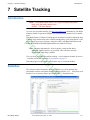
1
Chapter 1 - Introduction
Radio
Interfacing
Installation
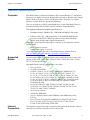
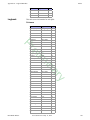
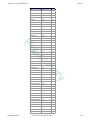
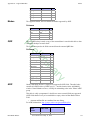
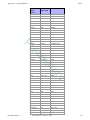
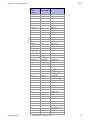
Ham Radio Deluxe is designed to be used with one of the rigs listed above. Some
modules, however, can be used without a connection to a rig. Logging will work but
will not be as automated. Satellite tracking is still fun without a rig connected. In fact,
there are only a few of the above listed rigs that “really” work fully with the satellite
module.
Some of the rigs listed above do not fully avail themselves to all the features of Ham
Radio Deluxe. A number of the rigs do not provide Tx control easily. That is the limit of
the rig, not Ham Radio Deluxe.
To do any control of a rig you will need a cable to connect your radio to your computer.
Many of these cables use the serial port. If you don’t have a serial port all is not lost –
USB serial converters are widely available. Also, there are options available that are
USB based.
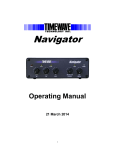
One of these is HamLinkUSB from Timewave. This will allow rig control with most of
the radios listed above.
el
Pr
Note: Not all USB serial converters work well enough for Ham Radio
Deluxe. If in doubt ask for a recommendation in the Ham Radio Deluxe
support forums.
The future trend in radio control and interfacing is the USB connection. More and more
radios will only have USB ports and not Serial or Parallel ports. The USB port even pass
audio as rig control with a few of the radios.
im
For the majority of the radios listed above, you will need to have a more robust interface
if you need to send or receive audio. The audio recorder and PSK31 are two examples of
this need.
in
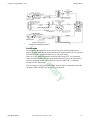
For more interfacing information visit the Downloads page at http://www.ham-radiodeluxe.com/ for A basic guide to CAT and Audio interfacing which contains many
designs for both CAT and audio interfaces for use with Ham Radio Deluxe.
Public
Interfaces
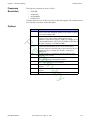
Timewave http://www.timewave.com
Tigertronics http://www.tigertronics.com
ZLP Electronics http://g4zlp.ham-radio.ch/
West Mountain Radio http://www.westmountainradio.com/.
y
•
•
•
•
ar
Check out the cable and interface solutions from:
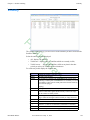
Other (non-Ham Radio Deluxe) programs are supported via a DDE interface (see DDE
Support on page 53) and a serial port (see 3rd-Party Programs on page 80).
Logbooks typically use these interfaces; for example - contest-oriented logbooks.
Installation
Introduction
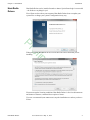
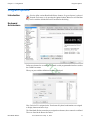
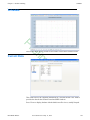
Ham Radio Deluxe is designed for Windows XP, Vista and Windows 7), Internet
Explorer 6.0 (or higher) is required. The policy is to support Windows versions which
are supported by Microsoft.
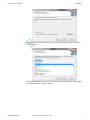
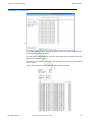
The Logbook uses MS Access or you can use MySQL, see Database on page 83 for
more information.
Ham Radio Deluxe
User Guide V5.21- May 11, 2012
3