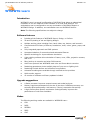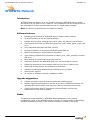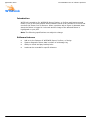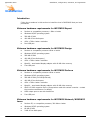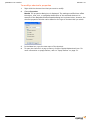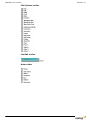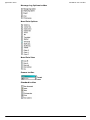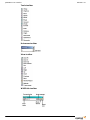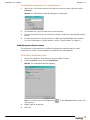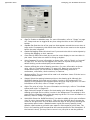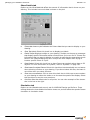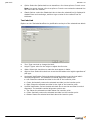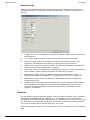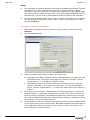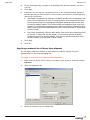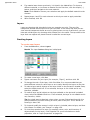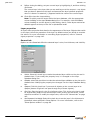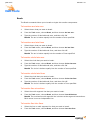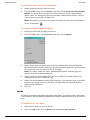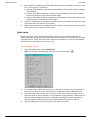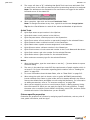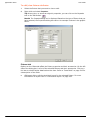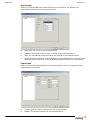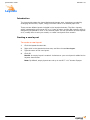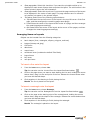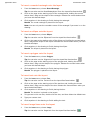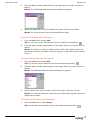
1
Reference Guide Lighting Design Software Manage, Design and Simulate Reference Guide Product Release 14.0 September 2005 © Cast Group of Companies Inc., 2002-2005. All rights reserved. WYSIWYG, Cast Software, WYSIWYG Report, WYSIWYG Perform, WYSIWYG Design and Autofocus are trademarks of the Cast Group of Companies Incorporated. All other trademarks and logos are the property of their respective owners. September 2005 Summary of changes Summary of changes The following table summarizes the changes included in the Release 14 WYSIWYG Reference Guide, September 2005. Change location Description of change Chapter 3, page 31. Updated minimum hardware requirements (Windows 2000 is no longer supported). Chapter 3, page 34. Updated section on installing WYSIWYG Learn or Network. Chapter 3, page 35. Updated section on installing WYSIWYG Server. Chapter 3, page 37. Updated section on installing the Learn/Network Client. Chapter 3, pages 38— 42. Added content on the new Configuration Wizard and updated sections on activation and registration. Chapter 4, page 59. Updated Design toolbar with Video designer tool and Fade looks icon. Chapter 5, page 83. Updated the Application Options window graphic and explanations to include new Look for network dongle check box. Chapter 5, page 118. Updated Library browser graphic with new preview pane. Chapter 5, page 125. Added content on drawing tent venues. Chapter 5, pages 133— Added new content on drawing screens for streaming 135. video, configuring a video source, and connecting the video source with the Video Manager. Chapter 5, page 142. Added content on new Appearance tab. Chapter 5, pages 149— Updated content on textures and materials to reflect 152. changes in Appearance tab. Chapter 5, pages 187— Updated section on Quick Tools. 188. Chapter 5, page 198. Added section on mountable yokes. Chapter 5, page 199. Added procedure on using colors and gobos with Quick Tools. Chapter 6, page 220. Added procedure on patching the control of a video source. Chapter 7, page 233. Added section on the new Video tool. Chapter 7, page 238. Added section on cross-fading between looks. WYSIWYG Reference Guide v Summary of changes vi Release 14.0 Change location Description of change Chapter 8, page 306. Added procedure on controlling a patched video source with a console. September 2005 Contents Contents Reference Guide 1 Introduction 2 The WYSIWYG suite of software products 3 Installation, configuration, activation, and registration 4 WYSIWYG user interface 5 Managing your WYSIWYG document 6 CAD mode 7 Data mode 9 About this manual . . . . . . . . . . . . . . . . . . . . . . . . . . . . . . . . . . . . . . . . . . . . . . . . 11 Troubleshooting . . . . . . . . . . . . . . . . . . . . . . . . . . . . . . . . . . . . . . . . . . . . . . . . . 12 Welcome to WYSIWYG . . . . . . . . . . . . . . . . . . . . . . . . . . . . . . . . . . . . . . . . . . . . . 14 WYSIWYG Report . . . . . . . . . . . . . WYSIWYG Design . . . . . . . . . . . . . WYSIWYG Perform . . . . . . . . . . . . WYSIWYG Perform - Console Edition WYSIWYG Learn . . . . . . . . . . . . . . WYSIWYG Network . . . . . . . . . . . . WYSILink . . . . . . . . . . . . . . . . . . . . . . . . . . . . . . . . . . . . . . . . . . . . . . . Installation . . . . . . . . . . . . . . . . . . . . . . Configuration, activation, and registration Upgrades . . . . . . . . . . . . . . . . . . . . . . . Subscriptions . . . . . . . . . . . . . . . . . . . . Passwords . . . . . . . . . . . . . . . . . . . . . . Navigation and screen set-up . Shortcut bars . . . . . . . . . . . . Toolbars. . . . . . . . . . . . . . . . Status bar . . . . . . . . . . . . . . Wireframe views . . . . . . . . . . Shaded views . . . . . . . . . . . . . . . . . . . . . . . . . . . . . . . . . . . . . . . . . . . . . . . . . . . . . . . . . . . . . . . . . . . . 15 . . . . . . . . . . . . . . . . . . . . . . . . . . . . . . . . . . . . . . . . . . . . . . . . . . . . . . . . . . . . . . . . . . . . . . . . . . . . . . . . . . . . . . . . . . . . . . . . . . . . . . . . . . . . . . . . . . . . . . . . . . . . . . . . . . . . . . . . . . . . . . . . . . . . . . . . . . . 17 . 18 . 20 . 22 . 24 . 26 . 27 29 . . . . . . . . . . . . . . . . . . . . . . . . . . . . . . . . . . . . . . . . . . . . . . . . . . . . . . . . . . . . . . . . . . . . . . . . . . . . . . . . . . . . . . . . . . . . . . . . . . . . . . . . . . . . . . . . . . . . . . . . . . . . . . . . . . . . . . . . . . . . . . . . . . . . . . . 31 . 38 . 42 . 43 . 45 . . . . . . . . . . . . . . . . . . . . . . . . . . . . . . . . . . . . . . . . . . . . . . . . . . . . . . . . . . . . . . . . . . . . . . . . . . . . . . . . . . . . . . . . . . . . . . . . . . . . . . . . . . . . . . . . . . . . . . . . . . . . . . . . . . . . . . . . . . . . . . . . . . . . . . . . . . . . . . . . . . . . . . . . . . . . . . . . . . . . . 49 . 53 . 57 . 64 . 66 . 71 47 . . . . . . . . . . . . . . . . . . . . . . . . . . . . . . . . . . . . . . . . . . . . . . . . 75 File menu . . . . . . . . . . . . . . . . . . . . . . . . . . . . . . . . . . . . . . . . . . . . . . . . . . . . . . 77 Options menu . . . . . . . . . . . . . . . . . . . . . . . . . . . . . . . . . . . . . . . . . . . . . . . . . . . 83 WYSIWYG Viewer . . . . . . . . . . . . . . . . . . . . . . . . . . . . . . . . . . . . . . . . . . . . . . . . 98 Layout tabs . . . . . . . . . . . . . The CAD environment . . . . . . The Library Browser . . . . . . . Drawing objects . . . . . . . . . . Editing objects . . . . . . . . . . . CAD tools . . . . . . . . . . . . . . . Hang structures . . . . . . . . . . Hanging and focusing fixtures. Color, gobos, and accessories . The Flight Case . . . . . . . . . . . Rendering . . . . . . . . . . . . . . 99 . . . . . . . . . . . . . . . . . . . . . . . . . . . . . . . . . . . . . . . . . . . . . . . . . . . . . . . . . . . . . . . . . . . . . . . . . . . . . . . . . . . . . . . . . . . . . . . . . . . . . . . . . . . . . . . . . . . . . . . . . . . . . . . . . . . . . . . . . . . . . . . . . . . . . . . . . . . . . . . . . . . . . . . . . . . . . . . . . . . . . . . . . . . . . . . . . . . . . . . . . . . . . . . . . . . . . . . . . . . . . . . . . . . . . . . . . . . . . . . . . . . . . . . . . . . . . . . . . . . . . . . . . . . . . . . . . . . . . . . . . . . . . . . . . . . . . . . . . . . . . . . . . . . . . . . . . . . . . . . . . . . . . . . . . . . . . . . . . . . . . . . . . . . . . . . . . . . . . . . . . . . . . . . . . . . . . . . . . . . . . . . . . . . . . . . . . . . . . . . . . . . . . . . . 101 . 102 . 118 . 122 . 138 . 158 . 167 . 175 . 198 . 204 . 207 209 Layout tabs . . . . . . . . . . . . . . . . . . . . . . . . . . . . . . . . . . . . . . . . . . . . . . . . . . . 211 Spreadsheets . . . . . . . . . . . . . . . . . . . . . . . . . . . . . . . . . . . . . . . . . . . . . . . . . . 212 7 Contents Release 14.0 Patch . . . . . . . . . . . . . . . . . . . . . . . . . . . . . . . . . . . . . . . . . . . . . . . . . . . . . . . . 219 Errors . . . . . . . . . . . . . . . . . . . . . . . . . . . . . . . . . . . . . . . . . . . . . . . . . . . . . . . 223 8 Design mode 9 Presentation mode 10 Live mode 11 WYSILink - Link mode A Using the SuperPro Monitoring Tool B Keyboard shortcuts and hot keys C Using AutoFocus with the HogPC Index 8 Layout tabs . . Design tools . . Concepts . . . . Palettes . . . . . Creating looks Rendering . . . 227 . . . . . . . . . . . . . . . . . . . . . . . . . . . . . . . . . . . . . . . . . . . . . . . . . . . . . . . . . . . . . . . . . . . . . . . . . . . . . . . . . . . . . . . . . . . . . . . . . . . . . . . . . . . . . . . . . . . . . . . . . . . . . . . . . . . . . . . . . . . . . . . . . . . . . . . . . . . . . . . . . . . . . . . . . . . . . . . . . . . . . . . . . . . . . . . . . . . . . . . . . . . . . . . . . . . . . . . . . . . . . . . . . . . . . . . . . . . . . . . . . . . . . . . . . . . . . . . . . . . . . . . . . . . . . . . . . . . . . . . . . . . . . . . . . . . . . . . . . . . . . . . . . . . . . . . . . . . . . . . . . . . . . . . . . . . . . . . . . . . . . . . . . . . . . . . . . . . . . . . . . . . . . . . . . . . . . . . . . . . . . . . . . . . . . . . . . . . . . . . . . . . . . . . . . . . . . . . . . . . . . . . . . . . . . . . . . . . . . . . . . . . . . . . . . . . . . . . . . . . . . . . . . . . . . . . . . . . . . . . . . . . . . . . . . . . . . . . . . . . . . . . . . . . . . . . . . . . . . . . . . . . . . . . . . . . . . . . . . . . . . . . . . . . . . . . . . . . . . . . Layout tabs . . . . . . . . Connecting to consoles AutoPatch . . . . . . . . . Visualization . . . . . . . . Autofocus. . . . . . . . . . Rendering . . . . . . . . . . . . . . . . . . . . . . . . . . . . . . . . . . . . . . . . . . . . . . . . . . . . . . . . . . . . . . . . . . . . . . . . . . . . . . . . . . . . . . . . . . . . . . . . . . . . . . . . . . . . . . . . . . . . . . . . . . . . . . . . . . . . . . . . . . . . . . . . . . . . . . . . . . . . . . . . . . . . . . . . . . . . . . . . . . . . . . . . . . . . . . . . . . . . . . . . . . . . . . . . . . . . . . . . . . . . . . . . . . . . . . . . . . . . . . . . . . . . . . . . . . . . . . . . . . . . . . . . . . . . . . . . . . . . . . . . . . . . . . . . . . . . . . . . . . . . . . . . . . . . . . . . . . . . . . . . . . . . . . . . . . . . . . . . . . . . . . . . . . . . . . . . . . . . . . . . . . . . . . . . . . . . . . . . . . . . . . . . . . . . . . . . . . . . . . . . . . . . . . . . . . . . . . . . . . . . . Layout tabs Reports . . . New Plots . . Layouts . . . Images . . . Worksheets Pipe tapes . . . . . . . . . . . . . . . . . . . . . . . . . . . . . . . . . . . . . . . . . . . . . . . . . . . . . . . . . . . . . . . . . . . Layout tabs . . . . . . Setting up WYSILink WYSILink mode . . . ETCLink functions . . . . . . . . . . . . . . . . 229 . 230 . 235 . 237 . 238 . 240 249 . 251 . 252 . 258 . 274 . 297 . 298 . 299 301 . . . . . . . . . . . . . . . . . 303 . 304 . 308 . 310 . 313 . 315 317 . 319 . 320 . 321 . 326 333 SuperPro Monitoring Tool . . . . . . . . . . . . . . . . . . . . . . . . . . . . . . . . . . . . . . . . . . 335 339 Keyboard shortcuts and hot keys . . . . . . . . . . . . . . . . . . . . . . . . . . . . . . . . . . . . 341 347 Setting up AutoFocus to work with the HogPC . . . . . . . . . . . . . . . . . . . . . . . . . . . 349 353 Chapter 1 Introduction This chapter introduces you to the WYSIWYG Reference Guide, provides information for troubleshooting, and lists contact information if you need further assistance. In this chapter WYSIWYG Reference Guide About this manual 11 Troubleshooting 12 Welcome to WYSIWYG 14 9 Introduction 10 Release 14.0 September 2005 Introduction About this manual Introduction This manual provides instructions for the installation and operation of the different levels of the WYSIWYG application. WYSIWYG is available at the following levels: WYSIWYG Report WYSIWYG Design WYSIWYG Perform WYSIWYG Perform - Console Edition WYSIWYG Learn WYSIWYG Network All levels are discussed in this manual. For a detailed description of the levels, refer to Chapter 2, “The WYSIWYG suite of software products.” All the levels use the same user interface, described in Chapter 4, “WYSIWYG user interface.” However, you can perform different tasks in each mode. For example, you draw in CAD mode and edit in Data mode. These modes may have different features based on the level of WYSIWYG that you are running. Text conventions The following text conventions are used in this manual: WYSIWYG Reference Guide Menus and menu commands appear in Arial bold. For example, “from the Edit menu, choose Layers.” User interface elements such as buttons, tools, shortcuts, and dialog boxes appear in Tahoma Oblique. For example, “to draw a riser, click the Riser tool on the Draw toolbar.” Keyboard keys are indicated in ALL CAPS. For example, “press TAB to enter the missing coordinate.” References to manuals appear in italic font. For example, “for additional information on working with recorded loads, please refer to your Sensor CEM User Manual.” 11 Introduction Release 14.0 Troubleshooting Introduction If you have problems using your software, please consult the following resources: the contents of this manual or the online Help available from within WYSIWYG the Cast Software Web site at www.cast-soft.com If these resources are insufficient, please contact Technical Support. Help from Technical Support For assistance with a problem, contact Technical Support directly at one of the offices identified below. When calling for help, please have the following information ready: the level of WYSIWYG that you are using (Report, Design, or Perform) software version (from the Help menu, choose About WYSIWYG) the kind of computer that you are using (processor and speed, amount of memory, graphics card, operating system) DMX interface type (if applicable) North America Cast Software Technical Support 35 Ripley Avenue, Unit 1 Toronto, ON M6S 3P2 Canada Phone: +1 877 989 2278 Fax: +1 416 597 9594 E-mail: [email protected] Web site: www.cast-soft.com United Kingdom A.C. Lighting Ltd. Technical Sales & Support: Centauri House Hillbottom Road High Wycombe Bucks, HP12 4HQ UK 12 September 2005 Introduction Phone: +44 (0)1494 446000 Fax: +44 (0)1494 461024 E-mail: [email protected] Web site: www.aclighting.com Germany ARCUS GmbH Obermeiers Feld 2-4 33104 Paderborn Germany Phone: +49 (0) 5254 93069 0 Fax: +49 (0) 5254 93069 29 E-mail: [email protected] Web site: www.arcus-lighting.com Japan Theater Engineering Phone: +81 (0) 3 3706 5611 Fax: +81 (0) 3 3706 6766 E-mail: [email protected] Web site: www.thea-eng.co.jp Support for WYSIWYG Perform - Console Edition For assistance with a problem related to WYSIWYG Perform - Console Edition, contact the manufacturer of the console to which you are connected. The console manufacturer is listed on the Welcome page that appears when you launch the application. WYSIWYG Reference Guide 13 Introduction Release 14.0 Welcome to WYSIWYG Introduction The WYSIWYG suite of software products, designed specifically for lighting professionals, offers a range of solutions to meet the needs of designers, assistants, electricians, console operators, teachers, and students. WYSIWYG is the essential tool if you are looking to increase creative freedom save time win more contracts cut costs Within the WYSIWYG suite of products, any higher level product contains all the features of a lower level product. WYSIWYG Report, Design, and Perform are the core products, with WYSIYWG Report offering basic CAD and paperwork solutions, and WYSIWYG Perform providing an end-to-end solution including CAD, paperwork, rendering, and pre-visualization. In less than one day of training, you can begin working with WYSIWYG and see your lighting design without actually installing any lights. You can even see what a new lighting fixture can do before you rent, buy, or install it. Once your design is complete, WYSIWYG handles the logistics; it automatically generates plots, schedules, pipe-tapes, and color and gobo lists. For more information on each of the three main levels of WYSIWYG, see the appropriate section: 14 WYSIWYG Report For details, see “WYSIWYG Report” on page 17. WYSIWYG Design For details, see “WYSIWYG Design” on page 18. WYSIWYG Perform For details, see “WYSIWYG Perform” on page 20. Chapter 2 The WYSIWYG suite of software products This chapter describes the different levels of WYSIWYG. In this chapter WYSIWYG Reference Guide WYSIWYG Report 17 WYSIWYG Design 18 WYSIWYG Perform 20 WYSIWYG Perform - Console Edition 22 WYSIWYG Learn 24 WYSIWYG Network 26 WYSILink 27 15 The WYSIWYG suite of software products 16 Release 14.0 September 2005 The WYSIWYG suite of software products WYSIWYG Report Introduction WYSIWYG Report is the basic WYSIWYG package. It allows lighting professionals to create 2D plans of their productions along with all the necessary paperwork. WYSIWYG Report is also available in an educational edition. This product, WYSIWYG Report Educational Edition, is a fully functional version of Report that is available to students and faculty at a special price. Note: The following specifications are subject to change. Software features 2D plotting of set and lighting designs (plans, sections and elevations) Comprehensive 3D library of fixtures, accessories, truss, colors, gobos, props, and so on Extensive CAD tools Excellent zooming and maneuvering abilities Custom layers and scenes for complete control and management of information Loading and exporting of DXF, DWG, Excel, BMP, and JPG Tabular editing of lighting information including channel, dimmer, color, and so on Fully integrated paperwork and 2D CAD systems Error checking of production paperwork and hookups Reports including instrument counts and schedules, patch sheets, and so on Printing of plots and reports up to 36”x 48” / A0 Custom report and plot content and layout Ability to print all view types including 2D CAD, reports, spreadsheets, bitmap files, jpeg files, and logos Multi-monitor support 12 months of software and library updates included Upgrade suggestions A faster processor improves responsiveness. Memory requirements depend on the size of the show. Insufficient memory can seriously affect performance. Add memory if there is excessive disk activity. Modes The following working modes are available in WYSIWYG Report: CAD 2D DATA PRES 2D Refer to the respective chapters of this guide for detailed explanations about the features in each mode. WYSIWYG Reference Guide 17 The WYSIWYG suite of software products Release 14.0 WYSIWYG Design Introduction WYSIWYG Design builds on the feature set of Report and adds the ability for lighting professionals to explore their designs in a 3D environment. 3D CAD tools, shaded and isometric views, and photo-realistic rendering tools are added, as well as the ability to create and store images of lighting looks using the integrated design tools. WYSIWYG Design is also available in an educational edition. This product, WYSIWYG Design Educational Edition, is a fully functional version of Design that is available to students and faculty at a special price. Note: The following specifications are subject to change. Software features Includes all the features of WYSIWYG Report 3D plotting of set and lighting designs Multiple working views including isometric Comprehensive 3D library of fixtures, accessories, truss, colors, gobos, props, and so on Extended library includes textures and materials Library objects are multi-layered for realistic texturing Objects have variable translucency Fully integrated paperwork and CAD systems Loading and exporting of DXF, DWG, Excel, BMP, and JPG file types Print all view types including 3D views, bitmap files, jpeg files, spreadsheets and logos Integrated design mode allows creation of static lighting looks without a console Rendering generates a photo-realistic picture of your lighting look Rendering wizard provides options for smoke, shadows, ambient light, and so on Renderings include bounce and reflection from surfaces OpenGL technology for improved beam simulation Multi-monitor support 12 months of software and library updates included Upgrade suggestions A faster processor improves responsiveness and rendering times. Memory requirements depend on the size of the show. Insufficient memory can seriously affect performance. Add memory if there is excessive disk activity. A high-performance OpenGL accelerator card significantly improves the performance of real-time simulation. Modes The following working modes are available in WYSIWYG Design: 18 September 2005 The WYSIWYG suite of software products CAD DATA DESIGN PRES Refer to the respective chapters of this guide for detailed explanations about the features in each mode. WYSIWYG Reference Guide 19 The WYSIWYG suite of software products Release 14.0 WYSIWYG Perform Introduction WYSIWYG Perform builds on the feature set of Report and Design and adds the ability for lighting professionals to pre-cue entire shows in real time. Users can create their productions in 3D along with all the necessary paperwork. A console can then be connected to the computer and WYSIWYG Perform will simulate the exact effect of the console’s output in real-time. Note: The following specifications are subject to change. Software features Includes all the features of WYSIWYG Report and Design 3D plotting of set and lighting designs Multiple working views including front, back, sides, top, bottom, and isometric Comprehensive 3D library of fixtures, accessories, truss, colors, gobos, props, and so on Fully integrated paperwork and CAD systems Live mode for real-time lighting visualization Accurate simulation of conventional and automated fixtures OpenGL technology for improved beam simulation Light emitting surfaces allow simulation of lasers, neon, LEDs, projection screens, and so on Easy hook-up to consoles and other DMX sources Auto Focus protocol lets WYSIWYG send color and focus data to consoles Integrated design mode allows you to create lighting looks without a console Rendering generates a photo-realistic picture of your cue or lighting look Renderings include bounce and reflection from surfaces Animated renderings available though certified service providers Multi-monitor support 12 months of software and library updates included Upgrade suggestions A faster processor improves responsiveness and rendering times. Memory requirements depend on the size of the show. Insufficient memory can seriously affect performance. Add memory if there is excessive disk activity. A high-performance OpenGL accelerator card significantly improves the performance of real-time simulation. Modes The following working modes are available in WYSIWYG Perform: 20 CAD DATA September 2005 The WYSIWYG suite of software products DESIGN PRES LIVE Refer to the respective chapters of this guide for detailed explanations about the features in each mode. WYSIWYG Reference Guide 21 The WYSIWYG suite of software products Release 14.0 WYSIWYG Perform - Console Edition Introduction WYSIWYG Perform - Console Edition is a version of WYSIWYG Perform intended for distribution with a specific console or family of consoles. Users purchasing a compatible console will receive this edition of WYSIWYG Perform to create shows and begin precueing activities. The Console Edition of WYSIWYG Perform includes most of the functionality of Perform with certain features restricted or removed. Note: The following specifications are subject to change. Software features Includes all the features of WYSIWYG Perform, other than printing or exporting in any format 3D plotting of set and lighting designs Multiple working views including front, back, sides, top, bottom, and isometric Comprehensive 3D library of fixtures, accessories, truss, colors, gobos, props, and so on Fully integrated paperwork and CAD systems Live mode is restricted to visualizing one patch universe at a time Accurate simulation of conventional and automated fixtures OpenGL technology for improved beam simulation Light emitting surfaces allow simulation of lasers, neon, LEDs, projection screens, and so on AutoPatch transmits the entire show patch regardless of channel count Rendering is available in Design and Live modes but is limited to 76,800 pixels Upgrade suggestions A faster processor improves responsiveness and rendering times. Memory requirements depend on the size of the show. Insufficient memory can seriously affect performance. Add memory if there is excessive disk activity. A high-performance OpenGL accelerator card significantly improves the performance of real-time simulation. Note: You cannot upgrade from WYSIWYG Report or Design to WYSIWYG Perform Console Edition. You can, however, upgrade from WYSIWYG Perform - Console Edition to WYSIWYG Perform, removing any console restrictions. Modes The following working modes are available in WYSIWYG Perform - Console Edition: 22 CAD DATA DESIGN PRES LIVE September 2005 The WYSIWYG suite of software products Refer to the respective chapters of this guide for detailed explanations about the features in each mode. WYSIWYG Reference Guide 23 The WYSIWYG suite of software products Release 14.0 WYSIWYG Learn Introduction WYSIWYG Learn is a special configuration of WYSIWYG that allows an educational institution to run ten instances of the software on a Local Area Network. The workstations can be configured to run any combination of WYSIWYG Report or WYSIWYG Design. In addition, one workstation can run WYSIWYG Perform. Note: The following specifications are subject to change. Software features Includes all the features of WYSIWYG Report, Design, or Perform 2D and 3D plotting of set and lighting designs Multiple working views including front, back, sides, top, bottom, and isometric Comprehensive 3D library of fixtures, accessories, truss, colors, gobos, props, and so on Fully integrated paperwork and CAD systems Accurate simulation of conventional and automated fixtures OpenGL technology for improved beam simulation Light emitting surfaces allow simulation of lasers, neon, LEDs, projection screens, and so on Easy hook-up to consoles and other DMX sources Auto Focus protocol lets WYSIWYG send color and focus data to consoles Rendering generates a photo-realistic picture of your cue or lighting look Renderings include bounce and reflection from surfaces Animated renderings are available though certified service providers Multi-monitor support 12 months of software and library updates included Upgrade suggestions A faster processor improves responsiveness and rendering times. Memory requirements depend on the size of the show. Insufficient memory can seriously affect performance. Add memory if there is excessive disk activity. A high-performance OpenGL accelerator card significantly improves the performance of real-time simulation. Modes The following working modes are available in WYSIWYG Learn: 24 CAD DATA DESIGN PRES LIVE September 2005 The WYSIWYG suite of software products Refer to the respective chapters of this guide for detailed explanations about the features in each mode. WYSIWYG Reference Guide 25 The WYSIWYG suite of software products Release 14.0 WYSIWYG Network Introduction WYSIWYG Network allows you to run as many licenses of WYSIWYG Report, Design, and Perform as you want to over a network. The workstations can be configured to run any combination of these products with the use of a single network dongle. Note: The following specifications are subject to change. Software features Includes all the features of WYSIWYG Report, Design, and/or Perform 2D and 3D plotting of set and lighting designs Multiple working views including front, back, sides, top, bottom, and isometric Comprehensive 3D library of fixtures, accessories, truss, colors, gobos, props, and so on Fully integrated paperwork and CAD systems Accurate simulation of conventional and automated fixtures OpenGL technology for improved beam simulation Light emitting surfaces allow simulation of lasers, neon, LEDs, projection screens, and so on Easy hook-up to consoles and other DMX sources Auto Focus protocol lets WYSIWYG send color and focus data to console Rendering generates a photo-realistic picture of your cue or lighting look Renderings include bounce and reflection from surfaces Animated renderings available though certified service providers Multi-monitor support 12 months of software and library updates included Upgrade suggestions A faster processor improves responsiveness and rendering times. Memory requirements depend on the size of the show. Insufficient memory can seriously affect performance. Add memory if there is excessive disk activity. A high-performance OpenGL accelerator card significantly improves the performance of real-time simulation. Modes The working modes available in WYSIWYG Network depend on your product configuration. Refer to the WYSIWYG Report, Design, or Perform sections accordingly. Detailed explanations of each of the various modes are included in this guide. 26 September 2005 The WYSIWYG suite of software products WYSILink Introduction WYSILink is an add-on for WYSIWYG Report, Design, or Perform and inserts a mode button (Link) to the base product when installed. It acts as an interface to ETCLink and monitors the Sensor line of dimmers. When a problem with a fixture is detected, data about the fixture is logged in Link mode and the image of the affected fixture is highlighted on your plot. Note: The following specifications are subject to change. Software features Add-on to the features of WYSIWYG Report, Perform, or Design System diagnostic fixture data is written to a Message Log Ability to record and play backup looks Loads can be recorded for specific dimmers WYSIWYG Reference Guide 27 The WYSIWYG suite of software products 28 Release 14.0 Chapter 3 Installation, configuration, activation, and registration This chapter provides instructions on how to install, configure, activate, and register the WYSIWYG software. You must activate and register the software before you can start using WYSIWYG. In this chapter WYSIWYG Reference Guide Installation 31 Configuration, activation, and registration 38 Upgrades 42 Subscriptions 43 Passwords 45 29 Installation, configuration, activation, and registration 30 Release 14.0 September 2005 Installation, configuration, activation, and registration Installation Introduction Follow the procedures in this section to install the level of WYSIWYG that you have purchased. Minimum hardware requirements for WYSIWYG Report Pentium or compatible processor, 1 GHz or better Windows ME/XP operating system 256 MB of RAM 400 MB of free disk space 1024 x 768 or better resolution free USB port Minimum hardware requirements for WYSIWYG Design Pentium or compatible processor 1GHz or better Windows ME/XP operating system 256 MB of RAM 400 MB of free disk space ( 1024 x 768 or better resolution OpenGL - accelerated display adapter with 16 MB video memory Free USB port Minimum hardware requirements for WYSIWYG Perform Pentium or compatible processor 1GHz or better Windows ME/XP operating system 256 MB of RAM (512 MB preferred) 400 MB of free disk space 1024 x 768 or better resolution OpenGL - accelerated display adapter with 16 MB video memory WYG-it 2 DMX reception device (except when used with certain consoles - contact the console manufacturer for details) MIDI output port to use with AutoFocus Free USB port Minimum hardware requirements for WYSIWYG Network/WYSIWYG Learn Pentium III, or compatible processor, 300 MHz or better Windows ME/XP operating system 64 MB of RAM 2 MB of free disk space WYSIWYG Reference Guide 31 Installation, configuration, activation, and registration Windows ME/XP - USB or ECP parallel port Network interface card running TCP/IP Release 14.0 For WYSIWYG Perform workstations: Use a WYG-it 2 or compatible DMX reception device (except when used with certain consoles - contact the console manufacturer for details) MIDI output port to use with Autofocus-enabled consoles Minimum hardware requirements for WYSILink Sensor dimmer rack with Control Electronic Module (CEM), software version 3.11 or later ETCNet2 DMX Node with RFU/Link option, software version 2.1.1 or later Installing WYSIWYG The installation procedure for WYSIWYG is the same regardless of the level that you have purchased. A guide to the installation appears when the CD is inserted into your PC’s CD drive. This guide displays buttons for all the installation options: Install WYSIWYG Install WYSIWYG Network Server (see “Installing WYSIWYG Learn or WYSIWYG Network” on page 34) Quick Start Guide Quick Start Tutorials Reference Guide Release Notes Install Adobe Acrobat Reader Click INSTALL WYSIWYG to install the software. Follow the steps in the Installation Wizard as prompted. If the installation wizard does not automatically open: 32 1 Access the CD-ROM drive of your computer. 2 Double-click the icon for the Wyginstall program. September 2005 Installation, configuration, activation, and registration 3 Follow the steps in the Installation Wizard. Installing an In-Place update If you already have a previous release of WYSIWYG installed on your computer, you can easily update to the current release by installing an in-place update. This update allows you to enhance a version of WYSIWYG that is a maximum of two releases back from the current release. You do not have to uninstall the previous version of WYSIWYG to perform the update. To install an in-place update 1 From the WYSIWYG Install window, select Install WYSIWYG. Result: If you have more than one release installed on your computer, the following dialog box is displayed. If you have only one release installed, skip to step 4. 2 Select Update the product selected below. 3 From the list of WYSIWYG releases, highlight the release that you want to update, and then click Next. 4 On the WYSIWYG Update window, select Next. WYSIWYG Reference Guide 33 Installation, configuration, activation, and registration 5 Release 14.0 On the WYSIWYG Update window, click Yes to accept the terms of the license. Result: The updated files are copied to your computer. 6 After all the files are copied, click FINISH to complete the update. Installing WYSIWYG Learn or WYSIWYG Network Software components The WYSIWYG Network and WYSIWYG Learn systems are composed of a server and one or more clients. The Server is a small application that installs the SuperProServer service. This service is required to detect the WYSIWYG Learn or Network dongle (a list of current services on a workstation can be viewed under Control Panel > Administrative Tools > Services). You need to install the WYSIWYG Server on only one computer on the network. A Learn or Network Client enables the software to function over the network. The Client must be installed on all desired workstations. WYSIWYG Learn can run up to 10 clients. However, the number of clients for WYSIWYG Network is restricted based on the configuration purchased. A typical WYSIWYG Network/Learn setup is illustrated in the diagram on the following page. All computers running Network/Learn components must be on the same network (and therefore have the same network ID and subnet mask). 34 September 2005 Installation, configuration, activation, and registration Network services Windows XP Services are supported in Windows XP. Services start running as soon as your computer is turned on, regardless of whether the user is logged in. The service begins automatically each time the workstation is restarted, and runs in the background without any prompting from the user. The service may also be started manually; the choice is available during the installation process. Windows ME Windows ME does not support services. In this case, the Server installs a small .EXE file for which a shortcut is created automatically in the start-up folder of the startup menu. When a user logs on, any shortcuts in the start-up folder are triggered instantly. The SuperProServer service runs in the background until the user logs off. The “service” may also be started manually; this choice is available during the installation process. Network protocol WYSIWYG Learn or WYSIWYG Network will run on any LAN that supports TCP/IP protocol (NetBEUI and IPX/SPX networks are not currently supported). Detecting the network dongle If the service is not running, the Clients will not be able to detect the dongle and the application will terminate. Ensure that the dongle is attached to the workstation that is running the Server. Before you begin Previous versions of WYSILAB or WYSIWYG Learn/Network must be removed before beginning the install process (if this step is not completed, the install menu will offer the option before continuing with the installation). The workstations must be restarted for the changes to take effect. To install the Server 1 From the WYSIWYG Install window, select Install WYSIWYG Network Server. Note: The Server should only be installed on one computer on the network. This is the computer to which you will attach the network dongle. 2 WYSIWYG Reference Guide On the Setup window, click Yes to accept the terms of the license. 35 Installation, configuration, activation, and registration 3 Release 14.0 Click Next. Result: The Choose Destination Location window appears. 4 Select a destination location for the Server files. The default location is C:\Program Files\WYSIWYG Server. 5 Click Next. Result: The Select Program Folder window appears. 6 36 Select a program folder for the shortcut. The default is WYSIWYG Server. September 2005 Installation, configuration, activation, and registration 7 Click Next. Result: The Start Copying Files window appears. 8 Review the installation settings, and then click Next to begin the installation. 9 After all the files are copied, click FINISH to complete the installation. To install the Network/Learn Client 1 From the WYSIWYG Installation window, select Install WYSIWYG. Result: The CAST license screen appears. 2 If you accept the terms of the license, click Yes to continue. The installation begins. 3 Click FINISH to complete the installation. WYSIWYG Reference Guide 37 Installation, configuration, activation, and registration Release 14.0 Configuration, activation, and registration Introduction After installing the product, when you launch WYSIWYG for the first time, the Product Configuration Wizard appears, enabling you to choose the product level that you want to run. You can choose from standard product levels (such as Design and Report), Network products, or you can run the Demo or Viewer versions of WYSIWYG. Note: To run any of the products listed in the Wizard, you must first have the appropriate dongle installed on your computer (to run a network product, you must have a network dongle installed on a computer that is accessible from your PC). After you proceed through the steps of the Wizard, you are prompted to activate your product (only if you are upgrading from version 3.X to the latest version), and then you are prompted to register the software. You must activate and register the WYSIWYG software before you can start using it. To activate the WYSIWYG software involves entering an 11-digit activation code. To register the software involves entering a validation code. This section is broken down into the following three steps: starting WYSIWYG for the first time and running through the Product Configuration Wizard activating the software registering the software To start WYSIWYG for the first time Note: Before you perform this procedure, ensure that you have the correct dongle installed on your computer, or that the network dongle is installed on a computer that you can access from your PC. 1 On your desktop, click the shortcut icon to start WYSIWYG (or click Start > All Programs > WYSIWYG > WYSIWYG). Result: The WYSIWYG Product Configuration Wizard appears. 38 September 2005 Installation, configuration, activation, and registration 2 To ensure that the Wizard appears the next time you launch WYSIWYG, leave the check mark in the box beside Show me this wizard next time I run WYSIWYG; to configure the program so the Wizard does not appear the next time you launch WYSIWYG, clear this check box. Note: If you clear this check box, you can always set it again in the Application Options window. For details, see page 84. 3 Click Next. Result: The Product Selection window appears, enabling you to choose the product level that you want to launch. 4 Select the product that you want to launch (you must have the correct dongle installed to launch the program), and then click Next. Result: The program verifies that you have the correct dongle attached, and the Product Configuration Successful window appears: 5 Click Finish. 6 The product that you chose launches and the Activate or Register window appears (based on the level of product that you have purchased). WYSIWYG Reference Guide If you have purchased a new box product containing a new version dongle skip to the product registration process. For details, see “To register WYSIWYG” on page 40. 39 Installation, configuration, activation, and registration Release 14.0 If you are upgrading from WYSIWYG 3.X, continue with the next procedure, “To activate WYSIWYG” on page 40. To activate WYSIWYG Note: This procedure is only applicable if you are upgrading from WYSIWYG 3.X. If you are upgrading from a newer release, or if you have just purchased the latest release, then you can skip directly to the registration process. For details, see “To register WYSIWYG” on page 40. 1 If you previously owned WYSIWYG 3.X and have just upgraded to the new version of the product, the first window that appears is the WYSIWYG Upgrade dialog box. The code that you type in this dialog enables your old dongle to function with the new version of WYSIWYG. 2 Type your upgrade code, and then click Upgrade. 3 Proceed to “To register WYSIWYG” below. To register WYSIWYG 1 Once you have gone through the Product Configuration Wizard and you have successfully activated your product, the Register window appears, prompting you to register your software. Note: You can postpone registration for a period of up to 15 days after installation. 40 September 2005 Installation, configuration, activation, and registration To register later, click Register Later. You must register and obtain a Registration Validation Code to continue using the product after this time. It is recommended that you register as soon as possible to avoid any restrictions on using the product. You can register by phone, online, fax, or e-mail. 2 To register by phone, click Phone, and then proceed to step 3. To register by any of the other methods, select the appropriate button and follow the instructions as prompted. When you have obtained your validation code, click I have my validation code, and then proceed to step 4. 3 If you have chosen to register by phone, the Register by Phone dialog box is displayed. Follow the instructions in the dialog. Type your validation code, and then click Register. A successful registration completes the registration and activation process. 4 If you selected I have my validation code in step 2, the Insert Registration Code dialog box appears. 5 Type your validation code, and then click OK. A successful registration completes the registration and activation process. WYSIWYG Reference Guide 41 Installation, configuration, activation, and registration Release 14.0 Upgrades Introduction An upgrade code enables you to run the advanced features of a higher level product, either Design or Perform, using the same dongle that you already own. Contact your local WYSIWYG dealer to purchase an upgrade. You will be given an upgrade code at the time of purchase. To upgrade the level of your WYSIWYG product 1 Start WYSIWYG. 2 From the Help menu, choose Upgrade. The current level of WYSIWYG installed on your computer is displayed in the Current Level box. The serial code of your dongle is shown in the Serial Code box. 3 In the Upgrade Code box, type your upgrade code, and then click Upgrade. 4 Exit WYSIWYG, and then restart your computer. 5 Launch WYSIWYG. Result: The new level of software is displayed in the upper right corner of the WYSIWYG user interface. Note: If you would like to purchase an upgrade but are unsure of who to contact, click More Info to obtain a list of WYSIWYG dealers. 42 September 2005 Installation, configuration, activation, and registration Subscriptions Introduction Your subscription to WYSIWYG is valid for a specific period of time. You can easily view and renew your subscription from within WYSIWYG. Obtaining subscription details Details of your subscription are stored within WYSIWYG. To obtain details From the Help menu, choose About WYSIWYG. Result: The month and year that your subscription expires is displayed in the Subscription Expire Date box. Renewing your subscription Your WYSIWYG subscription is valid for a specific period of time. You can continue to use WYSIWYG beyond your subscription expiry date; however, you will not be able to access the quarterly software updates until you renew your subscription. Contact your local WYSIWYG dealer to purchase a renewal for your subscription. Cast Software provides you with the subscription code that you require. To renew your subscription 1 WYSIWYG Reference Guide From the Help menu, choose Renew Subscription. 43 Installation, configuration, activation, and registration Release 14.0 The date when your WYSIWYG subscription expires is displayed in the Subscription Expire Date box. 2 In the Subscription Code box, type the code. The code is 10 alphanumeric long. 3 Verify that you have entered the correct information. 4 Click Renew. 5 Exit WYSIWYG, and then restart the software for the renewal to take effect. Note: If you would like to renew your subscription but are unsure of who to contact, click More Info to obtain a list of WYSIWYG dealers. 44 September 2005 Installation, configuration, activation, and registration Passwords Introduction You can set a password in WYSIWYG to password-protect your dongle. To set a password 1 From the Help menu, choose Password. Result: The Change Password dialog box appears. 2 In the New password box, type your new password. The password can be any combination of letters, numbers, and characters. As you type the password, WYSIWYG displays an asterisk (*) for each character that you type. The length of the password can be between 6 and 20 characters. 3 In the Confirm password box, re-enter the password. 4 Click OK. Result: The next time that you launch WYSIWYG on the same computer, you will be prompted to enter your password. In the Enter password box, type your password. If you do not want to be prompted to enter a password every time you launch WYSIWYG, select the Remember for next time check box. To change a password 1 From the Help menu, choose Password. Result: The Change Password dialog box is displayed. 2 In the Current password box, type the password that you previously set. You must type the current password if you want to change the password. As you type the password, WYSIWYG displays an asterisk (*) for each character you type. 3 In the New password box, type a new password. 4 In the Confirm password box, re-enter the password. 5 Click OK. Note: If you decide that you do not want to password-protect your dongle, select the No password check box. WYSIWYG Reference Guide 45 Installation, configuration, activation, and registration 46 Release 14.0 Chapter 4 WYSIWYG user interface All of the WYSIWYG levels use the same set of screens. The user interface was designed to facilitate smooth transitions from mode to mode, and to keep the data organized and easy to find. In this chapter WYSIWYG Reference Guide Navigation and screen set-up 49 Shortcut bars 53 Toolbars 57 Status bar 64 Wireframe views 66 Shaded views 71 47 WYSIWYG user interface 48 Release 14.0 September 2005 WYSIWYG user interface Navigation and screen set-up Welcome window When you start WYSIWYG, the Welcome window appears. The application level is shown in the upper right corner of the window. From the File menu, you can choose to open an existing file or create a new file. A list of template files are shown on the left and a list of recently saved files are shown on the right. Click a file name to start working with WYSIWYG. Modes The mode buttons located along the top of the user interface are used to access the different working modes available within the WYSIWYG levels. Click the appropriate mode button to change modes. CAD mode CAD mode is where you create your show drawings. This includes drawing your venue, set pieces, lighting positions, focus positions, and lighting fixtures. CAD mode operates like many other CAD programs, so many of the concepts will be familiar to those who have used a computer-aided drafting program before. WYSIWYG adds features that are specific to the entertainment industry, such as a comprehensive 3D library containing truss, lighting equipment and accessories, as well as props, musical instruments, and various human figures. In WYSIWYG Report, you are limited to 2D views of your plot. In Design and Perform, 3D isometric and shaded views are available. WYSIWYG Reference Guide 49 WYSIWYG user interface Release 14.0 Data mode As you draw in CAD mode, all of your show information is compiled into spreadsheets that you can access in Data mode. In this mode, you can view and edit the data for all your fixtures. Data mode operates like many other spreadsheet programs, so many of the concepts will be familiar to those who have used a spreadsheet program. The CAD and Data modes remain completely interactive and any information modified in either mode is updated in the other. Design mode Design mode was created to provide lighting designers with an avenue for experimentation. Design mode can be used as a troubleshooting tool or as a creative tool to help you come up with cue concepts. In Design mode, you can create static lighting looks using the design tools, and then save and render those looks to output photo-realistic pictures. You can turn on and control fixtures without having to patch or connect to a console. Presentation mode Presentation (Pres) mode contains all the tools necessary for creating professional printouts of your show document including reports, plots, and images. As with all other modes, the contents of the Pres mode are continually updated as you draw, input data, and modify your show file. In addition to being able to create your own plots, WYSWIYG provides a series of default plots and reports that are ready for printout. These defaults can be used as is or customized to suit your preferences. Live mode Live mode is used for graphically simulating the output of a lighting control console or compatible offline editor. This is where you can pre-cue and visualize your show. Live mode also has rendering ability so that you can create photo-realistic pictures of the simulated lighting looks. Unlike Design mode, Live mode will display transitions from cue to cue, allowing you to see the programmed movement of light over time. Link mode The WYSILink (Link) mode becomes available when you purchase and install the WYSILink add-on for WYSIWYG. WYSILink acts as an interface to ETCLink and monitors the Sensor line of dimmers. When a problem with a fixture is detected, data about the fixture is logged in Link mode and the image of the affected fixture is highlighted on your plot. You can also use this mode to record and play backup looks, and view information on dimmers and dimmer racks in your system. Availability of modes The following working modes are available in WYSIWYG Report: CAD 2D DATA PRES 2D The following working modes are available in WYSIWYG Design: CAD DATA DESIGN PRES The following working modes are available in WYSIWYG Perform: 50 CAD September 2005 WYSIWYG user interface DATA DESIGN PRES LIVE Note: Emphasis adds the mode button Emphasis. WYSILink adds the mode button Link. Layouts Beneath the work area in each mode is a series of layout tabs. A layout is a configuration of work views. Views and layouts are mode specific. The layouts are not editable and there are no options for saving custom layouts. To this end, WYSIWYG supports pop-out frames and has multi-monitor functionality, thus providing alternative tools for customizing your work environment. These features are discussed below. Click the appropriate layout tab to change layouts. Views Views are the windows in the work space. The windows are pre-configured on the screen based on the layout, as discussed above. The WYSIWYG views include: wireframe, wireframe-selection-only, flight case, shaded, spreadsheet, patch, error, report, image, plot, and worksheet. The layouts and views available in each mode are discussed at the beginning of each chapter. For more information, see “Wireframe views” on page 66 and “Shaded views” on page 71. Popup frames You can place a view in a “popup frame” so that it remains active across modes. For example, if you place the patch view in a popup frame, it will remain visible even if the mode is changed from Data to CAD. To place a view in a popup frame 1 Make the desired window active. 2 From the Options menu, choose Open in Popup Frame. Tip: Alternatively, click the Frame Popup tool on the View toolbar. Result: A new window containing a copy of the selected view opens. Popup frames WYSIWYG Reference Guide retain all the functionality of the original view so you can work in the popup view if you want to are fully integrated with the remaining show document and are continually updated (and vice versa) can be resized and moved to any location on the screen or across monitors 51 WYSIWYG user interface Release 14.0 To display popup frames in full screen mode 1 Make the popup window active. 2 Click the Full Screen button. Result: The popup is expanded to fill the entire screen with no title bar visible. Tip: To return the popup frame to normal size, press ESC. To minimize a popup frame Double-click the title bar of the popup window. Result: The title bar only is displayed. Tip: You can also click the Minimize button. Multiple main frames A main frame is defined as the user interface for a given file. WYSIWYG allows multiple occurrences of the main frame to be opened for a given file. However, at no time may more than one file be open. Multiple main frames allow you to work on the same file in multiple modes at the same time. You can close additional main frames using the Close tool at the top right corner of the screen. Only the initial main frame triggers a file closure when this button is pressed. For increased flexibility, WYSIWYG supports multiple monitors. You can carry main frames and popup frames across monitors. To open a new main frame 1 From the Options menu, choose New Window. 2 Drag the title bar of the new window to place it where you want it. To make the window bigger or smaller, use the resize tab in the lower right corner of the window or the minimize and maximize tools in the top right. 3 Repeat to open more new windows, as required. While each window or main frame functions independently, all the show drawings and data are fully integrated. 52 September 2005 WYSIWYG user interface Shortcut bars Introduction Shortcuts are created for quick access to library items and view types, among other things. The shortcut bars are located on the left side of your screen. Shortcut bars are mode and layout specific. Each layout has designated shortcut bars. In general, there are three types of shortcuts: navigation library views/tools Navigation shortcuts The first type of shortcut is used for navigation purposes. The navigation shortcuts are: Navigation Views Navigation shortcuts store the mode and layout destination. For example, you can save a navigation shortcut to Data mode / Patch layout. The next time you want to go back to that location, click the shortcut to save you at least one step. View shortcuts store the plot type and zoom level. View shortcuts only apply to wireframe views. WYSIWYG Reference Guide 53 WYSIWYG user interface Release 14.0 Library shortcuts The second type of shortcut is used in place of browsing the library. The library shortcuts are: Fixtures Accessories Color Gobo Library Truss Views/tools shortcuts The final type of shortcut is used to open and save views and tools. The views/tools shortcuts are: Columns Patch Errors Worksheets Images Layouts New Plots Legend Key Report Looks Concepts Palettes Render Working with shortcuts Generally the procedure for creating, modifying, and working with shortcuts is the same regardless of the type of shortcut. To create a new shortcut 1 Right-click in open space on the appropriate shortcut bar, and then choose the appropriate New option. Note: For navigation type shortcuts, ensure that the destination is set up, and then proceed with step 1. 2 Based on the type of shortcut, you are prompted to select the object or type a name for the new shortcut. 3 Click Insert or OK. Result: The shortcut is created and added to the bottom of the list on the shortcut bar that you selected in step 1. 54 September 2005 WYSIWYG user interface To remove a shortcut 1 Right-click the shortcut icon that you want to remove. 2 Choose Delete. Result: You are prompted to confirm the deletion. 3 Click OK to confirm. Result: The selected shortcut is deleted. To rename a shortcut 1 Right-click the shortcut icon that you want to rename. 2 Choose Rename. 3 Type a new name for the shortcut. 4 Click OK. Result: The selected shortcut is renamed. To clone a shortcut 1 Right-click the shortcut icon that you want to clone. 2 Choose Clone Shortcut. 3 Type a name for the copy. Result: The selected shortcut is cloned and the copy is added to the bottom of the list. To arrange shortcuts You can arrange shortcuts in the shortcut bar area by using drag-and-drop functionality. 1 Click the shortcut that you want to move. 2 While holding down the mouse button, press ALT to move the shortcut to the desired location. 3 Release the mouse button to place the shortcut. To set the display size for shortcuts Right-click in open space on the appropriate shortcut bar, and then choose either Icons or List (depending on your current setup). Result: When you choose Icons, all shortcuts are displayed as icons. List will cause the shortcuts to be listed in the shortcut bar area, thereby allowing you to fit more shortcuts in the area. The settings are retained for all shortcuts. Note: To scroll to the bottom of a long list of shortcuts, use either the scroll button on your mouse or the scroll bar along the side of the shortcut bar. To use a shortcut Click the shortcut icon. As with all objects in WYSIWYG, all shortcuts have properties that affect the object being inserted, the view or tool, or the navigation method. WYSIWYG Reference Guide 55 WYSIWYG user interface Release 14.0 To modify a shortcut’s properties 1 Right-click the shortcut icon that you want to modify. 2 Choose Properties. Result: The properties dialog box is displayed. The settings modified here affect the object, view, tool, or navigation destination of the selected shortcut. An example of the Navigation Shortcut Properties dialog box is shown below; however, the shortcut properties window varies based on the type of shortcut that you select. 56 3 In the Name box, type the new name of the shortcut. 4 To open the shortcut in a pop-up frame, click the Pop-Up Window check box. For more information on popup frames, refer to “Popup frames” on page 51. September 2005 WYSIWYG user interface Toolbars The menu bar The menu bar is located within the WYSIWYG user interface, below the mode buttons and above the work area. The available menus change when moving from mode to mode. The individual menus are explained within the context of each mode chapter. The menu bar is dockable. It has a grab bar on the left that is used to move the menu bar around the screen. It may be placed on the edges of the work area; top, bottom, left or right. It may also be dragged off the edge of the work area and into its own window. This window remains on top of the WYSIWYG screen and may be dragged anywhere on your display. Menu commands can be accessed using a mouse, keyboard, or by using hot keys. To access menu commands using the keyboard 1 Press ALT+n, where n is the underlined letter in the menu name. Result: The menu will be displayed. 2 Press the key corresponding to the underlined letter in the command that you want to execute. Note: Some commands have shortcuts that do not require menu selection. In those cases, the shortcut keys are listed to the right of the command in the menu. Example: To undo the last command, press CTRL+Z. Toolbars Toolbars provide button access to most commands. This is in lieu of selecting the commands through the menus in the menu bar. Toolbars, like menus, are mode sensitive. However, unlike menus, you can customize how the toolbars are displayed and which toolbars are open for each mode. Toolbars that are greyed out in the toolbar selection list are not used in the current mode. Toolbars are typically found directly under the menu bar and have a grab bar on the left that is used to move the toolbar around the screen. They can be placed on the edges of the work area (top, bottom, left or right), and can also be dragged off the edge of the work area and into their own window. This window remains on top of the WYSIWYG screen and can be dragged anywhere on your display. The following toolbars are available (listed in alphabetical order). WYSIWYG Reference Guide 57 WYSIWYG user interface CAD Options toolbar ComEdit toolbar Data toolbar 58 Release 14.0 September 2005 WYSIWYG user interface Design toolbar Draw toolbar Edit toolbar WYSIWYG Reference Guide 59 WYSIWYG user interface Edit (Pres) toolbar Format toolbar Insert (Pres) toolbar Layers toolbar Live toolbar 60 Release 14.0 September 2005 WYSIWYG user interface Message Log Options toolbar New Plots Options New Plots View Scenes toolbar Standard toolbar WYSIWYG Reference Guide 61 WYSIWYG user interface Tools toolbar Universes toolbar View toolbar WYSILink toolbar 62 Release 14.0 September 2005 WYSIWYG user interface To hide and display toolbars using the toolbar list 1 Right-click in the toolbar area. Result: The toolbar list is displayed. 2 Click on the name of the toolbar that you wish to display. A check mark to the left of the toolbar name indicates it is currently displayed. 3 Repeat to display or hide multiple toolbars. Tip: From the toolbar list, select Toolbars to open the Application Options dialog box. In this box, you can choose multiple toolbars and configure other screen options, such as the status bar and tooltips. To hide and display toolbars using the Options menu 1 From the Options menu, choose Application Options. 2 Click the Toolbars tab. 3 Select the check boxes of the toolbars that you want to display. Note: Since toolbars are mode-sensitive, certain toolbars are disabled based on the mode that you are currently in. WYSIWYG Reference Guide 63 WYSIWYG user interface Release 14.0 Status bar Introduction The status bar is displayed along the bottom of the WYSIWYG screen, below the layout tabs. The status bar displays the prompt line, the number of unused channels (WYSIWYG Perform), selected object information, and tracks the status of the snap, ortho and absolute coordinates commands. It also tracks and displays the coordinates of the cursor. The status bar can be turned on or off from the toolbar list. You can also customize the contents of the status bar from the Application Options window. For more information on setting the options of your drawing, refer to “Application Options window” on page 83. Prompt line The prompt line displays the current status of a command within your drawing. If you are currently working with a command that requires multiple steps (the placement of a pipe, for example), the prompt line displays a message indicating the next step required to accomplish that task. The prompt line also displays a short description of a command when you point to it using your mouse. Selected object In this display, “O” stands for the number of objects currently selected. The “F” stands for the number of fixtures selected and the “C” stands for the number of circuits currently selected. Unused channels Although there is never a limitation on how many fixtures can be patched in a file, there is a limitation on the number of DMX channels that can be simulated in Live mode. WYSIWYG will not simulate the DMX values being received on channels exceeding the Perform channel count of your system. WYSIWYG Perform is available in 500, 1000, 2000, 5000 and Unlimited channels. (WYSIWYG Unlimited has 50,000 channels.) The unused channels displayed on the status bar track the remaining channels for simulation based on the level of your Perform system. Note that fixtures on layers that are not visible, or which are not included in the current scene, are not counted. Absolute coordinates Absolute coordinates is the default setting, however, you can change this to the Relative mode. This setting determines how coordinate information is displayed mid-command. In ABS, which is the default mode, the coordinates display always shows the coordinates currently under your cursor. 64 September 2005 WYSIWYG user interface Coordinates Coordinates are displayed in the order of X, Y and Z. The coordinates display the position of the cursor as a distance from the origin of the drawing. For more information on coordinates and setting the origin point, refer to “Coordinate system and origin” on page 102. Missing coordinate Double-click this label to set the missing coordinate. The missing coordinate (X,Y,or Z) is the coordinate whose value cannot be entered by clicking on the screen. The easiest way to determine the missing coordinate in a wireframe view is to move the mouse around and look at the status bar at the bottom of the working area. You will see only two values changing. The value that is not changing is the missing coordinate for that view or workplane. The missing coordinate is dependent on the plot type and the workplane selected. Once entered this value will affect all subsequent objects inserted in the current view. For example, if the missing coordinate is set to 5’ in a plan view, all objects will be placed 5’ off the floor (X,Y,5) until the missing coordinate is changed again. Note that the missing coordinate is not a move tool; objects are not moved to the missing coordinate value. The missing coordinate only affects subsequent inserts. Units of measurement Click this label to toggle between metric and imperial units of measurement. Snap and Ortho The snap and ortho entry shows the status of these items. If the indicator is black, a snap or ortho setting is active. If the indicator is grey, snap and ortho are not active. WYSIWYG Reference Guide 65 WYSIWYG user interface Release 14.0 Wireframe views Introduction When you first create a new show document and enter CAD mode, WYSIWYG defaults to the Wireframe view. All drawing is done in Wireframe view. Click the Quad tab to display three Wireframe views and a shaded view of your drawing. Keyboard and mouse control To modify the point of view The arrow keys move you in their respective directions. The PAGE UP and PAGE DOWN keys zoom you in and out. You can also roll the middle mouse button up and down to zoom in and out. The zoom action is centered on the mouse pointer rather than the center of the window. In a 3D perspective view (isometric or shaded), the CTRL key, in combination with any of the aforementioned keys, rotates you around your drawing. Holding down the middle mouse button will allow you to drag the drawing around the window. Alternatively, the Pan tool on the View toolbar also enables this type of movement . At any time you can use the SHIFT key in combination with any of the movement keys to move in smaller increments. In shaded views, the mouse can substitute all key strokes. Click and drag to pan around and use the mouse wheel for zooming. Zoom tools Zoom tools allow you to view smaller or larger sections of a plot or drawing. There are seven zoom tools available in WYSIWYG. Note: The zoom tools are not applicable in the Shaded view; to zoom in or out in this view, use the arrow keys or the roller wheel on your mouse instead. To access the Zoom tools 1 From the Zoom menu, choose one of the Zoom tools. Tip: You may also use the Zoom tools on the View toolbar. Result: The viewpoint is adjusted accordingly. The Zoom tools that are available are listed in the following table. 66 Zoom tool Description Zoom In Moves your viewpoint closer to the center of the view. Zoom Out Moves your viewpoint farther away from the center of the view. September 2005 WYSIWYG user interface Zoom tool Description Zoom Fit Adjusts the viewpoint so that the extremities of the drawing fit into the current view. Zoom Fit All (only available on For Quad layout, adjusts the the Zoom menu) viewpoint so that the extremities of the drawing fit into the three Wireframe views simultaneously. In Wireframe view, adjusts the viewpoint so that the extremities of the drawing fit the window. Zoom Previous Resets the view to the previous pan and zoom settings. Zoom Next If you used the Zoom Previous tool, Zoom Next sets the view to the next pan and zoom settings. Zoom Window Allows you to specify the area of the drawing to be viewed. For more information on using this tool, refer to the procedure below. To use the Zoom Window tool 1 In Wireframe view, from the Zoom menu, choose the Zoom Window tool. 2 Click the left mouse button and drag a window around the area into which you want to zoom. 3 Click the left mouse button again to capture the second point of the window. Result: The view changes to the area that you have selected. View shortcuts View shortcuts record the plot type as well as the zoom and pan settings of a specific point of view. You can use the shortcut to get back to that exact view point the next time you need to. To record a view shortcut 1 Set up the active window for the plot type, zoom, and pan settings you wish to record. 2 Right-click on the Views shortcut bar, and then choose New View. 3 Type a name for the new shortcut, and then click OK. Result: The shortcut is recorded and available on the Views shortcut bar. WYSIWYG Reference Guide 67 WYSIWYG user interface Release 14.0 To modify the properties of a view shortcut 1 Right-click on the Views shortcut icon that you want to modify, and then select Properties. Result: The View Shortcut Properties dialog box is displayed. 2 In the Name box, type the new name of the shortcut. 3 To open the shortcut in the current active window, enable the Current Window option button. 4 To open the shortcut in a pop-up frame, enable the Pop-Up Window option button. For more information on popup frames, refer to “Popup frames” on page 51. Modifying wireframe views The properties of a wireframe view affect how objects are drawn and how much information is visible. These settings are modified in the View Options. To modify a wireframe view 1 Ensure the wireframe view that you want to modify is active. 2 From the Options menu, choose View Options. Result: The View Options window appears. Tip: You can also use the View Options tool view options. 68 3 Modify options as desired. 4 Click OK. on the Standard toolbar to open the September 2005 WYSIWYG user interface General tab Options on the General tab affect the current scene. Name: Name of the wireframe view. Follow User Scene: Select this check box to use the currently selected scene. Click to clear this check box, and then select the desired scene from the Scenes drop-down list. To learn more about scenes, refer to “Editing objects” on page 138. Tip: You can also change the current scene at any time by using the drop-down list on the Scene toolbar. Draw Options tab Options on the Draw Options tab affect the draw defaults. This tab is similar in function to the Draw Defaults tab available in User Options. For more information on the Draw Defaults tab, refer to “Draw Defaults tab” on page 94. Use User Defaults: Select this check box to reference the options selected on the Draw Defaults tab of User Options. Click to clear the Use User Defaults check box to make specific changes for the active view. Get User Defaults: Retrieves the values set on the Draw Defaults tab of User Options. View Type tab Options on the View Type tab affect the plot type of the active view. WYSIWYG Reference Guide 69 WYSIWYG user interface Release 14.0 View Type: The view types available are as discussed in “Plot types” on page 106. Tip: The view type can be toggled using the tools on the CAD Options toolbar. Scrollbars On: Select this check box to display the scrollbars on the bottom and left side edges of the wireframe view. Click to clear this check box to turn the scrollbars off. Show Details tab Options on the Show Details tab affect what and how fixture, truss, text, and point information is displayed. This tab is similar in function to the Show Details tab available in User Options. For more information on the Show Details tab, refer to “Show Details tab” on page 96. Use User Details: Select this check box to reference the options selected on the Show Details tab of User Options. Click to clear the Use User Defaults check box to make specific changes for the active view. 70 September 2005 WYSIWYG user interface Shaded views Introduction Shaded or open GL views offer a 3D perspective view of your drawing. Surfaces, truss, and fixtures are “filled-in” or solid, rather than outlined as in wireframe views. Shaded views are not available in WYSIWYG Report. Shaded views will follow Scenes just like any other view. Keyboard and mouse control To modify the point of view Use the arrow keys to move the position of the virtual target. PAGE UP/PAGE DOWN will zoom you in and out. Holding down CTRL and using the arrow keys or the PAGE UP/PAGE DOWN will move the position of the virtual camera. At any time you can use the SHIFT key in combination with any of the movement keys to move in smaller increments. The mouse pan tool can be set up to rotate the model or the camera around the target. You can also use the mouse wheel to zoom in and out. The arrow keys will continue to move the target position as you do this. Modifying shaded views The properties of a shaded view affect the view point, fixture beam quality, and ambient light. These settings are modified in the View Options. WYSIWYG Reference Guide 71 WYSIWYG user interface Release 14.0 To modify a shaded view 1 From the Options menu, choose View Options. Result: The View Options window is displayed. Tip: You can also use the View Options tool view options. 2 Modify options as desired. 3 Click OK. on the Standard toolbar to open the General tab Options on the General tab affect the scene that is displayed in the shaded view. Follow User Scene: Select this check box to use the scene that is displayed in the drop-down list on the Scene toolbar. Click to clear the check box, and then select the desired scene from the Scene drop-down list. To learn more about scenes, refer to “Scenes” on page 156. Tip: You can also change the current scene at any time by using the Scene toolbar. 72 September 2005 WYSIWYG user interface Options tab Options on the Options tab affect the view point, beam quality, and ambient light levels. Camera: Select a camera to change the point of view. Click Set to Default to remove any previous association with a camera and to display the original view point. Note: This button is enabled only if None is selected in the Camera drop-down list. You may need to click this button a few times to return the view point to its original setting. To learn more about cameras, refer to “Drawing cameras” on page 135. Ambient Light: Use the slider to increase or decrease the amount of ambient light level shown in the shaded view. Background Color: Modifies the background color used in the shaded view. This color is visible when you zoom far enough away that you can see beyond the venue. Beam Simulation Quality: Choose one of the following beam simulation qualities: Wireframe. An outline of the footprint is shown and the beam is drawn based on the outline. Regular. The true footprint is shown, but objects are not illuminated. Light Up. Objects in the path of the beam are illuminated and a full footprint is shown. WYSIWYG Reference Guide 73 WYSIWYG user interface Release 14.0 The figures below illustrate the different levels of beam quality. Display Target: Select the check box to show the focus point of the selected camera in the shaded view. Choose the color of the displayed target by clicking the Color box, and then selecting the color from the resulting palette. The target is visible in shaded views only. 74 Pan tool moves objects: Select this check box if you want to rotate the model on the target. Click to clear the check box if you want the pan tool to rotate the camera around the target. You can use the right, left, up, and down arrow keys in addition to the mouse button to pan to the desired location: Fast Background Rendering: Select this check box if you want to render the beams and not the background. The background is displayed as a pasted image and the beams are rendered on top of the background. Chapter 5 Managing your WYSIWYG document This chapter provides information on how to work with your WYSIWYG document. In this chapter WYSIWYG Reference Guide File menu 77 Options menu 83 WYSIWYG Viewer 98 75 Managing your WYSIWYG document 76 Release 14.0 September 2005 Managing your WYSIWYG document File menu Introduction The File menu contains the basic commands required to manipulate your WYSIWYG document. The File menu is the same in all the modes. New command The New command creates a new show document. If another show document is currently open, you will be prompted to save changes to that document before a new untitled file is created. Only one show document may be open at a time. To create a new document From the File menu, choose New. Tip: You can also use the New tool on the Standard toolbar. Open command The Open command opens a previously created show document. If another show document is currently open, you will be prompted to save changes to that document before another show document is opened. Only one show document may be open at a time. To open an existing document 1 From the File menu, choose Open. 2 Select the file, and then click Open. You can open the following file types: WYSIWYG files (.wyg) WYSIWYG template (.wyt) WYSIWYG backup files (.bak) Wysiwygv2 files (.wys) DWG files (.dwg) DXF files (.dxf) LW2 files (.lw2) DWG/DXF Export This command exports the current show document to a DWG or DXF formatted file type. DWG and DXF formats are used to transfer documents to AutoCAD or other compatible drafting applications. To export to DWG or DXF format For details, see “To export to DWG/DXF in 2D” on page 115. WYSIWYG Reference Guide 77 Managing your WYSIWYG document Release 14.0 Save command The Save command saves the open document to the same file name and location (folder, disk, and so on) under which it was previously saved. If you are saving the document for the first time, this command will perform the Save As function. To save your document From the File menu, choose Save. Tip: You can also use the Save tool on the Standard toolbar. Save As command The Save As command is used to save the current document to a new file name, a new file type, or new destination, such as a floppy disk. To save the current document 1 From the File menu, choose Save As. 2 In the dialog box that opens, browse to the location where you want to save the file. Ensure that the destination appears in the Save in box. 3 In the File name box, type a name for the file. 4 In the Save as type box, choose the saved file type. There are a number of choices available. 5 Click Save. Note: WYSIWYG allows you to save an object or group of objects contained within your document as a separate file. To save an object 1 Ensure the object(s) to be saved are selected. 2 From the File menu, choose Save As. Result: The following dialog box is displayed. 78 3 Click Full Document to save the current document to a new file name, file type, or new destination. You are prompted to enter the destination and file name of the file. 4 Click Selected Objects to save the selected object(s) as a separate WYSIWYG (.wyg) document. 5 Click Use 0,0,0 as Basepoint to align the incoming drawing at 0,0,0 with the existing drawing. 6 Click Select Basepoint with mouse to use the mouse to select the basepoint for the merge of the CAD drawings. 7 Click OK. September 2005 Managing your WYSIWYG document Template files The WYSIWYG Save As command lists a file type called .WYT. WYSIWYG template files are similar to the type of template file you may use on your word processor to set up fax cover sheets, memos, or letters. Once you have drawn your venue with all of its lighting positions and everything else that is common to all shows, save it as a .WYT file in the \Templates directory. Each time you start a new drawing, that file will be available as a template to start from. You can also enter all your lighting equipment inventory into the Flight Case and save that as a template. When users start their drawings with your template, they will not have to choose from an endless list of fixtures but rather just what you have in stock. This is also the ideal option for saving your preferred working settings. Template files save all the shortcuts including custom reports, plots, and so on. However, toolbar settings are not saved in template files since they are saved by the application. A list of most recently opened template files appears under the heading Create New Plot on the WYSIWYG welcome screen. The more... link will prompt you to open a template file from the WYSIWYG Templates directory. To save a template file 1 In an active view, and with no objects selected, from the File menu, choose Save As. 2 In the dialog box that opens, browse to the location where you want to save the file. Ensure that the destination appears in the Save in box. To ensure that your template file is available on the WYSIWYG Welcome screen, save your file to the WYSIWYG/Templates directory. 3 In the File name box, type a name for the file. 4 In the Save as type box, choose WYSIWYG Template files (*.wyt). 5 Click Save. Merge command The Merge command is used to combine multiple show documents into one. All file types that can be opened directly by WYSIWYG can also be merged. Therefore, an existing WYSIWYG document can be merged with other WYSIWYG documents DWG/DXF files Lightwright2 files To merge documents 1 Open or create the destination document. 2 From the File menu, choose Merge. 3 In the dialog box that opens, choose the source file. You can change the types of visible files using the File type box. 4 Click Open. WYSIWYG Reference Guide 79 Managing your WYSIWYG document Release 14.0 If you are merging CAD drawings, the Merge dialog box is displayed. Select the point that is used as the starting point for the merging of the two show documents. 5 Click Use 0,0,0 as Basepoint to align the incoming drawing at 0,0,0 with the existing drawing. 6 Click Select Basepoint with mouse to use the mouse to select the basepoint for the merge of the CAD drawings. 7 Click OK. 8 If you clicked Select basepoint with mouse in step 6, then you must click in the document or enter the coordinates to set the basepoint. Close command The Close command closes the current show document and returns you to the Welcome window. To close a show document 1 From the File menu, choose Close. 2 When prompted to save changes to the current show document, click Yes to save changes and close the document. Note: Click No to skip saving and close the document. Click Cancel to skip saving and keep the document open. Print command The Print command varies from mode to mode. In general, this command prints the active view to the selected printer. To print a document From the File menu, choose Print. Result: Based on the mode you are in, the program may print the document directly or it may open the following dialog box so that you can set printing options: 80 September 2005 Managing your WYSIWYG document Considerations when printing from CAD mode The Print command opens the Print dialog box. This dialog box displays the printer that is used to print your WYSIWYG document. The printer shown is the default printer that you have set up in Windows. Click Setup to change the printer or printer settings. Select the Print to File check box to print your WYSIWYG document to a file instead of to a printer. When you print, WYSIWYG prompts you to enter a file name and path. The Print command prints the active window using the options you specify. Print What options Extents prints the entire drawing. View prints the currently displayed view in the active window. Window allows you to draw a window around the area you wish to print. Last Window prints the portion contained in the last window you drew for a Window print. If you have not used or previewed a Window print yet, this option is unavailable. Scaling options Fit will print the drawing to the scale required to fill the available print area based on the selection in the Print What group box. When you select this check box, the drawing will print to fit. If the Fit check box is deselected, you must choose the scale from the dropdown list. Standard scales are displayed in this menu. If the scale you want to use is not displayed, choose Custom. When Custom is selected, you must enter the ratio. Type the ratio in the On Paper and Real World boxes. The value in the On Paper box is the scale ratio that you want to use on a paper copy of the document. The value in the Real World box is the “real” measurement for the scale ratio that you specify in the On Paper box. For example, you may want to use a scaling of one inch in a paper copy of your document. This one inch measurement translates to a “realistic” measurement (for example, 3 feet). The value in the Point Size box is the size at which points are printed. While it is possible to print your drawing directly from the CAD mode, it is preferable to print plots from the Presentation mode. Presentation mode includes the ability to lay out your plot with multiple views, reports, borders, and title blocks. Refer to “Printing layouts” on page 296 for more information about printing plots. WYSIWYG Reference Guide 81 Managing your WYSIWYG document Release 14.0 Print Preview command Print Preview displays the document as it will look when printed. This allows you to double-check that the printed output is exactly what you want. Print Setup command The Print Setup dialog box allows you to choose the print destination, the page orientation and size, and paper tray (if applicable). The print destination may be a physical printer, or it may be a file type or fax program, for example. Paper size and source options will correspond to the printer type selected. Send command The Send command allows you to send your document to someone by e-mail. You must be connected to the Internet to use this feature. WYSIWYG will create a new message in your default mail program with the current WYSIWYG file attached. Recent file shortcuts The list of recent files at the bottom of the File menu gives you quick access to the last four files opened. This list will continually update as show documents are opened. If the file you are looking for is not on this list, use the Open command. To open a recent file 1 From the File menu, choose the file you want to open. 2 If another show document is currently open, you are prompted to save changes to that document before another show document is opened. Only one show document may be open at a time. Exit command Use the Exit command to exit WYSIWYG. If you have made changes to your document but have not saved yet, you will be prompted to save your changes before exiting. To exit WYSIWYG 1 From the File menu, choose Exit. 2 When prompted to save changes to the current show document, click Yes to save changes and exit WYSIWYG. Note: Click No to skip saving and exit WYSIWYG. Click Cancel to skip saving and not exit WYSIWYG. 82 September 2005 Managing your WYSIWYG document Options menu Introduction WYSIWYG offers you many options to customize the functionality of the software. You can view and set options on the Options menu. The Options menu is the same in all the modes. Application Options window Application Options are general settings for the WYSIWYG software and apply to the entire application regardless of the show file that you are working on. You might want to update these settings to display specific toolbars or indicate your file-saving preferences, for example. To modify the application options 1 From the Options menu, choose Application Options. Result: The Application Options dialog box is displayed. General tab Options on the General tab affect the pipe tape printer, the numeric separators used in WYSIWYG, and the properties for the startup wizard. Device: Specify whether or not the pipe tape printer has a tape cutter. Port: Specify which port on your computer the pipe tape printer is connected to. Baud: Specify the baud rate at which the pipe tape printer is running. The baud rate is the rate at which your modem can transmit and receive data. Flow Control: Select the method of data control between the pipe tape printer and the machine. Available options are Hardware, Software, and None. The default is Hardware. WYSIWYG Reference Guide 83 Managing your WYSIWYG document Release 14.0 Use converter: Select this check box to indicate that a USB Serial converter is to be used. Delay Buffer: Type the buffer size for the USB Serial converter. Decimal: Select the method for separating whole numbers from decimals. Available options are comma and period. Note that the decimal separator cannot be the same as the co-ordinate separator. Co-ordinate: Select the method you want to use to separate coordinates in WYSIWYG. Available options are comma, period, semicolon, colon, or slash. Note that the co-ordinate separator cannot be the same as the decimal separator. Region profile for new documents: The profile to be used for such items as voltage and which default lamp should be used in a fixture. Look for network dongle: If you have a WYSIWYG Network product installed (for example, WYSIWYG Learn, Network, AWT, or CSP), you must click this check box to ensure that the program looks for a network dongle when you launch WYSIWYG. If you do not have WYSIWYG Network installed, leave this check box deselected. Note that if you choose “Network product” in WYSIWYG Product Configuration Wizard, then this check box is automatically selected. Show WYSIWYG configuration wizard in startup: Click this check box if you want to see the product configuration wizard each time you launch WYSIWYG. The wizard enables you to choose the level of WYSIWYG that you want to run (for example, it gives you the option of launching a standard version of WYSIWYG, such as Report or Design, or a network version of WYSIWYG). If you leave this check box deselected, the same level of WYSIWYG that you chose when running the program for the first time appears by default. File Options tab Settings on the File Options tab affect your file saving settings. It is important to save your work often during your work session. WYSIWYG has an Auto Save function that will help to keep your data safe; however, it is always a good idea to get in the habit of saving your show document to an external disk periodically during your work session. 84 Auto Recover: Select this check box to save your document at the intervals specified in the Auto Recover save interval box. If, for some reason, WYSIWYG closes unexpectedly, such as in the case of a power loss, your document can be recovered. This recovery will only be up-to-date as of the last Auto Save, so it is recommended that you do not set this interval to be too long. September 2005 Managing your WYSIWYG document Keep backup files: select this check box to save a copy of your document with the “.bak” extension every time you save the file. The backup copy is one save behind the saved copy and is saved in the same folder as the original document. Each new backup copy replaces the previous backup copy. If the main show document becomes corrupted, you can open the backup file to recover your data. The default settings for these options are Auto Recover enabled with an interval of 10 minutes and Keep backup files enabled. Save external textures within the document: Select this check box if you want the jpeg and/or bitmap used as textures to be saved within your WYSIWYG document. The textures will “travel” with the document and will be visible regardless of the computer on which the document is opened. Reload last document on startup: Select this check box to ensure that the last document that you have been working on in WYSIWYG is loaded automatically when you launch WYSIWYG. Default to Read Only: Select this check box to load documents in read-only format. This format is helpful if you are loading someone else’s document and you do not want to accidentally make changes to it. Reset DWG import association: Click this button to reset the association of specific blocks in DWG files with certain pre-selected fixtures. When you import DWG files, one of the options is to associate a block that is found in a DWG file with a specific fixture. If you decide to remember this association for future imports, all blocks with that name will be imported as the chosen fixture. Direct3D tab Options on the Direct3D tab affect the setting of the DirectX components to be used for graphics. You can select these components manually or have them automatically detected. By default, WYSIWYG uses Open GL graphics technology in all simulation views. If you want, you can set WYSIWYG to use Direct 3D instead of Open GL, in which case the following options are available: WYSIWYG Reference Guide Auto Detect: WYSIWYG attempts to find a DirectX driver that corresponds to the options you have set for Acceleration and Color. The driver that it chooses is highlighted in the list of available drivers below. Acceleration: Enables either hardware or software (emulation) acceleration. Hardware acceleration uses the capabilities of the graphics hardware of the computer to display graphics. Emulation uses the emulation library or software components to display graphics. Color: Enables either full or ramp color. 85 Managing your WYSIWYG document Release 14.0 Full displays the full color content of the fixture sources and the material of the object being lit. This is the default option. Ramp displays only the grey component of each fixture specified in a scene. The color components of the fixtures are ignored. You can also manually select a DirectX driver from the list of drivers. The list changes based on the current video card and mode. OpenGL tab Options on the OpenGL tab affect the type of simulation that you want to use. Fast Simulation: Enables hardware acceleration. Hardware acceleration uses the capabilities of the graphics hardware of the computer to display graphics. This is the default option. Fast Simulation for Primary Display Only: Enables hardware acceleration for the primary emulation. Safe Simulation: enables software emulation. Toolbars tab Options on the Toolbars tab affect which toolbars and status bar panes you want to display in WYSIWYG. 86 September 2005 Managing your WYSIWYG document You can also hide the tooltips that display information about a specific fixture when you hover over the fixture. Tooltips are displayed by default. For more information on toolbars, refer to “Toolbars” on page 57. Compatibility tab Options on the Compatibility tab affect the processing power for beam simulation. Number of Threads: Select the number of processors that you have available on your computer for beam simulation. Modify this number only if you upgrade the number of processors. Render options tab Options on the Render Options tab affect the memory and processing power available for rendering. WYSIWYG Reference Guide 87 Managing your WYSIWYG document Release 14.0 Number of Threads: Select the number of processors available for rendering. Modify this number only if you upgrade the number of processors on your computer. Memory Size: Select the amount of memory the renderer can use for temporary files. Eight MB is the default and should be sufficient for most computers. If you are running many applications, you may want to decrease this number, or if your computer has a lot of RAM, you may want to increase this number. Write log files: Select this check box to generate a log file during rendering. ETC Interface tab Options on the ETC Interface tab affect the options that will allow you to monitor EDMX data directly. Direct EDMX reception allows WYSIWYG Perform users to monitor EDMX data without the need to connect to a console with the Device Manager. ETCNet2Version: Select which ETCNet2 network version you want to monitor. You can monitor only one version at a time. Allow EDMX reception: Select this check box to enable direct EDMX reception in WYSIWYG. Show SAF message notification box: Select this check box if you want to receive error messages in Link mode whenever there are problems with an ETC dimmer rack. 88 September 2005 Managing your WYSIWYG document Show Options window Show settings that are specific to the current show file, such as show name, designer, and venue, are set in the Show Options dialog box. You might want to modify these settings when you start a new show file. Error conditions and the appearance of certain objects in your show file are also specified in Show Options. To open the Show Options dialog box, from the Options menu, click Show Options. Document Summary tab Options on the Document Summary tab affect the document information (such as name of the person who created the document and the name of the person who last modified the document). The date stamps are not editable, but will track the creation and modification dates of the file. Show Info tab Options on the Show Info tab affect the venue, show, Designer, and Assistant’s names that are displayed in your show document. WYSIWYG Reference Guide 89 Managing your WYSIWYG document Release 14.0 Object Defaults tab Options on the Object Defaults tab affect the default settings for the regional profile. The profile that you choose determines items such as the type of bulb to use in a particular fixture. This also sets how points will be displayed (as crosses, dots, squares, or circles). Point type: Indicates the default point type in your show document. You can choose to display points as dots, crosses, squares, or circles. Region profile: The geographical region where the show will be occurring. This setting establishes the profile for voltage and consequently, what will be used for such items as light bulbs in a fixture. Reset Label Layouts: Click to reset all fixture labelling to the default settings. Set Default Font for Presentation Views: Click to select a default font for presentation views. Object Settings tab Options on the Object Settings tab affect how various objects are placed or drawn in CAD mode. 90 September 2005 Managing your WYSIWYG document AutoUnit: Select this check box to automatically assign a unit number to each fixture that is hung. This option is available for pipes only. It does not apply to truss. Snap: Select this check box to enable pipe snap. Pipe snap places fixtures on a pipe at a specific interval as specified in the Interval box. For information on snaps, refer to “Pipe snap” on page 177. Enforce Spacing: Select this check box to indicate that the spacing you specify in the Minimum Spacing box is enforced. Minimum Spacing: Type the minimum spacing between fixtures. This option prevents you from hanging the fixtures too close to one another. The minimum spacing cannot be greater than the value you specify in the Interval box. Interval: Type the distance between fixtures. This option is used for pipe snaps. Line up symbols: Select this check box to line up fixture symbols at specific angles, and then select an increment from the drop-down list. Symbols will shift from their focused position to the nearest increment of the chosen angle. For example, symbols will be drawn in one of four directions when the increment is set to 90 degrees. This setting does not affect the focus of the beam; rather it is intended for the “cleanliness” of the printed plot. Weight: Type the default weight of a line when it is printed or viewed using print preview. Manu: Type the manufacturer’s code for those fixtures that are autofocuscompatible. Prod: Type the product code for those fixtures that are autofocus-compatible. Facet Splitting: Select this check box to enable facet splitting in shaded views. Facet splitting splits objects in a plot into small triangles for a smooth beam fallout during simulation in a shaded view. Facet Resolution: Type the size of the triangles. The more triangles you have the more realistic the cosine distribution will be. However, this also decreases the simulation speed. Note that this is applicable to Direct 3D only. Segments: Type the number of segments into which you want to break a cylinder or sphere. Report tab Options on the Report tab affect the default values for empty or non-applicable cells in spreadsheets. WYSIWYG Reference Guide 91 Managing your WYSIWYG document Release 14.0 Data Error tab Options on the Data Error tab control what types of data errors trigger notification boxes and status bar notifications. For more information on data errors, refer to “Errors” on page 223. Regional settings tab Options on the Regional settings tab set the geographic location of your show. You can either select the country and city or enter the latitude and longitude of the location. These settings are primarily used for renderings that use environmental options. 92 September 2005 Managing your WYSIWYG document Custom: Select this check box to enter the latitude and longitude values in the Latitude and Longitude boxes, respectively. Click to clear this check box to select a country and city from the Country and City drop-down lists, respectively. Time Zone: After selecting Custom, select the time zone for your show. When you select a time zone, the current time as set on your computer is displayed in the Current Time box. The GMT value is also shown. Note: The values that you enter on this tab are reflected in Step 6 of the Render Wizard. For more information on the Render Wizard, refer to “Rendering” on page 315. View Options dialog box View options set how objects are drawn and displayed in Wireframe and shaded views. For more information on View options for Wireframe views, refer to “Modifying wireframe views” on page 68. For more information on View options for shaded views, refer to “Modifying shaded views” on page 71. User Options dialog box The User Options dialog box enables you to set up your working preferences. You might, for example, want to specify how the snap operation will work or how much information will be displayed on your plot. The settings that you choose are in effect for the entire time that you are working in WYSIWYG regardless of the show file that you are working on. To open the User Options dialog box, click Options > User Options. User tab Options on the User tab affect the current scene selection, options, pipe drawing mode, missing co-ordinate, and focus mode settings. WYSIWYG Reference Guide 93 Managing your WYSIWYG document Release 14.0 Paste Base point: Select this check box to enter a base point before an object is copied or cut. This will be the object’s reference point for paste commands. Click to clear this check box to allow the base point to be the insertion point of the object. Interactive object creation: Select this check box to allow yourself to draw objects using the mouse instead of entering values in dialog boxes. Automatically group truss: Select this check box to group truss objects together in a similar manner to choosing Group from the Edit menu. This option is helpful in that it treats the truss as a single unit and allows you to perform actions more effectively on multiple objects. If you want to edit one truss object, you must first use the Ungroup command on the Edit menu to remove the grouping from the truss objects. Prompt to put deleted fixtures in flight case. Select this check box to be prompted when you delete a fixture. You will be prompted to delete it completely or send it to the Flight Case. If you choose to send it to the Flight Case, the fixture is reserved for you in case you want to reinsert it. Show fixture notes when inserting. Select this check box to display the fixture notes when you are hanging fixtures, if applicable to the selected fixture. Pipe drawing mode: Sets the preference for drawing pipes (either from the start or from the center). For more information on drawing pipes, refer to “Drawing pipes” on page 133. Missing coordinate: Sets missing coordinate options. For more information on missing coordinates, refer to “The missing coordinate” on page 104. Focus mode: Allows you to choose to focus a fixture as you hang it in your drawing. Specify one of the following options to set how a fixture will react after you hang it in a plot: None. This setting indicates that you can continue to hang fixtures uninterrupted. Focus after hang. If enabled, you will be prompted to focus each fixture as you hang it. Once the fixture is focused, you can continue hanging other fixtures. Focus towards origin. If enabled, the fixtures that you hang are automatically focused towards the user origin as you hang them. You can continue to hang other fixtures uninterrupted. Draw Defaults tab Options on the Draw Defaults tab affect general preferences for snap, grid, and units settings. 94 September 2005 Managing your WYSIWYG document Snap To: Enables or disables snap. For more information, refer to “Snaps” on page 107. Snap tools can be toggled at any time using the tools on the CAD Options toolbar. SnapBox Size: Sets the size of the snap box that appears around the cursor when in snap mode. Consequently, this affects how close the cursor must be to the objects before the snap is applied. Enable Grip Dragging: Select this check box if you want to be able to resize objects by clicking and dragging on their markers. Cross Hairs On: Select this check box to set the cursor display to use cross hairs in plot views. Cross hairs are useful for lining up objects. Units of measure: For more information on these units, refer to “Metric vs. Imperial” on page 103. The units can be toggled from metric to imperial at any time by double-clicking on the units display on the status bar. Precision: affects the units of drawing precision. For more information on these units, refer to “Coordinate notation” on page 102. Based on your choice for measurement units, you can choose to display the drawing precision in centimeters, millimeters, whole numbers, or fractions. Background Color: The color that will be used in all wireframe views. Click the box to choose a different color. Interval: Select the spacing between points on the drawing grid. Although the WYSIWYG drawing grid might not be visible, it exists in the background. The settings in this group box are important when using the snap to grid tool. For more information on this tool, refer to “Snaps” on page 107. Origin: The point of origin. For more information on the origin, refer to “Coordinate system and origin” on page 102. Angle: Select the angle of rotation for the drawing grid. Although the WYSIWYG drawing grid might not be visible, it exists in the background. The settings in this group box are important when using the snap to grid tool. For more information on this tool, refer to “Snaps” on page 107. WYSIWYG Reference Guide Visible Grid: Select the On/Off check box if you want to add a grid to your wireframe view (in every view except isometric). Then click the Grid Color box to choose the colour for the grid lines. You can also choose the style of the grid by selecting the appropriate option button. Standard creates a grid with evenly spaced, closed squares. Open creates a grid with open squares. Point creates a grid of dots. The lines in the resulting grid are spaced at the interval specified in the Interval box. If the interval is short, you may have to zoom in on your plot to see the gridlines. 95 Managing your WYSIWYG document Release 14.0 Show Details tab Options on the Show Details tab affect the amount of information that is shown on your drawing. This includes how much data is shown on the plot. Fixture data shown on plot: Indicates the fixture data that you want to display on your drawing. Show Text Labels: Select this check box to display text labels. Enable Tooltips: Displays tooltips on your drawing. Tooltips are the pop-up messages that display specific information about a fixture when you hover over it. Choose the information that you want to display in a tooltip by selecting the appropriate check boxes in the Fixture tooltips group box. Tooltips are often helpful when trying to locate a specific fixture in a plot. Draw Symbols: Select this check box to draw fixtures as symbols rather than as 3D objects. For more information on symbols, refer to “Symbols” on page 193. Show beams for selected fixtures: Select this check box to automatically turn on beams when selecting a fixture on your drawing. If you do not select this box, the beam is not visible when you select a fixture. Show truss cross-members: Click to clear this check box to hide truss cross members on your drawing to reduce the clutter or to increase the speed of the display. Select this check box to see the cross members. Point Size: Select the default size for all points. You can view a sample of the chosen size in the box to the right. Simulation tab Options on the Simulation tab are only set for WYSIWYG Design and Perform. These settings determine how detailed simulation views are, and can affect the speed of beam simulation in simulation views. 96 September 2005 Managing your WYSIWYG document For more information on simulation options, refer to “Visualization” on page 310. WYSIWYG Reference Guide 97 Managing your WYSIWYG document Release 14.0 WYSIWYG Viewer The WYSIWYG Viewer is a separate application that allows non-WYSIWYG users to view and print your WYSIWYG (.wyg) files. It is beneficial to those individuals who are interested in viewing or printing a WYSIWYG file but who do not own a licensed copy of WYSIWYG. Any file with a .wyg file extension can be viewed and printed from the WYSIWYG Viewer. Since Presentation mode is the only mode available in the WYSIWYG Viewer, ensure that all relevant information is available in this mode before opening your file in the WYSIWYG Viewer. All functionality except navigation and printing has been disabled. Users cannot edit files, nor can they insert items into a file. For more information on preparing your file in Presentation mode, refer to Chapter 9, “Presentation mode.” You can download the WYSIWYG Viewer from the Cast Software Web site at www.castsoft.com. 98 Chapter 6 CAD mode CAD mode is where you create your show drawings. This includes drawing your venue, set pieces, lighting positions, focus positions, and lighting fixtures. CAD mode operates like many other CAD programs, so many of the concepts will be familiar to those who have used a computer-aided drafting program before. WYSIWYG adds features that are specific to the entertainment industry, such as a comprehensive 3D library containing truss, lighting equipment, lighting accessories, props, musical instruments, and various human figures. In this chapter WYSIWYG Reference Guide Layout tabs 101 The CAD environment 102 The Library Browser 118 Drawing objects 122 Editing objects 138 CAD tools 158 Hang structures 167 Hanging and focusing fixtures 175 Color, gobos, and accessories 198 The Flight Case 204 Rendering 207 99 CAD mode 100 Release 14.0 September 2005 CAD mode Layout tabs Beneath the work area in each mode is a series of layout tabs. These layouts provide various configurations of the views you are working with. To change layouts, click the tab that corresponds to the layout you wish to use. The CAD mode contains the following layouts: WYSIWYG Reference Guide Wireframe - The work area displays a full-screen wireframe view. Quad - The work area is divided into quadrants, three of which can be modified to show plan, front, side, or isometric wireframe views. The lower-right quadrant contains a shaded view. Flight Case - The Flight Case is displayed in a section of the work area along with a wireframe view. Shaded - The work area displays a full-screen shaded view. 101 CAD mode Release 14.0 The CAD environment Scales When drawing in WYSIWYG, you are drawing in real scale (1:1). When you create a drawing in CAD, you are generating a virtual representation of your real set-up. If you were to do this on paper by hand, you would need to draw a scaled-down version of your space. However, since there are no paper size limitations in CAD mode, you can draw your venue, sets, pipes, trusses, and lighting fixtures in real scale. Scaling down for printing purposes is done during print set-up and in the Presentation mode when creating plots. These settings allow you to print your drawings in whatever scales are necessary without having to redraw anything. Coordinate system and origin When working in CAD you are working in a 3D environment (even in WYSIWYG Report). Objects are drawn as 3D objects, with width, depth, and height values using the Cartesian coordinate system of 3 working axes X, Y, and Z. The point where the 3 axes meet is called the origin and the value of X, Y, and Z is 0 respectively (0,0,0). By default, the origin is set at the center point of the WYSIWYG venue that you insert. Inserting venues is discussed in “Drawing a venue” on page 122. You can reset the origin to another point in your drawing; you can set a user origin so that a different point will assume the values (0,0,0). To set the user origin 1 From the Tools menu, choose Set User Origin. Tip: You can also use the Origin tool on the Tools toolbar. 2 Click a point on your drawing or type in the coordinates (X,Y,Z) that will assume the values 0,0,0. This point will remain 0,0,0 until you change it again. To reset the user origin From the Tools menu, choose Reset User Origin. Result: This resets the origin back to the WYSIWYG default. Coordinate notation When entering coordinates in WYSIWYG, you can specify a location or distance in either inch fractions (to the sixteenth of an inch) or millimeters. For example, you can specify a measurement of 1’6”3/16”, which translates to 1 foot, 6 and 3/16 inches. To set default options 102 1 From the Options menu, choose View Options. 2 Click the Draw Options tab. September 2005 CAD mode 3 Clear the Use User Defaults check box to modify the default setting for Precision. 4 Based on your choice for measurement units, you can choose to display the drawing resolution in whole numbers, fractions, centimeters, or millimeters. Whole - (Only visible if you choose Imperial units.) Indicates that the measurements are rounded and displayed to the nearest whole number. Fraction - Indicates that the measurements are displayed to the nearest sixteenths of an inch. cm - (Only visible if you choose Metric units.) Indicates that the measurements are displayed in centimeters. 5 mm - Indicates that the measurements are displayed in millimeters. Click OK. Metric vs. Imperial WYSIWYG enables you to use metric or imperial units at any time. You may choose to set a default type of unit, and you may choose to switch unit type on the fly. You can also indicate whether you want these units measured in whole numbers, fractions (to the sixteenth of a inch), centimeters, or millimeters. To set the default unit type 1 From the Options menu, choose User Options. 2 Click the Draw Defaults tab. 3 Click either Metric or Imperial. 4 Click Whole, Fraction, mm or cm. Note: These choices vary based on whether you selected Metric or Imperial in step 3. To switch unit types on the fly Double-click the units display on the status bar. WYSIWYG Reference Guide 103 CAD mode Release 14.0 The missing coordinate The missing coordinate (X,Y,or Z) is the coordinate whose value cannot be entered by clicking on the screen. The easy way to determine which coordinate is the missing coordinate in a wireframe view is to move the mouse around. Look at the status bar at the bottom of the working area. You will see only two values changing. The value that is not changing is the missing coordinate for that view or workplane. The missing coordinate is dependent on the plot type and the workplane selected. In the following example, Y is the missing coordinate as its value is set at 0’0”. Once entered, this value affects all subsequent objects inserted in the current view. For example, if the missing coordinate is set to 5’ in a plan view, all objects are placed 5 feet off the floor (X,Y,5) until the missing coordinate is changed again. Please note that the missing coordinate is not a move tool. Objects will not be moved to the missing coordinate value. The missing coordinate only affects subsequent inserts. To enter a value for the missing coordinate 1 Press TAB on your keyboard or click the Missing Coordinate tool on the CAD Options toolbar. 2 In the CAD coordinate box, type the value for the CAD coordinate. 3 In the Focus coordinate box, type a value for the focus coordinate if you want to focus fixtures while inserting objects. 4 If you want to use only the CAD coordinate for focusing and placing/editing objects, select the Use only one missing coordinate check box. 5 To automatically adjust the missing coordinate with any 3D coordinate value that you enter on the command line, select the Automatically adjust with command line check box. 6 Select the Show head height check box to display the coverage of beams at the head height selected in the Head height box. 7 In the Head height box, type a value to check the light coverage at a certain height (the height of the performer). Note: This box is enabled when the Show head height circle check box is selected. 8 When you are finished with your selections, click OK. Example 104 1 Change to the plan view in your drawing. 2 Press TAB, and then type a value of 0" for the missing CAD coordinate. 3 Insert a few objects on the stage. All of these objects are drawn resting on the stage. 4 Change the missing CAD coordinate to a height of 10’. September 2005 CAD mode 5 Insert a riser by clicking the Riser button on the toolbar. 6 Although we are in a plan view the riser has been drawn at the height of 10', as specified in the missing coordinate dialog box. 7 Change to a side view and you will see that the riser has been placed above the stage. Tips: You can use separate missing coordinates for focusing fixtures if you enter a value for the Focus coordinate when pressing TAB. The advantage of this is that you can be adding pipes and other CAD elements at the specified missing CAD coordinate, but still focus the fixtures at an elevation of 5 feet, for example. If you select the Show head height circle check box, and then type a value in the Head height box, all subsequently focused fixture’s beams will display both the coverage at the specified head height, as well as the footprint of the beam on the surface below. Command line The command line is an area in WYSIWYG where you can enter coordinates for the purpose of placing or editing objects in a document. The placement of objects can often be done quicker and with more precision using the command line. Generally, coordinates are specified as X, Y, Z. You can, however, insert coordinates using either two or three values. When using two values, the third value will be assumed from the missing coordinate. For more information on the missing coordinate, refer to “The missing coordinate” on page 104. The values that you specify in imperial mode are assumed to be in feet unless otherwise specified. Similarly, the values that you specify in metric mode are assumed to be in metres unless otherwise specified. At any time, you can specify values in both imperial and metric measurements (for example, 5”, 3 cm, 6’). The following example illustrates the many different ways of using the command line. Example 1 In a plan view, from the Draw menu, choose Line. 2 From the sub-menu, choose Solid, Dot, Center, Hidden or Spline. 3 Type 0,0 as the starting point of the line. Result: When you start typing, the ComEdit toolbar is displayed. 4 Press ENTER to establish the first point of the line at the origin. 5 To set the next point at exactly X=5 and Y=5, type 5,5, and then press ENTER. Result: A new line segment is drawn and it assumes Z from the missing coordinate. 6 To place the next point of the line 10 units to the right and 5 units up (in Y) from the last point, type @10,5, and then press ENTER. Result: A new line segment is drawn. 7 To place the next point at exactly 5 feet, 3 metres, and 6 inches from the last point, type 5’, 3m, 6”, and then press ENTER. Result: A new line segment is drawn. WYSIWYG Reference Guide 105 CAD mode Release 14.0 8 When you are finished drawing the lines, right-click, and then select Finish Line. Plot types All objects occupy three-dimensional space. Different plot view types allow you to see and work with your drawing from different perspectives. There are six types of plot views accessible from the CAD Options toolbar. The following definitions identify the working axes X, Y, and Z and the missing coordinate for each plot type. The missing coordinate can be defined as the axis for which a value cannot be set simply by clicking on the work space. For details, see “The missing coordinate” on page 104. Plan View Plan views display the plot from above looking down. This is similar to a plan view drawing on paper. In plan views the working axes are X and Y and the missing coordinate is Z. Left View Left views display the plot looking from the left side through the venue. This is similar to a section on paper. In left views the working axes are Y and Z and the missing coordinate is X. Right View Right views display the plot looking from the right side through the venue. This is similar to a section on paper. In right views the working axes are Y and Z and the missing coordinate is X. Front View Front views display the plot looking from the front side through the venue. This is similar to an elevation on paper. In front views the working axes are X and Z and the missing coordinate is Y. Back View Back views display the plot looking from the back side through the venue. This is similar to an elevation on paper. In back views the working axes are X and Z and the missing coordinate is Y. Isometric View An Isometric view is a 3D perspective drawing. Despite this, you are still limited to two working axes. In isometric views, the working axes and the missing coordinate are dependent on the workplane selected. The workplanes available are: 106 plan side front September 2005 CAD mode If a plan workplane is selected, the working axes are X and Y and the missing coordinate is Z. If a side workplane is selected, the working axes are Y and Z and the missing coordinate is X. If a front workplane is selected, the working axes are X and Z and the missing coordinate is Y. The crosshairs of your cursor change to reflect the selected workplane. Note: Isometric views are not available in WYSIWYG Report. Ortho Ortho mode constrains movement and drawing to a direction parallel to the specified axis. When ortho mode is inactive, objects can be drawn or moved in any direction on the workplane. You can draw diagonal lines or move objects anywhere in the working area. You can activate ortho at any time by clicking the ortho tools on the CAD Options toolbar or by right-clicking the Ortho label on the status bar. You can also press F8 on the keyboard or double-click the Ortho label on the status bar to toggle your last recorded ortho setting on or off. Notes: The plot type determines the axes of movement: XY for plan views, YZ for side views, XZ for front and back views. To select the axes of movement with the toolbar buttons, click the appropriate two buttons to select both of them. For example, to choose the XY axis, click the X and Y buttons. To deselect any ortho buttons that you have chosen, press F8; to reset the same ortho selection as that which was previously made, press F8 again. Snaps Snaps are used to assist in the drawing and placement of objects. When a snap setting is active, the cursor will be drawn to the applicable snap point. You can have multiple snaps active at the same time. Snap selections can be made on the CAD Options toolbar or from the Tools menu. All snap tools function as follows: If no command is currently active, you can adjust the running snap tool. This means that the snap type is always active. If you are in midcommand and you select a snap tool, it becomes a “one time only” snap type. After the next click, the snap returns to the running snap. At any time you can toggle all snaps on or off by pressing F9 or double-clicking on the SNAP text in the status bar. Grid snap Aligns the placement of objects to grid points. You can set the grid interval and angle in the Draw Options page of the View Options window. WYSIWYG Reference Guide 107 CAD mode Release 14.0 Point snap Aligns the placement of objects to a point in the drawing. Midpoint snap Aligns the placement of objects to the mid-point of another line. Endpoint snap Aligns the placement of objects to the end-point of another line. Fixture insertion points are considered points. It is therefore possible, using the Point snap, to align the placement of objects to fixtures (snap to fixtures). This is useful for dimensioning. Centerpoint snap Aligns the placement of objects to the center-point of circles, arcs, or cylinders. Assembly snap Use assembly snap to group multiple truss objects together as you insert them. This ensures proper structural assembly. Refer to “Using Assembly snap with truss” on page 172 for more details about truss assembly. Pipe snap Constrains fixtures to placement on a pipe at a specific interval. For more information, refer to “Pipe snap” on page 177. Focus snap Orients one or more fixtures to a focus position. When you choose this value, you can also lock beam dragging to the incremental values of your choice, as specified in the Pan and Tilt boxes of the Draw Options tab (the defaults are increments of 45 degrees for pan and increments of 10 degrees for tilt). These are the values to which you want the fixture's beam to “snap” while manually dragging and focusing it. For example, if you set a value of 30 degrees, when you drag the fixture's beam, it will snap at 30 degrees, 60 degrees, 90 degrees, and so on. Note that any focus positions that you have set take precedence over the pan and tilt values (if you drag the beam over the focus position, it will automatically snap to the focus position instead). 108 September 2005 CAD mode Interactive mode Interactive mode is an alternative method for drawing objects. Objects are typically drawn using a dialog box to set the object’s size (width, depth, and height, for example). The full-size object is then attached to the cursor so you can place it in the drawing. An Interactive button enables you to switch modes. Interactive mode allows you to click an insertion point for the object first, and then drag to create the scope of the object as allowed by the view (XY for plan view, XZ for front view, and so on). Once those dimensions are set, a dialog box may open to allow you to set the third dimension, if required. Interactive mode works with Risers, Cylinders, Circles, Arcs, Spheres, and Pipes. There are some special considerations when drawing pipes in interactive mode, as explained in “Drawing pipes” on page 133. To set interactive as the default drawing mode 1 From the Options menu, choose User Options. 2 Click the User tab. 3 In the Options area of the window, click the Interactive object creation check box. To set interactive mode on the fly Press F11 on your keyboard or click the Interactive tool on the CAD Options toolbar. Importing DWG/DXF files You can open or merge DWG or DXF files into your WYSIWYG show document. If you open a DWG or DXF while another show document is currently open, you are prompted to save changes to that document before another show document is opened. Only one show document may be open at a time. When you merge documents, it enables you to add the contents of the DWG or DXF file to the contents of the current document. 3D solids contained within an AutoCAD file are automatically placed inside blocks by AutoCAD. When you import any file that contains a block, WYSIWYG will automatically explode the blocks in the DXF or DWG files for you if you decide to do this before opening them in WYSIWYG. AutoCAD files saved as Release 13 or higher generally yield the best results. Entities that can be imported The DWG/DXF entities that can be imported are detailed in the following table. The resulting WYSIWYG objects are also shown. DWG/DXF entity WYSIWYG object Circle Circle Point Point Arc Arc Line Line 2D Polyline Line 3D Polyline Line Mline Line WYSIWYG Reference Guide 109 CAD mode Release 14.0 DWG/DXF entity WYSIWYG object Spline Spline Text Text MText Text Polyface Mesh (PFACE) Set piece Polygon Mesh (3D Surfaces) Set piece Face (3D Face) Surface Aligned dimension Dimension Entities that can be imported as a library item Circle Arc Line 2D Polyline 3D Polyline Polyline Mline Polyface Mesh (PFACE Polygon Mesh (3D Surfaces) Face (3D Face) Limitations Multilines becomes single lines. Multiline text becomes single line text. Segments that are not straight (for example, arcs) become straight line segments. A spline must contain fit data for it to be imported. Stretched (scaled) blocks are not supported. Blocks to be converted to library items cannot imbed other blocks. Blocks to be replaced by a fixture cannot imbed other blocks. Tips It is recommended that you do not import 2D/3D solids whenever possible. Instead, use 3D Face and 3D Surface entities. It is recommended that you explode Polyface Mesh or Polygon Mesh entities in AutoCAD before importing to WYSIWYG so you can access each face in WYSIWYG. Opening a DWG/DXF document Before you begin 110 Clean up the CAD file by removing all unnecessary layers, such as doors, windows, and architectural details. Generally you want to remove items that you do not need to see or will not use in the plot. Use the Purge command in AutoCAD to remove layers, blocks, and so on, that are not wanted or needed. You may want to do this several times since layers and September 2005 CAD mode blocks are sometimes linked to other parts of the drawing, and the Purge command might not pick them up the first time. The more unwanted items you can remove, the smaller the file size will be, and the easier/faster it is to import. To open a DWG/DXF document 1 From the File menu, choose Open. 2 From the Files of Type box, select the DWG or DXF type. Files of this type appear in the browser window. 3 Click the file name in the browser, and then click Open. Result: The Select DWG Settings dialog box is displayed. 4 Select the unit type used in the DWG/DXF drawing. 5 Click the Layer tab, and then choose the layers that you want to import from the DWG/DXF drawing. Note that you do not need to import all the layers at once. Refer to “Importing scenario” on page 114 for suggestions on how to import the various layers. 6 Click OK. 7 If you have blocks in your drawing, you have the option to explode the blocks, convert them into a library item, or substitute WYSIWYG fixtures for the existing blocks. Note: 3D solids are automatically placed inside blocks by AutoCAD, and assigned an abstract block name (for example, *X1). The number of “blocks” that are found WYSIWYG Reference Guide 111 CAD mode Release 14.0 are dependent upon the number of solids that were in the AutoCAD file. You will be prompted to determine what action to take for each type of “block.” Exploding the block Exploding the block does the same thing as the explode command in AutoCAD, that is, it breaks the block into its components. You must be careful of blocks that are made up of other blocks as WYSIWYG will only explode down one level. Converting blocks into library items Converting a block into a library item imports the object and creates a duplicate of it to add to the objects library for future use. Note that the block will only be available in the library of the current document. To make it available globally, see “To create a custom library item” on page 121. Substituting fixtures for blocks Converting a block into a fixture replaces the DWG/DXF block with a WYSIWYG fixture of your choice. If you find that you are always replacing a particular type of block with a specific fixture, you can set an option in WYSIWYG so that the substitution will automatically occur each time you import the block. For example, if you have files in which the ‘PAR64M’ block is always a PAR 64 fixture with an MFL bulb, you have the option of telling WYSIWYG to automatically import the block in that way. To do this, select the Remember for future imports check box in the Library Browser that is displayed. To change this option, edit the import.lst file that is created in the Library folder (usually C:\Program Files\WYSIWYG\Library) once the first fixture is set to be remembered for future imports. Note: WYSIWYG creates a pipe for every imported fixture since fixtures in WYSIWYG need to hang on a hang structure. If, however, fixtures are on a straight pipe represented by a straight line in the CAD file, WYSIWYG will convert the entire line into a pipe. 8 After you have made your selection, click OK. 9 If you decided to substitute fixtures for blocks in step 7, you are prompted to select the fixtures from the WYSIWYG library. Merging a DWG/DXF document To merge a DWG/DXF document 112 1 From the File menu, choose Merge. 2 From the Files of Type drop-down list, select the DWG or DXF type. Files of this type appear in the browser window. September 2005 CAD mode 3 Click the file name in the browser, and then click Open. Result: The Merge dialog box opens. 4 Choose the basepoint. Result: The Select DWG Settings dialog box is displayed. 5 Select the unit type used in the DWG/DXF drawing. 6 Click the Layer tab, and then choose the layers that you want to import from the DWG/DXF drawing. 7 Click OK. 8 If you have blocks in your drawing, you have the option of exploding the blocks, converting them into a library item, or substituting WYSIWYG fixtures for the existing blocks. Note: 3D solids are automatically placed inside blocks by AutoCAD, and assigned an abstract block name (for example, *X1). The number of “blocks” that are found are dependent upon the number of solids that were in the AutoCAD file. You will be prompted to determine what action to take for each type of “block.” WYSIWYG Reference Guide 113 CAD mode Release 14.0 For more information on these options, see “Exploding the block” on page 112. 9 After you have made your selection, click OK. 10 If you decided to substitute fixtures for blocks in step 8, you are prompted to select the fixtures from the WYSIWYG library. 11 If you chose Select Basepoint with mouse in step 4, click to place the drawing. Importing scenario You do not need to import everything in your file at once. You can import items one by one or separately to ensure accuracy. The following scenario may help you when importing DWG/DXF files into WYSIWYG: 1. After choosing to open a DWG/DXF file, switch to the Layers tab on the Select DWG Settings dialog box. In this tab, you can deselect the layers that you do not want imported in the first round. For example, you may only want to import the venue and all the layers related to it. In the case of a 2D CAD drawing, it is easier to extrude lines into walls and do everything else needed to complete the virtual venue. It will also be quicker as WYSIWYG will have a lot less objects with which to work. 2. Once you have completed working on the venue, you may want to merge in the hang structures if they exist in the CAD file. Using the Merge command from the File menu, you can open the same CAD file once again, and choose the appropriate layer(s) from the Layers tab. When WYSIWYG asks you to pick the insertion point, make sure you select Use 0,0,0 as Basepoint. This will ensure that everything in the new layer is placed accurately in the WYSIWYG plot. 3. Continue in the same manner with fixtures and the other objects. Note that if in the CAD file the fixtures exist on different layers, you may want to bring these in separately/one by one as well. Exporting DWG/DXF files If you need to send your WYSIWYG drawings to someone using another drafting program, you can export your file to the DWG or DXF file type. DWG and DXF formats are used to transfer documents to AutoCAD or other compatible drafting applications. Entities that can be exported The WYSIWG objects that can be exported are detailed in the following table. The resulting DWG/DXF entities are also shown. 114 WYSIWYG object DWG/DXF entity Line 3D Polyline Spline Spline Point Point September 2005 CAD mode WYSIWYG object DWG/DXF entity Circle Circle Arc Arc Text Text Pipe Line Dimension Lines and MText All other objects PolyFace Mesh Note: You cannot export truss. Limitation The slope near the end of two lines may be slightly off. To export to DWG/DXF in 2D 1 From the File menu, choose 2D DWG/DXF Export. 2 In the Export dialog box, navigate to the location where you want to save the exported file. Ensure that the destination appears in the Save in box. 3 In the File name box, type the name of the exported file. 4 From the Save as type drop-down box, choose the exported file type. There are a number of choices available for file type, based on AutoCAD versions. 5 Click Save. Result: The Select DWG Settings dialog box is displayed. 6 WYSIWYG Reference Guide On the Scale tab, click the option button for the units to be used in the DWG/DXF drawing. 115 CAD mode Release 14.0 7 a. To specify a custom unit of measurement, select the Custom option button. b. Specify the mapping of the units of measurement to use in the exported file, in the DXF Unit To boxes. Click OK. Note: The current type of the drawing will be used as the point of view in the exported 2D drawing. To export to DWG/DXF in 3D 1 From the File menu, choose DWG/DXF Export. 2 In the Export dialog box, navigate to the location where you want to save the exported file. Ensure that the destination appears in the Save in box. 3 In the File name box, type the name of the exported file. 4 From the Save as type drop-down box, choose the exported file type. There are a number of choices available for file type, based on AutoCAD versions. 5 Click Save. Result: The Select DWG/DWX Settings dialog box appears. Note: You cannot export a 3D drawing from WYSIWYG Report. 6 On the Scale tab, click the option button for the units to be used in the DWG/DXF drawing. 116 To specify a custom unit of measurement, select the Custom option button, and then specify the mapping of the units of measurement to use in the exported file, in the DXF Unit To boxes. September 2005 CAD mode 7 Click the Layer tab. 8 Select the layers that you want to include in the DWG/DXF drawing. 9 WYSIWYG Reference Guide a. Click Select All to select all the layers that are listed. b. Click Clear All to deselect all layers. Click OK. 117 CAD mode Release 14.0 The Library Browser Introduction An essential component of WYSIWYG is its extensive library. You can view the contents of the library in the Library Browser. Working with the Library Browser The Library Browser is dockable, which means that it has a grab bar on the top that is used to move it around the screen. You can place it on the edges of the work area, at the top, bottom, left, or right. You can also drag it off the edge of the work area and into its own window. This window remains on top of the WYSIWYG screen and may be dragged anywhere on your display. Note: If you experience difficulty undocking the browser, hold down the Ctrl key while dragging the grab bar. To open the Library Browser 1 From the Library menu, choose Browse Library. Tip: You can also click the Library tools on the Draw toolbar. Note: You can also access the Library Browser from the Options menu on the Welcome window when a document is not opened. 2 118 Click any of the tools along the bottom of the browser window to view the contents of different sections of the library. The library is divided into the following sections: September 2005 CAD mode Fixtures Accessories Truss Library Items (scenic) Symbols Gel (color) Gobos Lamps Lenses Library entries are divided into sort criteria. These criteria may be organized alphabetically, by manufacturer, by type, or by other pertinent classifications. For example, you can find the ETC Source 4 in the Fixtures section > Manufacturer > EFGH > ETC > ERS sub-menu. Based on the library item that you click, you may see a sample image of the item in the preview pane at the bottom of the browser. To view the properties of library objects 1 Open the Library Browser. 2 Navigate to and select the desired object. 3 Click the Property tool at the top of the Library Browser. 4 Repeat steps 2-3 to view the properties of multiple objects. You may want to open the properties of different objects to compare data, such as photometric information. . Tips: You can also hold the ALT key and double-click on the object name. To view library objects without opening property windows, browse the library using the shortcut bar. To do this, select the shortcut bar for the type of object you want to view. Right-click in the shortcut bar, and then choose New <library item>. The Library Selection dialog box opens with a viewing pane included. To insert objects from the library 1 Open the Library Browser. 2 Navigate to the desired object. 3 Click the Insert tool at the top of the Library Browser. Tip: You can also double-click on the object name. Note: Fixtures may only be placed on hang structures. Please refer to “Hanging and focusing fixtures” on page 175 for more information. WYSIWYG Reference Guide 119 CAD mode Release 14.0 4 Click in your drawing to insert the object. 5 Click away from the object to deselect it. To create a shortcut for a library object In the Wireframe and Quad views you can create shortcuts for frequently used objects. Shortcuts are tools found on the various shortcut bars to the left of the working area. Clicking a shortcut for an object is the same as finding the object in the Library Browser and using the Insert command. 1 Open the Library Browser. 2 Navigate to the desired object. 3 Click the Create Shortcut tool at the top of the Library Browser. Result: A shortcut to the object will appear on the appropriate shortcut bar. Tip: You can also right-click on the object name, and then select Create Shortcut. To modify a shortcut for a library object 1 Right-click on the shortcut, and then select Properties. Result: The Properties dialog box appears. An example of the accessories Shortcut Property dialog box is shown below. 2 In the Name box, type a new name for the shortcut. The name of the fixture, color, gobo, accessories, library, or truss as listed in the library, is displayed in the Type box. 3 For fixtures, you can modify the type of lens and lamp associated with the fixture by selecting the appropriate option from the Lens and Lamp drop-down lists, respectively. 4 Click Properties to view the properties of the library entry. 5 When you are satisfied with your selections, click OK. Custom library items You can create custom library items, custom conventional fixtures, custom gobos, and custom color and gobo wheels or scrolls. When creating custom gobos and custom library items, you are given the option to make the item or gobo available to other documents, in which case the item or gobo is saved to the application’s library. If you do not choose to make the items available to other documents, the items are only saved within the one document. In either case, the items are saved and visible in the document regardless of which computer (or application) the document is opened in. Custom conventional fixtures must be created from the WYSIWYG welcome screen and are saved directly to your application’s library. The new conventional fixture is available for you to use in all documents created using this application. If used in a show document, the custom conventional fixture is available in the document regardless of which computer (or application) the document is opened in. 120 September 2005 CAD mode Custom color, gobo wheels, and scrolls are only saved in the document and cannot be saved to the application’s library. They travel with the document, but if you need to use the same wheel or scroll on another show, you must regenerate it every time. Note: Once created, custom library items, custom gobos, and custom conventional fixtures cannot be deleted. The only way to delete them is to delete the appropriate .cdb file saved in the WYSIWYG library folder. This file is generated for each category of custom item: it is not generated for each item. When you delete the gobos.cdb file, for example, you delete all your custom gobos. To create a custom library item See “To create a custom library item” on page 121. To create a custom fixture See “To create a custom fixture” on page 121. To create a custom gobo See “To create a custom gobo” on page 121. To create custom color or gobo lists See “To create custom color or gobo lists” on page 121. WYSIWYG Reference Guide 121 CAD mode Release 14.0 Drawing objects Introduction In WYSIWYG, the Draw menu lists the objects that you can draw. Keep the following tips and aids in mind when you are drawing the various objects. Drawing tips At any time, instead of clicking points with the mouse, you can type in the desired coordinates. Create shortcuts for library objects. Use the missing coordinate. Drawing aids Several commands and icons are available to help you when drawing in CAD mode. For a complete list of these aids, refer to “Keyboard shortcuts and hot keys” on page 341. Drawing a venue To begin your drawing, insert a venue. To insert a venue 1 From the Draw menu, choose Venue. Result: A sub-menu will appear prompting you to choose the type of venue to be inserted. 2 Select Black Box, Arena, Proscenium Arch, Frame Tent, or Circus Tent. Result: A dialog appears in which you can modify the properties of the room. The Proscenium Arch dialog box is shown below. 3 Accept the defaults, or choose custom properties. 4 Click OK. Result: The selected venue is inserted into the drawing. 122 September 2005 CAD mode The venue types are defined as follows: Proscenium Arch A proscenium arch venue is a basic theatrical space with a stage, proscenium arch, and an auditorium. The origin is set at the intersection of the center line and the proscenium line on the stage floor. The following entries describe the parts of the proscenium arch. A: The stage width; the dimension from the extremity of the SR wing to the extremity of the SL wing. In WYSIWYG, the default value is 90’0”. B: The stage depth; the dimension from the proscenium line to the back of the stage space. In WYSIWYG, the default value is 50’0”. C: The stage height; the dimension from the auditorium floor to the stage deck. In WYSIWYG, the default value is 4’0”. D: The thrust depth; the dimension from the edge of the stage to the proscenium line. In WYSIWYG, the default value is 8’0”. E: The thrust width; the dimension from the extremity of the SR edge of the thrust to the SL extremity of the thrust. This dimension cannot be greater than the Arch width (G). In WYSIWYG, the default value is 35’0”. F: The Fly height; the dimension from the stage deck to the top of the fly house. In WYSIWYG, the default value is 60’0”. G: The proscenium arch width. In WYSIWYG, the default value is 40’0”. H: The depth of the proscenium arch wall. In WYSIWYG, the default value is 2’0”. WYSIWYG Reference Guide 123 CAD mode Release 14.0 I: The height of the proscenium arch; the dimension of the opening of the proscenium arch. In WYSIWYG, the default value is 20’0”. J: The back of house (BOH) width; the dimension of the auditorium from the extremity of house right to the extremity of house left at the back of the house. In WYSIWYG, the default value is 100’0”. K: The auditorium depth; the dimension from the proscenium line to the back of the house. In WYSIWYG, the default value is 100’0”. L: The auditorium height; the dimension from the ceiling of the auditorium to the floor of the auditorium at the edge of the stage. In WYSIWYG, the default value is 45’0”. M: The front of house (FOH) width; the dimension of the auditorium from the extremity of house right to the extremity of house left at the front of the house. In WYSIWYG, the default value is 68’0”. N: The auditorium slope height. In WYSIWYG, the default value is 12’0”. Black Box A black box venue is an empty rectangular room. The origin is set at the center of the room on the floor. The following entries describe the parts of the black box: A: The width of the room. In WYSIWYG, the default value is 60’0”. B: The depth of the room. In WYSIWYG, the default value is 40’0”. C: The height of the room. In WYSIWYG, the default value is 30’0”. Arena An arena venue is a basic stadium space. The following entries describe the parts of the arena. The origin is set at the center of the venue on the floor or ice rink. 124 September 2005 CAD mode A: The width of the arena. In WYSIWYG, the default value is 170’0”. B: The depth of the arena. In WYSIWYG, the default value is 250’0”. C: The total height of the arena. In WYSIWYG, the default value is 60’0”. D: The width of the floor or ice rink. In WYSIWYG, the default value is 60’0”. E: The depth of the floor or ice rink. In WYSIWYG, the default value is 130’0”. F: The height of the stands or seating; the portion of the total height that is occupied by seating or stands. In WYSIWYG, the default value is 40’0”. Tent There are two types of tents that you can create in WYSIWYG—frame tents and circus tents. Frame tents These tents are square or rectangular in shape and usually have two center poles. Each wall is made of a single piece of fabric supported by as many poles as you specify. Circus tents These tents are styled after the classical “Big Top” of the circus. They are more rounded in shape than the frame tent, the walls comprising multiple sections, each supported by as many poles as you specify. The roof is held up by one center pole. When drawing either type of tent, you can specify many different properties, including the number of poles, length, height, or perimeter of the walls, and the color of different parts of the tent. You can also choose from different materials and you can choose whether you want to apply either a custom color or texture to different parts of the tent. When assigning a texture, you can choose your own texture, such as a company logo or symbol, or you can choose a texture from the WYSIWYG library. The origin for both types of tents is at the center of the tent on the floor. Frame tent WYSIWYG Reference Guide 125 CAD mode Release 14.0 The following entries describe the parts of the frame tent: Description New Venue - Tent Field WYSIWYG Default Value A The height of the tent walls. Wall height 20’0” B The length of the tent walls. Width 80’0” C The width the tent walls. Depth 70’0” D The height that the center pole extends above the height of the walls. E The distance between the Separation center poles. Height above walls 10’0” 20’0” Circus tent The following entries describe the parts of the circus tent: Description 126 New Venue - Tent Field WYSIWYG Default Value A The number of individual Segments segments in the tent. 6 B The height of the tent walls. Wall height 20’0” C The height that the center pole extends above the height of the walls. Height above walls 10’0” D The diameter of the tent, Diameter measured from pole to opposite pole. 70’0” September 2005 CAD mode Drawing lines Lines are 2D objects. Lines are drawn continuously, allowing you to create shapes made up of multiple vertices. Lines come in four styles: Solid Center Hidden Dot Line styles determine how line objects appear on your plot and can be modified at any time. They look similar to the following. You can make a multi-vertex line appear as a spline or french curve by selecting the option in the properties box. You can then drag the markers around to adjust the curves. Alternatively, you can choose to draw a spline directly. Splines have the same line style options as regular lines. Lines can be extruded into surfaces. For more on extruding lines, refer to “Extrude” on page 163. To draw a line 1 From the Draw menu, choose Line. 2 From the sub-menu, select Solid, Dot, Center, Dashed, or Spline. Tip: You can also use the appropriate line tool on the Draw toolbar. The available line tools are as follows: Solid Dot Center Dashed Spline 3 Click on the drawing at the starting point of the line. 4 Drag the next vertex to its end point and click. 5 Continue to place vertices of the line as needed. 6 To end the line at its last end point, right-click and choose Finish Line. To abort the line entirely, choose Abort Line. This erases the whole line from the drawing. Drawing points Points are identifiers of a specific coordinate in 3D space. Points are inserted as references or as scenic elements. WYSIWYG Reference Guide 127 CAD mode Release 14.0 To draw a point 1 From the Draw menu, choose Point. Tip: You can also use the Point tool on the Draw toolbar. 2 Click on the drawing to place the point. Note: Points can be drawn as a dot, a cross, a square, or a circle. To set the point type default 1 From the Options menu, choose Show Options. 2 Click the Object Defaults tab. 3 Select the desired point type. 4 Click OK. Drawing circles There are two ways in which you can draw circles: non-interactive mode in which you type the exact radius of the circle interactive mode in which you click and drag to set the radius To draw a circle in non-interactive mode 1 From the Draw menu, choose Circle. Tip: You can also use the Circle tool on the Draw toolbar. Result: The New Circle dialog box appears. 2 In the Radius box, type a radius for the circle, and then click OK. The default value is 4’0”. 3 Click on the drawing to place the circle. 4 Click elsewhere in the drawing to finish placing the new circle. To draw a circle in interactive mode Note: To turn interactive mode on, click the Interactive Mode button on the toolbar. 1 From the Draw menu, choose Circle. Tip: You can also use the Circle tool on the Draw toolbar. 2 Click to place the center of the circle. 3 Click to set the radius for the circle. Drawing arcs There are two ways in which you can draw arcs: 128 non-interactive mode in which you type the exact radius, start, and end angles of the arc interactive mode in which you click and drag to set the arc September 2005 CAD mode To draw an arc in non-interactive mode 1 From the Draw menu, choose Arc. Tip: You can also use the Arc tool on the Draw toolbar. 2 In the Radius box, type a radius for the arc. The default value is 4’0”. 3 In the Start Angle box, type the start angle. The default value is 0.00. 4 In the End Angle box, type the end angle for the arc. The default value is 180.00. 5 Click OK. 6 Click on the drawing to place the arc. 7 Click elsewhere in the drawing to finish placing the arc. To draw an arc in interactive mode Note: To turn interactive mode on, click the Interactive Mode button on the toolbar. 1 From the Draw menu, choose Arc. Tip: You can also use the Arc tool on the Draw toolbar. 2 Click to place the start point of the arc. 3 Click to place the end point of the arc. 4 Click to place the middle point of the arc. 5 Click elsewhere in the drawing to finish placing the arc. Drawing text labels To draw a text label 1 From the Draw menu, choose Text Label. Tip: You can also use the Text Label tool on the Draw toolbar. 2 In the Text box, type the desired text. 3 Type a height for the text. This is similar to selecting a font size. The default value is 2’0”. 4 Click on the drawing to place the text label. Note: You cannot change the font for text labels in CAD mode. The insertion point for the text label is at the intersection of the crosshairs. To set alignment for a text label 1 Select the text label for which you want to change the justification. 2 Right-click, and then choose Properties. 3 Click the Text Label tab. 4 Set the horizontal and vertical justification as desired. 5 Select the Align to View check box to ensure the text label is legible in all view types (plan, left, right, front, back, and isometric). 6 Click OK. Result: The text label is relocated around the insertion point, based on the options selected. WYSIWYG Reference Guide 129 CAD mode Release 14.0 Drawing dimension lines Dimension lines are 2D objects. They have a start and end point, and measure and display the distance covered based on the measurement mode selected. The measurement modes available are: X, Y, XY, XZ, YZ, and XYZ. The dimension will only be visible in one view type. The view type is set when the dimension is drawn and is dependent on the plot type and workplane in which the dimension is drawn. To draw a dimension 1 From the Draw menu, choose Dimension. Tip: You can also click the Dimension tool on the Draw toolbar. 2 Click on the drawing to set the dimension start point. 3 Right-click to set the measurement mode. 4 Click on the drawing to set the dimension end point. 5 Click and drag the grab point in the center of the dimension text to drag the text to the correct side of the object, if required. 6 Click to set the dimension line. Tip: Use snaps to connect dimensions directly to other objects. Drawing surfaces Surfaces are 2D objects. Surfaces are drawn continuously, stretching out behind the cursor. Surfaces can be used to create backdrops or other flat objects. Surfaces can be extruded to create odd shaped risers, or other custom shaped 3D objects. For more information on extruding, refer to “Extrude” on page 163. To draw a surface 1 From the Draw menu, choose Surface. Tip: You can also click the Surface tool on the Draw toolbar. 2 Click on the drawing at the starting point of the surface. 3 Drag to the next point of the surface and click. 4 Continue to place points for the surface as needed. 5 To finish and close the surface, right-click and choose Finish Surface from the submenu. To abort the surface entirely, choose Abort Surface. This erases the whole surface from the drawing. Drawing risers Risers are solid 3D rectangular objects. You can use risers for creating platforms, square columns, or any other box-shaped objects. There are two ways in which you can draw risers: 130 non-interactive mode in which you type the exact width, depth, and height of the riser interactive mode in which you click and drag to set the dimensions of the riser September 2005 CAD mode To draw a riser in non-interactive mode 1 From the Draw menu, choose Riser. Tip: You can also click the Riser tool on the Draw toolbar. 2 In the Width box, type the width for the riser. The default value is 8’0” 3 In the Depth box, type the depth for the riser. The default value is 4’0”. 4 In the Height box, type the height for the riser. The default value is 2’0”. 5 Click OK. Result: The riser is attached to the cursor. 6 Drag the new riser to its position, and then click to place it in the drawing. To draw a riser in interactive mode Note: To turn interactive mode on, click the Interactive Mode button on the toolbar. 1 From the Draw menu, choose Riser. 2 Click the starting point of the riser on the drawing. The insertion point is the lower left corner of the riser. 3 Drag up and to the right to stretch out the riser’s shape. Click to place the upper right corner of the riser. 4 In the dialog box that opens, type the missing dimension of the riser. 5 Click OK. Drawing cylinders Cylinders are solid 3D objects. Cylinders can be used for creating platforms, columns, or any other cylinder-shaped objects. There are two ways in which you can draw cylinders: non-interactive mode in which you type the exact height and diameter of the cylinder interactive mode in which you click and drag to set the dimensions of the cylinder To draw a cylinder 1 From the Draw menu, choose Cylinder. Tip: You can also click the Cylinder tool on the Draw toolbar. 2 In the Height box, type the height for the cylinder. The default value is 8’0”. 3 In the Width box, type the width for the cylinder. The default value is 8’0”. 4 Click OK. Result: The cylinder is attached to the cursor. 5 WYSIWYG Reference Guide Drag the new cylinder to its position, and then click to place the object in the drawing. 131 CAD mode Release 14.0 To draw a cylinder in interactive mode Note: To turn interactive mode on, click the Interactive Mode button on the toolbar. 1 From the Draw menu, choose Cylinder. 2 Click to place the center of the bottom surface of the cylinder. 3 Click to set the radius for the cylinder. 4 In the dialog box that opens, type the desired height or length for the cylinder. 5 Click OK. Drawing spheres Spheres are solid 3D circular or oval objects. There are two ways in which you can draw spheres: non-interactive mode in which you type the exact horizontal and vertical diameter of the sphere interactive mode in which you click and drag to set the dimensions of the sphere To draw a sphere in non-interactive mode 1 From the Draw menu, choose Sphere. Tip: You can also click the Sphere tool on the Draw toolbar. 2 In the Horizontal Diameter box, type the horizontal diameter for the sphere. The default value is 8’0”. 3 In the Vertical Diameter box, type the vertical diameter for the sphere. The default value is 8’0”. 4 Click OK. Result: The cylinder is attached to the cursor. 5 Drag the new sphere to its position, and then click to place the object in the drawing. To draw a sphere in interactive mode Note: To turn interactive mode on, click the Interactive Mode button on the toolbar. 1 From the Draw menu, choose Sphere. Tip: You can also click the Sphere tool on the Draw toolbar. 2 Click to place the sphere in your drawing, and then click again. Result: The New Sphere dialog box appears. 132 3 In the dialog box that opens, type the horizontal and vertical diameter of the new sphere. 4 Click OK. 5 Click in the drawing to finish placing the new sphere. September 2005 CAD mode Drawing pipes For details, refer to “Drawing pipes” on page 133. Drawing masking Masking, specifically borders and legs, can be automatically attached to pipes using the border and legs tool. To draw borders and legs 1 Select the pipes for which you want to attach a border and legs. 2 From the Tools menu, choose Border and Legs. 3 Select the Border check box to add a border to the selected pipes, and then specify the height of the border. Note: This is the distance from the pipe to the bottom of the border. 4 Select the Legs check box to add legs to the selected pipes, and then specify the width and bottom elevation of the legs. Note: The width is the distance from the extremity of the pipe to the inside edge of the leg. The bottom elevation is the distance from the floor (z = 0) to the bottom of the legs. 5 Select the Group to pipe check box to group the border and legs to the pipe. When this option is selected all the components (border, legs, and pipe) are selected as one. Note: If, at a later time, you want to edit a border or leg individually, you must ungroup the objects. 6 Click OK. Result: Three surfaces are drawn and attached to the selected pipe. Drawing focus positions For details, refer to “Drawing focus positions” on page 179. Drawing screens Streaming video enables you to bring a live or pre-recorded video stream into WYSIWYG and play it back while you set looks in Design mode and while you precue in Live mode. To do so, you must first use CAD mode to draw the screen upon which the video will play. Once you draw the screen, you can leave it blank, assign a static image, or you can assign a video source to it using the Video Manager. You can select a video file or you can capture a live video stream from an external source, such as a web cam or a video capture device that is installed on your computer (provided that you have WYSIWYG Perform). For video files, you must select one of the following video file formats for playback: Motion Picture Experts Group (MPEG) Audio-Video Interleaved (AVI) Note: If you cannot view these file types, you may not have the proper decoder installed on your PC. Install the appropriate decoder, and then try viewing the file again. For help on installing the decoder, consult the developer of the video file type. For live video streams, your capture device must be using WDM drivers. WYSIWYG Reference Guide 133 CAD mode Release 14.0 After you draw the screen and attach the video source, you use the Video Designer Tool in Design mode to start the playback or stream. For more information, see “To use the Video tool” on page 233. You can view the video in any of the shaded views, using the controls on the Video designer tool to pause, fast forward, rewind, or stop the video. You can also patch the control of the video source to a console device. This means that you can use the console device to control the progress of a live video stream or a video file by making the video play, pause, or rewind; you cannot use WYSIWYG to change different aspects of the video itself. To control the video source, the DMX patch is given three channels. For details on controlling the video with the console device in Live mode, see “To control a DMX patched video source with a console” on page 306. Notes: Before you render your drawing, you can either pause the video at the precise image you want to see in the final rendering, or you can let the video run while the Render Wizard processes the information in your drawing. In this case, the Render Wizard captures the video frame that was showing when it processed the screen information. If the video control is patched and DMX connected in Live Mode, then you will not be able to control the video using any of the Video Designer Tool commands in Design mode. Video sources can only be controlled by a designer tool when the DMX source is disconnected; therefore, you must first disconnect the applicable console device from Live Mode before using any of the Video Designer Tool commands. To draw a screen 1 From the Draw menu, click Screen. 2 In the appropriate boxes, type the width and height of the screen (or accept the default width of 8 feet and height of 6 feet). 3 To configure the image that will appear on the screen, click the appropriate option button: 4 To leave the screen blank, click the Blank Screen option button. To show a static image on the screen, click the Image File option button, and then click Browse to locate the graphic. (The image must be saved in either bitmap or JPEG format.) To attach a video source to the screen, click the Video Source option button, and then choose the video source from the drop-down box (or click Create New to configure a new video source with the Video Manager). For details on creating a new video source, see “To configure a new video source for streaming video” below. Click OK. To configure a new video source for streaming video To create a new video source for streaming video, you use the Video Manager. There are a couple of ways of opening the Video Manager (for example, from the New Screen window, or from the Tools menu); the following procedure lists one possible way. Note: You can only incorporate live video if you have WYSIWYG Perform; you cannot select a video from a live capture device if you have WYSIWYG Design. 134 September 2005 CAD mode 1 Click Tools > Video Manager. 2 Click New. Result: The Video Source window opens. 3 In the Name box, type a descriptive name for the video. To play a video from a file, click the Video File option button, and then click Browse to locate the file. To capture a live video stream from an external source, such as a web cam or a video capture device that is attached to your computer, click Video Capture, and then use the drop-down arrow to select the appropriate device. (This option is available only if you have WYSIWYG Perform installed.) Note: The video capture device must already be configured on your computer and must be using WDM drivers. 4 To play the video with a DMX control, click DMX Patch, and then use the drop-down arrow to select the appropriate patch universe to control the video. In the box to the right of the drop-down list, type the starting DMX address. Note: You must have a named patch already configured on your computer. 5 To mute the sound of the video, click Mute; to play the sound of the video, ensure that Play Sound is selected. 6 Click OK. 7 In the Video Manager, ensure that the status of the video source is Connected. If it is not, then press Connect. Tip: To ensure that the video source is connected to the console every time you start WYSIWYG, click to select the check box beside Connect on load. 8 Click OK to save your changes and close the Video Manager. Notes: 1. For details on patching the video control in Data mode, see “To patch the control of a video source” on page 220. 2. For details on using the Video Designer Tool to play the video in Design mode, see “To use the Video tool” on page 233. 3. For details on using a console device to control the video in Live mode, see “To control a DMX patched video source with a console” on page 306. Drawing cameras You can add cameras to the drawing to provide additional view points in shaded views and renderings. To insert a camera 1 From the Draw menu, choose Camera. 2 Type a name for the camera and a value in degrees for the field angle. The default value for the field angle is 53.13. 3 Click on the drawing to place the camera. WYSIWYG Reference Guide 135 CAD mode Release 14.0 4 Drag the cursor to aim the camera, and then click to place the target. Result: The camera is inserted into your drawing and available in the camera selection list for shaded views and renderings. Tip: Use the missing coordinate tool while placing the camera and target. Note: The target of your camera is easily identifiable in Wireframe views as defined by the marker points of the camera drawing. Camera drawings are invisible in shaded views because you are looking through the camera. For this reason, in this view you can choose to display the target. For more information on displaying the target, refer to “Modifying shaded views” on page 71. Drawing a compass You can add a compass to a drawing to define the direction that is north. This definition is important to set the position of the sun and/or moon for renderings that use environmental options. Note: There can be only one compass in a file. To draw a compass 1 From the Tools menu, choose Define North. 2 Click to place the starting point of the compass. 3 Click to place the end point of the compass. The end point must be directly north of the start point. Result: A compass is drawn, centered on the start point and pointing towards the end point. Notes: To remove the compass from the drawing, choose Clear Direction from the Tools menu. To redefine north, repeat steps 1-3. You do not need to remove the compass from the drawing when redefining north as there can be only one compass in a file. Saving custom library items Custom library items are made of one or more objects including existing library items. Save a custom library item for a complex object that you have drawn and think you might want to use again. Note: You cannot save fixtures, hanging structures, such as pipes and truss, and splines as components of custom library items. To create a custom library item 1 Select the objects to be saved as a custom item. 2 From the Library menu, choose Create New Library Item. Tip: If the menu item is greyed out, one or more of the objects selected cannot be included in the custom library item. 3 Pick a base point for the item. This will become the insertion point for the item. Result: The Library Item Wizard opens displaying a rotating shaded view of your new item. 4 136 Type a name for the new library item. September 2005 CAD mode 5 To make this item available to other documents, check the appropriate box. 6 Click Next. 7 Add or modify the path. Note: The path is the location in the library where the item will be stored. An item assigned to the path “Custom/Tables” would be available in the custom section of the items library in a sub-category named Tables. 8 Click Next. 9 Type all pertinent information including manufacturer, weight, and any notes. 10 Click Next. 11 Type your name. 12 Click Finish. Result: The custom item is placed in the item library as per the path specified in step 3. WYSIWYG Reference Guide 137 CAD mode Release 14.0 Editing objects Selecting Before you can manipulate objects, you must select them. Selected objects are easily identifiable: a white box appears at the insertion point and the lines of the object become dotted. Fixtures that are selected are filled in green and their beams can be set to either on or off. Use the following table to identify the selection method for objects. Desired action Selection method Select a single object. Select multiple objects. Select all the objects on the current layer. Select all the objects on the screen. Select all the objects on one or more layers. Click on the object. Press and hold CTRL while clicking on the desired objects. Draw a box from left to right to select all objects fully within the box. Draw a box from right to left to select all objects fully within the box, as well as the objects partially contained in the box. Press and hold CTRL+SHIFT and type A or use the Select Current Layer tool on the Selection toolbar. Press and hold CTRL and type A or use the Select All tool on the Selection toolbar. From the Edit menu, choose Select Special, and then choose Specify layers to select. You can also use the Specify Layers tool on the Selection toolbar. To select multiple layers, press and hold CTRL while selecting the layers. Set beam display for selected fixtures. Set the Show beams for selected fixtures option. For more information on this option, refer to the “Show Details tab” on page 70. Undo/Redo If you discover that you have made an error while editing an object, you can easily reverse the error by using the Undo tool available in WYSIWYG. The name of the Undo tool changes based on what the last action was (for example, if the last action was a Paste operation, the Undo tool will be Undo Paste). You can use Undo to reverse the last series of actions until the tool is greyed out. If you decide that you did not want to undo an action, use the Redo tool. Similar to the Undo tool, the name of the Redo tool changes based on what the last undo action was. 138 September 2005 CAD mode To use the Undo tool From the Edit menu, choose Undo. Tip: You may also use the Undo tool on the Edit toolbar. Result: The last action you performed is reversed. To use the Redo tool From the Edit menu, choose Redo. Tip: You may also use the Redo tool on the Edit toolbar. Result: The last undo action you performed is reversed. Grouping/ungrouping Grouping objects together ensures that they will always be selected as one. For example, you may want to group an object and its corresponding focus position. If you relocate the object in the drawing, the focus position will automatically follow, as will all the light beams pointing at it, saving you time and work. To group objects 1 Select the objects to be grouped. 2 From the Edit menu, choose Group. Tip: You may also use the Group tool on the Tools toolbar. To ungroup objects 1 Select the grouped objects. 2 From the Edit menu, choose Ungroup. Tip: You may also use the Ungroup tool on the Tools toolbar. Note: You can group together objects located on different layers, but the resulting group can only exist on one layer. To change or view the layer of a group 1 Select the object(s) for which you want to view the grouping. 2 Right-click and select Properties. Tip: At any time, to access an object’s properties, you can click on the Properties tool on the Edit toolbar. 3 Click the Group tab. Result: The layers for the objects in the group are listed with the layer for the group highlighted. Note: By default, the group assumes the current layer when initially created. 4 To group the objects on a different layer, select the layer from the list. 5 Click OK. Moving WYSIWYG supports two types of move commands: relative and absolute. WYSIWYG Reference Guide 139 CAD mode Release 14.0 Absolute coordinates are relative to the origin of the drawing. An absolute move is defined as moving an object from one specific point to another. A relative move is defined as moving an object to a destination relative to its original position. To move an object using the mouse 1 Select the objects to be moved. 2 Hover the cursor over the object until a grey box appears, and then click and hold. 3 Drag the object to the new position, and then release the mouse button to finish the move. To move an object using absolute values 1 Select the objects to be moved. 2 From the Edit menu, choose Move. Tip: You may also use the Move tool on the Tools toolbar. 3 Click to set the base point for the move, or type the coordinates of the base point, and then press ENTER. Note: When you start typing, a box appears at the bottom left-hand corner of the window, showing the value that you enter. 4 Type the new coordinate location for the base point, and then press ENTER. To move an object using relative values 1 Select the objects to be moved. 2 From the Edit menu, choose Move. Tip: You may also use the Move tool on the Tools toolbar. 3 Type @, followed by the distances to move the object, and then press ENTER. For example, to move an object 2’-0” stage right (X axis) and 3’-0” off the floor (Z axis), type the following, and then press ENTER: @2’,0,3’ To move an object using distance and direction 1 Select the objects to be moved. 2 From the Edit menu, choose Move. Tip: You may also use the Move tool on the Tools toolbar. 3 Type @, the distance that you want to move the object, the < sign, and the direction (as an angle, positive or negative) to move the object, and then press ENTER. For example, to move an object 3’-6” to the left, type the following, and then press ENTER: @3’6”<-180 Rotating You can rotate objects around a base point to place them on angles in your drawing. 140 September 2005 CAD mode To rotate an object 1 Select the object(s) to be rotated. 2 From the Edit menu, choose Rotate. Tip: You may also use the Rotate tool on the Tools toolbar. 3 Click to set the center point for the rotation, or type in the coordinates of the center point, and then press ENTER. 4 Type the rotation angle, and then press ENTER, or drag the mouse and click to type the rotation angle. For example, to rotate an object 45 degrees, type 45, and then press ENTER. Mirroring The Mirror command duplicates and reverses an object, inserting it the same distance from an axis line as the original object. To insert a mirrored object 1 Select the object(s) to be mirrored. 2 From the Edit menu, choose Mirror. Tip: You may also use the Mirror tool on the Tools toolbar. 3 Click on the drawing to enter the first axis point. 4 Click on the drawing to set the second axis point. Result: The mirrored object is copied, reversed from the origin, based on the axis drawn. Modifying object shapes You can change the shape of certain objects after they’re drawn. The objects you can change include lines, risers, cameras, surfaces, and arcs. Modifying the shape changes one or more of the parameters of the object, such as its width, height, or radius. To modify the shape of an object 1 Select the object whose shape you want to modify. Result: You will notice that several white boxes will appear at the vertices of the object. These boxes are referred to as “markers.” 2 Move your cursor to a vertex. Result: The cursor changes to an arrow. Note: If you see a grey dotted box beside your mouse cursor, the object will be moved instead of reshaped. Move your cursor so that only the arrow appears. 3 Left-click to “grip” one of the markers. 4 While holding down the left mouse button, click and drag the object until it reaches the desired shape. 5 Release the mouse button to set the shape. Tip: As you move the mouse, the current coordinates appear at the bottom of the screen. WYSIWYG Reference Guide 141 CAD mode Release 14.0 Object properties All objects in WYSIWYG have properties. Properties are the characteristics or attributes that shape and define an object. Modifying object properties is a form of editing and is the only way to make changes to objects once they have been drawn (some exceptions exist). To edit object properties 1 Select the objects that you want to edit. 2 Right-click on the object, and then select Properties. Tip: At any time, to access an object’s properties, you can click on the Properties tool on the Edit toolbar. Result: The Properties dialog is displayed. Note: All objects have general properties that affect the color and layer on which they are drawn. Objects also have properties that are particular to that type of object. For example, fixtures have unit numbers but do not have a radius. When an object is selected and its properties are displayed, a tab appears in the properties dialog box for that type of object. When you select multiple objects of different types, tabs appear for each type of object selected. General object properties In WYSIWYG, there are three tabs that appear in the properties dialog box for every object. These three tabs are the General, Appearance, and Light Emission tabs. For 3D solids and surfaces, the Set Piece tab also appears in the properties dialog box. All tabs are explained here. General tab Options on the General tab affect the layer’s color and line thickness. Layer list: A list of the layers in your document is displayed. Click on a list item to change the layer on which the objects will be drawn. 142 Use Layer Color: Select this check box to set the object’s color for wireframe views to be the same as the properties of the layer on which the object resides. For more information, refer to “Layer properties” on page 154. September 2005 CAD mode Click to clear the check box, and then use the color button to set a specific color for the object. Use Layer Line Thickness: Select this check box to set the object’s line thickness to be the same as the properties of the layer on which the object resides. For more information, refer to “Layer properties” on page 154. Click to clear the check box, and then type a thickness in the box below to set a specific line thickness for the object. The line weight is used to determine how thick the pen should be when printing a copy of the document. The applied line thickness is only visible in Print Preview mode and when printed. Appearance tab Use this tab to specify the appearance of the different components that make up the currently selected items. Based on the items that you have selected, the options in this tab differ. You can use this tab to customize objects by adding different materials, colors, or textures to each element of the item. For example, if you have selected a library object, such as a podium, you can apply different materials, colors, and textures to each part of it (the body and the top portion). Note: You can apply textures only to venues, surfaces, risers, and walls. You can apply transparency to everything. When customizing the selected element, you can choose between applying a custom color or a custom texture—you cannot choose both. In addition to either color or texture, you can also apply material. Choose one of the following options: Use Layer Rendering Color: Check this option to set the object(s) color for shaded views and renderings to the same as the properties of the layer on which the object resides. For more information on layer properties, refer to “Layer properties” on page 154. Use Custom Color: Click this option and then use the color button to set a specific color for the object(s). WYSIWYG Reference Guide Use Texture from Library: Click this option to apply a texture from the library to the selected object(s). In the resulting window, navigate to and select the desired texture. You can apply textures to venues, drape lines, surfaces, risers, and walls. Click the ellipsis button (...) to change the selected texture file. 143 CAD mode Release 14.0 Use Texture from File: Click this option to apply to the selected object(s) a texture that you have created and saved in either bitmap or jpeg format. In the resulting window, navigate to and select the desired file. You can apply textures to venues, surfaces, risers, and walls. Click the ellipsis button (...) to change the selected texture file. If you have chosen a texture option, then you can also set the properties of the texture as follows: Tile: Click this option button if you want to have the texture repeated over the selected element in a continuous series of squares or rectangles, and then type the size of the frame in which you want the texture to appear in the Width and Height boxes. Based on the size that you enter, WYSIWYG calculates how many times the texture is repeated (or tiled) to completely cover the selected element. Stretch: To have the texture stretch over the entire element surface, click this option button. Based on the aspect ratio and the rotation angle, WYSIWYG evaluates the surface with all of its edges and stretches the texture so the best fit is used. Texture Rotation: If the texture has text or another recognizable image in it, you might need to rotate the image to get it right-side up. Type the rotation angle in this box. Proceed with the following properties settings: Material: Click the ellipsis button (...) to choose a material for the selected elements. Click Default to remove the selected material from the element and return to the default material. For more information on materials, refer to “Materials” on page 151. Use Material Transparency: All materials in WYSIWYG specify a level of transparency that varies from one material to the next. For example, glass is more transparent than brick. The transparency level of the selected material appears beside this option button (with 0% being completely opaque). If you select Default, the transparency level is set to 0% (opaque). To customize the transparency level, click the Use Custom Transparency option button, and then type the desired transparency level in the box provided (or use the arrow to select a value). Use Custom Transparency: Click this option button if you want to set a transparency level for the color or texture that you have chosen, or if you want to override the default transparency level of the selected material. Then type the desired transparency level in the box provided (or use the arrow to select a value). Light Emission tab Options on the Light Emission tab affect the light emission properties for the selected object(s). Light emission is defined as the ability for objects to glow or emit light and can be used to simulate LEDs, lasers, neon, light boxes, projection screens, and so on. 144 September 2005 CAD mode None: Sets the selected object to not have any light emitting properties. Fixed/Manual: Sets the selected object to have light emitting properties based on the intensity level set on the Intensity slider. Click the color box to choose the color of the light emission. Once this option is set, the object will have light emitting qualities in all shaded views and renderings in all modes (CAD, Design, Live). DMX Patch: Sets the selected object to have light emitting properties controllable by three DMX channels (red, blue, green). The object must be patched according to the WYSIWYG patch notation: universe.DMX address. From the drop-down box, select the patch universe of the selected object, and then type the starting DMX address in the box to the right of the drop-down box. Assign a spot number for the selected object. This is the spot number that is used by the console to call the object. Once the object is successfully patched, you can control it from your console in Live mode as you would a regular fixture. If all channels are at a level of 0, the object is not visible. As you increase the levels on the red, blue, and green channels, the object illuminates accordingly. WYSIWYG Reference Guide 145 CAD mode Release 14.0 Set Piece tab Options on the Set Piece tab affect the facet properties for the selected surfaces or set pieces and, consequently, how they will respond during simulation in shaded views when the beam quality is set to “Light up.” Facet Splitting splits surfaces or set pieces into small triangles for the purposes of smooth beam fallout. Use Document Defaults: Select this check box if you want to reference the object settings that are saved in Show Options. For more information on object settings, refer to the “Object Settings tab” on page 90. Deselect this option to set objectspecific facet options. Facet Splitting: Select this check box to ignore the document defaults and set objectspecific facet properties. Specify the size of the triangles in the Facet Resolution box. The more triangles you have, the more realistic the cosine distribution is. However, this also decreases the simulation speed. Object-specific properties As explained above, objects also have properties that are particular to the type of object. For example, fixtures have unit numbers but do not have a radius. When an object is selected and its properties are displayed, a tab appears in the properties dialog box for that type of object. When you select multiple objects of different types, tabs appear for each type of object selected. The following objects are defined: points lines text labels dimensions library items For all other types of objects (venues, circles, arcs, risers, cylinders, spheres, and cameras), refer to “Drawing objects” on page 122. In these cases, the properties dialog offers the same options that were given when the object was initially drawn. Hanging structures properties (pipes, truss, floor mounts, and so on) are fully defined in “Hang structures” on page 167. Fixtures and lighting-specific object properties are fully defined in “Hanging and focusing fixtures” on page 175. 146 September 2005 CAD mode Point tab Options on the Point tab affect how the selected point is drawn. The default point type used in a document is defined on the Object Defaults tab of Show Options. To ignore the default setting, click to clear the Use Document Defaults check box, and then select the desired point type. Line tab Options on the Line tab affect how the selected line is drawn. WYSIWYG Reference Guide Line Pattern: Choose a line pattern for the selected lines. Refer to “Drawing lines” on page 127 for an illustration of each type. Scale: Type a value in this box to change the length and spacing of dots and dashes for the selected lines. This value is applicable to center, hidden, or dot lines only. Closed: Select this check box to quickly connect the first point of a multi-segment line to the last point of that line. 147 CAD mode Release 14.0 Spline: Select the Spline check box to transform a line into a spline or French curve. Note: You cannot change a line to a spline or French curve unless the selected line has more than two vertices. Shade Options: select the Shade check box to have the selected line(s) displayed in shaded views and renderings, and then type a value for the radius to set its thickness. Text label tab Options on the Text Label tab affect the justification and style of the selected text labels. Text: Type new text to change the label. Height: Type a value for the height to adjust the font size. Italics: Select this check box to make the text appear in italics. 148 Align to View: Select this check box to set the text labels to be legible regardless of plot type. Horizontal Justification: Select the desired option button to set the text label’s horizontal alignment. The available horizontal alignment options are: Left: Places the selected text label to the left of the insertion point. Center: Horizontally centers the selected text label on the insertion point. Right: Places the selected text label to the right of the insertion point. Vertical Justification: Select the desired check box to set the text label’s vertical alignment. The available vertical alignment options are: Top: Places the selected text label below the insertion point. Center: Vertically centers the selected text label on the insertion point. Bottom: Places the selected text label above the insertion point. September 2005 CAD mode Dimension tab Options on the Dimension tab affect the appearance and measurement mode of the selected dimension. To change the length of a dimension, it must be stretched in the drawing. Length: This box is not editable. It displays the actual length of the line drawn for the dimension. Text: Type a height value to change the font size of the dimension label. Extension: Type a value to change the length of the extension lines for the dimension. The extension lines mark the extremities of the dimension. Offset: Type a value to change the offset. The offset is the distance between the extension lines and the object being measured. View Type: This box is not editable. It displays the plot type in which the dimension label is visible, which is determined when the dimension is drawn. Measurement Mode: Select an option to change the measurement mode. Measurement modes are explained in “Drawing dimension lines” on page 130. Measurement Units: Select the Imperial or Metric option buttons to change the measurement units. Precision: Select the appropriate option buttons to specify measurement precision of the dimension line. Based on your choice for measurement units, you can choose to display the drawing resolution in centimeters, millimeters, whole numbers, or fractions. Textures You can apply textures to different objects, such as venues, surfaces, risers, and walls. (Surfaces are created using the Surface tool, or by extruding a line.) The textures provided with WYSIWYG emulate various types of surfaces, such as brick or cloth. You can also use your own bitmap or jpeg files as textures, to emulate projection screens, or to cover a surface with a texture specific to your show. When customizing an object, you can apply either a color or a texture; you cannot apply both. WYSIWYG Reference Guide 149 CAD mode Release 14.0 Notes: The availability of textures depends on the type of installation performed. Textures are installed in a “Full” installation from the CD. If you performed a “Typical” installation, the textures will not be immediately available. Run the installer again and choose Modify to load the texture files. If you downloaded WYSIWYG from the Cast Web site, you will need to download and install the textures file separately. The following procedure details how to apply a texture to a surface, but it can also be used to apply a texture to a venue, riser, or walls by right-clicking, and then selecting Properties. To apply a texture to a surface 1 Right-click the surface to which you want to apply a texture, and then choose Properties. 2 Click the Appearance tab. 3 Select the texture option that you want. The options are: Use Texture from Library: Indicates that the selected surface is a texture from the WYSIWYG library. The texture name appears in the box provided. Click the ellipsis button (...) to modify the selected surface. Use Texture from File: The selected surface uses a texture from an external bitmap or jpeg file on your hard drive rather than one from the WYSIWYG library. Click the ellipsis button (...) to select the external file to be used as a texture. 150 4 Click Tile to have the texture repeated over the selected element in a continuous series of squares or rectangles, and then type the size of the frame in which you want the texture to appear in the Width and Height boxes. Based on the size that you enter, WYSIWYG calculates how many times the texture is repeated (or tiled) to completely cover the selected element. 5 Check Stretch to make the selected texture grow to cover the entire surface. Based on the aspect ratio and the rotation angle, WYSIWYG evaluates the surface with all of its edges and stretches the texture so the best fit is used. This option is not active unless you choose a texture. September 2005 CAD mode 6 If the texture has text or another recognizable image in it, you might need to rotate the image to get it right-side up. Type the rotation angle in the Texture Rotation box. 7 Click OK. Materials Materials differ from textures in that they do not affect what the objects or surfaces will look like, but rather how they interact with light. The result of applying a material is only apparent in renderings, as shown below: Objects and surfaces can be assigned both a texture and a material. You apply materials using the Appearance tab in the Properties dialog box. You can choose your preferred material from the list of materials provided with WYSIWYG. To apply a material to an object (surface, object, or venue) 1 Right-click the object to which you want to apply the material, and then choose Properties. 2 Click the Appearance tab. 3 From the Elements list box, choose the elements to which you want to apply the material. To choose a custom material for the selected elements (such as metal, paper, plastic, or fabric) click the ellipsis button (...) beside the Material box. WYSIWYG Reference Guide 151 CAD mode Release 14.0 4 In the resulting dialog, navigate to and highlight the desired material, and then click OK. 5 Click Apply. 6 If desired, you can apply a transparency level to the selected element. Based on the settings that you have chosen for color, texture, and material, the transparency options vary as follows: Use Material Transparency: All materials in WYSIWYG specify a level of transparency that varies from one material to the next. For example, glass is more transparent than brick. The transparency level of the selected material appears beside this option button (with 0% being completely opaque). If you select Default, the transparency level is set to 0% (opaque). To customize the transparency level, click the Use Custom Transparency option button, and then type the desired transparency level in the box provided (or use the arrow to select a value). Use Custom Transparency: Click this option button if you want to set a transparency level for the color or texture that you have chosen, or if you want to override the default transparency level of the selected material. Then type the desired transparency level in the box provided (or use the arrow to select a value). 7 Click Apply. 8 Click OK. Applying a material to a Library item element You can apply different materials to each element of Library objects using the Appearance tab in the Properties dialog box. To apply a material to a Library item element 152 1 Right-click the library item to which you want to apply material, and then choose Properties. 2 Click the Appearance tab. 3 Select an element from the Element list. September 2005 CAD mode 4 If a material was chosen previously, it is listed in the Material box. To choose a different material, or to choose a material for the first time, click the ellipsis (...) button, and then navigate to the new material. Note: Click Default to remove your selection and apply the default material to the element. 5 Repeat steps 4 and 5 for each element to which you want to apply materials. 6 When finished, click OK. Layers Layers are drawing aids intended to help you organize your plot. They are like transparent acetate sheets upon which you can draw. In the same way that you can view several transparent sheets at once by placing them on top of each other, you can hide and unhide layers by choosing which sheets are in the stack. The top sheet is the layer that new objects are placed on and is called the current layer. Creating layers To create new layers 1 From the Edit menu, choose Layers. Result: The Layer Database dialog box is displayed. 2 To create a new layer, click New. 3 Type a new name for your layer (for example, “Pipes”), and then click OK. 4 To change the color of the layer, click Color Select. It is recommended that you select different colors for each layer so as to easily identify the layers on the plot. 5 To make a layer and all objects on the layer visible on the plot and in shaded views, select the Visible check box. If not selected, the layer is not visible and is not, therefore, editable. 6 To make a layer and all objects on the layer editable on the plot and in shaded views, select the Editable check box. If not selected, the layer is not editable and is not, therefore, visible. Tip: You might want to deselect a layer when you are finished working with it to avoid possible errors while working on other parts of the plot. This is similar to freezing in Auto CAD. 7 To view and modify the scenes in which a layer is included, select a layer, and then click Scenes. For details, see “Scenes” on page 156. 8 To view the properties of a layer (for example, name, color, and inventory of objects drawn on the layer), click Properties. For more information on these properties, refer to “Layer properties” on page 154. WYSIWYG Reference Guide 153 CAD mode Release 14.0 9 Before closing the dialog, set your current layer by highlighting it, and then clicking Set Current. The current layer is the layer that you are working on at the moment – any object that you draw is placed on this layer and assumes the layer's default properties when it is drawn. An asterisk (*) appears beside the name of the current layer. 10 Click OK to close the Layers dialog. Note: To quickly sort the layers within the layer database, click the appropriate column heading in the Layer Database dialog box. For example, click the Editable column heading to sort the layers by edit setting; that is, those layers marked as editable appear at the top of the list in alphabetical order. Layer properties All layers have properties that describe the appearance of the layer. Objects that reside on the layer inherit the properties of the layer by default unless you decide to override the values. For more information on overriding object properties, refer to “General object properties” on page 142. General tab Options on the General tab affect the selected layer’s color, line thickness, and visibility. Visible: Select this check box to make the selected layer visible on the plot and in shaded views. If you modify the property here, it is changed on the Layer Database dialog box. Editable: select this check box to make the selected layer editable on the plot and in shaded views. Modifying the property here changes it on the Layer Database dialog box. Opaque: Click this check box if you want all objects on the current layer to be opaque (beams of light will not pass through any of these objects). Plot Color: Sets the layer’s color for wireframe views. This is the color that is used for objects that reside on the selected layer when printing the document, unless otherwise modified. To modify the object color, refer to the “General tab” on page 142. Use Document Line Weight: Select this check box to set the layer’s line thickness to the default value specified in Show Options. For more information, refer to the “Show Options window” on page 89. 154 September 2005 CAD mode Click to clear the check box, and then type a thickness in the Line Weight box below to set a specific line thickness for the layer. The value is used as the line thickness for all the objects that reside on the specified layer, unless otherwise modified. To modify the line thickness of an object, refer to the “General tab” on page 142. Note: The applied line thickness is only visible in Print Preview mode and when printed. Use Plot Color for rendering: select this check box to set the layer’s color for shaded views and renderings to the same as the plot color specified above. Click to clear the check box and use the color button to set a specific color for the selected layer. The chosen color is used for all objects that reside on the selected layer, unless otherwise modified. To modify the object color for rendering, refer to the “General tab” on page 142. Object Counts tab Entries on the Object Counts tab indicate the total number of objects that reside on the selected layer. Values on this tab are read-only. Deleting layers You must remove all objects from a layer before you can delete it. You cannot delete the current layer. To delete a layer 1 Select all the objects on the layer that you want to delete, and then delete them or move them to another layer. 2 From the Edit menu, choose Layers. Result: The Layer Database dialog box is displayed. 3 Ensure that the layer you want to delete is not set as the current layer. 4 Select the layer in the list. 5 Click Delete. 6 Click OK. Tips: The Layer toolbar gives you quick access to all existing layers and the Layers database. Click the tool on the left end of the Layer toolbar to access the Layer database. WYSIWYG Reference Guide 155 CAD mode Release 14.0 Use the layer list in the Layer toolbar to quickly set the current layer. If objects are selected when you do this, those objects are moved to the selected current layer. Scenes Scenes are collections of layers used to organize the plot. A scene may contain one or more layers. Hiding a scene hides all the layers assigned to that scene. By organizing the layers and scenes in your plot, you can quickly perform set changes. By default WYSIWYG creates two initial scenes: Current Layer Only and All Layers. You cannot delete these scenes. To create a new scene 1 From the Edit menu, choose Scenes. Result: The Scene Database dialog box is displayed. 2 Click New to create a new scene. 3 Type the name of the new scene, and then click OK. Result: The layers associated with the scene are displayed in the Layers Out and Layers In boxes. 4 Select the layers that you want to include in the scene, and then use the arrow buttons to move the layers accordingly. The layers that are available in a scene can also be set in the Layers dialog box. For more information, refer to “Layers” on page 153. Notes: 5 To copy a scene, select the scene, and then click Clone. The copied scene has the same properties of the selected scene. To rename a scene, select the scene, and then click Rename. To remove a scene from the scene database, select the scene, and then click Delete. Click Set Current to activate your new scene. Note: If the current layer is not in the current scene, you will not be able to add any objects. 6 156 Click OK. September 2005 CAD mode Tip: The Scene toolbar gives you quick access to all existing scenes and the Scenes database. Click the tool on the left end of the Scene toolbar to access the Scene database. Note: In order for fixtures to be displayed in scenes, both the layer on which the fixtures reside and the layer on which the respective hang structure resides (if different) must be included in the scene. You cannot display fixtures without their hang structures. WYSIWYG Reference Guide 157 CAD mode Release 14.0 CAD tools Break The Break command allows you to break an object into smaller components. To break an arc into arcs 1 Select the arc that you want to break. 2 From the Tools menu, choose Break, and then choose Arc into arcs. 3 Type the number of desired break arcs, and then click OK. Result: The arc is broken equally into the number of arcs specified. To break an arc into lines 1 Select the arc that you want to break. 2 From the Tools menu, choose Break, and then choose Arc into lines. 3 Type the number of desired break lines, and then click OK. Result: The arc is broken equally into the number of lines specified. To break a circle into arcs 1 Select the circle that you want to break. 2 From the Tools menu, choose Break, and then choose Circles into arcs. 3 Type the number of desired break arcs, and then click OK. Result: The circle is broken equally into the number of arcs specified. To break a circle into lines 1 Select the circle that you want to break. 2 From the Tools menu, choose Break, and then choose Circles into lines. 3 Type the number of desired break lines, and then click OK. Result: The circle is broken equally into the number of lines specified. To break a line at vertices 1 Select the multi-segment line that you want to break. 2 From the Tools menu, choose Break, and then choose Lines At Vertices. Result: The continuous multi-segment line is broken at the segment intersections. Each vertex is now an independent line. To break a line into lines 158 1 Select the line or multi-segment line that you want to break. 2 From the Tools menu, choose Break, and then choose Lines into lines. September 2005 CAD mode 3 Type the number of desired break lines, and then click OK. Result: The line is broken equally into the number of lines specified. To break a set piece into faces 1 Select the 3D solid that you want to break (for example, a riser). 2 From the Tools menu, choose Break, and then choose Set pieces into faces. Result: Each face of the solid becomes an independent surface. To break a set piece into lines 1 Select the 3D solid that you want to break, a riser for example. 2 From the Tools menu, choose Break, and then choose Set pieces into lines. Result: Each segment of the solid becomes an independent line. The 3D solid in no longer a solid. Note: Alternatively, to perform a break command, you can use the Break tool on the Tools toolbar. This is the same as choosing Specify from the Break sub- menu. To break using the Specify dialog 1 Select the object that you want to break. 2 From the Tools menu, choose Break, and then choose Specify. 3 Select the desired break type from the available options by selecting the appropriate check boxes. Based on the object that you have selected to break, these options vary. 4 In the boxes at the top right corner, specify the number of break lines or arcs if appropriate. 5 Select the Delete original objects check box if you want the original object to be replaced with the new “broken” ones. 6 Select the Put new objects on current layer check box if you want the new “broken” objects to be placed on the current layer, as opposed to the selected object’s original layer, if different. 7 Click OK. Convert The Convert command turns an object into a different kind of object. For example, you can convert a circle into a circular surface, you can convert lines into pipes, and vice versa, and you can convert points into focus positions, and vice versa. WYSIWYG Reference Guide 159 CAD mode Release 14.0 To convert a circle into an arc 1 Select the circle that you want to convert. 2 From the Tools menu, choose Convert, and then choose Circles into arcs. Result: The circle is converted into a 360-degree arc. The marker points can be dragged out to open the arc, if desired. To convert a circle into a surface 1 Select the circle that you want to convert. 2 From the Tools menu, choose Convert, and then choose Circles into surfaces. 3 Type the number of segments to make up the contour of the surface. You cannot type the number 1. The higher the number, the more circular the surface. Result: The circle is converted into a surface. Notes: If you type 2, the circle is converted into a linear surface. If you type 3, the circle is converted into a triangular surface. If you type 4, the circle is converted to a square surface. This pattern will repeat for each increment in the number of segments. To convert a line into a pipe 1 Select the line that you want to convert. 2 From the Tools menu, choose Convert, and then choose Lines into pipes. Result: The line is converted into a pipe, assuming all of the properties and characteristics of a pipe. You can name it and hang fixtures on it. To convert a pipe into a line 1 Select the pipe you want to convert. Note: There cannot be any fixtures hanging on the selected pipe. You must unhang or delete any fixtures before attempting to convert the pipe into a line. 2 From the Tools menu, choose Convert, and then choose Pipes into lines. Result: The pipe is converted into a line. To convert a focus position into a point 1 Select the focus position that you want to convert. 2 From the Tools menu, choose Convert, and then choose Focus positions into points. Result: The focus position is converted into a point. Any fixtures that were focused to the initial focus position retain their orientation, but lose the association with that point. 160 September 2005 CAD mode To convert a point into a focus position 1 Select the point that you want to convert. 2 From the Tools menu, choose Convert, and then choose Points into focus positions. Result: The points are converted into a focus position, and are automatically called “Label.” To change the name for the newly created focus position, refer to “Focus position properties” on page 179. Note: Alternatively, to perform a convert command, you can use the Convert tool on the Tools toolbar. To convert using the Specify dialog 1 Select the object that you want to convert. 2 From the Tools menu, choose Convert, and then choose Specify. 3 Select the desired conversion type from the available options by selecting the appropriate option buttons. Select the Don’t convert option button if you do not want to convert the circle into either an arc or a surface. Note: For circles, select the Arcs or Surfaces option button, and then type the number of points as discussed above. 4 Select the Delete original objects check box if you want the original object to be replaced with the new “converted” one. 5 Select the Put new objects on current layer check box if you want the new “converted” objects to be placed on the current layer, as opposed to the selected object’s original layer, if different. 6 Click OK. Divide The divide command separates objects into equal parts. The initial object is left intact (if not deleted), and the parts are identified by newly created objects, such as points or lines. To divide an arc into lines 1 Select the arc that you want to divide. 2 From the Tools menu, choose Divide, and then choose Arcs into lines. WYSIWYG Reference Guide 161 CAD mode Release 14.0 3 Type the number of lines desired. Result: The arc is divided into equal parts by the number of lines specified. The lines are automatically drawn from the center of the arc outward, resulting in something similar to a pie chart. To divide an arc into points 1 Select the arc that you want to divide. 2 From the Tools menu, choose Divide, and then choose Arcs into points. 3 Type the number of points desired. Result: The arc is divided into equal parts by the number of points specified. The points are placed along the arc at the calculated interval. To divide a circle into lines 1 Select the circle that you want to divide. 2 From the Tools menu, choose Divide, and then choose Circles into lines. 3 Type the number of lines desired. Result: The circle is divided into equal parts by the number of lines specified. The lines are automatically drawn from the center of the circle outward, resulting in something similar to a pie chart. To divide a circle into points 1 Select the circle that you want to divide. 2 From the Tools menu, choose Divide, and then choose Circles into points. 3 Type the number of points desired. Result: The circle is divided into equal parts by the number of points specified. The points are placed along the circle at the calculated interval. To divide a cylinder into circles 1 Select the cylinder that you want to divide. 2 From the Tools menu, choose Divide, and then choose Cylinders into circles. 3 Type the number of circles desired. Result: The cylinder is divided into equal parts by the number of circles specified. The circles are stacked within the cylinder at the calculated interval. To divide a cylinder into lines 1 Select the cylinder that you want to divide. 2 From the Tools menu, choose Divide, and then choose Cylinder into lines. 3 Type the number of lines desired. Result: The cylinder is divided into equal parts by the number of lines specified. The lines follow the same pattern as the cylinder’s existing segments, but at the calculated interval. To divide a line into points 162 1 Select the line that you want to divide. 2 From the Tools menu, choose Divide, and then choose Lines into points. September 2005 CAD mode 3 Type the number of points desired. Result: The line is divided into equal parts by the number of points specified. The points are placed along the line at the calculated interval. Note: Lines may also be divided by adding vertices. In this case, no new objects are created; the line is simply divided by marker points. To add a vertex to a line 1 Select the line to be divided. 2 Right-click on the line segment that you want to divide, and then choose Add Vertex. Result: The original line remains intact. A marker point is placed at the midpoint of the line. Notes: This procedure can be repeated for vertices within a line. The marker points will always be placed at the mid point of the vertices. Marker points can be dragged out to re-shape the line. If the line is deleted, the marker points are also deleted. Alternatively, to perform a divide command, you can use the Divide tool on the Tools toolbar. This is the same as choosing Specify from the Divide submenu. To divide using the Specify dialog 1 Select the object you want to divide. 2 From the Tools menu, choose Divide, and then choose Specify. 3 Select the desired divide type from the available options by selecting the appropriate check boxes. 4 Select the Delete original objects check box if you want the original object to be deleted when the new ones are created. 5 Select the Put new objects on current layer check box if you want the new objects to be placed on the current layer, as opposed to the selected object’s original layer if different. 6 Click OK. Extrude The Extrude command allows you to turn a 2D object like a line or an arc into a surface, or turn a surface into an extruded surface or 3D solid. WYSIWYG Reference Guide 163 CAD mode Release 14.0 To extrude a line 1 Select the line that you want to extrude. 2 From the Tools menu, choose Extrude, and then choose Lines into Surfaces. 3 Type the distance to extrude the line. The extrusion will occur parallel to the axis of the missing coordinate. For example, a line shown in plan view will extrude vertically. For splines, you must specify the number of segments for the new surface in the # of Points box. To extrude an arc 1 Select the arc that you want to extrude. 2 From the Tools menu, choose Extrude, and then choose Arcs into Surfaces. 3 Type the distance to extrude the line. The extrusion will occur parallel to the axis of the missing coordinate. For example, an arc shown in plan view will extrude vertically. 4 Type the number of segments for the new surface. You cannot type the number 1. The higher the number, the more circular the surface. To extrude a surface into an extruded surface 1 Select the surface that you want to extrude. 2 From the Tools menu, choose Extrude, and then choose Surface into Extruded Surface. 3 Type the distance to extrude the surface. The extrusion occurs parallel to the axis of the missing coordinate. For example, a surface shown in plan view will extrude vertically. Tip: You can also use the Extrude tool on the Tools toolbar. Fillet The Fillet command joins two lines sharing the same end point or two apparent intersecting lines with an arc. A fillet radius must be specified to achieve the desired fillet angle. 164 September 2005 CAD mode To set the fillet radius 1 From the Tools menu, choose Fillet, and then choose Specify fillet radius. 2 Type a radius measurement for the resulting fillet. Note: All subsequent fillet commands will follow this value until it is modified again. To fillet two lines 1 Select the lines to be filleted. 2 From the Tools menu, choose Fillet, and then choose Fillet. Result: The lines are joined by an arc based on the value set for the fillet radius. Notes: 1. You must set a fillet radius before you can perform this command. 2. If the fillet radius is 0, the lines will be extended and joined at their intersection. If they are already intersecting, nothing occurs. Array The Array command is used to make multiple copies of an object distributed evenly along a line or arc. To perform a linear array 1 Select the object that you want to array. 2 From the Tools menu, choose Array, and then choose Array Linear. 3 Click a point on your drawing or type in coordinates to specify the direction and interval for the linear array. For example, to place a copy of the selected object every 5’ at a 45-degree angle, type the following, and then press ENTER: @5’<45 4 In the dialog box that opens, type the total number of copies desired (this includes the original object). Adjust the value for the interval, if required. 5 Click OK. Note: The interval is defined as the distance between the copied objects. To perform a polar array 1 Select the object that you want to array. 2 From the Tools menu, choose Array, and then choose Array Polar. 3 Click a point that will represent the center of the circle around which the objects will be arrayed. 4 In the dialog box that opens, type the total number of copies desired (this includes the original object). 5 Specify the total angle in degrees to fill with copied objects. WYSIWYG Reference Guide 165 CAD mode Release 14.0 6 Select the Rotate object check box if you want the copied objects to rotate as they are pasted around the center of the circular array, as shown below: 7 Click OK. Distance The distance tool allows you to measure the distance and angle from one point to another. To measure a distance 1 From the Tools menu, choose Distance. Tip: You can also use the Distance tool on the Tools toolbar. 2 Pick the starting point for the measurement. 3 Pick the end point of the measurement. Result: The length and angle of the specified trajectory is displayed in the bottom left corner of the status bar. Tip: When selecting the starting and end points for the measurement use the snap tools for precision. 166 September 2005 CAD mode Hang structures Introduction Hang structures are a very important part of creating a lighting plot in WYSIWYG. All fixtures must be placed on a hang structure - either a pipe or a truss. This includes fixtures on set mounts or floor mounts. Hang structures are not only a place to hang fixtures, but also a means to organize your paperwork. Some general facts about hang structures: Hang structures can be pipes or trusses. Pipes are drawn, trusses are placed from the truss library. There are many different types of truss pieces in the truss library, including box, triangle, and curved. Truss includes floor mount, boom, and ladder positions as well. AutoUnit will assign and adjust unit numbers for fixtures on a pipe as you add, move, or delete them. Hang structures can have the same name, even if they are not connected. For example, you can use this feature for set mounts, where you have many small pipes attached to the same piece of scenery. Position Manager The Position Manager organizes all the available position names in your show document. It also sets the sort order of your positions. You can use the Position Manager to change the sort order of the position names, which is important for printed paperwork like instrument schedules and other reports that use the Position field. The order of position names is also used for general sorting in the Data view and the order in which positions appear in the Flight Case. The Position Manager is accessible from the Properties window of a hang structure and from the Positions command in the Edit menu. To view and edit entries in the Position Manager 1 From the Edit menu, choose Positions. Note: The ellipsis button [...] on the Hang Structure page of a pipe’s or truss’ properties will also open the Position Manager. 2 Click New. 3 Type the name of the new position, and then click OK. 4 To modify the name of a position, select the position, and then click Rename. 5 Type the new name, and then click OK. WYSIWYG Reference Guide 167 CAD mode Release 14.0 6 To remove a position name, select the name, and then click Remove. Removing the position name does not delete the hang structure. Rather the hang structure removes its association with the position name. 7 To reorder the position names in the list, select the name of the position you want to move. Click Up or Down to move the name in the list. 8 If you are in a plot view and want to determine what a particular position references, click Select. If the plot view is open (and the correct layers are marked editable), the hang structures that use that position name are selected. To select more than one position, press CTRL, and then click the position. 9 Click OK to close the Position Manager. Hang structure properties Options on the Hang Structure tab affect the properties of the selected hang structure(s). Name: Select a new name for the hang structure from the Name drop-down list. Click the ellipsis (...) button to open the Position Manager and create new names. AutoUnit: Select this check box to automatically assign a number to each fixture that you hang. Fixtures are automatically renumbered if you add a new fixture into the middle of a row of fixtures. This option is available for pipes only and does not apply to truss. Snap: Select this check box to hang fixtures on the pipe at a certain interval, as specified in the Interval box. Interval: Type the distance between fixtures in this box. This option is used for pipe snaps. Use Document Defaults: Select this check box to use the interval for pipe snap as defined on the Object settings tab in Show Options. For more information on this tab, refer to “Object Settings tab” on page 90. Number of fixtures: The number of fixtures on the hang structure. Fixture weight: The total weight of fixtures on the hang structure. The weight measurement accounts for fixture weight only and does not consider cable or other safety ratings. 168 September 2005 CAD mode Drawing pipes Pipes are single member hang structures. Pipes can be set to be drawn from the center or from the start. The first pipe drawing mode, Draw from Start, requires pipes to be drawn by specifying the start point and the end point (from one extremity of the pipe to the other). The second pipe drawing mode, Draw from Center, requires that the pipe be drawn by specifying the center point and one end point or extremity of the pipe. Although it is only necessary to enter all points when drawing in interactive mode, the pipe drawing mode will affect the insertion point of the pipe when drawing using the pipe dialog box. The drawing mode will also affect how the fixtures are hung when using pipe snap, how the fixture offset distance is measured, and how pipe tape prints are labelled. To set the pipe drawing mode 1 From the Options menu, choose User Options. 2 Click the User tab. 3 In the Pipe Drawing Mode section, select Draw from Center or Draw from Start. Tips: You can change the default setting for a pipe in mid-command by right-clicking and choosing the drawing mode for that pipe just before inserting it into the drawing. You can change the pipe mode for a specific pipe at any time in the pipe’s properties. For more information, refer to “Pipe properties” on page 171. To draw a pipe 1 WYSIWYG Reference Guide From the Draw menu, choose Pipe. 169 CAD mode Release 14.0 2 In the New Pipe dialog box, find the name of the pipe. If you need to create the name of the pipe, click the ellipsis button [...] to open the Position Manager. Click New, and then type the name of the pipe. 3 In the Length box, type the length of the pipe, if different from the default. The default value is 60’0”. 4 In the Trim Height box, type the desired trim height for the pipe. The default value is 20’0”. Note: Pipes ignore the missing coordinate setting when drawn using this method. 5 Click OK. Tip: You may also use the Pipe tool on the Draw toolbar. To draw a pipe from center in interactive mode 1 From the Draw menu, choose Pipe. 2 Set the height of the pipe that you are about to draw by pressing the TAB key, and then entering a value for the missing coordinate, if applicable. 3 Click to place the center point of the pipe. 4 Drag it to the proper length, and then click to place the end point of the pipe. Notice that the pipe extends in both directions - mirrored at center. 5 Right-click on the pipe that you have just drawn, and then click Properties. 6 Click the Hang Structure tab. 7 From the Name drop-down list, select the name for this new pipe. If the name is not already in the list, use the Position Manager [...] to enter the new name. 8 Repeat to draw more pipes. 9 Click OK. To draw a pipe from start in interactive mode 170 1 From the Draw menu, choose Pipe. 2 Set the height of the pipe that you are about to draw by pressing the TAB key, and then entering a value for the missing coordinate, if applicable. 3 Click to place the starting point of the pipe. 4 Drag it to the proper length, and then click to place the end point of the pipe. Notice that the pipe extends in one direction. 5 Right-click on the pipe that you have just drawn, and then click Properties. 6 Click the Hang Structure tab. 7 From the Name drop-down list, select the name for this new pipe. If the name is not already in the list, use the Position Manager [...] to enter the new name. 8 Repeat to draw more pipes. 9 Click OK. September 2005 CAD mode Pipe properties Options on the Pipe tab affect the mode, offset, and dimensions of a pipe. Pipe mode: Select the pipe mode for the specific pipe. The available modes are: Start. If enabled, pipes are drawn from one end to the other. When start mode is used, offset is measured from the beginning of the pipe in a positive direction. Center. If enabled, pipes are drawn from the center out to both ends at the same time. When center mode is used, offset values are either positive or negative, measured from the center of the pipe. Offset Type: Offset is a fixture property that measures where a fixture is hung on a pipe. The value depends on the pipe mode selected. Pipes can also base the Offset on a specified coordinate. In this case, a fixture’s offset value is calculated as the distance on the specified axis from the specified coordinate. This is handy if you have many small pipes grouped together to form one hang position, for example the Balcony Rail. If this is the case, choose all the pipes’ properties to have their Offset based about X=0. Fixtures on the Balcony Rail will then report where they are relative to the theatre, rather than the beginning of the pipe. This offset methodology can be extended to box booms as well. For example, a boom in the first box (which is 10’ above the deck) can be drawn as a vertical pipe and have its offset to be based about Z=10’. A fixture’s offset will then tell you how high (from the bottom of the box) to hang it. In WYSIWYG, set the offset mode that you want to use. The choices are: Normal, which indicates that the offset is based on the pipe mode. X, Y, and Z, which calculates the offset based on the specified coordinate. If you have selected an X, Y, or Z offset type, then you must specify a coordinate on the axis from which offset values will be calculated. WYSIWYG Reference Guide Length: Type new text to change the length of the selected pipe. Trim Height: Type new text to change the trim height. If the pipe is vertical, this value determines the lowest Z value of the pipe. 171 CAD mode Release 14.0 Hanging truss Truss is a hang structure with multiple hanging members. Truss differs from pipes in that it is built from library objects instead of being drawn. WYSIWYG contains an extensive library of different truss types from many different manufacturers. The truss library also contains floor mounts, booms, and ladders. To hang truss 1 Open the Library Browser, and then click the Truss tool. Tip: You can also click the Truss tool on the Draw toolbar to place truss. 2 Navigate through the library to find the type of truss you want to use. 3 Double-click on the truss name. Result: A piece of truss attaches to the cursor. 4 Click on the drawing to place the first piece of truss. 5 Continue placing pieces of truss as needed. Note: To change the truss type, return to the library, double-click on the name of the new desired truss type and continue placing truss pieces as normal. Tip: You can also use Truss shortcuts. 6 Right-click and choose Finish Placing Truss. 7 Right-click on the truss that you have just inserted, and then click Properties. 8 Click the Hang Structure tab. 9 From the Name drop-down list, select the name for this new truss. If the name is not already in the list, use the Position Manager [...] to enter the new name. 10 Click OK. To insert a shortcut for truss objects Refer to “To create a new shortcut” on page 54. Using Assembly snap with truss Assembly snap assemble truss pieces together as you insert them, ensuring proper structural assembly. This is especially useful for long or complex structures made up of many individual pieces of truss. As with all snap functions (discussed in “Snaps” on page 107), you can select Assembly snap in mid-command or as a running snap type. To select Assembly snap as a running snap type Enable Assembly snap before inserting truss to assemble and group all subsequently inserted pieces of truss. To select Assembly snap in mid-command Enable Assembly snap after inserting the first piece of truss to assemble selectively. Assembly snap disengages after you place the next piece of truss, assembling only the first truss (or group of trusses) with the second piece. 172 September 2005 CAD mode To use Assembly snap 1 From the Tools menu, click Snap, and then choose Assembly. Tip: You can also click the Assembly snap tool on the CAD Options toolbar. 2 Insert truss as described above. To snap truss pieces together, hover the cursor over the end of the piece of truss to which you want to attach the next piece and it will automatically snap into position. 3 Click to insert the piece of truss in the drawing. Rotating truss When inserting truss pieces in your drawing, you can rotate them to the desired position by using the Rotate tool and the rotate hot keys (X and Z). By enabling Assembly snap, pieces of truss that you drag into the drawing will snap to connect to the first piece of truss that you inserted, ensuring proper structural assembly. Notes: When inserting and rotating the first piece of truss in a series, you must use the Rotate tool ( ) to rotate it to the desired position; you cannot use the hot keys (X and Z) to rotate the first piece of truss. Once you have placed and rotated the first piece of truss, and have enabled Assembly snap, you can then drag new pieces of truss into the drawing, and use the hot keys (X and Z) to rotate them to the same position as the first piece of truss. To rotate truss 1 Open the Library Browser, and then click the Truss tool. Tip: You can also click the Truss tool on the Draw toolbar to place truss. 2 Navigate through the library to find the type of truss that you want to use. 3 Double-click the object name. Result: A piece of truss attaches to the cursor. 4 Click on the drawing to place the first piece of truss. 5 Right-click and choose Finish Placing Truss. 6 Select the piece of truss, and then click the Rotate tool ( 7 Click in the drawing to choose the base point around which you want to rotate the truss. 8 ). Type the rotational value in degrees (for example, 45 degrees), and then press Enter. Note: As you type, the value appears in the box in the lower left-hand corner of the window. 9 When you are finished rotating the truss, click to insert it. 10 From the Tools menu, click Snap, and then choose Assembly. 11 To place the second piece of truss, click the truss name in the library, and then, without clicking in the drawing, drag the new piece of truss near one of the ends of an existing piece of truss until it snaps into position. Note: To change the truss type, return to the library, double-click on the name of the new desired truss type and continue placing truss pieces. WYSIWYG Reference Guide 173 CAD mode Release 14.0 12 To rotate this second piece of truss, click X for a clockwise rotation and Z for a counter-clockwise direction until it aligns with the first piece of truss. Tip: You can also click S to rotate the truss from one end to the other, based on its center point. 13 174 When you are satisfied with its position, click to insert the truss into the drawing. September 2005 CAD mode Hanging and focusing fixtures Introduction Fixtures are objects on the plot and appear in 3D in shaded views. When you insert a fixture into the plot, it must be hung from a hang structure. WYSIWYG has an extensive library of fixtures to choose from. Inserting fixtures into your drawing is as easy as pointing and clicking. You can insert fixtures directly from the Library Browser, or you can create shortcuts to your favorite fixtures. Hanging fixtures To insert fixtures 1 From the Library menu, choose Browse Library. 2 Click the Fixture tool at the bottom of the browser. 3 In the tree menu that is now visible, click on the “+” sign beside Manufacturer to select fixtures by manufacturer name, Type to select by fixture type, or All to see all the fixtures in alphabetical order. 4 Double-click on the name of the fixture that you want to insert. Result: A fixture with default settings for this type attaches to the cursor. Note: You can change the fixture frame size using the Add Accessory option. For more information on adding accessories, refer to “To insert an accessory” on page 198. 5 To change the properties of the fixture before inserting, right-click on the fixture name, and then click Property. Result: A dialog box opens with a shaded view of the fixture on the left and an image of its symbol on the right. Use the Photometrics tab to change the lamp and lens settings for the fixture, if applicable. For more information on the Photometrics tab, refer to “Photometrics tab” on page 186. Click Insert and the dialog will close. 6 Move the mouse over a hang structure, and then click to place the fixture. Continue placing this type of fixture by clicking on the other hang structures as desired. 7 Finish placing this fixture type by right-clicking, and then choosing Finish placing fixtures from the resulting menu. 8 To place other fixture types, repeat the above steps for each type. To replace fixtures 1 Select the fixtures that you want to replace. 2 Right-click and choose Replace Fixture. 3 Select the new type of fixture from the Fixture Selection dialog box. 4 Click Insert. Result: All the fixtures that you selected in step 1 are replaced with the fixture type chosen in step 3. Some fixture attributes may be modified as a result of the replacement. WYSIWYG Reference Guide 175 CAD mode Release 14.0 Custom fixtures To create a custom fixture You must create custom fixtures on the WYSIWYG welcome screen with all files closed. If you are currently working on a document, save and close it. Note: You do not have to complete all fields. Fill in as much information as you can. You cannot delete or edit custom fixtures once saved. 1 On the WYSIWYG welcome screen, from the Options menu, choose Create new conventional. Result: The Fixture Wizard opens. 2 Select the type of fixture that you want to create. 3 In the Name box, type a name for the new fixture. 4 Click Next. 5 From the Type drop-down list, select the circuit type. The default, REGDIM, is a regular dimmer. 6 Click Next. 7 Add or modify the path. Note: The path is the location in the library where the fixture will be stored. A fixture assigned to the path “Custom/Fresnels” would be available in the custom section of the Fixture library in a sub-category named FRESNELS. 8 Click Next. 9 Select the lamp base and default lamp for this fixture. 10 Click Next. 11 Specify the lens system for the fixture. 12 Click Next. 13 Type a value in degrees for the beam angle for this fixture. 14 Type a value in degrees for the field angle for this fixture. 15 Click Next. 16 Select the color frame slot size. 17 Click Next. 18 From the symbol library, select a 2D symbol for this fixture. 19 Click Next. 20 From the shape library, select a 3D symbol for this fixture. Note: A 10” parcan is shown beside the selected shape in the viewing pane to offer a relative size measurement. 176 21 Click Next. 22 Type the manufacturer, weight, and any other information. 23 Click Next. 24 Type your name 25 Click Finish. September 2005 CAD mode Pipe snap Pipe snap places fixtures on a pipe at a specific interval. Pipe snap does not work for truss or other hang structures. It allows you to specify a pre-determined distance between fixtures. As with all snap functions (refer to “Snaps” on page 107 for more information about snap tools), you can select Pipe snap in mid-command or as a running snap type. To select Pipe snap as a running snap type Enable Pipe snap before inserting fixtures to hang fixtures equidistantly. To select Pipe snap mid-command Enable Pipe snap after inserting the first fixture to enforce the interval selectively. Pipe snap will disengage after you place the next fixture. To use pipe snap 1 From the Tools menu, choose Snap, and then choose Pipe Snap. Tip: You can also click the Pipe snap tool on the CAD Options toolbar. 2 Insert fixtures as described above. With pipe snap active, the fixtures are automatically hung at the pre-defined interval. To set the snap interval 1 From the Options menu, choose Show Options. 2 Click the Object Settings tab. 3 Select the Snap check box if it is unchecked, and then type the new value in the Interval box. 4 Click OK. WYSIWYG Reference Guide 177 CAD mode Release 14.0 To set an interval for a specific pipe 1 Right-click the pipe. 2 Click Properties. 3 Click the Hang Structure tab. 4 Click to clear the Use Document Defaults check box. 5 Select the Snap check box. 6 In the Interval box, type a new distance. This is the measurement between fixture insertion points. 7 Click OK. Focusing fixtures You can focus the fixtures in your plot in three ways: You can click and drag the beam of a selected fixture. You can type the pan, tilt, and spin values for the fixture in its Properties box. You can assign a focus position to the fixture. To focus using click and drag 1 Select the fixture that you want to focus. Result: The fixture’s beam appears. 2 Click on the beam and drag it to its new position. When you are done, release the mouse button. Tips: 178 You can also right-click the fixture, and then click Focus to drag the beam without having to hold the mouse button down continuously. Click to finish when the beam is focused where you want it. Use the missing focus coordinate to set a value on the inactive axis. September 2005 CAD mode Drawing focus positions Focus positions are points at which fixtures can be focused. objects in the drawing. To insert a focus position 1 From the Draw menu, choose Focus Position. Tip: You can also click the Focus Position tool on the Draw toolbar to place focus positions. 2 Type a label for the focus position. 3 Move the mouse so that the intersection of the crosshairs is placed where you want the focus position. 4 Click to insert the focus position. 5 Repeat these steps to insert all focus positions. Focus position properties Options on the Focus Position tab affect the alignment and style of the selected focus position. You can modify the justification, height, and presentation of a focus position. For a description of the justification and presentation-type properties, refer to the “Text label tab” on page 148. Focus positions are unique in that you can adjust the focus position coordinates without actually moving the focus position on the drawing. The X,Y, and Z coordinate is the coordinate of the location in 3D space where the focus position is to lie. Quick focus Quick focus assigns a focus position or Pan and Tilt angle to the selected fixture. WYSIWYG Reference Guide 179 CAD mode Release 14.0 To assign a focus position 1 From the Tools menu, choose Quick Focus. Tip: You can also click the Quick Focus tool on the Tools toolbar. 2 Click on the desired focus position. This will set that position as the destination for the next fixtures you select. 3 Click on each fixture that you want focused to that position. 4 Right-click anywhere in the wireframe view, and then choose Finish Quick Focus. To assign a pan and tilt angle Note: For more information on Quick Tools, see “Quick tools” on page 187. 1 From the Tools menu, choose Quick Tools. 2 In the dialog box that opens, check Focus. 3 Type values in degrees for Pan and Tilt. 4 Click OK. 5 Click on each fixture you want oriented to the specified angle. 6 Right-click anywhere in the wireframe view, and then choose Finish Quick Tools. To focus from the fixture’s properties 1 Select the fixtures that you want to focus. 2 Right-click and choose Properties. 3 Click the Fixture tab. 4 Type values in degrees for Pan, Tilt, and Spin, or select a focus position from the drop-down list. Note: For the definitions of these attributes, please refer to “Data fields” on page 212. 5 Click OK. Fixture-specific focusing tools All fixture-specific focusing tools such as shuttering, spotting/flooding, and lens changes are available through the selected fixture’s properties on the Shutter, Lens, and Fixture pages respectively. To make shutter cuts 180 1 Select the fixtures for which you want to make shutter cuts. 2 Right-click and choose Properties. 3 Click the Fixture tab. September 2005 CAD mode 4 Click the Shutters tab. Note: The POV image is not available when a fixture is zoomable or articulable. 5 Use the sliders along the top, bottom, and the sides to move the shutter blades. Result: The cuts that you make are visible in the drawing. 6 Click OK when finished. To adjust the leaves of barndoors 1 Select the fixture with barndoors for which you want to adjust the leaves. 2 Right-click and choose Properties. 3 Click the Fixture tab. 4 From the list on the left side, highlight the barndoor. 5 Click the Leaves tab. WYSIWYG Reference Guide 181 CAD mode Release 14.0 6 Use the sliders along the top, bottom, and sides to move the barndoor leaves. You will notice that the movement of the leaves is restricted to left, right, up, and down. Result: The cuts are visible in the drawing. 7 Click OK when finished. To adjust flood or spot 1 Select the fixture(s) for which you want to adjust the flood or spot. 2 Right-click and choose Properties. 3 Click the Fixture tab. 4 Click the Lens tab. 5 Use the slider to adjust the spot and flood. 6 Click OK when finished. To focus a Par 182 1 Select the PAR fixture that you want to focus. 2 Right-click and choose Properties. September 2005 CAD mode 3 Click the Fixture tab. 4 From the Lamp drop-down list, select the lamp that you want to focus. 5 In the Angle box for the lamp, type the rotation angle. The angle determines the degree of rotation of the lamp within the housing. 6 Click OK when finished. Fixture properties All fixtures in WYSIWYG have properties. Properties are the characteristics or attributes that shape and define a fixture. Fixture properties can be divided into two categories: the properties that are common to all fixtures in WYSIWYG the properties that you define by assigning attributes to a fixture Fixtures also have many non-visible attributes, some of which can be edited. These include Alias (found as Type in the reports), Cost, Weight, and AutoFocus codes. General fixture properties In WYSIWYG there are five tabs that appear in the properties dialog box for every fixture: Appearance Version Data Options Photometric Each tab is explained in this section. WYSIWYG Reference Guide 183 CAD mode Release 14.0 To view fixture properties that are common to all fixtures 1 From the Library menu, choose Browse Library. 2 Click the Fixture tool at the bottom of the browser. 3 Browse to the desired fixture and highlight it. 4 Right-click on the fixture name, and then click Property. Tip: You can also click the Property tool at the top of the Library Browser. Result: The properties window for the selected fixture appears, with a shaded view and an image of the fixture’s symbol displayed in the two boxes. An example is shown below: 5 Click Plan, Side, or Front to view the fixture in the different views. The Wireframe view changes based on the view type that you select. Version tab Options on the Version tab are read-only and are set when the fixture is added to the library. 184 Version: The release number of the fixture. Status: The status of the fixture. For example, Beta indicates that the fixture is completed but not verified. Release indicates the fixture has been tested and is accurate. A status of Preliminary indicates that the fixture has minimal functionality. Author: The individual or company who constructed the fixture. September 2005 CAD mode Notes: Any notes that pertain to the fixture. The notes usually pertain to the simulation capabilities in WYSIWYG. Data tab Options on the Data tab are read-only and are set when the fixture is added to the library. This does not, however, include the Alias, Weight, Cost, Manu, and Prod fields. To modify these fields, access the desired fixture’s properties from the Library Browser. Manufacturer: The name of the manufacturer of the fixture. Model: The model number of the fixture. Alias: The alternate name for the fixture. Weight: The weight of the fixture. Use default: Select this check box to use the default weight. Cost: The cost of renting or purchasing the fixture. The cost of renting the fixture can be the price for a day, week, or month. The default value is 0.00. Notes: WYSIWYG Reference Guide If a cost is assigned to a fixture type when a WYSIWYG document is open, the cost is applied to the current document only. If a cost is applied to a fixture type when a document is not open, the cost is used as the default for all documents created on your copy of WYSIWYG. When opening a document created by someone other than yourself, the cost entered in that person’s document is used. The cost entered in this tab is displayed in WYSIWYG reports. For more information on the display of this data, refer to page 213. Catalog: The code that is used by the manufacturer to identify the fixture. Manu: The manufacturer’s code for those fixtures that are Autofocus-compatible. Conventional fixtures do not have a manufacturer’s code. The default value is 0. Prod: The product code for those fixtures that are Autofocus-compatible. Conventional fixtures do not have a product code. The default value is 0. Use default: Select this check box to indicate that the default settings for Prod and Manu (0, 0) are to be used. URL: The internet address of the manufacturer. Open: If an internet address is shown, click this button to open the Web page of the manufacturer. 185 CAD mode Release 14.0 Options tab The boxes on this tab indicate various options about the selected fixture, such as the number of channels and the available channels. Based on the fixture selected, the options shown on this tab vary. For example, if you choose a light like the Vari*Lite VL5, the options on the left side of the window affect those on the right side. In this case, based on the options that you select on the left side, the hookup for this fixture may differ. Mode: Select the mode in which you want to configure the fixture. This field is not applicable for certain fixtures. Dimmer: If applicable, select the type of dimmer for this fixture (for example, choose either Internal or External). Circuits: Indicates the type of DMX controls for this fixture (for example, Control, Intensity, RIntensity, Color, and so on). Number of Channels: Based on the circuit that you selected above (in addition to the options selected), this box indicates the number of channels for this fixture. Available Channels: The names of the channels available for this fixture (based on the circuit and options that you selected). Photometrics tab Options on the Photometrics tab affect the lamp and lens settings for the fixture. 186 Lamp: Select the lamp to be used in the fixture. Lens: If applicable, select the lens setting for the fixture. Changing the lens alters the photometric properties of the fixture. September 2005 CAD mode View: Select the graphical representation that you want to display in the box to the left. The choices are as follows: Beam vs. Field. Displays a graphical representation of the beam and field angles of the fixture. Flood vs. Spot (Beam). Displays a graphical representation of the ratio between the flood and spot for the fixture’s beam angle. Flood vs. Spot (Field). Displays a graphical representation of the ratio between the flood and spot for the fixture’s field angle. Field: The measurement in degrees from the center of the beam to where the light level drops off to 10 percent of the peak. Beam: The measurement in degrees from the center of the beam to where the light level drops off to 50 percent of the peak. Quick tools Quick tools allow you to quickly assign data, accessories, and other attributes to fixtures without having to switch to the Data mode or open the Properties box for each individual fixture. Quick tools will enter repetitive information, as well as incremental information for each fixture as you click on it. To use Quick Tools 1 From the Tools menu, choose Quick Tools. Tip: You can also click the Quick Tools tool on the Tools toolbar. 2 To activate a tool, select the check box to the left of the tool. You can activate as many as you want at a time. See below for explanations of the different tools. 3 Type the initial value for the tool in the box to the right of the tool name. If you want the value to auto increment, as for channels or spot numbers, make sure you select the Auto Increment check box. WYSIWYG will assign the next sequential number based on the properties and requirements of the previous fixture. 4 When the dialog box is set up the way you want it, click OK. WYSIWYG Reference Guide 187 CAD mode Release 14.0 5 The cursor will show a “Q”, indicating that Quick Tools have been activated. Click on each fixture in the order you want any auto-incrementing values to be assigned. Note: The attributes to be assigned to the next fixture are logged in the bottom left hand corner of the status bar. 6 When complete, right-click and choose Finish Quick Tools. Note: To change the values at any time, right-click and choose Change Options. Tip: Use the Clear All button to reset all the values and deselect all quick tools. Quick Tools Quick Spot enters a spot number in the Spot box. Quick Unit enters a unit number in the Unit box. Quick Purpose enters a fixture purpose in the Purpose box. Quick Focus enters a focus position or pan and tilt angle for the selected fixture. Quick Channel enters a channel number in the Channel box. Quick Patch enters a patch universe assignment in the Patch box. Quick Dimmer enters a dimmer number in the Dimmer box. Quick Circuit enters a circuit name and number in the Circuit Name and Num boxes. Quick Color enters a gel color number for the selected fixtures. Quick Gobo enters a gobo number for the selected fixtures. Other enters an accessory type for the selected fixtures. Notes: 1. When typing values, type the exact value or use the [...] browse button to open a selection dialog. 2. The entry in the patch box must fulfill the requirements of patch notation which is universe.#. For more information regarding patch notation refer to “Reading the patch” on page 220. 3. For more information about the data fields, refer to “Data fields” on page 212. 4. When using the quick tools to insert a color or gobo, WYSIWYG automatically inserts a default color frame or gobo holder, which is already defined in the fixture. Remove the default frame and add a new one using Add Accessory. For information on adding accessories, refer to “To insert an accessory” on page 198. 5. When you are applying a color to a multi-source fixture, a dialog appears, listing the circuit names to which you can apply the Quick Tool color selection. To apply the same color to multiple circuits listed in this dialog, press CTRL, and then select the desired circuits. Press Select when you are finished. Fixture-specific properties Customize the properties of a fixture by assigning specific attributes, such as point of view, patch information, and lens type. 188 September 2005 CAD mode To edit/view fixture attributes 1 Select the fixture that you want to view or edit. 2 Right-click and select Properties. Tip: At any time, to access an object’s properties, you can click on the Properties tool on the Edit toolbar. Result: The Properties dialog box is displayed. Based on the type of fixture that you have selected, the Properties dialog box varies. An example is shown in the graphic below. Fixture tab Options on the Fixture tab affect the fixture properties and their accessories. On the left side of the dialog box is a list of the selected fixtures and their accessories. Click on a list item to obtain further details about the item. Refer to “Data fields” on page 212 for a description of the fields. WYSIWYG Reference Guide Edit Layout: click to edit the text label layout for the selected fixture. For more information on layout refer to “Information layout” on page 194. 189 CAD mode Release 14.0 Point of view tab Options on the Point of View sub-tab affect the orientation of the fixture. Use the arrow keys on your keyboard to pan and tilt the light. This sub-tab is not available if a fixture is articulable (that is, if any accessories in the fixture tree have a moving head or moving mirror modifier). Pan: Type a value for the pan and view the result in the window to the left. Tilt: Type a tilt value and view the result in the window to the left. Patch tab Options on the Patch sub-tab affect the circuit, channels, and patch universe for the selected fixture. Control, Circuit, and Patch: Refer to “Data fields” on page 212 for a description of these boxes. 190 September 2005 CAD mode Use EDMX address: Select this check box to use the EDMX address for the patch universe. This check box is enabled if you select EDMX from the Universe drop-down list. EDMX is an Ethernet protocol developed by ETC. Moving mirror/moving head tab Options on the Moving Mirror and Moving Head sub-tabs affect the pan and tilt values. Pan offset: Sets the manually adjustable pan angle. Tilt offset: Sets the manually adjustable tilt angle. Reverse Pan: Select this check box only if the real fixtures have an option to reverse the pan parameter and that option is set to true. Reverse Tilt: Select this check box only if the real fixtures have an option to reverse the tilt parameter and that option is set to true. Swap Axes: Select this check box only if the real fixtures have an option to swap the control channels for the tilt and pan and that option is set to true. Pan: (Only visible for certain fixtures.) Displays the manufacturer low, mid and high pan limit values for the fixture. To change a value, select it, click Change, and then type the new value. Tilt: (Only visible for certain fixtures.) Displays the manufacturer’s low, mid, and high tilt limit values for the fixture. To change a value, select it, click Change, and then type the new value. Note: The Pan and Tilt limit behavior is defined by the Mode selected on the Options tab. WYSIWYG Reference Guide 191 CAD mode Release 14.0 Options tab Options on this tab affect the mode selection for the fixtures. The options vary according to the fixture that you have selected. Mode: Sets the mode for the selected fixture. Software: The software version that is loaded on the selected fixture. Slots: The mechanical components that are present in the selected fixture. Control: Simulates the lamp control channel on the selected fixture. Since you can physically turn a fixture on or off, WYSIWYG enables this action in the software. Control tab Options on the Control tab enable you to set the channel, circuit, and patch universe information for the fixture. 192 Channel: Type the channel number for the selected fixture. Dimmer: The dimmer number for the selected fixture. September 2005 CAD mode Use EDMX address: If checked, the EDMX address is used for the patch universe. This check box is enabled if either EDMX or Conventionals (for the DMX address) is selected from the Universe drop-down list. Name: The circuit name for the selected fixture. Number: The circuit number for the selected fixture. Universe: Select a patch universe for the fixture. Address: The starting DMX channel number for the selected fixture. Fixture notation Fixture notation affects how fixtures and their properties are displayed on your drawing and consequently on your plot in Presentation mode. As illustrated below, two components comprise fixture notation: symbol information layout Symbols A symbol is a graphical representation of a fixture in a Wireframe view. In all wireframe views except isometric, symbols may be used to represent fixtures instead of three dimensional models. Fixtures are associated with specific symbols by default, but you can change the symbol to whatever you like. To turn fixture symbols on or off 1 From the Options menu, choose User Options. Result: The User Options dialog box is displayed. 2 Select the Show Details tab. 3 Select the Draw Symbols check box. 4 Click OK. To change the symbol for a fixture type The following procedure changes the symbol for all instances of the selected fixture type in the document. Similar procedures change the symbol at an application level. WYSIWYG Reference Guide 193 CAD mode Release 14.0 Note: For fixtures with interchangeable lenses (or lamps in the case of PARs), you must change the symbol for the lamp or lens instead of the fixture. 1 From the Library menu, choose Browse Library. Note: To change the symbol at an application level, you must browse the library from the WYSIWYG welcome window. The information is stored in the Default.ldb file in the WYSIWYG\Library folder. If you need to reinstall WYSIWYG, make a backup of Default.ldb and replace the installed file with the backup to ensure that your changes are not lost. To change the symbol for the selected fixture only: select the fixture, open its properties, and then skip to step 5. 2 Select the Fixtures library. 3 Navigate through the library, and then select the fixture type for which you wish to change the symbol. 4 Click the Property tool. Result: The properties dialog for fixture type opens. 5 Click Change Symbol. Result: The symbol selection window is displayed. 6 Select the new symbol. 7 Click Select. 8 Close the fixture property box. Information layout You can place the following attributes around fixture symbols in WYSIWYG: focus, lamp, lens, notes, position, purpose, spot, unit, channel, circuit, color, gobo, patch, and dimmer. The position, visibility, color, and justification of these attributes can be set by editing the Label Layout. Just like symbols, label layouts can be edited at an application level, document level, or selected-fixture-only level. To change the Label Layout The following procedure changes the label layout for all instances of the selected fixture type in the document. Similar procedures change the symbol at an application level or selected-fixture-only level. 1 From the Library menu, choose Browse Library. Notes: 194 To change the label layout at an application level, you must browse the library from the WYSIWYG Welcome window. The information is stored in the Default.ldb file in the WYSIWYG\Library folder. If you need to reinstall WYSIWYG, make a backup of Default.ldb and replace the installed file with the backup to ensure your changes are not lost. To change the label layout for the selected fixture only, select the fixture, open its properties, and then skip to step 5. If more than one fixture type is selected, the edit layout option is not available. 2 Select the Fixtures library. 3 Navigate through the library, and then select the fixture type for which you wish to change the label layout. September 2005 CAD mode 4 Click the Property tool. Result: The properties dialog box for that fixture type is displayed. 5 Click Edit Layout. Result: The Label Layout window is displayed. 6 From the list on the left, select the attribute that you want to edit. Note: To make the controls active, you may have to deselect the Use Defaults check box. 7 Modify the individual properties. Note: When you make a change to an attribute, the results are previewed in the box on the right. a. Select the Visible check box if you want the attribute to be displayed around the fixture symbol in your plot. b. Select the Use Body Color check box if you want the attribute label to use the same font color as the fixture symbol. Leave the box unchecked and choose a color to set a specific color for that attribute. c. Adjust the line weight to increase or decrease the density of the label font. d. Select the Italics check box to italicize the label font. Note there are no options to change the font. e. Select the Position with fixture check box if you want the attribute’s label to maintain its position in relation to the fixture symbol regardless of where the fixture is focused. f. Select the Rotate with fixture check box if you want the attribute’s label to maintain its alignment in relation to the fixture symbol regardless of where the fixture is focused. Note: This option is only available if Position with fixture is selected. WYSIWYG Reference Guide g. Set the horizontal and vertical justification for the text. This is in relation to the insertion point or shape. h. Increase or decrease the height to modify the font size. i. Set the angle to specify the label alignment in relationship to the fixture symbol. j. Select a shape to be associated with this attribute, if desired. You can choose from: none, circle, square, octagon, or diamond. 195 CAD mode Release 14.0 k. 8 Increase or decrease the size of the shape, as desired. Set the position of the label by clicking and dragging on the label in the preview window. To drag a label, you must click on the small square that appears in the middle of it when you select it. Note: The preview window shows the fixture symbol and layout in two orientations for your reference. This is to give you a visual for the fixture in its unfocused and focused positions. 9 Repeat the procedure for all attributes. Tip: The copy and paste buttons allow you to apply the same label layout to other fixture types. Inserting symbols You can also insert symbols that are not associated with fixtures. This allows you to represent the fixtures when you draw a key or want to show the position of a boom in a plan view. Symbols are not fixtures and, therefore, are not counted in reports. Standard symbols, such as the United States Institute for Theatre Technology (USITT) symbols, are available from the library for your use. To insert symbols Refer to “The Library Browser” on page 118. For information on inserting objects from the library, see “To insert objects from the library” on page 119. Symbol properties Options on the Symbol tab affect the fill color and hatch style of a symbol. 196 Change Symbol: Click to select a different symbol. Hatch Style: The style to use for the hatch. If the Hatch style is None the symbol is transparent. If it is Background, the symbol is filled with the color of the background and is not transparent. September 2005 CAD mode WYSIWYG Reference Guide Fill Color: The color with which you want the symbol to be filled. If the hatch style is None or Background, the fill color is not enabled. 197 CAD mode Release 14.0 Color, gobos, and accessories Introduction You can add to fixtures accessories such as barndoors, tophats, color scrollers, dousers, and so on. Accessories have their own section in the Library Browser and can be inserted just like other objects. You must insert accessories onto existing fixtures and can only insert them onto compatible fixtures. Mountable yokes Note the following before working with mountable yokes: While mountable yokes are considered accessories, they differ from other accessories in that you need to add them before you add the fixtures (you cannot insert a fixture, and then select Add Accessory to add a mountable yoke). You cannot use the Add Accessory option to add a fixture on a recently inserted mountable yoke. Instead, you must add the fixture either by using a shortcut or by selecting it from the library browser. Then you can use the Add Accessory option to add an accessory to the fixture. Once you hang a fixture on a pipe, you cannot drag it onto a mountable yoke. To remove a fixture from a mountable yoke, right-click the fixture, and then select Remove Accessory. In the resulting tree menu, you can either remove the accessory from the fixture, or remove the fixture from the mountable yoke. If you insert a fixture onto a yoke by using a shortcut, and then you insert another fixture onto a pipe using the same shortcut, when you right-click, the option Finish Placing Accessories appears (instead of Finish Placing Fixtures). When you insert a fixture on a mountable yoke in CAD mode, you can no longer focus the beam by dragging it in CAD mode. Additionally, the beam direction might not point straight down. To insert an accessory 1 Open the Library Browser. 2 Click on the Accessory section tool. 3 Find the accessory that you want to insert. 4 Double-click the accessory name. 5 Click on the fixtures to insert the accessory. Tips: 198 To place an accessory on a selected fixture, right-click on the fixture, and then click Add Accessory. Use the browser to find the accessory you want to insert. Follow this procedure in Data mode and only those accessories that can be applied to the selected fixture will be available. To place an accessory on a group of selected fixtures, use the Accessory library. With the fixtures selected, find the accessory in the Library Browser. Right-click on the accessory name, and then click Insert. You can add the correct frame size to a fixture using Add Accessory. September 2005 CAD mode To create a new shortcut to an accessory Refer to “To create a new shortcut” on page 54. Placing color and gobos You can drop color and gobos onto fixtures by using the Library Browser or the Quick Tools method. Colors and gobos from many manufacturers are included in the library. You can preview the color or gobo by double-clicking on the name. Note: For more information on Quick Tools, see “Quick tools” on page 187. To insert colors and gobos using the Library Browser 1 Open the Library Browser. 2 Click the Color or Gobo section tool. 3 Find the color or gobo that you want to insert. 4 Right-click the color/gobo name, and then click Insert. Result: The cursor shows a “Q”, the symbol denoting that Quick Tools have been enabled. 5 Click on the fixtures to which you want to add the color or gobo. 6 Right-click, and then select Finish Quick Tools to finish placing the color or gobo. To insert colors and gobos using the Quick Tools 1 Click Tools > Quick Tools. Result: The Quick Fixture Tool appears. 2 Under the Accessories heading at the bottom of the window, click the ellipsis button (...) beside the feature that you want to add (either color or gobo), and then choose the color or gobo in the resulting window. 3 Click OK. Result: The cursor shows a “Q”, the symbol denoting that Quick Tools have been enabled. 4 Click on the fixtures to which you want to add the color or gobo. Note: If you want to apply color to a multi-source light that has multiple circuits (such as the 528 Borderlight 6’ 4” Circuit), the following window appears, prompting you to select the circuit to which you want to apply the color: In this case, select the circuit, and then click Select. To choose multiple circuits, press CTRL, and then select the desired circuits. Click Select when you are finished. 5 WYSIWYG Reference Guide Right-click, and then select Finish Quick Tools to finish placing the color or gobo. 199 CAD mode Release 14.0 To create a new shortcut to a color or gobo 1 Click the Col/Gobo shortcut bar. 2 Right-click in the open space on the bar, and then choose New Shortcut. Result: The Color Select or Gobo Select dialog box is displayed. 3 Select a color or gobo from the tree menu on the left side. Result: The color or gobo is displayed on the right side. 4 Click Select. Color/gobo lists Color and gobo lists are required for automated lighting fixtures and scrollers. By default, when inserted, automated fixtures and scrollers are set to use the manufacturer default color or gobo list. WYSIWYG contains a library of “stock” color and gobo lists provided by the fixture manufacturers. If you are using a custom set of colors or gobos, or want to generate a scroll for a color scroller, you will need to create a custom color or gobo list. To view an existing library list 1 From the Library menu, choose Edit Color/Gobo Lists. 2 In the Show section, click Stock. 3 Scroll to find the list you want to view. 4 Click on the list name. A list of slots and the color or gobo for each slot is displayed in the slot window. If OPEN appears in the Name column for a slot, the color, gobo, or prism has not been assigned or is intentionally left OPEN. 5 Click on a slot to see the preview of that color or gobo in the box below the slot window. 6 Click Close when you are done. To create a custom color/gobo list 200 1 From the Library menu, choose Edit Color/Gobo Lists. 2 In the Show section, click Custom. 3 Click Add. 4 Type the name of the new list. 5 Type the number of slots on the wheel or scroll. 6 Click OK. September 2005 CAD mode 7 Click on the slot you wish to edit. 8 Click Insert Color, or Insert Gobo, or Insert Prism. Make sure if you are inserting different types of media into the same list that this is actually possible for that fixture or accessory. 9 Click on the item you want to insert, and then click Select. 10 Repeat for the remaining slots. 11 To reorder the items in the slots, click on the slot, and then click Up or Down to move that item to a new position. 12 To erase a color or gobo selection from a slot, click Remove. The slot returns to the default selection of OPEN. 13 Click Close when you are done creating lists. Tip: It is recommended to clone the stock wheel or list associated with the fixture(s) and edit the cloned list. The cloned list inherits the properties of the original list. To clone a stock color/gobo list 1 From the Library menu, choose Edit Color/Gobo Lists. 2 In the Show section, click Stock. 3 Scroll to find the list you want to clone. 4 Click Clone. 5 Type a name for the cloned list, and then click OK. Result: The cloned list appears in the custom lists. To rename a color/gobo list 1 From the Library menu, choose Edit Color/Gobo Lists. 2 In the Show section, click Custom. 3 Select the color/gobo list that you want to rename. 4 Click Rename. 5 Type the new name for the list, and then click OK. Result: The list is renamed. To delete a color/gobo list 1 From the Library menu, choose Edit Color/Gobo Lists. 2 In the Show section, click Custom. 3 Select the color/gobo list that you want to remove. 4 Click Delete. Result: The list is removed from the color/gobo list. To insert custom scrolls into scrollers 1 Select the fixtures with scrollers for which you want to assign a custom scroll. 2 From the Edit menu, choose Object Properties. 3 Select the Fixture tab. 4 In the fixture list, highlight the scroller. 5 Select the Scroll tab. WYSIWYG Reference Guide 201 CAD mode Release 14.0 6 Select the desired list from the pull-down list. Note: Only custom lists that have the appropriate number of slots and media type are available. 7 Click OK. To insert custom wheels into automated fixtures 1 Select the fixtures for which you want to assign a custom wheel. 2 From the Edit menu, choose Object Properties. 3 Select the Fixture tab. 4 Select the appropriate tab (for example, Color 1, Gobo, <Gobo>). 5 From the drop-down list, select the desired list. Note: Only custom lists that have the appropriate number of slots and media type are available. 6 Click OK. Custom gobos You can generate custom gobos if you have the artwork in either bitmap or jpeg format. The Gobo Wizard walks you through the steps of making a custom gobo. Custom gobos are stored in the gobo library under the Custom category. Custom gobos require an association with an existing WYSIWYG gobo to be visible in wireframe views. The associated gobo is used in lieu of the bitmap or jpeg image. In shaded views and renderings, only the custom gobo footprint is visible. Custom gobos do not break up the cone of light. To create a custom gobo 1 From the Library menu, choose Gobo Wizard. 2 Type the custom gobo name. 3 Add or modify the path. Note: The path is the location in the library where the gobo will be stored. A gobo assigned to the path “Custom/Corporate_Logos” would be available in the custom section of the gobo library in a sub-category named Corporate Logos. 4 202 To make this gobo available to other documents, check the appropriate box. September 2005 CAD mode 5 Click Next. 6 Type the path to the custom artwork file or use the browser [...] to open the image. The image file must be in either bitmap or jpeg format. Result: A preview of the image appears in the pane on the right and the image’s attributes are recorded in the box on the left. 7 Click Next. Result: A short description of the next step appears. You will need to choose an existing library gobo to be displayed when the custom artwork cannot be displayed. 8 Click Next. 9 Navigate the library to find a suitable association gobo. Note: Generic association gobos are stored in the Proxy category. 10 Select the desired gobo. 11 Click Finish. Result: The custom gobo is placed in the gobo library as per the path specified in step 3. WYSIWYG Reference Guide 203 CAD mode Release 14.0 The Flight Case Introduction The Flight Case is a special view used to hold unhung fixtures, hang structures, and focus positions created or inserted in Data mode but not yet placed on the drawing. This is an ideal way to work from a set inventory as you can add all of your fixtures in Data mode, and then click and drag the fixtures out of the Flight Case until you have exhausted your stock. To open the Flight Case 1 From the Tools menu, choose Flight Case. Note: You can open the Flight Case only in a wireframe view. Tip: The Flight Case layout is preconfigured with the flight case and a wireframe view. How objects get into the Flight Case As you enter fixtures in the Data mode spreadsheets, they appear in the Flight Case under the Unassigned Fixtures branch. When you type position names in the Position Manager, the individual positions appear under the Position branch. As you assign fixtures to those positions, they will move from the Unassigned branch to under the proper position. All fixtures that appear in the Flight Case are unhung fixtures, which means they are not in your drawing (regardless of whether they have been assigned a position or not). If you create focus positions in the Data mode by typing labels in the focus box of the spreadsheet, those focus positions will appear under the Focus Positions branch of the Flight Case. Unhung fixtures assigned to those focus positions will appear under their respective Flight Case headings. To learn more about inserting objects in Data mode, please refer to Chapter 7, “Data mode.” 204 September 2005 CAD mode Entering and modifying objects in the Flight Case You can insert fixtures and focus positions directly into the Flight Case using the Library, Draw menu, or appropriate tools on the Draw toolbar. You can change a fixture’s assigned position by selecting the fixture in the Flight Case and dragging it to another position within the Flight Case. You can change a fixture’s assigned focus position by selecting the fixture and dragging it between Focus Positions within the Flight Case. Transferring objects from the Flight Case to the drawing The items that appear in the Flight Case can be transferred to your drawing by clicking and dragging. To hang fixtures from the Flight Case 1 Open the Flight Case. 2 Click and hold on the desired fixture. 3 Drag the fixture into the wireframe view and place it on a hang structure. Note: If a fixture appears in the flight case under a position branch, that fixture must be hung on that position. Fixtures with no position or unassigned fixtures may be hung on any hang structure. 4 Release the mouse button. 5 Repeat for the remaining fixtures. Tip: You can hang all the fixtures on one position by dragging the entire position out of the Flight Case. Selecting a fixture in your drawing and pressing the Backspace key will return the fixture to the Flight Case. The fixture will retain the position assignment. To insert a hang structure from the Flight Case If you drag a position from the Flight Case, you will create a pipe. 1 Expand the Positions branch to see all the hang structures. 2 Click and hold on the position that you want to insert. 3 Drag the pipe onto the drawing. 4 Release the mouse button. 5 Use the pop up dialog box to answer the questions about the trim height and length of the pipe, or use the Interactive button to draw the pipe in interactive mode. Result: If you do not choose interactive mode, the pipe is inserted centered on the origin at the trim height specified. Note: Multiple positions can have the same name. For more information about inserting pipes please refer to “Drawing pipes” on page 133. To insert a focus position from the Flight Case 1 Expand the Focus Positions branch in the flight case to see all the Focus positions that have not yet been placed in the drawing. 2 Click and hold on the focus position that you want to insert into the drawing. 3 Drag the Focus position onto the drawing. WYSIWYG Reference Guide 205 CAD mode Release 14.0 4 Release the mouse button to place the focus position. Flight Case properties The Flight Case properties affect which fixture attributes are shown. To modify the Flight Case properties 1 From the Options menu, choose View Options. Tip: You can also use the View Options tool on the Standard toolbar. 2 Click the Show Details tab. 3 Select the fixture attributes that you want displayed in the Flight Case. Note: The Unit Number is displayed by default, however, you can select all the attributes if you want. 206 September 2005 CAD mode Rendering Introduction At any time in CAD mode, you can generate a rendering of your set. Note that renderings in CAD mode are primarily intended for rendering your set with environmental lighting, but without theatrical lighting. However, if there are any fixtures selected on your plot, they are displayed in your rendering. To render a lighting look 1 In the working area of the screen, display the lighting look that you want to render. 2 From the Design menu, choose Render. Tip: You can also click the Render Wizard tool in the Design toolbar. Result: The Render Wizard opens and guides you through a series of options. Click Next and Back to navigate through the Render Wizard. 3 Click Finish. Result: WYSIWYG generates the rendering of your lighting look or cue. If the rendering is saved internally, it is available as an image in Presentation mode. Note: For more information, see “Rendering” on page 240. WYSIWYG Reference Guide 207 CAD mode 208 Release 14.0 Chapter 7 Data mode Data mode enables you to view and edit the data for all your fixtures. Data mode operates like many other spreadsheet programs, so many of the concepts will be familiar to those who have used a spreadsheet program. In this chapter WYSIWYG Reference Guide Layout tabs 211 Spreadsheets 212 Patch 219 Errors 223 209 Data mode 210 Release 14.0 September 2005 Data mode Layout tabs Beneath the work area in each mode is a series of layout tabs. These layouts provide various configurations of the views you are working with. To change layouts, click the tab that corresponds to the layout you wish to use. The Data mode contains the following layouts: Spreadsheet - The work area contains a spreadsheet of data currently in the show database. H Select - The work area is split horizontally, with a wireframe view above and a spreadsheet view below. V Select - The work area is split vertically, with a wireframe view on the left and a spreadsheet view on the right. Patch - The work area is split, with a wireframe view above and the patch window below. Errors - The work area contains a spreadsheet displaying fixtures with errors. Note: The wireframe views in Data mode are used for fixture selection only. Any selections made in the spreadsheet are visible on the CAD drawing and vice versa. However, to make any drawing modifications, you must return to CAD mode. WYSIWYG Reference Guide 211 Data mode Release 14.0 Spreadsheets Introduction The Data mode displays your fixture information in spreadsheet format. WYSIWYG compiles many spreadsheets that are accessible from the columns shortcut bar. All of these spreadsheets contain the same information, but are sorted and filtered differently. Each column in the spreadsheet represents one fixture attribute. The following information is compiled. Data fields Note: Data fields identified with an asterisk (*) are non-editable fields. Channel - This is the assigned control channel number you will use at your control console to control the fixture. For moving lights, the channel number recorded in WYSIWYG is the starting channel number. Position - This is the hanging position for the fixture. Positions must be entered in the Position Manager. Unit - The unit number identifies the fixture’s location on its respective hanging position. Type - This is the fixture name. Lens - This is the lens type. *Hookup - This identifies the component of a multi-circuit fixture or other device, such as a scroller (for example, intensity, control). Purpose - The purpose is a custom note that is most commonly used to describe how this fixture is being used in your show. For example, “SL Side”, “Diagonal Backs”. Purpose is an attribute of the fixture. It is not possible to assign multiple purposes for multi-circuit fixtures. Color - This is the assigned gel color number or scroller identification. Gobo - This is the assigned gobo number. Focus - This is the fixture’s focus position. Patch - This is the fixture’s assigned DMX channel number. This field is mandatory for simulation activity in Live mode. One show can have multiple DMX universes. A patch entry must be notated universe.#, where universe is a letter, number, or other label identifying the universe or output and # is the DMX channel number. For example, “A.1” or “Dim.26”. Circuit Name - This is an identifier note for the circuit box or multi-cable. Circuit Number - This is the assigned circuit or multi-cable tail number. Dimmer - This is the assigned dimmer number. 212 Spot - This is an assigned identifier number usually used for automated fixtures. A spot number is required for automated fixtures when using AutoFocus. *Offset - This field identifies the fixture’s location on the hanging structure. It is a distance measurement referencing the pipe’s end or center point or another point as specified. Pan - A focus attribute measured in degrees, defining the positioning of the fixtures yoke. Tilt - A focus attribute measured in degrees, defining the positioning of the fixture within the yoke. September 2005 Data mode Spin - A focus attribute measured in degrees, defining the fixture’s yoke positioning in relation to the hang structure where 0 is down-hung, 90 is sidehung, and 180 is over-hung for example. *Weight - This is the fixture’s weight. A fixture’s weight can only be modified through the Library Browser. Lamp Type - This is the lamp type. Notes - This is a custom notes field. *Footnotes - This feature is currently disabled. *# of Data Channels - This is the total number of DMX channels required by the fixture. *# of Color Frames - This is the number of color frame slots that the fixture has. *# of Lamps - This is the number of lamps required by the fixture. *Circuit Type - This describes what type of device the unit should be plugged into, for example, regular dimmer, scroller power supply. *Wattage - This is the wattage in watts of the lamp. *Model - This is the fixture type. *Cost - This is the fixture’s cost or rental cost. This field is used to estimate a show budget. A fixture’s cost can only be modified through the Library Browser. For more information on setting costs, refer to page 185. *Status - This is the fixture’s status relative to your drawing. If the fixture is HUNG it is in your drawing. If a fixture is UNHUNG, it is in the flight case. In fixture count reports, all fixtures are counted regardless of their status (unless a filter is applied). *Console - This identifies which console is controlling the fixture. This field references the binding settings in the device manager in Live mode. Layer - This field indicates which layer the fixture is drawn on. *Tag - This is an internal code used for importing and exporting data to/from third party programs. *Owner - This feature is currently disabled. Working in the spreadsheet Data may be entered in a number of ways within the WYSIWYG file. The plot can be created, and then edited, or the data may be entered in a spreadsheet, and then placed on the plot. Any entries or changes are reciprocated throughout the file; changes made in Data mode will be updated in CAD mode and visa versa. To add or modify data Type the desired value in the appropriate cell. Tip: You can add or modify chunks of information at the same time by selecting a series of cells and typing. If you are entering sequential numerical values for a field such as patch, you can use incremental data entry to facilitate your work. WYSIWYG will calculate the next available value based on the number of required channels for the previous fixture. To input sequential numerical data 1 Type the first value in the appropriate cell. 2 Press and hold ALT and press the down-arrow for each incremental entry you want to make. WYSIWYG Reference Guide 213 Data mode Release 14.0 To choose a new value 1 Select the appropriate cell. 2 Right-click and choose Pick value from the list. Result: This action opens a dialog with a drop-down menu listing all of the values currently used in your file for you to choose from. 3 To make a new selection, click Library to open the appropriate library. Note: This feature is only available in certain fields. Tip: This feature is especially useful for fields such as color, gobo, or other parameters that reference library items for which you do not know the exact value. Find and replace tool The find and replace tools are used for locating and modifying data, and are column specific. The tools only search for data in the column where the tool was activated and not throughout the entire spreadsheet. To use the find tool 1 Select a cell in the column in which you want to use the Find tool. 2 From the Edit menu, choose Find. Tip: You can also use the Find tool on the Data toolbar. 3 Type your search criteria. 4 Select the Match whole word only check box to search for data matching exactly what you have typed as opposed to data containing parts or all of what you have typed. Select the Match case check box to enable a case sensitive search where uppercase and lowercase letters will affect the results. Click Find Next. Result: Cells that match your search criteria are highlighted with the first match active. To use the replace tool 1 Select a cell in the column in which you want to use the Find and Replace tool. 2 From the Edit menu, choose Replace. Tip: You can also use the Replace tool on the Data toolbar. 3 Type your search criteria. Enter a value to find and a value to replace it with. 4 Select the Match whole word only check box to search for data matching exactly what you have typed as opposed to data containing parts or all of what you have typed. Select the Match case check box to enable a case sensitive search where uppercase and lowercase letters will affect the results. Click Find Next, Replace, or Replace All. Result: 214 If you click Find Next, cells that match your search criteria are highlighted with the first match active. If you click Replace, cells that match your search criteria are highlighted and the first match is replaced with the value specified in step 3. You can continue clicking Replace to replace each match in turn. September 2005 Data mode If you click Replace All, all matches are replaced with the value specified in step 3 and no cells are highlighted. Inserting fixtures in Data mode Any fixtures inserted in Data mode are assigned the status “unhung” and are placed in the Flight Case. The Flight Case allows you to drag and drop “unhung” fixtures onto your drawing. For more information about the Flight Case, refer to “The Flight Case” on page 204. To insert fixtures in Data mode 1 Click the Fixture tool on the Data toolbar. 2 Navigate to the desired fixture. 3 In the Multiple box, type the number of fixtures of that type required. 4 Click Insert. Result: The fixtures are inserted below the last entry in the spreadsheet. Tip: If you have a shortcut created for the desired fixture, you can right-click on the shortcut and choose Insert or Insert Multiple. Inserting focus positions in Data mode If you type a new value into the focus field of a fixture, you are essentially creating a focus position. That focus position is now available in the Flight Case for you to drag and drop into your drawing. For more information on the Flight Case, refer to “The Flight Case” on page 204. Inserting positions in Data mode If you type a new value into the position field of a fixture, the Pick a value from the list dialog box is automatically displayed. This is because a position cannot exist in WYSIWYG unless it is recorded in the Position Manager. You can select from the list of positions that already exist or you can click Manager to open the Position Manager to create a new position. If you are making this change to a fixture that was previously hung on a different position, that fixture will by unhung and sent to the Flight Case under its new position field. From there, you can drag it back onto the drawing. If the position does not yet exist in the drawing, you must draw a hang structure and assign it the appropriate position name before you will be able to hang the fixture again. For more information on drawing hang structures, refer to “Hang structures” on page 167 For more information on drawing items from the Flight Case, refer to “Entering and modifying objects in the Flight Case” on page 205. Inserting color in Data mode To insert color in Data mode 1 Click in the color field of the fixture for which you want to assign color. 2 Right-click and choose Pick value from the list. WYSIWYG Reference Guide 215 Data mode Release 14.0 3 Use the pull-down menu to select a color among those you have already used in your plot, or click Library to open the color library. Tip: You can bypass steps 2-3 and type in the value if you already know the color that you want to assign (for example, R54, L112, and so on) WYSIWYG accommodates multiple color entries for one fixture as follows: “Color1 & Color2” yields two color frames with one gel in each. “Color1 + Color2” yields one color frame with two gels in it. “Color1 / Color2” yields one color frame with one split gel in it. Data filters Data filters are used for locating or isolating selective blocks of information. When a data filter is applied to a spreadsheet, only the units that met the filter criteria are displayed. Filters are applied to columns of data. To apply a data filter 1 In the spreadsheet, right-click on the column heading you want to filter. 2 Choose Add Data Filter. Result: A dialog box is displayed, showing the column name and the available filters. 3 Select the value that you want to filter. You can also type in a value and choose whether you want to filter that specific text, or filter for entries that contain that text. Result: The spreadsheet refreshes, displaying only fixtures that meet the filter criteria. To remove data filters 1 Right-click on a column heading. 2 Choose Remove Data Filter. Result: The spreadsheet returns to its unfiltered state. Customizing spreadsheets There are different ways to sort and view your data. First, consider the different spreadsheets available on the Columns shortcut bar. Alternatively you can modify a spreadsheet to suit your needs. Customizing a view allows you to change how the data is displayed and sorted. 216 September 2005 Data mode To modify a data sheet 1 From the Options menu, choose View Options. 2 You can also click the View Options tool on the Standard toolbar. 3 Click the Data View Options tab. 4 To adjust a column’s location in the spreadsheet, highlight the appropriate column heading in the Columns box, and then click the Up or Down button to relocate it in the data view. 5 To hide a column in your view, deselect the check box beside it. 6 To specify how entries should be sorted, choose the desired column headings in the Key 1, Key 2, and Key 3 drop-down lists. When fixtures have the same value in the first sort key, the spreadsheet is then sorted by the values of the second sort key. 7 Click Ascend or Descend to sort the criteria in ascending or descending order, respectively. 8 Select the Show Selection Always check box to ensure that any fixtures selected in a plot view will automatically be selected in a data view. 9 Select the Enable Heading Click Sort check box to enable the ability to sort the spreadsheet by clicking on the column headings while working in the spreadsheet. 10 The Show Only Selected option will filter the spreadsheet to display only the fixtures that are selected in the Wireframe view. 11 Select the Show Gridlines check box to display the columns in tabular format, with lines separating the data. 12 Select the Word Wrap check box to view all the text on a line in the spreadsheet. 13 Select the Show Edit Bar check box to display the edit bar at the top of the spreadsheet. 14 The Filter section has the same functionality as the data filters discussed in “Data filters” on page 216. 15 Select the Group By check box to divide the spreadsheet into sections/pages, one section/page for each value in the Key 1 field. WYSIWYG Reference Guide 217 Data mode Release 14.0 Creating a new spreadsheet To create a new sheet 1 In the shortcut bar, click the Columns tab. 2 Right-click in the shortcut bar and choose New Spreadsheet. 3 Type a name for the new spreadsheet, and then click OK. 4 Scroll to the bottom of the list of Column shortcuts. Your new spreadsheet name should be at the bottom of the list. Click on the shortcut to view your spreadsheet. Note: It may be easier to clone an existing spreadsheet and modify it than to start a new one from scratch. See “To clone a shortcut” on page 55 for more details. 218 September 2005 Data mode Patch Introduction The Patch view is a graphical representation of the patch field. It is used for two purposes: to create and/or edit a patch for the lights or video in your drawing to monitor incoming DMX levels when using WYSIWYG Perform for simulation Working in the patch view You can view one patch universe at a time. As you add new patch universes in either a spreadsheet view or a CAD drawing (using Quick Tools), their shortcuts are created automatically. You can also create new patch universes directly from the shortcut bar. To create a new patch universe 1 Click the Patch layout tab. 2 Right-click in the patch shortcut area. 3 Choose New Patch. Result: A dialog box is displayed, prompting for the name of the new universe. Patch universes can be named anything. For example, “A”, “Dimmers”, “Dim”, “Movers”, “Scrollers”, and so on. 4 To change, delete, or modify a patch universe, right-click the shortcut icon for the universe that you want to change. Click on the command that you want to perform. 5 To display the contents of a patch universe, click on the appropriate shortcut icon. The name of the universe is displayed at the top left corner of the Wireframe view. WYSIWYG Reference Guide 219 Data mode Release 14.0 To patch fixtures in the patch view 1 Click and hold the desired fixture in the Wireframe view. 2 Drag the fixture to the desired patch location. 3 For re-patching, repeat the above steps, or click and drag the fixture’s patch information to the new location. To unpatch fixtures in the patch view 1 Select the fixture by clicking on the first channel (start cell) for that fixture. It should become highlighted. 2 Right-click and choose Unpatch. Result: The fixture is unpatched; the value in the patch field for that fixture is deleted. To patch the control of a video source In WYSIWYG, you patch the control of a video source, not the actual video. This means that you can use the console device to control the progress of a live video stream or a video file by making the video play, pause, or rewind; you cannot use WYSIWYG to change different aspects of the video itself. To control the video source, the DMX patch is allocated three channels. For details on controlling the video with the console device in Live mode, see “To control a DMX patched video source with a console” on page 306. 1 In the shortcut area, click the Patch tab. 2 Click the patch shortcut to which you have linked control of the video source. Result: The video patch appears in the patch universe. 3 Open the console device that you have connected to the video DMX patch. 4 Using the console controls, set the appropriate levels for the three channels. For details, see “To control a DMX patched video source with a console” on page 306. 5 Save your settings. 6 In the Shaded tab of Live mode, you can now use the console device to control the progress of the video. For details, see “To control a DMX patched video source with a console” on page 306. Reading the patch Each box in the patch universe represents one DMX channel. Fixtures are represented by colored bumps or bars that span the number of required DMX channels. The color of the bar is the same as the fixture’s CAD layer. The number in the top left corner is the DMX address. The spot number and fixture type are identified across the bottom of the box(es). The fixture parameter controlled by each channel is identified in the center of the box. If you are connected to a console and are receiving DMX signals, the incoming DMX levels are displayed in the top right corner of each box. 220 September 2005 Data mode Reading the patch for streaming video sources If you have patched a live video source or file, the patch appears as shown below: Patch view properties You can view and modify patch universe properties such as the name, display details, and tooltip information that is displayed in a patch universe. To view the properties of a patch universe 1 Right-click on the patch icon, and then select View Options. Result: The View Options dialog box is displayed. Universe tab Options on the Universe tab affect the binding/unbinding of the patch universe to a specific console or device output. ID: The name of the patch universe shortcut. Name: The full name of the patch universe or port ID. WYSIWYG Reference Guide Source: The lighting control console or device and port to which the patch universe is bound. 221 Data mode Release 14.0 Bind: Associates the patch universe to a console or device output. This applies only when a console or device has been inserted in the Device Manager. Unbind: Removes the association of the patch universe with the specified source. Tip: You can open the Device Manager without having to change to Live mode by double-clicking on the AF shortcut on the status bar. Display tab Options on the Display tab set properties such as the color of a patch universe. Updates per second: The frequency of updates from the console to the patch universe. StartCell Color: The color of the first channel of a fixture. Patched Color: The color of a cell in a patch universe that is patched. UnPatched Color: The color of a cell in the patch universe that is not patched. Background Color: The color of the background of the patch view. Text Color: The color of the text that is displayed in the patch universe. Selected Color: The highlighted color of a selected fixture in the patch universe. Enable Tooltips: Select this check box to display information about the patch and the fixture when you hover over the start cell. Show Details tab Options on the Show Details tab define the information to be shown in the tooltips when tooltips are enabled. 222 Use User Details: Select this check box to reference the settings in User Options (under the Options menu). Click to clear the check box and specify the tooltips that you want displayed. September 2005 Data mode Errors Introduction WYSIWYG sports an “on the fly” error checking engine. This means that as you are putting your lighting design together, WYSIWYG is continually checking for data errors such as multiple dimmers in one circuit, multiple channels in one dimmer, and various missing information. At any time, you can view the error reports that are available on the Errors shortcut bar. Error reports that have errors displayed will have an exclamation mark (!) after their name. You can edit/fix these errors on the spot; editing data on the error reports works the same way as the data spreadsheets explained in the previous section. As soon as you fix an error in an error spreadsheet, the entries are disabled to show that it has been fixed. An indicator on the status bar signals you when your document contains errors. This feature can be turned on or off. WYSIWYG is also set up to trigger an error notification when errors are detected. Error notifications can be turned on or off. Errors WYSIWYG checks for the following errors: Error Definition Dimmers > Circuit Fixtures assigned to the same circuit have been assigned different dimmer numbers. Patches > Circuit Fixtures assigned to the same circuit have been assigned different patch addresses. Channels > Circuit Fixtures assigned to the same circuit have been assigned different channel numbers. Patches > Dimmer Fixtures assigned to the same dimmer have been assigned different patch addresses. Channels > Dimmer Fixtures assigned to the same dimmer have been assigned different channel numbers. Channels > Patch Fixtures assigned to the same patch address have been assigned different channel numbers. Spots > Patch Fixtures assigned to the same patch address have been assigned different spot numbers. Missing Position The position field is empty. Missing Unit The unit field is empty. Missing Circuit Name The circuit name field is empty. Missing Circuit # The circuit number field is empty. WYSIWYG Reference Guide 223 Data mode Release 14.0 Error Definition Missing Dimmer The dimmer field is empty. Missing Patch The patch field is empty. Missing Channel The channel field is empty. Missing Spot The spot field is empty. Missing Color The color field is empty. Missing Gobo The gobo field is empty. Error notifications Error notifications occur when WYSIWYG detects an error for which an error notification trigger has been set. To set error triggers 1 From the Options menu, choose Show Options. 2 Click the Data Error tab. 3 Select the errors for which you want to trigger an error notification and/or signal. 4 Click OK. To manage error triggers 224 1 When an error notification is triggered, the following dialog box appears: 2 From this dialog box, you can perform one of the following actions: September 2005 Data mode a. Acknowledge the error, and then click OK to close the notification. b. Acknowledge the error, and then click Show Me to open a new window that automatically navigates you to the appropriate error report. c. Acknowledge the error, and then click Options to reset the error notification triggers as described above. Error spreadsheet properties Error spreadsheets may be sorted and modified in a similar manner as other spreadsheet views. To modify an error sheet 1 Click the Errors layout tab. 2 From the Options menu, choose View Options. Result: The View Options dialog box is displayed. For information on the General and Data View Options tab, refer to “Customizing spreadsheets” on page 216. On the Data Error Options tab, set triggers for the error that is displayed in the Name box on the General tab. For more information on triggers, refer to “To set error triggers” on page 224. WYSIWYG Reference Guide 225 Data mode 226 Release 14.0 Chapter 8 Design mode Design mode was created to provide lighting designers with an avenue for experimentation. Use it as a troubleshooting tool or as a creative tool to help you come up with cue concepts. In Design mode, you can create static lighting looks using the design tools, and then save and render those looks to output photorealistic pictures. In this chapter WYSIWYG Reference Guide Layout tabs 229 Design tools 230 Concepts 235 Palettes 237 Creating looks 238 Rendering 240 227 Design mode 228 Release 14.0 September 2005 Design mode Layout tabs Beneath the work area in each mode is a series of layout tabs. These layouts provide various configurations of the views you are working with. To change layouts, click the tab that corresponds to the layout you wish to use. The Design mode contains the following layout tabs: Wireframe - The work area displays a full-screen wireframe view. Quad - The work area is divided into quadrants, three of which can be modified to show plan, front, side, or isometric views. The lower-right quadrant contains a shaded view. Shaded - The work area displays a full-screen shaded view. Note: The wireframe views in Data mode are used for fixture selection only. To make any drawing modifications, you must return to CAD mode. WYSIWYG Reference Guide 229 Design mode Release 14.0 Design tools The design tools are available in the Design and Live modes. You must have your venue, scenery and fixtures drawn in order to use the design tools; however, you do not need to have all the data entered for the fixtures in Design mode. Design mode is intended so you do not need channel numbers or a patch. The design tools allow you to create virtual lighting looks without an external control console. You can rough-in static looks and render them for design presentations. Though the Design mode looks a lot like the CAD mode, you cannot draw anything within the Design mode. If you need to make changes to your drawing, you need to switch over to the CAD mode. You can see the output of fixtures in the wireframe and shaded views within the Design mode. However, you can only select fixtures within the wireframe views, unless you use Concept shortcuts as discussed in the next section. The design tools are individual toolbars that enable you to control certain parameters for selected fixtures. Currently there are eight design tools: Focus Color Gobo Prism Intensity Iris Zoom Video To turn the design tools on 1 From the Design menu, choose the tool name to activate or deactivate the desired design tool. 2 You can also toggle the tools on the Design toolbar. Note: Design tools have the same properties as other toolbars and can be rearranged on the screen to improve the layout of the working area. You can also resize design tools by stacking them into columns so that they take up less space on the screen. To rearrange and resize design tools 230 1 Open the desired design tools using the steps above. 2 Click and drag one tool on top of another. When you release the mouse, the selected design tool lines up under the other. September 2005 Design mode 3 Repeat step 2 for as many tools as will fit in a column. 4 If you overlay tools so that they are not completely visible, click on the triangle in the tools title bar. This expands or contracts the tool’s window. 5 If you click and drag a tool’s title bar off the column, it expands into its own window. Using the Design tools Begin by selecting the desired fixtures. To select fixtures Select a fixture (or fixtures). You can select multiple fixtures by holding the CTRL key while clicking on the fixture symbols. You can also use concepts as described in “Concepts” on page 235. Tip: You can also right-click and drag a box around a section of your drawing to select fixtures. This displays a context-sensitive menu displaying all the fixture types contained within that box. You can then easily select “All Mac500,” for example. Result: The selected fixtures are highlighted in green. Intensity tool To use the intensity tool The intensity tool provides many options for setting intensity levels. Click the buttons for the extreme settings of intensity: Full (100%) and Off (0%). Use the dial to achieve any of the settings in between. To use the dial, click and hold the dial while you move the mouse up or down. The chosen intensity level is displayed in the Intensity box as you move the mouse. Alternatively, you can enter a specific percentage by typing the number in the Intensity box, and then clicking Apply. If multiple fixtures are selected, the intensity level entered is assigned to all fixtures. If you select multiple fixtures that have varying intensity levels, “N/A” appears in the Intensity box. Zoom and iris tools To use the zoom and iris tools The zoom and iris design tools both work the same way. Use the buttons for the extreme settings of tight or wide. Use the dial to achieve any of the settings in between. To use the dial, click and hold the dial while you move the mouse up or down. WYSIWYG Reference Guide 231 Design mode Release 14.0 Gobo and prism tools To use the gobo and prism tools The gobo and prism tools work the same way. Specify the fixture type (if you have more than one selected), or the specific wheel to control (if that fixture type has multiple wheels) using the drop-down menu. Note that only fixtures with gobo or prism parameters appear on the list. Use the gobo/prism wheel scroll arrows to select the desired gobo/prism from the wheel. If no gobo/prism is desired, leave the wheel in the open slot.The dial will rotate this gobo if a rotating gobo is selected. Color tool To use the color tool The color tool offers many options for color selection. Click the custom color box or use the greyscale arrow to adjust your selection. The fixture's output depends on its capabilities. If the fixture has CMY or color mixing capabilities, the output is the exact color you selected. If the fixture is only equipped with a color wheel or a non-mixing scroller, the fixture will output the closest color to that selected, based on the available colors on the wheel. The same principal works if you select a color from the library by clicking the Library button. The wheel/scroller selection drop-down list is as discussed for the gobo wheel. All of the available colors are displayed in the order in which they appear on the wheel or scroll. Focus tool The focus tool works with fixtures that have variable pan and tilt parameters. You must focus conventional fixtures in CAD mode. To use the focus tool In the focus trackpad, click, hold, and drag the mouse to control the position of the light beam. The Home button resets the fixture to pan = 50% and tilt = 50%. To send the fixture's beam to a specific location, click the Focus button, and then click in your wireframe drawing. Use the focus position drop-down list to focus the beams of light toward one of the focus positions that you created in CAD mode. 232 September 2005 Design mode Note: The Focus tool does not take into account the current viewing position or fixture settings. In one orientation, dragging to the right on the trackpad results in the beam moving left, but rotating the fixture 180 degrees and dragging to the right should cause the beam to move to the right. This effect occurs with both moving mirror and moving head fixtures. Video tool Streaming video enables you to bring a live or pre-recorded video stream into WYSIWYG and play it back while you set looks in Design mode and while you precue in Live mode. To do so, you must first use CAD mode to draw the screen upon which the video will play. Note: You can only incorporate live video if you have WYSIWYG Perform; you cannot select a video from a live capture device if you have WYSIWYG Design. After you draw the screen and attach the video source, you use the Video designer tool in Design mode to start the playback or stream. You can view the video in any of the shaded views, using the controls on the Video designer tool to pause, fast forward, rewind, or stop the video. To use the Video tool Once you have the video source attached to the screen, you must use the Video designer tool to control it. For more information on attaching the video source to the screen, see “To draw a screen” on page 134 and “To configure a new video source for streaming video” on page 134. Note: If the video control is patched and DMX connected in Live Mode, then you will not be able to control the video using any of the Video designer tool commands in Design mode. Video sources can only be controlled by a designer tool when the DMX source is disconnected; therefore, you must first disconnect the applicable console device from within Live Mode before using any of the Video Designer Tool commands. 1 Click the Shaded tab to view the video screen(s) that you have drawn. 2 Click the Video designer tool icon to open the tool window. 3 From the drop-down list, select the video source. WYSIWYG Reference Guide 233 Design mode Release 14.0 4 Use the controls shown in the graphic above to play, pause, or stop the video. You can also use the slider to manually advance or rewind the video at your desired speed. Note: When you press the Pause button, the frame of the video that is playing at the time is held on the video screen; when you press the Stop button, the video stops playing and the screen goes blank. 234 September 2005 Design mode Concepts Introduction Concepts are custom groups of fixtures. You can create concepts in CAD, Data, Design, or Live mode in any view that allows fixture selection. Creating concepts Creating a concept allows you to select a group of fixtures at the same time. Concept shortcuts also enhance working with design tools in shaded views. Since design tools work with the current fixture selection, opening multiple concept shortcuts allow you to change different groups of fixtures, rather than having to select them individually in the Wireframe view. Note: Concepts are saved on the Concept shortcut bar. To create a new concept 1 Select the fixtures that you want to group. If you are unfamiliar with selecting objects, refer to “Selecting” on page 138. 2 Click the Concepts shortcut bar. 3 Right-click on the Concept shortcut bar, and then choose New Concept. 4 Type the name of the concept, and then click OK. Result: The concept is saved on the Concept shortcut bar. Updating concepts You can modify a Concept shortcut by adding or removing fixtures as required. To update concepts 1 Select the set of fixtures that you want to include in the concept. 2 Right-click on the Concept shortcut that you want to update, and then choose Update. Result: The Concept shortcut is modified to include only the fixtures that you selected. Working with concepts When you select a Concept shortcut, any currently selected objects are deselected, and the Concept set is selected instead. If you press the CTRL key while selecting concepts, the concept is added to the current selection set. If you press the CTRL and SHIFT keys while selecting concepts, the concept is removed from the current selection set. WYSIWYG Reference Guide 235 Design mode Release 14.0 Notes: 236 1. In a Concept shortcut, multi-cell fixtures, such as cyc lights, can be selected either by cell or fixture. If the concept was created in Design mode using cells, the entire fixture is selected in the other modes. If the concept was created using fixtures, all cells are selected when in Design mode. 2. When you replace a multi-cell fixture that is selected by circuit with a different multi-cell fixture that has a different number of circuits, the replacement fixture is selected by fixture and not by circuit. 3. When you delete a fixture, the fixture is removed from all concepts that include that fixture. 4. When you replace a fixture using the Replace Fixtures menu option, any concepts referring to that fixture are updated to refer to the fixture replacement. 5. Any fixture added to a document will not initially be part of any concept. September 2005 Design mode Palettes Introduction You can create palettes of color to facilitate color selection. A palette is a reference to a specific color and can be used on all color-changing fixtures and scrollers. Creating palettes Creating a Palette shortcut is helpful if you want to save your favourite CMY color mixes for later use. Note: You can create palettes in Design mode only. To create a palette 1 Select the fixture from which you want to capture the color. Note: You can create a palette from only one fixture. 2 Right-click on the Palette shortcut bar, and then choose New Palette. 3 Type the name of the palette, and then click OK. Result: The CMY value is saved as a palette in the Palette shortcut bar. This value can be a CMY mix, a color from the color wheel or scroll, or a combination of color sources. Updating palettes You can modify a Palette shortcut by modifying or replacing colors as required. To update a palette 1 Select the fixtures from which you would like to record the palette. 2 Right-click on the Palette shortcut that you want to modify, and then choose Update. Result: The Palette shortcut is updated with the new CMY values. To apply a palette Applying a color palette is the equivalent of setting up color parameters for the selected fixtures, except it is much faster. 1 Select the fixtures for which you want to assign the specific color value. 2 Click on the desired palette shortcut. Result: The fixtures are assigned the recorded copy value. If the fixture has CMY or color mixing capabilities, the output is the exact color that you selected. If the fixture is only equipped with a color wheel or a non-mixing scroller, the fixture outputs the closest color to that selected, based on the available colors on the wheel. WYSIWYG Reference Guide 237 Design mode Release 14.0 Creating looks Saving lighting looks Changes that you make with the design tools update the currently selected look. The name of the currently selected look is displayed at the top of the working area. Before making changes, always check that the currently selected look is the one that you want to modify. To create a new lighting look 1 In the shortcuts bar, click Looks. 2 In the Looks shortcut area, right-click, and then select New Look. 3 In the Name box, type the name of the new look. 4 In the Fade time box, type the fade time in seconds for this look. This is the amount of time that it takes to “fade” to this look when you click on it from another look in the shortcut bar. For more information, see “Cross-fading between lighting looks” below. 5 Click OK. 6 Scroll to the bottom of the Looks shortcuts list. 7 Click on the shortcut for your new look. 8 Use the design tools to create your new lighting look. Tip: To build on an existing look without losing it, clone the look shortcut and work from the copy of the shortcut. For more information on cloning shortcuts, refer to “To clone a shortcut” on page 55. Cross-fading between lighting looks You can use the Looks shortcut bar to quickly set up and run timed transitions between lighting looks without the need of a lighting console. When you create a lighting look, you can specify its fade time in seconds. This is the amount of time that it takes to “fade” to this look when you click on it from another look in the shortcut bar. You can create multiple looks and specify different fade times for each of them. Once you create the look and specify the fade time, you can use the design tools to customize the look. For example, you can add color, gobos, and intensity to lighting, and set the position of moving lights. When you switch from one look to the next, you can see the movement of the lights from one position to the next, along with any changes you have made between looks, such as color, intensity, and so on. To cross-fade between looks 238 1 In Design mode, in the shortcuts bar, click Looks. 2 In the Looks shortcut area, right-click, and then select New Look. 3 In the Name box, type the name of the new look. 4 In the Fade time box, type the fade time in seconds for this look. 5 Click OK. 6 Scroll to the bottom of the Looks shortcuts list. September 2005 Design mode 7 Click on the shortcut for your new look. 8 Use the design tools to create your new lighting look. You can set the color, intensity, zoom, iris, and add gobos. If you are using moving lights, you can also set the position of the lights. 9 To create the next look, in the Looks shortcut area, right-click, and then select New Look. 10 In the Name box, type the name of the new look. 11 In the Fade time box, type the fade time in seconds for this look. 12 Click OK. 13 Scroll to the bottom of the Looks shortcuts list. 14 Click on the shortcut for your new look. 15 Use the design tools to create your new lighting look. You can set the color, intensity, zoom, iris, and add gobos. If you are using moving lights, you can also set the position of the lights. 16 Ensure that the Fade looks button is enabled so the look fades instead of jumping directly to the next look. Tip: If the button is not enabled, then you can “jump” from one look to the next by clicking the look shortcuts in the shortcut bar. Even if the button is enabled, you can always jump to the next look by right-clicking the look shortcut, and selecting Jump to. 17 To watch the “fade” from the first look to the second look, click the shortcut for the second look. The image fades over the period of time that you specified for the second look. Tips: WYSIWYG Reference Guide For a more realistic view of the fading between looks, click the Shaded tab. To jump directly to a specific look, right-click the look, and then select Jump to. 239 Design mode Release 14.0 Rendering Introduction In WYSIWYG, you can render lighting looks to produce high quality images of your set and lighting. Rendering uses a full range of effects, including depth of field, motion blur, soft shadows, and antialiasing settings to produce a photorealistic image. An easy-touse Render Wizard provides interactive editing and advanced visual effects. To render a lighting look 1 In the working area of the screen, display the lighting look that you want to render. 2 From the Design menu, choose Render. Tip: You can also click the Render Wizard tool in the Design toolbar. Result: The Render Wizard opens and guides you through a series of options. Click Next and Back to navigate through the Render Wizard. 3 Click Finish. Result: WYSIWYG generates the rendering of your lighting look or cue. If the rendering is saved internally, it is available as an image in Presentation mode. Each of the steps prompts you to set a number of related options. When you are finished setting the options on one page, click Next to proceed to the next step. Click Finish to complete the rendering. Note: If you click Back to change an option in a previous step, you can click Finish without having to go through each of the steps again. During any step (up to step 6), you can click on the image and change the perspective (using the arrow, CTRL, and PAGE UP/PAGE DOWN keys or the mouse). The Render Wizard calculates the rendering based on the state of the image composition and light settings at the moment when you click Finish. Saving render settings You can save the options that you set in the Render Wizard as a shortcut for quick access to these settings at a future time. There are two ways of saving a Render shortcut: from the Render Wizard from the Render shortcut bar, in a similar manner as other shortcuts The Render shortcut bar is prepopulated with two shortcuts: Quick Render and Full Render. Quick Render shortcuts provide settings for a small, lower-quality render, while Full Render shortcuts provide settings for a larger, high-quality rendering. To create a shortcut from the Render Wizard 1 2 3 240 From the Design menu, choose Render. While working through the steps in the Render Wizard, you can, at any time, click Add Shortcut to save the current settings as a shortcut. Type a name for the shortcut. September 2005 Design mode 4 Click OK. Result: The shortcut is added to the Render shortcut bar. To create a shortcut from the Render shortcut bar 1 Right-click in the open space on the Render shortcut bar, and then choose New Render. 2 Type a name for the new render. 3 Click OK. Result: The Render shortcut is saved on the Render shortcut bar. The shortcut is preconfigured with the default values for each of the eight steps. These defaults are the same values that are used when you choose Render from the menu bar or the toolbar. To modify a Render shortcut 1 Double-click on the Render shortcut that you want to modify. Result: The Render Wizard opens, with the values that are saved in the shortcut. 2 Modify the options as required. Result: The settings are recorded in the shortcut and are available the next time that you select the shortcut. Step 1 - Shaded View Properties Options in Step 1 affect the composition of your image. a. WYSIWYG Reference Guide Scene: Select a scene for the rendering. Scenes are groupings of layers used to organize a plot. For more information on scenes, refer to “Scenes” on page 156. 241 Design mode Release 14.0 b. Camera: Select the camera for the rendering. Cameras are set up in CAD mode. For more information on cameras, refer to “Drawing cameras” on page 135. If you select a camera, you can adjust its aperture. This adjustment changes the depth of field of the final image. The larger the aperture, the “fuzzier” the rendering. The focus point is always the target of the camera. Camera target: By default, the target is visible. This is to aid in the composition of the image. It will not, however, be visible in your final rendering. To turn the target off (that is, set to not visible), right-click in the preview pane, and then choose View Options. For more information on shaded views, refer to “Modifying shaded views” on page 71. c. Ambient Light: Use the slider to set the ambient light level. This adjusts the d. Shade Type: Shade type does not affect the outcome of your rendering. Rather, it allows you to set your beam quality preference as you work through the Render Wizard. e. Pan tool moves objects: The Pan tool does not affect the outcome of your rendering. Rather the tool rotates the model on the target (if checked) or rotates the camera around the target (if unchecked). Both settings help you to compose your image. overall light level, where 0% is complete black and 100% is a bright room. This does not affect the intensity of the fixtures in your lighting look. Step 2 - Output File Properties Options in Step 2 affect where your final rendering is stored. 242 a. Save as: Saves the final rendering as an external or an internal image. If saved as an external image, the result is stored on a drive as a bitmap (.bmp), jpeg (.jpg), or Targa file. Click Browse to specify the file name and format. If saved as an internal image, the result is stored as an image in Presentation mode. b. Bitmap: Type a value in pixels for the horizontal and vertical dimensions of the final image. September 2005 Design mode Step 3 - Atmospheric Options Options in Step 3 affect the atmospheric conditions in your rendering. a. Atmospheric Options: The options that you set here affect the atmospheric conditions that are visible in your final rendering. To simulate atmospheric dust or fog, select Haze. For additional opacity, select Smoke. b. Density: Use the slider to set the visibility of the haze particles. A setting of 0% c. Granularity: Use the slider to set the granularity of the smoke. This setting indicates that the particles cannot be seen. affects how fine smoke particles are. This option is available only if you choose Smoke under Atmospheric Options. Step 4 - Shadow/Presence Options Options in Step 4 affect the projection of shadows in your rendering. a. WYSIWYG Reference Guide Shadows: Select how you want shadows to be projected in the final rendering. If you choose None, then no shadows are calculated by WYSIWYG; that is, 243 Design mode Release 14.0 objects in the path of the light beam do not create shadows. Instead, all objects in the path of the virtual beam are illuminated, even if an object would normally block the beam from reaching another. As illustrated in the rendering below, all three surfaces are illuminated and the beam continues into infinity. To calculate which objects the beam of light will hit and which objects it will not hit, select Objects. Objects in the path of the virtual beam will not be illuminated by the beam if the beam has already been blocked by another object. However, WYSIWYG still does not calculate where the beam stops. As illustrated in the rendering below, the first surface is illuminated, but the beam is still continuing into infinity. Select Atmospheric to calculate which objects the beam of light will hit and where the beam of light will end. This is a true representation of how light behaves. As illustrated in the rendering below, the first surface is illuminated and the beam also stops there. 244 September 2005 Design mode b. Presence: Use the Presence slider to change the relative brightness of fixture beams. When set to Subtle, WYSIWYG accounts for all variations in lamp output, including gel transmission, color temperature, fixture efficiency, and lamp. When set to Bold, all fixture beams are rendered at the same general intensity. Step 5 - Radiosity Options Options in Step 5 affect the radiosity level. Radiosity is defined as the combined processes of emission, transmission, and absorption of rays or reflecting beams of light. When using Radiosity, it is not necessary to use ambient lighting. a. WYSIWYG Reference Guide Radiosity: To generate a rendering that uses radiosity, select the Radiosity check box, and then choose from the available radiosity options. Fast radiosity results in a rendering with constant, flat lighting. Each subsequent option shows more calculated lighting. The number of bounces determines how many levels of reflection are permitted. 245 Design mode Release 14.0 b. Disable Ambient Light: Select the Disable Ambient Light check box to ignore the ambient light settings from step 1. Step 6 - Environmental Options Options in Step 6 affect the presence and quality of environmental or outdoor lighting. Note that for environmental lighting to have an effect, your show must not be contained within a venue. a. Environmental Lighting: To generate a rendering that considers outdoor lighting conditions, select the Environmental Lighting check box. b. Date and Time: The date and time of the rendering determines the position of c. Light Quality: The amount of light available determines the brightness of the resulting rendering. Use the Light Quality slider to adjust the quality of light. d. Soft Shadow: Click the Enable soft shadow check box, and then use the slider to set the softness of shadows that are created by sunlight. The softer the shadow, the less sharp the resulting shadow. the sun and/or moon and the resulting amount of light available. The position of the sun is also determined by the geographic settings that are configured in Show Options and the north direction that is set in CAD mode. For more information on regional settings, refer to “Regional settings tab” on page 92. For more information on setting the direction that is north, refer to “Drawing a compass” on page 136. PREVIEW When you click Next in Step 6, the Render Wizard calculates a small preview of the rendering and shows it in the right-hand view. It will always zoom to fit the full size of the rendered view first, but you can click in the view and zoom in and out using the PAGE UP/PAGE DOWN keys. Use the preview to fix any glaring errors in your rendering before you continue on to the final rendering. 246 September 2005 Design mode Step 7 - Picture Adjustment Options Options in Step 7 affect the quality of your final image. a. Saturation: This is comparable to the exposure on a camera; it determines which pixels are represented as pure white. b. Brightness: This slider adjusts all pixels equally. Step 8- Antialiasing Options Options in Step 8 affect the antialiasing settings. Antialiasing is a method of smoothing out and sharpening rough or jagged edges of images to produce a more polished result. This method subsamples the pixel area and averages the results of neighboring samples to reduce the areas of high contrast (edges). a. Antialiasing Options: Choose how you want edges to appear in your final rendering. The Fast method samples the pixels quickly, but does not produce the highest quality. WYSIWYG Reference Guide 247 Design mode Release 14.0 When you click Finish, the real rendering takes place. Based on the options that you selected and the complexity of the scenery and lighting, it may take some time to compute. You can minimize the window and continue working on other parts of your document as it renders. You can use the arrow keys, PAGE UP/PAGE DOWN, mouse or scroll bars to explore the picture as it is being produced. The final image is saved to the destination you specified in step 2. A sample of a final rendered image is shown below. Tips: 248 Set up your shot accurately using a camera. You can always click and drag in the right-hand view to adjust your shot before you render. Make sure you use the appropriate aspect ratio (height vs. width) for the output device that you will be using to present the pictures. For example, TV is 4x3 (normally 640x480), HDTV is 16x9. Chapter 9 Presentation mode Presentation (Pres) mode contains all the necessary tools for creating professional printouts of your show document, including reports, plots, and images. In this chapter WYSIWYG Reference Guide Layout tabs 251 Reports 252 New Plots 258 Layouts 274 Images 297 Worksheets 298 Pipe tapes 299 249 Presentation mode 250 Release 14.0 September 2005 Presentation mode Layout tabs Introduction Beneath the work area in each mode is a series of layout tabs. These tabs provide various configurations of the views that you are working with. To change layouts, click the tab that corresponds to the layout that you want to use. Presentation mode contains the following layout tabs: Reports - The work area displays reports formatted for printing. New Plots - The work area displays plots Layouts - The work area displays layouts formatted for printing. WYSIWYG Reference Guide Images - The work area displays bitmap or jpeg images that are stored with the show file. Worksheet - The work area contains spreadsheets that the user can edit. 251 Presentation mode Release 14.0 Reports Introduction The Reports layout tab opens a series of pre-formatted reports that are generated by WYSIWYG, containing all data entered in CAD and Data modes. These reports are available for you to use as is, or to modify to suit your needs. Unlike the spreadsheets in Data mode, you cannot edit fixture data here. Reports are designed to be printed documents. You can, however, modify their setup and layout. Working with reports To modify a report 1 From the Options menu, choose View Options. Result: The View Options window is displayed. Tip: You can use the View Options tool on the Standard toolbar. 2 Modify options as desired. 3 Click OK. General tab Options on the General tab affect the scene that is displayed in the report. Follow User Scene: Select this check box to filter the report according to the current scene. The current scene is displayed in the drop-down list on the Scene toolbar and in the Scene Database dialog box (from the File menu, choose Scenes). To filter your show information based on the scene selected, click to clear the check box, and then select the desired scene from the Scene drop-down list. Only fixtures on the active layers (or layers in the scene) are displayed in the report. Tip: You can change the current scene at any time by using either the Scene toolbar or the Scene Database dialog box. For more information on scenes, refer to “Scenes” on page 156. 252 September 2005 Presentation mode Report tab Options on the Report tab affect the appearance of the report. Group By: Select a data field for grouping the data. These groups appear as separate tabs/pages at the bottom of a report. In the case of an Instrument Schedule, fixtures are grouped by hanging position. Each position appears on a separate page. Columns: Displays the columns available for inclusion or exclusion in a report. You can display the columns in any order by arranging the order in this list. The top of the list represents the left-hand column on the page and the bottom of the list represents the right-hand column. To move a column up or down in the list, click its name, and then use the Up and Down buttons. Note: There is a special column in the Columns list called Count. The Count column displays the total of all fixtures that meet the unique requirements of all the filters applied to all columns. Filters: Contains settings for the column that you selected from the Columns list. You can use filters to extract specific information from reports. For example, you can create a report that displays all the fixtures that have notes. To do so, select the Notes column and the Visible check box, and then select the filter Not Empty. You will also have to make Position, Unit, and Channel visible so that you know which fixtures have these notes. Sums: After you select either the Count or Status column from the list, select one of the following types of sums to be displayed on the report: Report Total: Select if you want to include the total for the report. Group Total: Select if you want to report totals for all groups. Duplicate Lines: (Only available if you have selected the Status column.) Select if you want to report the total of all duplicate lines. Sort By: Contains the settings for how the report will be sorted. The keys sort fixtures in alphabetical or numeric order. When fixtures have the same value in the first sort key, the report is then sorted by the values of the second sort key, and so on for the third sort key. For example, the standard Instrument Schedule sorts fixtures by position as Key 1, and unit number as Key 2. When a column is selected as a key, the visible option will be checked and greyed out. Columns that are sort keys must be visible. Detail Level: Specify how many rows each fixture spans. For example, if you select Fixtures, a three-cell cyc light will take up one row. If you select Circuits, that same fixture will take up three rows, one for each cell/circuit. To issue a report for truss, select Truss in the Detail Level box. WYSIWYG Reference Guide 253 Presentation mode Release 14.0 Word Wrap: Select if you want to see all the text on a line. To create a new report 1 Click the Reports shortcut tab. 2 Right-click in the reports shortcut area, and then choose New Report. 3 Type the name of your new report. 4 Click OK. Result: Your report shortcut is placed at the bottom of the list. Tip: It is recommended that you clone an existing report and modify it rather than creating a new report. Redesigning headings You can customize the fonts, styles, and layouts used in the headings and text of your reports. These settings can be applied to the headings of all reports in your document as desired. To change the heading format 1 Right-click the report and choose Redesign headings. Result: The Report headings editor dialog box is displayed, showing the headings, variables, and a new menu and toolbar for formatting text. 2 From the Format menu, use the alignment, font, border, edit, and color controls to customize the heading text. 3 Modify or add variables as required. 4 Save your changes and close the window. Result: You are prompted to apply the headings to all the reports in the document. 5 254 Click Yes to indicate that all reports will be modified. Click No to change only the chosen report. September 2005 Presentation mode Using variables in reports Variables can be used in reports and worksheets to ensure that the same type of information is displayed in each report. These variables are found in the report headings of each report and can be globally shared among all the reports in your document. The variables you can use and the information they store are described in the following table. Variable Definition Source %Title% The name of the report. The name of the report as defined in the shortcut bar (for example, Instrument Count). %Venue% The venue for the show. The venue defined on the Show Info tab in Show Options. For more information on this tab, refer to “Show information” on page 257. %Designer% The lighting designer for the show. The designer defined on the Show Info tab in Show Options. For more information on this tab, refer to “Show information” on page 257. %Show% The name of the show. The show defined on the Show Info tab in Show Options. For more information on this tab, refer to “Show information” on page 257. %Assistant% The assistant lighting designer for the show. The assistant defined on the Show Info tab in Show Options. For more information on this tab, refer to “Show information” on page 257. %Headings% The column headings The columns defined on the Report tab in that comprise the report. View Options. For more information on choosing these columns, refer to “Report tab” on page 253. %Data% The data that comprises the report. Information that is available in Data mode. %Scene% The scene chosen for the The Scene defined on the General tab in report. View Options. %Group% The name of the group. The Group By parameter chosen on the Report tab in View Options. For more information on this option, refer to “Report tab” on page 253. You should include this variable when Group By has been enabled for a report so that the group name is displayed on the report pages. WYSIWYG Reference Guide 255 Presentation mode Release 14.0 Variable Definition Source %File% The name of your WYSIWYG file. The name you chose when saving your document using either the Save or Save As command from the File menu. The name of your WYSIWYG file is displayed at the top left of the WYSIWYG window. For more information on setting the name of your file, refer to “File menu” on page 77. =NOW() The current date and time. System settings in Windows. Note: If you will be applying the report heading globally, it is important that you include the Group variable in the heading. This ensures that the page numbers are not lost in those reports in which Group By has been enabled. Those reports that are not “grouped by” will be unaffected and will display a blank cell. Saving heading files Heading files are separate from the reports themselves and can be saved outside of the show document in Excel format. This saved heading file can in turn be applied globally to all reports. This is a great tool for using the same header across multiple documents. To save a heading file 1 Redesign the headings of the selected report as described above. 2 Before closing the Report Headings Editor, from the File menu choose Save as. 3 In the File Name box, type a name for the Excel format heading file. 4 Click Save. 5 Close the Report Headings Editor. Result: The heading file is saved in the WYSIWYG library folder unless otherwise specified. 6 You are prompted to load the new heading file name. Click Yes. 7 You are prompted to apply the headings to all the reports in the document. Click Yes to indicate that all reports will be modified. Click No to change only the chosen report. Note: Since these files are saved outside of the show document, they can be applied to reports in any WYSIWYG show files. To apply a heading file 1 Select the report for which you want to apply the heading file. 2 Right-click and choose Redesign headings. Result: The Report Headings Editor opens. 3 From the File menu, choose Open. Result: You are prompted to save changes. 4 Click No. Result: The Load heading file dialog box is displayed. 5 256 Browse to find the heading file that you want to apply. September 2005 Presentation mode 6 Click Open. Result: The saved heading file is applied. 7 Save and close the Report Headings Editor. 8 You are prompted to load the new heading file name. Click Yes. 9 You are prompted to apply the headings to all the reports in the document. Click Yes to apply the change to all reports. Click No to change only the chosen report. Column widths You can change the column widths in the report. A double-headed arrow appears when you float the cursor between the column separations at the top of the report. Doubleclick the column headings to have the column resize to fit (auto-fit) the contents. Show information The edit fields in the show info window are venue, show, designer, and assistant. The entries in these fields appear in the headings of all reports and in the WYSIWYG default title block (for plots). To input show info 1 From the Options menu, choose Show Options. 2 Click the Show Info tab. 3 Type all the pertinent information in the boxes. 4 Click OK. Result: All reports are updated. WYSIWYG Reference Guide 257 Presentation mode Release 14.0 New Plots Introduction New Plots views were introduced so that you could more effectively manipulate a drawing developed in CAD mode to create a lighting plot or “schematic” for printing. In the New Plots view you can: manipulate the objects in a plot without affecting the objects in the original CAD drawing/model. notate your plot using objects such as circles, lines, and text labels. rotate the position of vertical hang structures to better illustrate mounted fixtures. move, rotate, or manipulate the layout of fixture attributes easily and quickly. Working in the New Plots view Working in a New Plots view is similar in some respects to working with a drawing in a CAD wireframe view. You can use your keyboard and mouse to navigate around the plot easily and quickly. A command line interface is available to help you when entering coordinates. Note: Changes made to a drawing in CAD mode are not automatically reflected in the New Plots view. You must update plots manually to see the changes. For details, see “Updating plots” on page 259. Keyboard and mouse control Navigating in a New Plots view is similar to navigating in CAD mode. The arrow keys are available to help you move in the direction that is noted on the key. As well, scroll bars along the side and bottom of the window will move you horizontally and vertically along the window. For a complete list of the navigation tools that are available, refer to “Keyboard and mouse control” on page 66. Command line The ComEdit toolbar is available to help you enter coordinates when placing objects such as lines in a New Plots view. For more information on command line, refer to “Command line” on page 105. Creating a new plot Plots are 2D schematics of your CAD model for printout. You can generate as many plots as you like. Once generated, the “view type” of the New Plot or schematic is set and cannot be changed. There are five plot types available. 258 Plot Type Description Plan Plot Generates the schematic from above looking down. September 2005 Presentation mode Plot Type Description Left Section Plot Generates the schematic looking from the left side through the venue. Right Section Plot Generates the schematic looking from the right side through the venue. Front Elevation Plot Generates the schematic looking from the front side through the venue. Back Elevation Plot Generates the schematic looking from the back side through the venue. To create a new plot type 1 Click the New Plots shortcut tab. 2 Right-click in the New Plots shortcut area and choose the type of plot that you want to create. 3 Type the name of the plot. 4 Click OK. Result: The type of plot that you chose is created and a shortcut to your new plot is added to the New Plots shortcut bar. For information on working with shortcuts, refer to “Working with shortcuts” on page 54. Note: The plot is created with a specific set of default properties, but you can modify these settings as required. For more information on the settings, refer to “Modifying the properties of a plot” below. Updating plots Changes made to a drawing in CAD mode are not automatically reflected in the New Plots view. You must update plots manually. To update a plot 1 Select the plot that you want to update. 2 From the Options menu, choose Update New Plot. Note: If the New Plots view already reflects the current CAD drawing, the option is disabled. Modifying the properties of a plot You can modify the border thickness, paper size, or scaling of a plot. WYSIWYG Reference Guide 259 Presentation mode Release 14.0 To modify plot properties 1 Select the plot for which you want to modify the settings. 2 From the Options menu, choose View Options. Tip: You can also use the View Options tool on the Standard toolbar. Result: The View Options dialog box appears. New Plot View Properties tab Options on the New Plot View Properties tab affect the appearance of the plot. Name: The name of the plot. Grid On: Select this check box if you want gridlines to appear on the plot view. Gridlines are for reference only; they assist with the layout of plot items on the page. Gridlines do not appear in the printed output. Point Size: The size at which points are printed. Paper Size: Choose the desired paper size from the drop-down menu. If you do not find the size you want, choose Custom, and then specify the width and height as desired. The default values are 24.0” X 36.0” (imperial measurement) or A1 (metric measurement). Landscape: Select this check box if you want the page to be set up in landscape format. Margins: The margins for the plot. The default values are 1/2” (imperial measurement) or 1cm (metric measurement). Border Thickness: The thickness of the plot’s border. The border is drawn at the margins defined above. The default values are 1/16” (imperial measurement) or 1mm (metric measurement). Scale: The scale at which the plot is drawn. If the scale you want to use for printing is not displayed, select Custom. The default values are 1/4”=1’0” (imperial measurement) or 1:50 (metric measurement). On paper: The scale ratio that you want to use on a paper copy of the plot view. Real World: The “real” measurement for the scale ratio that you specify in the On paper box. For example, you may want to use a scaling of one inch in a paper copy of your plot. This one-inch measurement translates to a “realistic” measurement (for example, 3 feet). 260 Follow User Scene: Select this check box to use the scene that is displayed in the drop-down list on the Scene toolbar. Click to clear the check box, and then select September 2005 Presentation mode the desired scene from the Scene drop-down list. For more information on scenes, refer to “Scenes” on page 156. Units: The units of measurement for the plot. The coordinates at the bottom of the plot change according to the selection. This setting does not affect the printed output. Print in Black and White: Select this check box if you want the plot to be displayed and printed in black and white. Tile Printing tab Options on the Tile Printing tab affect the printout of the plot. Show page guides: Select this check box if you want the printable outlines to be displayed on each sheet of paper that comprises the plot. The solid outline is the chosen printer’s paper size and orientation. Show page number: Select this check box if you want the page numbers of the plot to be displayed in the center of each page. The page numbers are for reference only and do not appear in the printed output. Tile options: Click the appropriate option button to enable one of the following: Top-Left Click to place the top-left corner of the plot in the top-left corner of the WYSIWYG Reference Guide first page, and then arrange the remaining pages accordingly. Center Click to place the center of the plot at the center of a page, and then arrange the remaining pages accordingly. Split Center Click to place the center of the plot at the corner of four pages, and then arrange the remaining pages accordingly. 261 Presentation mode Release 14.0 Fixture Details tab Options on the Fixture Details tab affect the fixture data that is displayed on the plot. Use User Details: Click to clear this check box if you do not want the currently selected fixture data displayed on the plot. The default fixture data is defined on the Show Details tab in User Options. For more information on this option, refer to “Show Details tab” on page 70. Moving the page You can move the page around to capture the parts of the schematic that you want plotted or printed. To move the page 1 Select the plot that you want to adjust. 2 Right-click and choose Move Page. Result: A hand similar to the Pan tool is displayed. 3 Hold down the left mouse button and drag to move the page until the area of the schematic that you want on the page is contained within. 4 When you are finished, right-click and select Finish Move Page. Objects in New Plots Objects that are contained in the drawing in CAD mode are transposed to the New Plot representation. This representation is a 2D presentation of the drawing, and as such, certain objects are displayed differently than they are in the 3D CAD mode drawing. A specific number of objects are used to represent the objects in the CAD drawing. These objects are listed in the following table. 262 Object in CAD mode Resulting object in New Plots Fixtures Representative symbols Accessories Representative symbols Riser Riser September 2005 Presentation mode Object in CAD mode Resulting object in New Plots Text Text Arc Arc Ellipse Ellipse Circle Circle Notes: Beams are not represented in the New Plots view. Some objects may not be visible if they are on a layer that is not in the current scene. Relationship between objects in CAD mode and New Plots Objects are transposed to a New Plots view from CAD mode and can be manipulated independently of the original object in CAD. This means that in a New Plots view, objects can be deleted, copied, moved, and have their properties modified without affecting the original object in CAD mode. For example, moving a pipe does not cause the same pipe to also move in CAD mode. You can easily create your lighting plot in a New Plots view independently of the drawing or “model” in CAD mode. In contrast, changes made to the original “model” in CAD mode are reflected in all New Plots views. Objects that are deleted in CAD mode are also deleted from all New Plots views. Similarly, objects added in CAD mode are also added to all New Plots views, provided the layer they are on is visible. The same logic applies to objects that are moved in CAD mode: moving an object causes the object to also move in all New Plots views as long as the relationship between the object in CAD mode and New Plots is intact. To achieve a relationship between objects in CAD mode and objects in New Plots views, various types of links are available. These links track the position and properties of the original CAD object in New Plots, and are referred to as the positional and properties links, respectively. For more information on these links and how they work, refer to “Links” on page 263. Relationship between objects in Data mode and New Plots You cannot modify data, such as fixture attributes, directly in a New Plots view; instead, you must edit this data in Data mode. Data that is modified in the spreadsheet view in Data mode is also updated in CAD mode and in all New Plots views. Links There are three types of links in the New Plots view: positional, properties, and attributes. The position link tracks the movement of objects that are brought in from the original CAD drawing. By default, this link is in place until one of the objects from the original CAD drawing is moved relative to its origin. The properties link tracks the changes to properties for objects that are brought in from the original CAD drawing. These properties include the layer line color and line thickness of an object. By default, this link is in place until you modify one or more of these properties. WYSIWYG Reference Guide 263 Presentation mode Release 14.0 The attribute link tracks the changes to the attribute layout of fixtures. By default, this link is in place until you move, rotate, or otherwise manipulate the layout of a fixture attribute. For more information on attribute layout, refer to “Attribute layout” on page 265. When a link to an object is broken, all subsequent changes that are made to that object in CAD or Data mode will not be reflected in a New Plots view. You must reestablish the relationship or link to ensure that changes made in CAD or Data mode are reflected in a New Plots view. Reestablishing the link returns the object to its original state before the link was broken. For example, reestablishing the link of a fixture that has been moved off a pipe moves the fixture back to its original position on the pipe. To reestablish links 1 Select the object for which you want to reestablish a link. 2 From the Edit menu, choose Restore Links. Result: The Links dialog box is displayed. Note: The Position Link check box is deselected. This means that an action occurred that broke that link. 3 To reestablish the link, select the Position Link check box. 4 Click OK. Result: The positional link is reestablished. Vertical hang structures In the New Plots view, non-horizontal hang structures, such as booms and ladders can be rotated around their base to show all mounted fixtures. The rotation can be top, bottom, left, or right. To rotate the position of a vertical hang structure 1 Select the hang structures that you wish to rotate. 2 Right-click and choose Rotate Position. Result: The Rotate Position dialog box is displayed. 264 September 2005 Presentation mode 3 Select the direction in which you want to rotate the hang structure. 4 In the Rotation Angle box, type the angle by which you want to rotate the hang structure. 5 Click OK. Result: The hang structure is rotated on the plot. As an example, you may have three booms on your plot that you want to rotate. After you rotate the hang structures 90 degrees to the right, the following is displayed. Attribute layout You can easily modify the layout of fixture attributes in a New Plots view by simply moving, rotating, or otherwise manipulating the appearance of the attribute. In a New Plots view, you can only manipulate the layout; you cannot modify the data contained within the attribute. To modify the data, you will need to go to CAD or Data mode and make the modifications. Fixture attribute values that are changed in CAD or Data mode are reflected in all New Plots views. WYSIWYG Reference Guide 265 Presentation mode Release 14.0 The attributes that are displayed in a New Plots view are determined by the options you set on the Fixture Details tab. For more information, refer to “Fixture Details tab” on page 262. To manipulate the attribute layout for an individual symbol 1 Select the attribute whose layout you want to manipulate. 2 Drag the attribute to the desired location on the page, and then release the mouse button. Note: This action breaks the attribute link. As an example, you may wish to move the channel attribute (the red “2”) shown on the plot below. After you select and drag the attribute to the desired location, the following is displayed. 266 September 2005 Presentation mode Drawing objects You can add objects to the plot for notation. Objects that you can draw include lines, arcs, circles, and text labels. You can also insert symbols from the Library Browser. Drawing circles Drawing circles in a New Plots view is similar to drawing circles in CAD mode. You can access the Circle tool from the Draw menu or from the New Plot Options toolbar . For more information on drawing circles, refer to “Drawing circles” on page 128. Note: When you add objects such as circles to your plot, they are not added to your drawing in CAD mode. Drawing arcs Drawing arcs in a New Plots view is similar to drawing arcs in CAD mode. You can access the Arc tool from the Draw menu or from the New Plot Options toolbar . For more information, refer to “Drawing arcs” on page 128. After you have drawn an arc, you can choose to add arrows to one or both ends of the arc. The default is none. For more information on adding arrows, refer to page 273. Drawing lines Drawing lines in a New Plots view is similar to drawing lines in CAD mode. For more information, refer to “Drawing lines” on page 127. You can also use the appropriate line tool from the Draw menu or the New Plot Options toolbar. The available line tools are as follows: Solid Dot Center Dash You can create a double line from a single line by modifying the properties of a line. For more information on creating double lines, refer to page 272. After you have drawn a line, you can choose to add arrows to one or both ends of the line. The default is none. For more information on adding arrows, refer to page 273. Note: When you add objects such as lines to your plot, they are not added to your drawing in CAD mode. Drawing text Drawing text in a New Plots view is similar to drawing text in CAD mode. You can access the Text tool from the Draw menu or on the New Plot Options toolbar . For more information, refer to “Drawing text labels” on page 129. Notes: WYSIWYG Reference Guide When you add an object such as text to your plot, it is not added to your drawing in CAD mode. True type fonts are not supported in New Plots. 267 Presentation mode Release 14.0 Inserting symbols You can insert symbols that are not associated with any object in CAD mode. This allows you to represent the fixtures when you draw a key or want to show the position of a boom in a plan view, for example. You can access the Symbol tool from the Draw menu or from the New Plot Options toolbar . To learn how to insert symbols, see “To insert objects from the library” on page 119. In the New Plots view, the Library Browser contains only the Symbol library. Editing objects A number of tools are available in the New Plots view to help you manipulate objects. Note: Orthographic mode is available in New Plots from the Edit menu and also from the New Plots Options toolbar. When ortho mode is active, you can manipulate objects either vertically or horizontally. For more information on this mode, refer to “Ortho” on page 107. Selecting objects Objects are transposed from CAD mode and can, therefore, be selected independently of that mode (for example, moving a pipe in New Plots will not cause it to also move in CAD mode). Fixture symbols are grouped with the hang structure to which they are mounted. Selecting and moving the hang structure will also move the mounted fixture symbols. Similarly, accessories are grouped with the fixture symbols to which they are attached and will also move with the fixture symbols. You can also select an individual fixture symbol separately from the hang structure if you want to move or modify it independently. The methods for selecting an object are similar to those for selecting an object in CAD mode. For more information on these methods, refer to “Selecting” on page 138. Copy When you copy and paste an object in a New Plots view, a second representation of that same object is created. If you subsequently update the data for this object in either CAD or Data mode (for example, gel color or channel number), all representations of that object in all New Plots views are updated. Copied objects are not added to the drawing in CAD mode nor to the spreadsheet in Data mode. You can copy and paste objects between New Plots views. To copy an object 1 Select the object to be copied. 2 From the Edit menu, choose Copy. 3 From the Edit menu, choose Paste. 4 Click in the plot where you want to place the object. Cut When you cut an object in a New Plots view it is not removed from CAD mode. However, cutting an object in CAD mode removes it from all New Plots views. 268 September 2005 Presentation mode Cutting an object adds it to the clipboard. You can subsequently paste the object into a New Plots view. You can cut and paste objects between New Plots views. To cut an object 1 Select the object to be cut. 2 From the Edit menu, choose Cut. 3 From the Edit menu, choose Paste. 4 Click in the plot where you want to place the object. Delete Deleting an object in a New Plots view does not delete the original object in CAD mode. However, deleting an object in CAD mode does delete the representation of that object in all New Plots views. To delete an object 1 Select the object to be deleted. 2 From the Edit menu, choose Delete. Result: The object is removed from all New Plots views. Note: If you accidentally deleted an object, you can recover it by choosing Undo Delete from the Edit menu. Move The Move command in the New Plots view supports both absolute and relative moves in a manner similar to CAD mode. For more information on this command, refer to “Moving” on page 139. When you move a pipe, you also move all its attached fixtures and accessories. You also break the positional link between the pipe in CAD mode and the pipe in the New Plots view. All fixtures and accessories that are attached to that pipe still maintain their link to the original objects in CAD mode, even though they have also moved. When you move a fixture off of a hang structure, you fix its location in relation to the hang structure. For example, if you move a fixture off a pipe, and then move the pipe 10 feet, the fixture also moves with the pipe. This action breaks the positional link of the fixture to the hang structure. Note: You can “nudge” objects up, down, left, or right a certain distance by using specific key combinations. Use the ALT+arrow keys to “nudge” an object a specific distance; use the ALT+SHIFT+arrow keys to “nudge” an object a tenth of that distance. Rotate The Rotate command in a New Plots view works in a similar manner as it does in CAD mode. For more information on this command, refer to “Rotating” on page 140. Note: Rotating an object breaks its positional link. Fillet The Fillet command in a New Plots view works in a similar manner as it does in CAD mode. For more information on this command, refer to “Fillet” on page 164. WYSIWYG Reference Guide 269 Presentation mode Release 14.0 Object properties In a New Plots view, object properties are inherited from the original object in CAD mode but can be manipulated independently of that mode. For example, manipulating the properties of an object that is brought into a New Plots view does not affect the object’s properties in CAD mode. It does however, break the properties link for the modified object. Objects can also be drawn in a New Plots view. These objects inherit the properties of the layer on which they are drawn. You can modify these properties as required. Since these objects are not added to the drawing in any other mode, modifying the properties in a New Plots view has no external affect. Objects that are brought into New Plots from CAD mode There are general properties for each object that is brought into a New Plots view from CAD mode. You can modify these general properties as required. General tab Options on the General tab affect the selected object’s color and line thickness properties. Layer: A list of the layers in your document is displayed. Click on a list item to change the layer on which the object will be drawn. Use Layer Color: Select this check box to set the object’s color for wireframe views to be the same as the properties of the layer on which the object resides. For more information, refer to “Layer properties” on page 154. Click to clear the check box, and then use the color button to set a specific color for the object. Use Layer Line Thickness: Select this check box to set the object’s line thickness to be the same as the properties of the layer on which the object resides. For more information, refer to “Layer properties” on page 154. Click to clear the check box, and then type a thickness in the box below to set a specific line thickness for the object. The line weight is used to determine how thick the pen should be when printing a copy of the document. The applied line thickness is only visible in Print Preview mode and when printed. 270 September 2005 Presentation mode Objects that are drawn in New Plots Objects such as lines, arcs, symbols, circles, and text that are drawn in a New Plots view have general properties that are inherited from the layer on which they are drawn. Along with the general properties, a tab appears in the properties dialog box for each type of object that is selected. When you select multiple objects of different types, tabs appear for each type of object selected. For more information, refer to “Drawing objects” on page 122. New Plot Object tab Options on the New Plot Object tab affect the selected object’s color and line thickness properties. For a detailed description of the options available on this dialog box, refer to the “General tab” on page 270. Object-specific properties Similar to objects in CAD mode, objects that are drawn in a New Plots view have properties that are specific to that object. WYSIWYG Reference Guide Text label - For a description of text label properties, refer to the “Text label tab” on page 148. Symbol - For a description of symbol properties, refer to “Symbol properties” on page 196. Line - Options on the Line tab affect how the line is drawn. 271 Presentation mode Release 14.0 Line Pattern: Choose a pattern for the selected line. Refer to “Drawing lines” on page 127 for an illustration of each type. Scale: Type a value in this box to change the length and spacing of dots and dashes for the selected line. This value is applicable to center, dashed, or dotted lines only. Arrows: Select where you would like to add arrows on the line. You can specify a width and length for the arrows by entering values in the H and V boxes, respectively. Double Line: Select this check box to change the selected line to a double line. Indicate how far apart you want the double lines to be by entering a value in the Distance box. Circle - The properties are the same as when the object was originally drawn. For more information, refer to “Drawing circles” on page 128. Arc - The radius and angle properties are the same as when the object was originally drawn. The only property that is different is the addition of arrows to either side of the selected arc. 272 September 2005 Presentation mode Arrows: Select where on the arc you would like to add arrows. You can specify a width and length for the arrows by entering values in the H and V boxes, respectively. Inserting New Plots into layouts Once you create your New Plot, you can insert it into the Layouts view. For example, you might want to insert it into a Layouts view so that you can add a legend, key, or report to your plot. For more information on inserting a New Plot, see “To insert New Plot items onto the layout” on page 280. Printing New Plots If you have a large plot you can “tile print” the plot across multiple smaller sheets of paper. To set up how you want the plot arranged on the sheets of paper, refer to the “Tile Printing tab” on page 261. You can print your complete plot or specific pages of your plot based on the settings that you choose. Note: Objects outside the border are not printed, even if they are within the margins of the page. To adjust the margins, refer to “Modifying the properties of a plot” on page 259. To print your plot 1 From the File menu, choose Print. Result: The Print dialog box is displayed. 2 From the Name drop-down list, choose the printer (or plotter) that you want to use. WYSIWYG records the name that you choose for future reference and displays it as the default printer for plots. 3 To print all pages of a plot, select All. 4 To print select pages of a plot, select Pages, and then enter the range in the from and to boxes. 5 To print multiple copies of the pages, select the value from the Number of copies list box. 6 Click OK. WYSIWYG Reference Guide 273 Presentation mode Release 14.0 Layouts Introduction The Layouts tab opens the layout design and storage area. Layouts are created by arranging various CAD, report, image, and other items on a defined paper size. There are two default layouts included in the layouts shortcuts. The Micro Layouts, which is designed to print on an 8.5” x 11” piece of paper, and the Big Layouts, which is designed to be plotted on a 36” x 48” sheet of paper. You can use either of these layouts as is, modify them to suit your needs, or create new layouts from scratch. Creating a new layout To create a new layout 1 Click the Layouts shortcut tab. 2 Right-click in the Layouts shortcut area, and then choose New Layout. 3 Type the name of the new layout. 4 Click OK. Result: An empty layout is created. A shortcut to your new layout is added to the Layouts shortcut bar. Note: By default, empty layouts are set up to use 8.5” x 11” sheets of paper. 274 September 2005 Presentation mode Working with layouts To modify layout settings 1 Select the layout for which you want to modify the settings. 2 From the Options menu, choose View Options. Tip: You can also use the View Options tool on the Standard toolbar. Result: The View Options dialog box is displayed. Presentation tab Options on the Presentation tab affect the appearance and printout of the layout. Name: The name of the layout. Background Color: Sets the background color of the layout view. This does not affect your printed copy. Grid On: Select this check box if you want gridlines to appear on the layout. Gridlines are for reference only; they assist with the design of items on the page. Gridlines do not appear in the printed output. Color: Sets the color of the gridlines. Show placeholders only: Select this check box to display only the placeholders for the various items in the layout. If unchecked, both the placeholders and contents of the items in the layout are displayed. This is to facilitate the layout setup and does not affect the printout. Snap: Select this check box to snap the items in the layout to the gridlines. Interval: Specify the interval between the points on the grid. Units: The units of measurement for the layout. The coordinates at the bottom of the layout change according to the selection. This does not affect the printed output. Paper Size: Choose the desired paper size from the drop-down menu. If you do not find the size you want, choose Custom, and then specify the width and height as desired. Landscape: Select this check box if you want the page to be set up in landscape format. WYSIWYG Reference Guide 275 Presentation mode Release 14.0 Show page guides: Select this check box if you want the printable outline to be displayed on each sheet of paper that comprises the layout. The solid outline is the chosen printer’s paper size and orientation. Show page number: Select this check box if you want the page numbers of the layout to be displayed in the center of each page. The page numbers are for reference only and do not appear in the printed output. Tile options: Select one of the following option buttons: Top-Left Places the top-left corner of the layout in the top-left corner of the first page, and then arranges the remaining pages accordingly. Center Places the center of the layout at the center of a page, and then arranges the remaining pages accordingly. Split Center Places the center of the layout at the corner of four pages, and then arranges the remaining pages accordingly. Arranging items on layouts Objects can be inserted from the following categories: basic shapes (lines, rectangles, ellipses, polygons, and text) images (bitmap and jpeg) CAD items data items report items worksheet items (includes the default Title Block) legend items key items new plot items To insert a line onto the layout 1 From the Insert menu, choose Line. Tip: You can also use the Line tool from the Layout Pres Insert toolbar. 2 Click on the page where you want to start drawing the line and, holding the mouse button down, drag it to the end point of the line. Release the mouse button when you have the desired shape. 3 Click anywhere in the drawing to finish placing the line. Result: The line is placed on the layout. To insert a rectangle onto the layout 1 From the Insert menu, choose Rectangle. Tip: You can also use the Rectangle tool from the Layout Pres Insert toolbar. 2 Click on the page at the starting point of the rectangle and, holding the mouse button down, drag out the shape of the rectangle. Release the mouse button when you have the desired shape. 3 Click anywhere in the drawing to finish placing the rectangle. Result: The rectangle is placed on the layout. 276 September 2005 Presentation mode To insert a rounded rectangle onto the layout 1 From the Insert menu, choose Round Rectangle. Tip: You can also use the Round Rectangle tool from the Layout Pres Insert toolbar. 2 Click on the page at the starting point of the rectangle and, holding the mouse button down, drag out the shape of the rectangle. Release the mouse button when you have the desired shape. 3 Click anywhere in the drawing to finish placing the rectangle. Result: The round rectangle is placed on the layout. Note: You can only see the rounded corners of the rectangle if you zoom in on the drawing. To insert an ellipse onto the layout 1 From the Insert menu, choose Ellipse. Tip: You can also use the Ellipse tool from the Layout Pres Insert toolbar. 2 Click on the page at the starting point of the ellipse and, holding the mouse button down, drag out the shape of the ellipse. Release the mouse button when you have the desired shape. 3 Click anywhere in the drawing to finish placing the ellipse. Result: The ellipse is placed on the layout. To insert a polygon onto the layout 1 From the Insert menu, choose Polygon. Tip: You can also use the Polygon tool from the Layout Pres Insert toolbar. 2 Click on the page at the starting point of the polygon and, holding the mouse button down, drag out the shape of the polygon. Release the mouse button when you have the desired shape. 3 Click anywhere in the drawing to finish placing the polygon. Result: The polygon is placed on the layout. To insert text onto the layout 1 From the Insert menu, choose Text. Tip: You can also use the Text tool from the Layout Pres Insert toolbar. 2 Click on the page at the starting point of the text box and, holding the mouse button down, drag out the shape of the box. Release the mouse button when you have the desired shape. 3 Click anywhere in the drawing to finish placing the box. Result: The text box is placed on the layout. 4 To type text in the new box, double-click the box, and then delete the default text. 5 Type your custom text. 6 Click anywhere in the drawing to finish adding the text. To insert image items onto the layout 1 From the Insert menu, choose Image. Tip: You can also use the Image tool from the Layout Pres Insert toolbar. WYSIWYG Reference Guide 277 Presentation mode Release 14.0 2 Click and drag a window (placeholder) on the page where you want the item to appear. Result: The Select Image View to be referenced dialog box appears. 3 Select the image that you want to add to the layout, and then click Select. Result: The image appears within the placeholder as drawn. To insert CAD items onto the layout 1 From the Insert menu, choose CAD. Tip: You can also use the CAD item tool from the Layout Pres Insert toolbar. 2 Click and drag a window (placeholder) on the “page” where you want the item to appear. Result: The CAD item, which is referenced from CAD mode, appears within the placeholder as drawn. By default, CAD items appear in plan view and at a scale of 1/16”=1’. To insert data items onto the layout 1 From the Insert menu, choose Data. Tip: You can also use the Data tool from the Layout Pres Insert toolbar. 2 Click and drag a window (placeholder) on the “page” where you want the item to appear. Result: The Select Data View to be referenced dialog box appears. 3 Select the data item that you want to add to the layout, and then click OK. Result: The selected data sheet (referenced from Data mode) appears within the placeholder as drawn. To insert report items onto the layout 1 From the Insert menu, choose Report. Tip: You can also use the Report tool from the Layout Pres Insert toolbar. 278 September 2005 Presentation mode 2 Click and drag a window (placeholder) on the “page” where you want the item to appear. Result: The Select Report to be referenced dialog box appears. 3 Select the report item that you want to add to the layout, and then click OK. Result: The selected report (referenced from Pres mode) appears within the placeholder as drawn. Note: If the Group By option has been set for a report, the report cannot be added to a layout. Setting the Group By option creates page breaks within the report and layouts do not support reports with page breaks. For more information on this option, refer to “Report tab” on page 253. To insert worksheet items onto the layout 1 From the Insert menu, choose Worksheet. Tip: You can also use the Worksheet tool from the Layout Pres Insert toolbar. 2 Click and drag a window (placeholder) on the “page” where you want the item to appear. Result: The Select Spreadsheet to be referenced dialog box appears. 3 Select the worksheet that you want to add to the layout, and then click OK. Result: The selected worksheet (referenced from Pres mode) appears within the placeholder as drawn. WYSIWYG Reference Guide 279 Presentation mode Release 14.0 To insert New Plot items onto the layout 1 From the Insert menu, choose New Plot. 2 Click and drag a window (placeholder) on the “page” where you want the item to appear. Result: The Select New Plot to be referenced dialog box appears. 3 Select the New Plot item that you want to add to the layout, and then click OK. Result: The selected New Plot item (referenced from Pres mode) appears within the placeholder as drawn. To adjust the contents that are displayed within the placeholder, refer to “Adjusting the contents” on page 284 for further details. Content and Item properties As with all objects in WYSIWYG, the objects that you have placed on your page have unique properties. There are two types of properties: Content Properties Item Properties Content Properties Content Properties affect the content of the presentation item. When you open these properties, you open a similar or identical dialog box to the View Options dialog box that appears when you are working on the original item in CAD, Data, or Pres mode. In this dialog, you can modify the information to be displayed and control how it is displayed. To modify content properties 1 Select the presentation item that you want to modify. 2 From the Edit menu, choose Content Properties. Tip: You can also click the Content Properties tool on the Edit toolbar. Result: The View Options dialog box is displayed. Note: Content properties for CAD items are discussed in “CAD items” on page 281. Item Properties Item Properties affect the placeholders and the scaling of the contents. Options here include the outline’s weight and color, and various printing options for the contents, such as scale. 280 September 2005 Presentation mode To modify item properties 1 Select the presentation item you want to modify. 2 From the Edit menu, choose Item Properties. Tip: You can also click the Item Properties tool on the Edit toolbar. Result: The Properties dialog box is displayed. Note: The first page of the properties dialog is identical regardless of the type of presentation item. Options here affect the outline and fill color of the placeholder. CAD items You can modify or edit CAD items to meet printing requirements. Their content properties are detailed below. To modify content properties of CAD items 1 Select the CAD item, right-click, and then choose Content Properties or click the appropriate tool on the Layout Edit toolbar. Result: The View Options dialog box is displayed. 2 Modify options as desired. 3 When finished, click OK. WYSIWYG Reference Guide 281 Presentation mode Release 14.0 General tab Options on the General tab affect the scene that is displayed in the CAD item. Only fixtures and objects on the active layers are displayed in the layout. Follow User Scene: Select this check box to use the scene that is displayed in the drop-down list on the Scene toolbar. Click to clear the check box, and then select the desired scene from the Scene drop-down list. For more information on scenes, refer to “Scenes” on page 156. CAD Rotation tab Options on the CAD Rotation tab affect the angle at which the CAD item is printed. Angle: Type an angle value in degrees if you want the drawing in the CAD item to be printed on an angle. This feature is helpful for printing booms. CAD Printing tab Options on the CAD Printing tab affect the scale for the drawing. Fit: If you select this option, the entire CAD drawing is scaled to fit inside the placeholder. Fixed: If you select this option, the CAD item is printed at the specified scale. To determine which portion of the CAD item is displayed inside the placeholder, choose Open Contents. Inside this view, you can move around a white rectangle 282 September 2005 Presentation mode that represents the placeholder. See “Adjusting the contents” on page 284 for details on the functionality available with Open Contents. Variable: If you select this option, when you “open contents” you will be able to change the size of the white rectangle without affecting the original placeholder. The portion of the drawing contained within the white rectangle is scaled to fit in the placeholder. See “Adjusting the contents” on page 284 for details on the functionality available with Open Contents. On paper: The scale ratio that you want to use on a paper copy of the layout. Real World: The “real” measurement for the scale ratio that you specify in the On paper box. For example, you may want to use a scaling of one inch in a paper copy of your layout. This one-inch measurement translates to a “realistic” measurement (for example, 3 feet). Point Size: The size at which points are printed. Hide Zero Intensity Fixture: Select this check box to hide any fixtures with an Intensity set to zero so they do not print. View type tab Options on the View type tab affect the view type of the CAD item. View Type: The view types available are those discussed in “Plot types” on page 106. WorkPlane: The workplanes available are those discussed in “Plot types” on page 106. Scrollbars: Select this check box to display the scrollbars on the bottom and left side edges of the layout. Click to clear this check box to turn the scrollbars off. Show Details tab Options on the Show Details tab affect the amount of fixture information that is shown in the CAD item. WYSIWYG Reference Guide 283 Presentation mode Release 14.0 Fixture data shown on plot: Select the attributes that you want displayed around the fixture symbols in the CAD item. To modify how the attributes are laid out, refer to Fixture Notation and Information Layout in “Fixture notation” on page 193. Show Text Labels: Select this check box to display text labels. Tooltips: Displays tooltips on the CAD item. Tooltips are the pop-up messages that display specific information about a fixture when you hover over it. Choose the information that you want to display in a tooltip by selecting the appropriate check boxes in the Fixture tooltips group box. Tooltips are often helpful when trying to locate a specific fixture in a plot. Draw Symbols: Select this check box to draw fixtures as symbols instead of 3D objects. For more information on symbols, refer to “Symbols” on page 193. Show truss cross members: Deselect this check box to hide truss cross members in the CAD item to reduce the clutter or increase the speed of the display. Select this check box to see the cross members. Point size: Set the default size for all points. You can view a sample of the chosen size in the box to the right. Adjusting the contents If you chose fixed or variable scaling on the CAD Printing tab or if you inserted a New Plots item, you can further set up how the item will appear within the placeholder by modifying the open contents. 284 September 2005 Presentation mode To adjust the contents 1 With the item selected, from the Edit menu, choose Open Contents. Tip: You can also click the Open Contents tool on the Layout Pres Edit toolbar. Result: A new window opens, displaying your drawing and the item placeholder. 2 Adjust the positioning of the placeholder as desired. 3 Close the window. New Plot items New Plot items are inserted into your layout using the options specified when you created the item. You might want to modify these options if you wish to display or print the New Plot item in black and white, for example. To modify content properties of New Plot items 1 Select the New Plot item on the layout. 2 From the Edit menu, choose Content Properties. Tip: You can also click the Content Properties tool on the Layout Pres Edit toolbar. Result: The View Options dialog box is displayed. For an explanation of the options that are available, refer to “Modifying the properties of a plot” on page 259. Note: Any options that you modify here are also updated in the New Plots view that you inserted. Image items Special considerations should be given to printing images on layouts. To maintain the integrity of the image, WYSIWYG can maintain the aspect ratio of the image so as not to distort it. To maintain aspect ratio 1 Select the image item on the layout. 2 From the Edit menu, choose Item Properties. Tip: You can also click the Item Properties tool on the Layout Pres Edit toolbar. WYSIWYG Reference Guide 285 Presentation mode Release 14.0 3 Click the Image tab. 4 Select the Keep Aspect Ratio check box. Result: When this box is checked, the height versus width relationship of the original image is maintained regardless of how you resize the placeholder. Worksheet, Report, and Spreadsheet items Worksheet, Report, and Spreadsheet items are inserted into your layout at a set scale (100%) regardless of the paper size. For readability purposes, you can readjust this value. To adjust the scale of Worksheet, Report, and Spreadsheet items 1 Select the worksheet, report, or spreadsheet item on the layout. 2 From the Edit menu, choose Item Properties. Tip: You can also click the Item Properties tool on the Layout Pres Edit toolbar. 3 Click the Worksheet, Report, or Spreadsheet tab as appropriate. 4 In the Scale box, type a percentage value to increase or decrease the size of the contents. Legends You may want to add a legend to your layout to provide a definition of the symbols used in the layout. To add a legend to a layout, you must first use the Legend Wizard to create the legend. The legend that you create can consist of the symbol name, wattage, count, and any other special notes. You can create multiple legends per layout. To create legend items 1 Right-click in the Wizards shortcut bar, and then select New Legend. Result: The Enter new Legend name dialog box is displayed. 286 September 2005 Presentation mode 2 Type a name for the legend, and then click OK. Result: The legend shortcut is stored in the shortcut bar and the Legend Wizard opens. Step 1 - Legend Layout Options in Step 1 affect the layout of your legend. a. Title: Select the Display Title check box if you want to display the name of the legend. Type a title in the Title box if you want a title other than the default name to be displayed. b. Columns: Select the Display column headings check box if you want columns to be displayed in the legend. Choose the columns that you want displayed by selecting the appropriate columns from the list. The Symbol and Name columns are displayed by default. Order the display of columns by clicking the Up and Down buttons. Step 2 - Legend Symbols Editor Each symbol type that exists in your CAD drawing is displayed for possible inclusion in the legend. The counts of each symbol type are updated automatically as fixtures with the same symbol type are added or deleted from the CAD drawing. Options in Step 2 affect the symbol information that is displayed in the legend. a. Show this symbol in legend: By default all symbols are displayed in the legend. Click to deselect this check box if you do not want the highlighted symbol in the table to be displayed in the legend. Order the display of symbols by clicking the Move Up and Move Down buttons. WYSIWYG Reference Guide 287 Presentation mode Release 14.0 b. Rotate symbol: Select this check box if you want the symbol to be rotated in the legend. The symbol will be rotated 90 degrees. c. Edit Symbol: Click if you want to make modifications to the symbol information that is displayed (name, wattage, count, or notes). Follow the steps in “Editing Symbols” to perform the modifications. Editing symbols When you click Edit Symbol, the following dialog box appears: a. Use custom name: By default, the name displayed in the Symbol Name box is used, unless otherwise modified. To enter an alternative name, select the Use custom name check box, and then type the name. 3 b. Wattage: The wattage in volts for the lamp. c. Use custom count: By default, the value displayed in the Count box is used, unless otherwise modified. This value includes only hung fixtures in your show file. To enter an alternate count, select the Use custom count check box, and then type the value. d. Notes: Type any pertinent notes for the symbol. When you are finished editing the symbol information, click OK. Result: The Legend Symbols Editor dialog box is redisplayed. 4 Finish entering all relevant information, and then click Finish. Result: The Wizard shortcut is stored in the shortcut bar with the name you specified in the Title box. Editing a legend To make changes to the information that is displayed in the legend, open the Legend Wizard by double-clicking on the legend shortcut, and then make any necessary modifications. Once a legend has been defined, it does not change until you make modifications to its settings. If any new fixtures with different symbol types are added to the file since you last made changes, these additions will be available in Step 2 of the Wizard, but will remain deselected until you specify whether they should be displayed in the legend. The counts of symbol types that were already in the legend are updated (unless you opted to use a custom count). To rename, delete, or clone the shortcut, follow the steps defined in “Working with shortcuts” on page 54. 288 September 2005 Presentation mode Inserting a legend onto the layout Once the legend has been created using the Legend Wizard, you can place it onto the layout. To insert a legend onto a layout 1 From the Insert menu, choose Legend. Tip: You can also click the Legend tool in the Layout Pres Insert toolbar. 2 Click and drag a window (placeholder) on the page where you want the item to appear. Result: The Select Legend to be referenced dialog box is displayed. 3 Select the legend that you want to add to the page, and then click OK. Result: The legend is added to the page at the position where you inserted the placeholder. Modifying the properties of a legend To modify the properties of a legend 1 On the layout, select the legend that you want to modify. 2 From the Edit menu, choose Item Properties. Tip: You can also click the Item Properties tool on the Layout Pres Edit toolbar. Result: The Properties dialog box is displayed. The General tab is similar for all items. For more information on this tab, see “To modify item properties” on page 281. Legend tab Options on the Legend tab affect the scaling and content of the placeholder. WYSIWYG Reference Guide 289 Presentation mode Release 14.0 Legend: Select the legend that you want to be displayed on the layout. A list of all the legends you have created is displayed in the drop-down list. Print Options: The scale ratio in inches and feet at which the legend should be printed. If the scale that you want to use for printing is not displayed, select Custom. On paper: The scale ratio that you want to use on a paper copy of the layout. Real World: The “real” measurement for the scale ratio that you specify in the On paper box. For example, you might want to use a scaling of one inch in a paper copy of your layout. However, this one-inch measurement translates to a more “realistic” measurement (for example, 3 feet). Keys You may want to add a key to your layout to provide a definition for the fixture notation used in the layout. To add a key to a layout, you must first use the Key Wizard to create the key. The key you create consists of the symbol of one given fixture and identifiers for the various attributes notated around the symbol. You can create multiple keys per layout. To create key items 1 Right-click in the Wizards shortcut bar, and then select New Key. Result: The Enter new Key name dialog box is displayed. 2 Type a name for the key, and then click OK. Result: The key shortcut is stored in the shortcut bar and the Key Wizard opens. 290 September 2005 Presentation mode Step 1 - Key Symbol Selection Options in Step 1 allow you to choose the symbol that will represent the fixture or accessory in the key. List of symbols: Select the symbols you want to use. You can choose up to one fixture symbol and one accessories symbol. The symbols available in this list are the default WYSIWYG symbols for each fixture or accessory type. When you selecting a symbol, it appears in the preview window to the right. Title: Select the Display Title check box if you want the name of the symbol to be displayed in the key. Type a title in the Title box if you want a title other than the default name to be displayed. Change Symbol: Enables you to choose a different symbol from the more extensive symbols library which includes the USITT standards, among others. Follow the steps in “Changing Symbols” to perform the modifications. Delete Symbol: Click this button to remove the selected symbol from the preview window. Changing symbols From the list of items in the window to the right of the preview window, select the symbol. To change the symbol, click the Change Symbol button. The following dialog box appears: From the list on the left side, choose the new symbol. When you are finished making your choice, click Select. WYSIWYG Reference Guide 291 Presentation mode Release 14.0 Step 2 - Symbol Layout For each attribute there are two entries in the list box. One is for the attribute itself; the other is to label the attribute. The label is distinguishable by the qualifier “Key” (for example, the attribute Focus and the label Key - Focus). An extension line is drawn between the label and the attribute. For each attribute and its label you must decide whether you want to display it in the key. If yes, you can further specify how it will be displayed using the various formatting options (including text size and color, shape size and color, and justification). You can also edit all the text, choose to give examples of attribute values, and provide custom definitions for the labels. Options in Step 2 allow you to choose the attributes and notation to be displayed around the chosen symbols. Note: To make the controls active, you may have to click to clear the Use Defaults check box. 292 Visible: Select this check box if you want the attribute or label to be displayed around the symbol in your key. Use Body Color: Select this check box if you want the attribute or label to use the same font color as the symbol. To set a specific color for the attribute or label, leave the box unchecked and click the color box to choose a custom color. Line weight: Adjust this value to increase or decrease the density of the label or attribute font. Text: Type the text that you want displayed for the attribute or label. Italics: Select this check box to italicize the attribute or label font. Note there are no options to change the font. Horizontal and vertical justification: Choose the justification for the text. This is in relation to the insertion point or shape. Height: Increase or decrease to modify the font size. Angle: Specifies the attribute or label alignment in relation to the fixture symbol. Shape: Associate a shape with the label or attribute, if desired. You can choose from: none, circle, square, octagon, or diamond. Size: Increase or decrease the size of the shape as desired. September 2005 Presentation mode 3 Set the position of the attribute or label by clicking and dragging on the label or attribute in the preview window. You can also select an attribute by clicking on it in the preview window. 4 The key as it will be drawn on the layout is displayed in the preview window. Once all the attributes are set as desired, click Finish. Result: The Wizard shortcut is stored in the shortcut bar with the name you specified in the Title box. Editing a key To make changes to the information that is displayed in the key, open the Key Wizard by double-clicking on the key shortcut, and then make any necessary modifications. Once a key has been defined, it does not change until you make modifications to its settings. To rename, delete, or clone the shortcut, follow the steps defined in “Working with shortcuts” on page 54. Inserting a key into a layout Once the key has been created using the Key Wizard, you can place it on the page. To insert a key into a layout 1 From the Insert menu, choose Key item. Tip: You can also click the Key tool in the Pres Layout Insert toolbar. 2 Click and drag a window (placeholder) on the “page” where you want the item to appear. Result: The Select Key to be referenced dialog box is displayed. WYSIWYG Reference Guide 293 Presentation mode Release 14.0 3 Select the key that you want to add to the layout, and then click OK. Result: Your key appears within the placeholder as drawn. By default key items are set to a scale of 1/16” = 1’. Modifying the properties of a key To modify the properties of a key 1 On the layout, select the key that you want to modify. 2 From the Edit menu, choose Item Properties. Tip: You can also click the Item Properties tool on the Pres Layout Edit toolbar. Result: The Properties dialog box is displayed. The General tab is similar for all items. For more information on this tab, see “To modify item properties” on page 281. Key tab Options on the Key tab affect the scaling and content of the placeholder. 294 September 2005 Presentation mode Key: Select the key that you want to be displayed on the layout. A list of all the keys that you have created is displayed in the drop-down list. Scale: The scale ratio in inches and feet at which the key should be printed. If the scale that you want to use for printing is not displayed, select Custom. On paper: The scale ratio that you want to use on a paper copy of the layout. Real World: The “real” measurement for the scale ratio that you specify in the On paper box. For example, you might want to use a scaling of one inch in a paper copy of your layout. However, this one-inch measurement translates to a “realistic” measurement (for example, 3 feet). Layout Tools Placeholders You can move and resize placeholders at any time. To resize a placeholder 1 Click to select the presentation item. 2 Click and drag the marker points of the placeholder to resize it. Note: Resizing a placeholder affects the content that is displayed. You might have to edit the scale of the contents or revisit open contents. To move a placeholder 1 Click to select the presentation item. 2 When a small grey rectangle appears on your cursor, click and hold the left mouse button and drag the placeholder to the desired location. 3 Release the mouse button. Tip: Use the gridlines of the presentation view to line up placeholders. To copy a placeholder and its contents 1 Click to select the presentation item. 2 When a small grey rectangle appears on your cursor, press and hold the CTRL key. 3 Click and hold the left mouse button and drag the copied item to the desired location. 4 Release the mouse button. WYSIWYG Reference Guide 295 Presentation mode Release 14.0 Ordering To facilitate overlaying and underlaying placeholders, use the Bring to Front and Send to Back tools. Think of placeholders as being piled on top of each other. Bring to Front moves the selected placeholder and its contents to the top of the pile. Send to Back moves the selected placeholder and its contents behind all of the others. To overlay a placeholder 1 Click to select the presentation item. 2 From the Edit menu, choose Bring to Front. Tip: You can also use the Bring to Front tool on the Pres Layout Edit toolbar To underlay a placeholder 1 Click to select the presentation item. 2 From the Edit menu, choose Send to Back. Tip: You can also use the Send to Back tool on the Pres Layout Edit toolbar. Printing layouts If you have a large layout you can “tile print” the layout across multiple smaller sheets of paper. To set up how you want the layout arranged on the sheets of paper, see “Working with layouts” on page 275. You can print a complete layout or specific pages of a layout based on the settings that you choose when printing. To print a layout 1 From the File menu, choose Print. Result: The Print dialog box is displayed. 2 From the Name drop-down list, choose the printer (or plotter) that you want to use. WYSIWYG records the name that you choose for future reference and thereafter displays it as the default printer for layouts. 3 To print all pages of a layout, select All. 4 To print select pages of a layout, click Pages, and then enter the range in the from and to boxes. 5 6 296 If you want to print multiple copies of the pages, select the value from the Number of copies list box. Click OK. September 2005 Presentation mode Images Introduction Images such as renderings and logos are stored in the Images tab of Presentation mode. Renderings are automatically saved here when you select “internal” in the Output Properties/Step 2 of the Render Wizard. Any other image files (bitmap or jpeg format) may be imported. To import a bitmap or a jpeg 1 Right-click on the Images shortcut tab, and then choose New Image. 2 Type the name of your image. 3 Click OK. 4 Click on the shortcut for your new image. The text “No Image Available” appears in the working area of the screen. 5 From the File menu, choose Import. 6 Use the browser to find the image file that you want to import. 7 Click Open. To export a bitmap or a jpeg 1 Select the image that you want to export. 2 From the File menu, choose Export. 3 Use the browser to select a destination and a name for the image file that you want to export. Ensure that either bitmap (.bmp) or jpeg (.jpg) is selected in the Save As Type box. 4 Click Save. WYSIWYG Reference Guide 297 Presentation mode Release 14.0 Worksheets Introduction The Worksheet tab contains a spreadsheet much like many other spreadsheet programs. You can enter data and create mathematical functions here, as well as import and export data to other spreadsheet programs. This functionality is useful when you are creating spreadsheets for crew requirements, schedules, budgets, or any other show-specific data. For more information on using variables in worksheets, refer to “Using variables in reports” on page 255. To import data 1 Right-click on the Worksheets shortcut tab, and then choose New Worksheet. 2 Type the name of your worksheet. 3 Click OK. 4 From the File menu, choose Import. 5 Use the browser to find the file containing the data that you want to import. 6 Click Open. To export data 298 1 Select the worksheet that you want to export. 2 From the File menu, choose Export. 3 Use the browser to select a destination and a name for the worksheet file that you want to export. Ensure that the desired export file type is selected in the Save As Type box. 4 Click Save. September 2005 Presentation mode Pipe tapes Introduction WYSIWYG enable you to make “Pipe Tapes,” which are attached to a pipe at the beginning of a hang. The pipe tape indicates to the electricians where to hang the fixtures and displays pertinent information about the fixtures, such as circuit number, dimmer number, gel color, and so on, as specified by the user. This tool significantly increases the accuracy between the WYSIWYG plot and the real installation. Note: Pipe tape printers are sold separately and are available through Cast Group. To print a pipe tape 1 Connect the pipe tape printer to your computer through the serial port. 2 In CAD mode, select the pipe for which you want to generate a pipe tape. 3 From the Tools menu, choose Print Pipe Tape. Result: The Print Pipe Tape Setup dialog box is displayed. 4 In the Fixture details group box, select the data fields that you want printed on the pipe tape for each fixture. 5 To print show information such as venue, lighting designer, and show name, select the Show Info check box. Show information is entered in Show options, as described in “Show information” on page 257. 6 To display a graphic in the header and/or footer, type a file name in the Bitmap File box or use the file browser to locate the file. To display correctly, the graphics selected must be monochrome bitmaps. 7 To print a total count of the fixtures on the selected pipe, select the Fixture Count check box. The total count is broken down by fixture type. 8 To print a total count of the circuits used by the fixtures, select the Circuit Count check box. 9 To display text in the footer and/or header of the pipe tape, type a text file name in the Text File box. WYSIWYG Reference Guide 299 Presentation mode 300 Release 14.0 10 To print a total count of the number of lenses mounted in the fixtures, select the Lens Count check box. The total count is broken down by fixture type. 11 To print the weight of the fixtures on the pipe, select the Weight check box. 12 To display tick marks on the pipe tape, select the Show Tick Marks check box. Tick marks are placed every foot or half meter, based on the unit of measurement (imperial or metric). The tick marks are for reference purposes only. 13 When you have finished making your selections, click Print to send the print job to the pipe tape printer. 14 Click Save and Exit if you want to save the settings but do not want to print the pipe tape at this time. Chapter 10 Live mode Live mode is used for graphically simulating the output of a lighting control console or compatible offline editor. Live mode also has rendering ability, enabling you to create photo-realistic pictures of the simulated lighting looks. Unlike Design mode, Live mode displays transitions from cue to cue, allowing you to see the programmed movement of light over time. If you have configured a patched video source, then you can use Live mode to control the progress of your video with the console device. Live mode is available only in WYSIWYG Perform. In this chapter WYSIWYG Reference Guide Layout tabs 303 Connecting to consoles 304 AutoPatch 308 Visualization 310 Autofocus 313 Rendering 315 301 Live mode 302 Release 14.0 September 2005 Live mode Layout tabs Introduction Beneath the work area in each mode is a series of layout tabs. These tabs provide various configurations of the views that you are working with. To change layouts, click the appropriate tab. Live mode contains the following layout tabs: Wireframe - The work area displays a full-screen wireframe view. Quad - The work area is divided into quadrants, three of which can be modified to show plan, front, or side views. The lower-right quadrant contains a shaded view. Shaded - The work area displays a full-screen shaded view. Note: The wireframe views in Live mode are used for fixture selection only. To make any drawing modifications, you must return to CAD mode. WYSIWYG Reference Guide 303 Live mode Release 14.0 Connecting to consoles Introduction To use Live mode, you need to insert and connect to a lighting control console or compatible offline editor. If you use a DMX console, you require a DMX interface device to connect to WYSIWYG. You must ensure that the patch you have created in WYSIWYG and the patch in your console are exactly the same for simulation to work properly. Connecting to a console To connect to a console 1 Connect the console to the computer with the appropriate hardware. 2 From the Live menu, choose Device Manager. Result: The Device Manager dialog box is displayed. 3 Click New. Result: The console library is displayed. 4 Navigate through the console library until you find the console or device that you are connecting to. Click the console name to highlight it. Note: If you are connecting to a console with a Wyg-it or Wyg-it2, you can select either the console or the Wyg-it device. The Address box discussed below must contain the name of the Wyg-it. 5 Click Insert. Result: The console appears in the Device Manager. 304 September 2005 Live mode 6 With the console name still selected, click Properties. Result: The Properties dialog box is displayed. 7 From the Protocol drop-down list, select the protocol used by the console. For example, DMX, SandNet. The console model is displayed in the Model box. The name of the console is displayed in the Name box. 8 In the Address box, type the designated address of the console, if applicable. 9 A list of the output ports from the console appears in the Ports list. You must bind these outputs to WYSIWYG patch universes. Click the appropriate port to highlight it. 10 Click Bind. Result: The Patch Universe Select dialog box is displayed. 11 Select the desired Patch Universe, and then click Select. 12 Repeat the above steps to bind all ports to their appropriate patch universes. Note: You cannot control a channel count exceeding that of the WYSIWYG Perform package that you purchased - 500, 1000, 2000, 5000, and so on. 13 Click OK to close the Properties box. 14 Click Connect. Result: The status of the console changes to “connected.” 15 Click OK to exit the Device Manager. Note: Once the console is running and connected to the WYSIWYG drawing, operate the console as you would in the live venue. Run up channels and record cues using the console. Remember that WYSIWYG does not store or save cues— this is done in your console’s memory. Once the console information is set up, you can set WYSIWYG to automatically connect to the console every time the file is opened. WYSIWYG Reference Guide 305 Live mode Release 14.0 Working with a console To set the console to connect on load 1 From the Live menu, choose Device Manager. Result: The Device Manager dialog box is displayed. 2 Select the console. 3 Select the Connect on load check box. 4 Click OK to close the Device Manager. To edit the patch binding settings 1 From the Live menu, choose Device Manager. Result: The Device Manager dialog box is displayed. 2 Select the console. 3 Click Properties. 4 Select the port for which you want to change the patch binding. 5 Click Unbind. 6 Rebind as desired (follow steps 9 through 12 in “To connect to a console” on page 304). To remove a console from the Device Manager 1 From the Live menu, choose Device Manager. Result: The Device Manager dialog box is displayed. 2 Select the console that you want to remove. 3 Click Delete. Result: The console is removed and all patch binding information is lost. To control a DMX patched video source with a console Note: If the video control is patched and DMX connected in Live Mode, then you will not be able to control the video using any of the Video Designer Tool commands in Design mode. Video sources can only be controlled by a designer tool when the DMX source is disconnected; therefore, you must first disconnect the applicable console device from Live Mode before using any of the Video Designer Tool commands. After you have patched the control of a video source in Data mode, you can use the applicable console device to control the progress of the video in Live mode. In WYSIWYG, you patch the control of a video source, not the actual video. This means that you can use the console device to control the progress of a live video stream or a video file by making the video play, pause, or rewind; you cannot use WYSIWYG to change different aspects of the video itself. To control the video source, the DMX patch is allocated three channels with the following controls: 306 First channel (Intensity): The video is off if the value is set between 1—128 (below 50%), it is on if the value is between 128—255 (above 50%). Second channel (Control): The video is controlled by the position that you set on the third channel if the value is set between 1—84 (between 1% and 33%), it is September 2005 Live mode paused if the value is set between 85—169 (between 33% and 66%), and it plays if the value is set between 170—255 (between 66% and 100%). 1 Third channel (Position): If you have set a value within the bottom third level of the second channel (between 1 % and 33%), then you can use the third channel like a slider, advancing the video either backward or forward to the exact position that you want to see. If the value on the second channel is set to any level above 84 (between 33% and 100%), then the third channel is disabled. Ensure that the console device is connected to the patched video source. For details on connecting a console, see “To connect to a console” on page 304. To play the video from start to finish, perform the following steps: a. Set the first channel to a value between 128—255 (above 50%). b. Set the second channel to a value between 255—170 (between 100% and 66%). To pause the video, perform the following steps: a. Set the first channel to a value between 128—255 (above 50%). b. Set the second channel to a value between 255—170 (between 100% and 66%) and play the video to the spot where you want to pause it. Then move the second channel to a value between 169—85 (between 66% and 33%) to pause the video at this spot. To control the progress of the video manually, perform the following steps: a. Set the first channel to a value between 128—255 (above 50%). b. Set the second channel to a value between 84—1 (between 33% and 1%). c. Slide the third channel up and down to control the progress of the video, forward and backward. Connecting with a Wyg-it 2 WYG-it 2 is Cast Software’s DMX interface device. You require a DMX interface to connect a DMX console to WYSIWYG. Each WYG-it 2 has 2 DMX inputs that enable you to visualize up to 1024 channels of DMX. The WYG-it 2 also has 2 DMX through ports that allow you to connect the console both to WYSIWYG and to the physical lighting equipment at the same time. WYG-it 2 is equipped with the necessary outputs to send Autofocus commands. You can connect the WYG-it 2 to your computer by inserting the WYG-it 2 USB cable into an available USB port. Once connected to your computer, the WYG-it 2 does not need an external power supply. Note: When WYG-it 2 is installed, the WYG-it DMX Interface configuration panel is accessible in the Control Panel of your computer. The WYG-it 2 name recorded in this configuration panel is the value that you must type in the Address box of the Device Manager Properties window. Mini Console WYSIWYG contains an application that simulates a small console, called the Mini Console. You can use this application in lieu of a real console. To use the Mini Console, run the Mini Console application, found in the WYSIWYG section of the Windows Start menu. Connect as if you are using an external console. The Mini Console gives you control of the first 25 channels on a single DMX universe but does not record or playback cues. WYSIWYG Reference Guide 307 Live mode Release 14.0 AutoPatch Introduction AutoPatch is a protocol by which WYSIWYG can transfer the patch hookup to a compatible console. AutoPatch is only available in WYSIWYG Perform. You must be connected to a compatible console for this feature to be enabled. All ports for which you want the patch information to be transferred must be properly bound. Only the hookup information in patch universes bound to the console’s outputs will transfer. The patch information is transferred over Ethernet. To perform an AutoPatch 1 Connect to the console as described in “To connect to a console” on page 304. 2 From the Live menu, choose AutoPatch. Result: The AutoPatch dialog opens. 3 Click Send Patch. Result: WYSIWYG assembles the patch information for all the fixtures in the plot and then attempts to send the relevant patch information to each connected AutoPatch-capable device. Notes: 4 A fixture’s patch information is transmitted to a console only if the following conditions are met: the fixture has at least one part that is patched to a patch universe the patch universe is bound to the console the console is connected to WYSIWYG through the Device Manager Some fixtures might have parts patched to two (or more) different consoles. In this situation, both consoles will receive the patch information for that fixture, but the port numbers given for each part will be set appropriately for each console. It is recommended that you click Clear Patch prior to sending the patch to clear out the existing patch. Click Close. To clear the patch 1 Connect to the console as described in “To connect to a console” on page 304. 2 From the Live menu, choose AutoPatch. Result: The AutoPatch dialog opens. 308 September 2005 Live mode 3 Click Clear Patch. Result: WYSIWYG prompts each AutoPatch-capable device to clear the patch for each port that is bound to a WYSIWYG patch universe. 4 WYSIWYG Reference Guide Click Close. 309 Live mode Release 14.0 Visualization Introduction There is a limitation on the number of DMX channels that can be simulated in Live mode. This limitation is based on the level of WYSIWYG Perform that you have installed on your computer. WYSIWYG Perform is available in 500, 1000, 2000, 5000 and Unlimited channel variants. With each of these variants, the following channels of simulation are available: WYSIWYG Perform 500=512 channels WYSIWYG Perform 1000=1024 channels WYSIWYG Perform 2000=2048 channels WYSIWYG Perform 5000=5120 channels WYSIWYG Perform Unlimited=51,200 channels In Live mode, WYSIWYG will not simulate the DMX values being received on channels that exceed the Perform channel count of your system. The unused channels display on the status bar tracks the remaining channels for simulation, based on the level of your Perform system. Note: Fixtures on layers that are not visible or not included in the current scene are not counted. For more information on the status bar, refer to “Status bar” on page 64. Simulation options The Simulation options affect how fixtures respond in Live mode and how the beams are displayed in shaded views. Turning options off will yield faster simulation performance while compromising aesthetics. For optimal results, increase the processing power of your computer. To change the simulation options 1 From the Options menu, choose User Options. Result: The User Options dialog box is displayed. 310 September 2005 Live mode 2 Click the Simulation tab. 3 Make your selections, and then click OK to exit. WYSIWYG Reference Guide a. The smoke level affects the density of the cones of light. b. The cone resolution affects the shape of the footprint. The higher the number, the more elliptical the footprint; the lower the number, the more square the footprint. Five is the fastest while 40 is a near perfect circle or ellipsis. c. Select the StickBeams check box to draw the center of the light beam for each fixture. This is the quickest way to simulate moving lights with the least beam clutter. d. Deselect the Colors check box to ignore color settings and have all beams displayed as open-white. e. Select the Focus check box to set the image in focus as the brightest in Wireframe views. In shaded views, the hard or soft edge can be seen when the focus parameter is set. f. Select the Footprint check box to draw hard lines depicting where the light hits the set. g. Select the Shaded Beams check box to produce soft edge beam footprints on the set, showing you the cosine distribution of your lights in shaded views. The objects comprising the set must have their facets split. To enable this setting, select Facet Splitting on the Object Settings tab of Show Options. For more information on this tab, refer to “Object Settings tab” on page 90. h. Select the Crossfades check box to show the physical limitations of the motors of the fixtures or electronic accessories. This will be evident for devices such as moving heads or scrollers, which might not be able to move as fast as the rate at which the console is changing values. Crossfades also show you which fixtures use internal timing on a separate speed channel. i. Select the Gobos check box to simulate gobo details. Gobo wheels often take a lot of processing power and can slow down the refresh rate of other fixtures’ updates unnecessarily. If you are concerned about cue timing, set the scene first with gobos, and then turn off this option to obtain a faster refresh rate. j. Select the Convex gobos check box to simulate convex gobo fixtures. Some complex gobos that include shapes similar to a “C” have to be pre-processed to make them appear correctly. This can often reduce the refresh rate. 311 Live mode Release 14.0 k. Select the Complex gobos check box to simulate complex gobo fixtures. Most gobos are drawn in a complex and a simplified form. The complex forms are far too slow for real time simulation and should only be used in rendering. l. To simulate gobo rotation, select the Gobo Rotation check box. This option can slow down the refresh rate substantially as gobos can be rotating even when the fixture’s intensity is at zero. m. To simulate effects such as prisms, select the Effects check box. This might increase the number of lines that WYSIWYG has to draw, thus slowing down processing power. n. Select the Center check box to draw a point from the fixture to the point on the stage where the center of the beam hits. If the fixture has CMY color mixing, the line will change color to match the output from the console. o. Select the Continuous Wheels check box to show you automated wheels rotating into place as they would on the real fixtures. The effect of the wheel rotating 360 degrees rather than snapping in steps will be shown. p. Select the Spin Wheels check box to simulate spin wheel fixtures. Some automated fixtures have wheels that spin continuously. Gobo wheels often take a lot of processing power and can slow down the refresh rate of other fixture’s updates unnecessarily. q. Select the Beam Angles check box to display the photometrics of the fixture’s beam angle instead of the field angle. The angle that is displayed is the measurement in degrees from the center of the beam to where the light level drops off to 50% of the peak. For more information on photometrics, refer to “Photometrics tab” on page 186. r. Select the Bitmap Gobos check box to simulate bitmap gobo fixtures. Custom gobos that have a bitmap image attached will be simulated. This selection provides a realistic simulation. Note: Also noteworthy are the properties of shaded views. These are discussed in “Shaded views” on page 71. 312 September 2005 Live mode Autofocus Introduction Autofocus is the protocol that WYSIWYG uses to “talk back” to a compatible console. Using the mouse in a Wireframe view or using the concept shortcuts and design tools at any time, you can direct the console to select fixtures, set focus, and control intensity, iris, and color. Autofocus is connected through MIDI, Serial, or Ethernet. The following consoles are compatible with the Autofocus protocol: ETC Expression and Impression consoles Flying Pig WholeHog II and III Jands Hog 250, 500, 600, and 1000 consoles Compulite’s Animator 48C, Animator 72C, Sabre, and Spark Top consoles Avab’s Pronto, Panther, Jaguar, and Safari consoles Leprecon LP-X24 console Transtechnik’s Prisma NT and Focus NT consoles Rosco Horizon software For detailed instructions on setting up AutoFocus to work with the HogII, refer to “Setting up AutoFocus to work with the HogPC” on page 349. To bind Autofocus to the console 1 Follow steps 1 through 14 of “To connect to a console” on page 304. 2 Click Bind Autofocus. Note: The Bind Autofocus button is only available when a compatible console is selected in the Device Manager. Result: The autofocus icon Device Manager. appears beside the name of the console in the 3 Click Connect. 4 Click OK to close the Device Manager. WYSIWYG Reference Guide 313 Live mode Release 14.0 Autofocus tools and menu commands To select fixtures The procedure for selecting fixtures in Live mode is the same as selecting fixtures in Design mode using the design tools. For more information, refer to “Using the Design tools” on page 231. To use the Autofocus tools The procedure for using the autofocus tools is the same as using the design tools. For more information, refer to “Using the Design tools” on page 231. To use the Autofocus menu commands Right-click on a selected fixture or fixtures to open a menu with the following Autofocus commands: At Level and Focus: Sets the intensity of the selected lights on the connected Autofocus-compatible console to the level last specified by the Intensity command, and then launches the Focus command. Focus: When you click in a Wireframe view, the selected automated fixtures will focus (if they can) to that point. Click and drag to position them in real-time. Change the missing focus coordinate to alter the height at which you want to focus the fixtures. Intensity: Reveals a sub-menu where you can specify the level to set the intensity for the selected fixtures. The first option in the list is the last level you specified and by default is set to Full. You can also set the level to half and out. Iris: Sets the iris to either tight or wide. There is also a Specify option where you can set the iris to any percentage. The Specify value is retained for the session. Color: Fixtures that can mix color can be directed to either a palette color or an approximation of a manufacturer’s gel color. You can specify and save palette colors using the custom color creator or Palette shortcuts. Tips: 314 You can repeat Autofocus commands by touching the Space bar. This way, you can select one fixture, adjust it, select another, and then press the Space bar to perform the same operation repeatedly. Alter the missing focus coordinate to focus fixtures at different heights. When focusing fixtures, you can click and drag in the wireframe view. If you are using WYSIWYG in the theatre, launch this command, and then look to the stage to position your lights. Working in an Isometric view, you can use the snap tools to focus fixtures to points on your set pieces. If you set the intensity to a specific value, the right-click menu option At Full and Focus changes to At ##% and Focus where ## is the specific value that you set. Select multiple fixtures by dragging a window around them. If you drag the window from right to left across projected beams, you can select the fixtures that produced the beams. To select fixtures by type, draw a box using the right mouse button. You will be prompted to isolate one or more types of fixtures. Use the Concept shortcuts to create and select groups of fixtures. Use the Palette shortcuts to save and send color commands. September 2005 Live mode Rendering Introduction At any time in Live mode you can generate a rendering of a lighting cue or static look. The Render Wizard calculates the rendering based on the DMX values being received at the moment when you click Finish. To render a lighting look 1 In the working area of the screen, display the lighting look that you want to render. 2 From the Design menu, choose Render. Tip: You can also click the Render Wizard tool in the Design toolbar. Result: The Render Wizard opens and guides you through a series of options. Click Next and Back to navigate through the Render Wizard. 3 Click Finish. Result: WYSIWYG generates the rendering of your lighting look or cue. If the rendering is saved internally, it is available as an image in Presentation mode. Note: For more information, see “Rendering” on page 240. WYSIWYG Reference Guide 315 Live mode 316 Release 14.0 Chapter 11 WYSILink - Link mode WYSILink (Link) mode becomes available when you purchase and install the WYSILink add-on for WYSIWYG. WYSILink acts as an interface to ETCLink. For further details on ETCLink, refer to your Sensor CEM User Manual. In this mode you can view diagnostic information about the fixtures in your system. You can also record and play back backup looks and view dimmer and dimmer rack information. In this chapter WYSIWYG Reference Guide Layout tabs 319 Setting up WYSILink 320 WYSILink mode 321 ETCLink functions 326 317 WYSILink - Link mode 318 Release 14.0 September 2005 WYSILink - Link mode Layout tabs Introduction Beneath the work area in each mode is a series of layout tabs. These tabs provide various configurations of the views in which you are working. To change layouts, click the appropriate tab. Link mode contains the following layout tab: WYSIWYG Reference Guide Message Log - The work area displays a spreadsheet of ETCLink error messages. 319 WYSILink - Link mode Release 14.0 Setting up WYSILink Introduction WYSILink combines WYSIWYG visualization software with ETC’s Sensor Advanced Features to perform system diagnostics. When Sensor detects a problem, WYSILink logs it, posts a detailed alert and highlights the image of the affected fixture, along with lamp and dimmer data. WYSILink highlights affected fixtures in Data and Wireframe views in CAD, Data, and Live modes, giving you the most complete information about the problem. You can also use the message log to track problems by fixture over time. WYSILink resides on a PC connected to an ETCNet2 network and gives you access to all ETCLink features. You can record and play backup looks, view which console is controlling which dimmers, and obtain information from any dimmer or dimmer rack in your system. Hardware requirements WYSILink requires a few additional pieces of hardware to perform system diagnostics. For more information on hardware requirements, refer to “Installation” on page 31. Upgrading to WYSILink WYSILink is an optional feature set for WYSIWYG. You can upgrade your dongle for WYSILink operation by calling your WYSIWYG dealer. Once you have purchased the upgrade, you will be provided with an upgrade code. To learn how to upgrade to WYSILink, refer to “Upgrades” on page 42. ETCNet2 compatibility WYSILink supports ETCNet2 version 2.1.1 and version 3.0.0 networks. WYSILink can only monitor one ETCNet2 version at a time. By default, WYSILink will monitor an ETCNet2 version 2.0.0 network. To set the version that is monitored, refer to “ETC Interface tab” on page 88. 320 September 2005 WYSILink - Link mode WYSILink mode Introduction WYSILink mode is accessed through the LINK mode button at the top of the WYSIWYG screen. You can view the WYSILink Message Log and configure your WYSILink settings from LINK mode. Note: If you cannot see the LINK mode button, then you are not running WYSIWYG with a WYSILink-enabled dongle. Contact your dealer or Cast Software Technical Support for further information. Message Log The Message Log provides a spreadsheet view of ETCLink error messages. As error states occur, messages are logged in the Message Log, and classified as either “Pending” or “Cleared”. Pending messages are generated at the time of the error. Cleared messages are generated when an error has been corrected. Pending and Cleared messages are paired, so that when an error state has been corrected, the appropriate Pending message is cancelled. You have the option of viewing all Pending and Cleared messages, or only Pending messages (for error states that have not been corrected). Note: WYSILink defaults to displaying only Pending Messages. To change this setting, refer to “Message Log options” on page 322. Special circumstances arise when errors are generated when WYSILink is offline. If an error is generated and corrected while WYSILink is offline, these messages will not appear in the Message Log. If an error has been generated when WYSILink is offline, and the message is not cleared, the Pending message will appear in the Message Log when WYSILink comes online. WYSIWYG Reference Guide 321 WYSILink - Link mode Release 14.0 Errors are indicated not only in the Message Log, but also in the Wireframe and Data views. Fixtures assigned to dimmers that have an error are highlighted in red in the spreadsheet, and by a red symbol in Wireframe views. Message Log options Message log options affect how messages are processed and received. To access message log options 1 From the WYSILink menu, choose Message Log Options. Tip: You can also use the Message Log Options tool on the Message Log Options toolbar. Result: The Properties dialog box is displayed. 2 Click the Message Log Options tab. Use the Message Log Options to configure the Message Log: 322 Use the Delete settings to determine how long messages are held in the Message Log and to delete messages currently in the Message Log. Use the Show settings to switch between displaying all messages (Pending and Cleared) or only Pending messages. Use the Auto Save settings to determine how often the Message Log is backed up to disk. September 2005 WYSILink - Link mode Use the notification settings to set up how you want to be notified of new message arrival. You can choose to have a notification box pop up, and/or have a sound play as new messages arrive. Display Log Options tab The display log options affect how columns are ordered and how the messages are sorted. To set column visibility and order 1 Click the Display Log Options tool on the Message Log Options toolbar. 2 Click the Display Log Options tab. 3 Click the Column Manager tab. 4 Click the name of the column that you want to move, and then click Down or Up to reposition it in the listing. 5 Click the box to the left of the column name to set its visibility. A check indicates that the column is currently visible. Note: You cannot make the column labeled Message Data Sequence Number invisible. 6 Click OK. To sort messages 1 Click the Display Log Options tool on the Message Log Options toolbar. 2 Click the Display Log Options tab. WYSIWYG Reference Guide 323 WYSILink - Link mode Release 14.0 3 Click the Sort tab. 4 In each Key position, select the column by which you want to sort, and then click Ascending or Descending to set the sort order. 5 Click OK. Result: The Message Log will refresh with the newly sorted data. To filter messages 1 Click the Display Log Options tool on the Message Log Options toolbar. 2 Click the Display Log Options tab. 3 Click the Filter tab. 4 Select the column that you want to filter. 5 Set the type of filter using the options. 6 Click OK. Result: The Message Log will refresh with the newly filtered data. 324 September 2005 WYSILink - Link mode Exporting the Message Log You can export the Message Log to a comma-delimited text file that you can view in most spreadsheet applications. This feature is useful if you are having system problems and need to get the Message Log to Cast Software Technical Services. To export the Message Log 1 Click the Export Message Log tool on the Message Log Options toolbar. 2 Use the browser to set the name and destination of the exported file, and then click Save. Note: The file must have the “.log” extension. Printing the Message Log To print the message log From the File menu, choose Print. Tip: You can also use the Print tool on the Message Log Options toolbar. To print preview the message log From the File menu, choose Print Preview. Tip: You can also use the Print Preview tool on the Message Log Options toolbar. WYSIWYG Reference Guide 325 WYSILink - Link mode Release 14.0 ETCLink functions Introduction WYSILink enables you to use many of the ETCLink features commonly found on ETC consoles. These features allow you to get information about your Sensor dimming system. You can access information about individual dimmers and about entire dimmer racks. You can also record dimmer loads and record and playback backup looks from within WYSILink. The WYSILink toolbar The WYSILink toolbar provides quick access to the ETCLink functions described below: Error Mode toggles between the currently selected node and all connected nodes. Node Selection enables you to view only the channels owned by that node. Node Manager (refer to “Node Manager” on page 328). About Dimmer (see “About Dimmer” below). About Dimmer Rack (see “About Dimmer Rack” on page 327). About Dimmer The About Dimmer dialog box provides specific information about an individual dimmer, such as the rack number, slot number, and type of dimmer. The name of the connected node, EDMX source, and the source for setting the level are also displayed. 326 September 2005 WYSILink - Link mode To access dimmer information 1 From the WYSILink menu, choose About Dimmer. Tip: You can also use the About Dimmer tool on the WYSILink toolbar. Result: The About Dimmer dialog box is displayed. 2 To obtain dimmer information, type or select the dimmer number, and then click About Dimmer. Tip: You can also access the About Dimmer command in CAD, Data, and Live modes by right-clicking on a fixture symbol. This will open a slightly different dialog box. Note: The Ownership box lists all network devices (such as consoles and nodes) that are attempting to control the specified dimmer. About Dimmer Rack The About Dimmer Rack dialog box allows you to choose a specific dimmer rack on a specific ETCNet2 DMX node. The status of the input ports (A and B), number of dimmer modules on the rack, and the dimmer type are displayed on this dialog box. WYSIWYG Reference Guide 327 WYSILink - Link mode Release 14.0 To access rack information 1 From the WYSILink menu, choose About Rack. Tip: You can also use the About Rack tool on the WYSILink toolbar. Result: The About Dimmer Rack dialog box is displayed. 2 Select a node, the rack number, and then click About. Node Manager In Live mode, WYSILink includes the Node Manager tab on the Device Manager dialog box. In this dialog box, you need to “discover” connected nodes before other functions will work. To access the Node Manager 1 From the WYSILink menu, choose Node Manager. Tip: You can also use the Node Manager tool on the WYSILink toolbar. Result: The Node Manager dialog box is displayed. 2 Click the Discover button to view the nodes that are currently online and to set a color for the display of channels that are “owned” by each node. 3 To set the color for a node, double-click the color box to the right of the node’s name, or click the node’s name, and then click Color Select. 4 To remove an entry from the list, click Hide. You can use the Node Manager to reconcile the configurations between your show document and the actual ETCNet2 Nodes that are connected to your ETCNet2 network. 328 September 2005 WYSILink - Link mode To reconcile nodes 1 In the Node Manager dialog box, click Reconcile. Result: The Reconcile Options dialog box is displayed. 2 Select whether you want to reconcile all nodes, or only currently selected nodes. Use CTRL+Click to select multiple nodes in the Node Manager. 3 Select whether you will use Media Access Control (MAC) addresses or Internet Protocol (IP) addresses. 4 Click OK. Backup looks You can record, play back, stop, and clear backup looks from within WYSILink. For more information on backup looks, refer to your Sensor CEM User Manual. To record a backup look 1 From the WYSILink menu, choose Backup Looks, and then choose Record. Result: The Record Backup Look dialog box is displayed. 2 In the Look Number box, type a number for the backup look that you want to record. 3 Select the nodes for which you want to record the backup look. Click Specify to select the node from the Node list. All indicates that the backup look will be recorded for all connected nodes. 4 When recording a backup look, you have the option of recording the output level of all dimmers in the selected dimmer rack (Snapshot of dimmers option) or only those that have been set using the dimmer rack control panel (All manually set dimmers option). 5 When finished, click OK. WYSIWYG Reference Guide 329 WYSILink - Link mode Release 14.0 To play back a backup look 1 From the WYSILink menu, choose Backup Looks, and then choose Play. Result: The Play BackUp Look dialog box is displayed. 2 In the Look Number box, type the number of the backup look that you want to play. 3 Select the nodes for which you want to play the backup look. Click Specify to select the node from the Node list. All indicates that the backup look will be played for all connected nodes. 4 When finished, click OK. To stop a playback look 1 From the WYSILink menu, choose Backup Looks, and then choose Stop. Result: The Stop Active Backup Look dialog box is displayed. 2 In the Look Number box, type the number of the backup look that you want to stop. 3 Select the nodes for which you want to stop the backup look. Click Specify to select the node from the Node list. All indicates that the backup look will be stopped for all connected nodes. 4 When finished, click OK. To clear a backup look Perform this procedure if you want to permanently erase a backup look from a dimmer rack. 330 September 2005 WYSILink - Link mode 1 From the WYSILink menu, choose Backup Looks, and then choose Clear. Result: The Select BackUp Look to Clear dialog box is displayed. 2 In the Look Number box, type the number of the backup look that you want to clear. 3 Select the nodes for which you want to clear the backup look. Click Specify to select the node from the Node list. All indicates that the backup look will be cleared for all connected nodes. 4 When finished, click OK. To obtain a backup look status 1 From the WYSILink menu, choose Backup Looks, and then choose Status. Result: The BackUp Looks Status dialog box is displayed. 2 View which ETCLink-enabled DMX nodes have backup looks associated with them and if the looks are currently active. Note: Changes to backup looks will not be immediately visible. You may need to wait up to 30 seconds for the change to take effect. Load recording To record a load 1 From the WYSILink menu, choose Load Recording, and then choose Record. Result: The Dimmer Loads dialog box is displayed. WYSIWYG Reference Guide 331 WYSILink - Link mode Release 14.0 2 Specify the dimmer for which you want to record a load or specify all non-zero level dimmers. Note: Recording the load on a dimmer enables WYSILink to notify you when the dimmer’s load has changed, such as when a lamp fails. 3 When finished, click OK. To check or clear a load 1 From the WYSILink menu, choose Load Recording, and then choose Check or Clear. Result: The Check Loads or Clear Loads dialog box is displayed. Check Loads dialog box Clear Loads dialog box 2 Type the number of the dimmers to check or clear. You can specify a range of number using a dash (for example, 23-47). Use commas to separate the entries. For all dimmers specify “all”. White space and capitalization is ignored. If you are checking a load, a query is performed for the specific dimmer or dimmers and a comparison between the recorded load and the actual load is conducted. If you are clearing a load, the recorded load information is cleared for the selected dimmers. Note: For additional information on working with recorded loads, please refer to your Sensor CEM User Manual. 332 Appendix A Using the SuperPro Monitoring Tool The Sentinel SuperPro Monitoring Tool is installed as part of the WYSIWYG Learn and WYSIWYG Network Server installation. Using this tool, you can view and track license distribution information for the dongles on your network. In this appendix SuperPro Monitoring Tool WYSIWYG Reference Guide 335 333 Using the SuperPro Monitoring Tool 334 Release 14.0 September 2005 Using the SuperPro Monitoring Tool SuperPro Monitoring Tool Introduction As part of the WYSIWYG Learn or WYSIWYG Network Server installation, a Sentinel SuperPro Monitoring Tool is included that enables you to view and track information about the dongles on your network. With this tool you can: keep track of how many licenses are in use on your network. view the maximum number of licenses that can be obtained from each dongle and, therefore, the maximum number of users (both local and on the network) that can access WYSIWYG Learn or WYSIWYG Network. view the SuperPro servers that are currently installed and running on your network. view the addresses and version information for each SuperPro server. The Monitoring tool is a convenient tool to use to keep track of license activity on your network. For example, you can use the Monitoring Tool to determine whether you have purchased enough licenses, based on license demand. Note: The SuperPro Monitoring Tool is designed for use only with SuperPro-protected applications, such as WYSIWYG Learn or WYSIWYG Network, that are being run on a network. To launch the Monitoring Tool 1 Navigate to the folder where you installed the Server (for example, C:\Program Files\WYSIWYG Learn). 2 Open the Bin\Sentinel folder. 3 Double-click the monitor application. Result: The Monitoring Tool is launched, and you are prompted to set a protocol. The Monitoring Tool can monitor servers on the network that use any of the following protocols: 4 TCP/IP NETBEUI IPX/SPX SAP Select TCP/IP, and then click OK. Result: Servers using the selected protocol are displayed in the Monitoring Tool. WYSIWYG products run on TCP/IP networks only. Changing the protocol When you launch the SuperPro Monitoring Tool, you are prompted to set a protocol. WYSIWYG Reference Guide 335 Using the SuperPro Monitoring Tool Release 14.0 To modify the selected protocol 1 From the File menu, choose Set Protocol. 2 Select the protocol that you want to use. 3 Click OK. Result: Servers using the selected protocol are displayed in the Monitoring Tool. Viewing servers on the network When you launch the Monitoring Tool, all SuperPro servers running on the network appear in the server list on the left. Click a server in the list to display the following information in the right pane: server name server’s protocol server’s address (for TCP/IP or IPX/SPX protocols) server’s version key information for the dongle that is connected to the server Key information Information about each key (or dongle) connected to a server running on the network appears in the right pane when you select a server from the server list. Click on a key to obtain the following information: key’s hard limit (that is, the maximum number of licenses that can be obtained from the dongle and, therefore, the maximum number of users that can access WYSIWYG Learn or WYSIWYG Network) number of licenses currently in use on the dongle highest number of licenses issued from this dongle 336 key number (a label used only for identification purposes) number of time-outs recorded by the Server for Clients using licenses from the dongle September 2005 Using the SuperPro Monitoring Tool Searching for a server If a server does not appear in the list, you can search for it on the network. To search for a server 1 From the View menu, choose Find. Result: The Find Server dialog box is displayed. 2 In the Server Name box, type the host name or IP address of the server that you are looking for. 3 Click Add Server to add the server to the list of servers to find. 4 Click Find Server to search for the server. If the server is found, it appears in the server list in the left pane. Note: Once a server has been added to the list of servers to search for, it remains on the list until you remove it. To remove a server from the list, select the server, and then click Delete Server. Refreshing the server list You can either manually or automatically refresh the server list using the Monitoring Tool. To manually refresh the server list From the View menu, choose Refresh. To automatically refresh the server list 1 From the View menu, choose Refresh Rate. 2 In the Refresh After box, type the refresh rate in minutes. 3 Click OK. Result: The server list is automatically refreshed at the rate that you specify. Additional help For further assistance in using the Sentinel SuperPro Monitoring Tool, refer to the online Help available with the product. WYSIWYG Reference Guide 337 Using the SuperPro Monitoring Tool 338 Release 14.0 Appendix B Keyboard shortcuts and hot keys Keyboard shortcuts and hot keys help you to access commonly used commands more quickly. In this appendix Keyboard shortcuts and hot keys WYSIWYG Reference Guide 341 339 Keyboard shortcuts and hot keys 340 Release 14.0 September 2005 Keyboard shortcuts and hot keys Keyboard shortcuts and hot keys Keyboard shortcuts There are many keyboard shortcuts that can save you time when using WYSIWYG. Standardized WYSIWYG keyboard shortcuts are defined below. Keyboard shortcut Description F1 Help Shift + F1 Displays context-sensitive help F4 Repeat last command F5 Refresh current view F6 Relative or absolute coordinate toggle F8 Ortho toggle F9 Snap toggle F10 Crosshairs toggle F11 Interactive object creation toggle Space Repeat last command Ctrl+A Select all Ctrl+Shift+A Select current layer Ctrl+C Copy Ctrl+F Find Ctrl+G Group Ctrl+H Replace Ctrl+M Move Ctrl+N New document Ctrl+O Open document Ctrl+P Print current view Ctrl+R Rotate Ctrl+S Save current document Ctrl+U Ungroup Ctrl+V Paste Ctrl+X Cut WYSIWYG Reference Guide 341 Keyboard shortcuts and hot keys Release 14.0 Keyboard shortcut Description Ctrl+Y Redo Ctrl+Z Undo Ctrl+Click Add to or remove from selection list Ctrl+Drag Copy selected objects Alt+Drag Rotate selected objects Alt+Arrow keys Nudges selected objects in 10’ increments Alt+Shift+Arrow keys Nudges selected objects in 1’ increments Alt+Enter Displays properties of selected object Arrow keys Move target Ctrl+arrow keys Rotates around the drawing (in isometric view only) Page Up/Page Down Zoom in and out Del Erases selected object Esc Abort command Hot keys Hot keys are keyboard shortcuts that act as commands entered from menus or toolbars. They are categorized according to the view and timing of usage. For example, certain hot keys are only operational in plot views and only in the midst of performing an operation. Default hot keys available in Plot Views The following default hot keys are useful when working in CAD mode. 342 September 2005 Keyboard shortcuts and hot keys Start Operations Description Hot Key Insert line L Insert riser R Insert cylinder C Insert pipe P Insert truss T Insert text label B Insert fixture F Snap to grid G Snap to midpoints M Snap to endpoints E Zoom window Z Modify view V ToolTips on/off Y Insert dimension D Mid Operations Description Hot Key Abort mode A Finish mode F Close line C Quick increase I Quick decrease D Snap to grid G Snap to midpoints M Snap to endpoints E Previous zoom P Next zoom N Rotate truss counter-clockwise Z Rotate truss clockwise X Truss rotate from one end to the other end S ToolTips on/off Y WYSIWYG Reference Guide 343 Keyboard shortcuts and hot keys Release 14.0 Default hot keys available in Simulation Views The following default hot keys are helpful when working in Design and Live modes. Start Operations Description Hot Key At last and focus L Focus F At full intensity 1 At 50% intensity 5 Intensity off 0 Intensity specify S Iris wide W Iris tight T Iris specify I Zoom window Z Zoom fit M Modify view V ToolTips on/off Y Mid Operations 344 Description Hot Key Abort mode A Finish mode F ToolTips on/off Y September 2005 Keyboard shortcuts and hot keys Default hot keys available in Presentation Views The following default hot keys are helpful when working in Presentation mode - Plots. Start Operations Description Hot Key Insert line L Insert rectangle N Insert round rectangle U Insert ellipse E Insert polygon G Insert text T Insert bitmap B Insert plot view P Insert data view D Insert report view R Insert spreadsheet X Open bound view O Bound view properties S Move to front J Move to back K Placeholders only H Print preview W Zoom window Z Zoom fit M Modify view V Mid Operations Description Hot Key Abort mode A Finish mode F WYSIWYG Reference Guide 345 Keyboard shortcuts and hot keys Release 14.0 Default hot keys available in Patch Views The following default hot keys are helpful when working in Data mode - Patch. Start Operations Description Hot Key Console modify C Unpatch U Modify view V ToolTips on/off Y Mid Operations 346 Description Hot Key Abort mode A ToolTips on/off Y Appendix C Using AutoFocus with the HogPC AutoFocus is the protocol that WYSIWYG uses to “talk back” to a compatible console. One of the consoles that is compatible with this protocol is the HogII. The offline editor for the HogII, HogPC, is also compatible with the AutoFocus protocol, although it requires additional setup. Normally AutoFocus is enabled through the WYG-it2 or other hardware interface. However, since the HogPC operates internally, you can establish a connection through software. Note: HogPC and WYSIWYG must be running on the same computer to enable the connection. In this appendix Setting up AutoFocus to work with the HogPC WYSIWYG Reference Guide 349 347 Using AutoFocus with the HogPC 348 Release 14.0 September 2005 Using AutoFocus with the HogPC Setting up AutoFocus to work with the HogPC Introduction To establish a connection between AutoFocus in WYSIWYG and the HogPC, you must install and configure two additional pieces of software called MIDI YOKE and MIDI-OX. After this software has been configured, you can set up the HogPC and WYSIWYG to work with the new software. Additional software WYSIWYG can only send out MIDI data streams through the MIDI device set up in the Windows Sound Devices Control Panel. Similarly, HogPC can only listen to MIDI data streams that are fed into the computer through the MIDI device assigned by the same Control Panel. To establish a connection between WYSIWYG and HogPC, you must set up a third-party method. One solution would be to use an external/physical device that can ‘loop’ the MIDI signal through it. That is, the device would take the signal coming from the computer on one port, and feed it back into the computer on another port. A second solution would be to use a software driver that emulates the MIDI signal’s ‘looping’ (the MIDI drivers that come with Windows do not support this feature.) This driver is called MIDI YOKE. MIDI YOKE is a MIDI patch cable driver that enables you to establish a connection between applications that output MIDI data streams and those that receive MIDI data streams without the need for an external MIDI device. To obtain additional information on MIDI YOKE, refer to http://www.midiox.com/myoke.htm. MIDI-OX is the application used to configure the MIDI YOKE port mappings/ assignments. It is also used to monitor MIDI data that passes through the MIDI YOKE driver. In the case of WYSIWYG, this is the MIDI data coming from WYSIWYG into the MIDI YOKE driver and out to the HogPC. To obtain additional information on MIDI-OX, refer to http://www.midiox.com. Installing and configuring the additional software MIDI YOKE To install MIDI YOKE 1 Based on your operating system, download the MIDI Yoke installer from the appropriate link at the following Web site: Windows ME/XP: http://www.midiox.com/zip/myokent.exe Follow the instructions at http://www.midiox.com/midiyoke_instxp.htm to install MIDI YOKE in a Windows XP Home environment. For all other operating systems, refer to the Installation section of the main MIDI YOKE Web page, http:// www.midiox.com/myoke.htm. WYSIWYG Reference Guide 349 Using AutoFocus with the HogPC Release 14.0 Notes: 1. Do not change any of the settings in the configuration window that appears after installation is complete. 2. You must restart your computer to finalize the installation. To configure MIDI YOKE Once your computer has restarted, from the Start menu, choose Settings, and then choose Control Panel. Click the Audio Devices icon (or its equivalent name in your operating system), and then click the Audio tab. Select MIDI Yoke NT: 1 as your MIDI Music Playback default device. MIDI-OX To install MIDI-OX 1 Download MIDI-OX by clicking http://www.midiox.com/zip/midioxse.exe. 2 To install MIDI-OX, double-click on the downloaded file and follow the instructions. To configure MIDI-OX 1 Once the software has been installed, launch the application by double-clicking on the MIDI-OX icon located on your Desktop. 2 From the Options menu, select Devices. 3 Select MIDI Yoke NT: 1 as your MIDI Input Device and MIDI Yoke NT: 2 as your MIDI Output Device. 4 Click OK. Setting up the HogPC Note: For proper functionality, install the HogPC software on your computer after you install WYSIWYG. If the HogPC software was already installed before you installed WYSIWYG, repair the installation using the HogPC installer or the Add/Remove Programs utility in the Windows Control Panel. To set up the HogPC 1 Launch HogPC. 2 Load the show for which you want to use AutoFocus to cue. 3 Right-click in the HogPC panel, and then choose Config…. 4 Select MIDI Yoke NT: 2 for Input, and MIDI Yoke NT: 3 for Output, and then click OK. 5 In the HogPC panel, click Setup (next to the Pig button). Result: The display changes in the first ‘monitor’ window. 6 Click Input Panel, and then click MIDI In at the top. (You can now close the Input Panel setup window, if desired.) Setting up WYSIWYG Due to some incompatibilities with certain motherboards, MIDI Drivers are not installed with WYSIWYG, even when you perform a full installation. Therefore, you must install them manually. 350 September 2005 Using AutoFocus with the HogPC Note: Close WYSIWYG before starting the installation. To install MIDI drivers 1 From the Start menu, choose Settings, and then choose Control Panel. Click the Add/ Remove Programs icon. 2 Scroll down to WYSIWYG, and then click the Change/Remove button. 3 Once the installer launches, click the Modify option button, and then click Next. 4 From the Select Components window, select the MIDI Drivers check box. 5 Click Next. Result: Based on your method of installation, you are prompted for the installer file. a. If you installed WYSIWYG from a CD, you must place the WYSIWYG CD in your CD-ROM drive. b. If you downloaded the WYSIWYG installer from the Web, the install file must be present on your hard drive for the installation to complete. Please note that you will only be able to install the MIDI drivers from the installer that you originally used (for example, if you used the Web installer, you will not be able to install the drivers using the CD, and vice-versa). 6 Click Finish when the installation is complete. To set up MIDI drivers 1 Launch WYSIWYG. 2 Load the file with which you want to use AutoFocus. 3 Switch to LIVE Mode, add the HogII in the Device Manager, and then bind the ports as you would normally. 4 Before closing the Device Manager, click New, and then select Standard MIDI from the Devices > All or from the Devices > Manufacturer > Generic tree. 5 Click Insert. Note: The Standard MIDI device appears in the list even if the drivers are not installed. Therefore, it is important that you follow the steps outlined above to ensure that the drivers are installed. 6 You now need to unbind AutoFocus from the HogPC, and then bind it to the Standard MIDI device. To do so, with Standard MIDI still selected, click the Bind AutoFocus button at the bottom of the Device Manager Window. Testing the connection Before performing this procedure, ensure that all three applications (MIDI-OX, HogPC, and WYSIWYG) are open. To test the connection 1 In the Device Manager, select the Hog II, and then click Connect. The status changes to Connected. 2 Repeat step 1 for the standard MIDI device, and then close the Device Manager. 3 Resize your WYSIWYG window so that you can see at least part of the MIDI-OX window. 4 From the Live menu in Live mode, open all the Designer tools: Intensity, Focus, Color, Gobo, Prism, Zoom, and Iris. WYSIWYG Reference Guide 351 Using AutoFocus with the HogPC 5 Release 14.0 In WYSIWYG, select at least one of the fixtures in your show, and then click Full in the Intensity tool. Result: The selected fixture’s intensity is displayed. In addition, HogPC’s first monitor window should display Intensity: Full in the bottom left-hand corner. Note: Even before you click Full, you should see various codes (MIDI data) displayed in MIDI-OX’s Output Monitor if everything was set up according to the instructions above. 6 352 You can now minimize (not close) MIDI-OX, and start programming your show using WYSIWYG’s AutoFocus features. September 2005 Index Index Symbols %Assistant% variable, 255 %Data% variable, 255 %Designer% variable, 255 %File% variable, 256 %Group% variable, 255 %Headings% variable, 255 %Scene% variable, 255 %Show% variable, 255 %Title% variable, 255 %Venue% variable, 255 =NOW() variable, 256 A Absolute coordinates, 65, 139 Acceleration, 85 Accessory, 198 Activating WYSIWYG, 40 Activation, 42 Aiming fixtures, 178 Alias definition, 185 Ambient light, 73 Antialiasing options, 247 Aperture, 242 Application Options, 83 Arc, 128 Arcs, 267 Arena, 124 Arranging shortcuts, 55 Array, 165 Aspect ratio, 286 Assembly Snap, 108, 172 Atmospheric options, 243 Attribute layout, 265 Attributes (Data fields), 212 Auto load, 84 Auto save, 84 Autofocus, 313, 349 Auto-increment, 187 AutoPatch, 308 AutoUnit, 91, 167, 168 B Back view, 106 Backup files, 84 Backup looks, 329 Barndoors, 198 Baud rate, 83 Beam angle, 187, 312 Beam simulation quality, 73 Beams, 96 Big Layouts, 274 WYSIWYG Reference Guide Bind to console, 304 Bitmaps, 297 Black Box, 124 Blocks Custom library items, 136 Groups, 139 Booms, 172 Borders and legs, 133 Break tool, 159 Budget Cost, 185, 213 Bulb Lamp, 186, 213 C CAD environment, 102 CAD items, 281 CAD Options toolbar, 58 Camera, 73, 135 Center line, 127 Channel count, 64 Channels Simulation, 64 Circle, 128 Circles, 267 Circuit Name data field, 212 Circuit Number data field, 212 Circuit Type data field, 213 Circus tents, 125 Close the show document, 80 Color Inserting, 199 Inserting multiple, 215 Color data field, 212 Color wheel, 232 Columns in Data mode, 212 ComEdit toolbar, 58 Compass, 136 Concept shortcuts, 235 Connecting, 304 console, 304 Console data field, 213 Consoles connecting, 304 Content properties, 280 Convert tool, 159 Co-ordinate display, 84 Coordinate notation, 102 Coordinates, 65, 102 Copy, 268 Cost data field, 213 Count column, 253 Creating a new DMX universe, 219 Creating a new spreadsheet, 218 353 Index Cross-fading between lighting looks, 238 Current Set current layer, 153 Custom, 202 Custom color scroll, 200 Custom color wheels, 200 Custom fixtures, 176 Custom gobo wheels, 200 Custom gobos, 202 Custom library items, 120, 136 Custom settings, 83 Customizing spreadsheet views, 213 Cut, 268 Cylinders, 131 D Data error tab, 92 Data fields, 212 Data filters, 216 Data toolbar, 58 Decimal display, 84 Delay buffer, 84 Delete, 269 Design toolbar, 59 Design tools, 230 Designer’s Remote, 314 Detail level, 253 Device Manager, 304 Dimension line, 130 Dimmer data field, 212 Dimmer information, 326 Dimmer rack information, 327 Direct 3D tab, 85 Display Log, 323 Distance tool, 166 Divide tool, 161 DMX, 304, 307 DMX patch, 145 Document summary, 89 Dot line, 127 Draw defaults, 94 Draw toolbar, 59 Drawing aids, 122 Drawing pipes, 169 Drawing tips, 122 DWG, 77 DXF, 77 DXF/DWG files, 109 E Edit (Pres) toolbar, 60 Edit toolbar, 59 Editing a key, 293 Editing a legend, 288 Editing objects, 138 Editing symbols, 288 EDMX, 88 EDMX address, 191 Entering data in the spreadsheet, 213 354 Release 14.0 Environmental options, 246 Errors, 223 ETC interface tab, 88 ETCLink, 326 ETCLink functions, 326 Ethernet, 313 Exit WYSIWYG, 82 Export to DWG/DXF, 114 Extrude, 163 F Facet resolution, 91 Facet splitting, 91 Fading between lighting looks, 238 Field angle, 187 File menu, 77 Fillet, 164 Filter Data filter, 216 Find tool, 214 Fixture Details tab, 262 Fixture layout, 193 Fixture notation, 193 Fixture properties Photometrics, 186 Fixture snap, 108 Fixtures, 175 Flight Case, 204 Floor mount, 167, 172 Flow control, 83 Focus Design tool, 232 Focus data field, 212 Focus position, 197 Focusing fixtures, 178 Footnotes data field, 213 Frame size, 198 Frame tents, 125 French curve, 127 Front view, 106 Full screen mode, 52 G Gels, 232 Inserting, 199 Inserting multiple, 215 General object properties, 142 Gobo data field, 212 Gobo wheels Custom, 200 Gobos Custom, 202 Design tool, 232 Inserting, 199 Graphics, 297 Grid options, 95 Group By option, 255 Group tab, 139 Grouping, 139 September 2005 H Hang structure, 167, 178 Hanging, 175 Hanging fixtures, 175 Hanging truss, 172 Hardware acceleration, 85 Hatch style, 196 Header Report, 254 Hidden line, 127 HogPC Connecting Autofocus to, 349 Hookup data field, 212 Hot keys, 342 Patch views, 346 Presentation views, 345 Simulation, 344 I Image items, 285 Images, 297, 321 Imperial units, 103 Importing DWG/DXF files, 111, 112 In-Place update, 33 Insert (Pres) toolbar, 60 Inserting Color in Data mode, 215 Fixtures in CAD mode, 175 Fixtures in Data mode, 215 Focus positions in Data mode, 215 Items into layouts, 276 Positions in Data mode, 215 Installing In-Place update, 33 WYSIWYG, 32 WYSIWYG Learn, 34 WYSIWYG Network, 34 Intensity design tool, 231 Interactive mode, 94, 109 Isometric view, 106 Item properties, 280 J jpeg file, 203, 242, 276, 297 K Key Instrument labels, 193 Keyboard and mouse control, 66 Keyboard shortcuts, 341 Keys, 290 L Label layout, 194 WYSIWYG Reference Guide Index Ladders, 167, 172 Lamp Type data field, 213 Lamps, 119 Latitude, 93 Layer data field, 213 Layers, 153 Layers toolbar, 60 Layout fixture data, 193 Layout tabs CAD, 101 Data, 211 Design, 229 Link, 319 Live, 303 Pres, 251 Layouts (Pres mode), 274 Left view, 106 Legend items, 286 Library Browser, 118 Library shortcuts, 54 Light emission, 144 Line Drawing lines, 127 Line color, 154 Line weight, 154 Lines, 267 Live toolbar, 60 Load recording, 331 Location setup, 92, 136 Longitude, 93 M Mainframe, 52 Marker grips, 141 Masking, 133 Materials, 144, 151 Measurement mode, 130 Menu bar, 57 Merge, 79 Message Log, 321 Message Log Options toolbar, 61 Metric units, 103 Micro Layouts, 274 MIDI, 313 Mirror tool, 141 Mirroring, 141 Missing coordinate, 104 Model data field, 213 Modes, 49 Modifying wireframe views, 68 Mountable yokes, 198 Move, 269 Move Page, 262 Move tool, 139 Moving head, 191 Moving mirror, 191 Multi-source fixtures applying color to, 188 Multi-source light applying color to with Quick Tools, 199 355 Index N Navigation shortcuts, 53 New Back Elevation Plot, 259 New Front Elevation Plot, 259 New Left Section Plot, 259 New Plan Plot, 258 New Plot View Properties tab, 260 New Plots, 258 Attribute layout, 265 Creating a new plot type, 258 Drawing objects, 267 Editing objects, 268 Inserting into layouts, 280, 285 Manipulating object properties, 270 Modifying properties of a plot, 259 Objects, 262 Objects drawn in New Plots, 271 Printing, 273 Reestablish links, 263 Relationship with objects in CAD, 263 Relationship with objects in Data, 263 Selecting objects, 268 Updating, 259 Working in, 258 New Right Section Plot, 259 New Show, 77 Node Manager, 328 Number of color frames data field, 213 Number of data channels data field, 213 Number of lamps data field, 213 O Object representation in New Plots, 262 Object-specific properties, 146 Offset, 171 Offset data field, 212 Open a show document, 77 Open GL tab, 86 Opening a new window, 52 Options, 83 Origin, 95, 102 Ortho, 65, 107 Owner data field, 213 P Palette shortcuts, 237 Pan data field, 212 Paperwork, 252 Passwords, 45 Patch, 219 Patch data field, 212 Patch universe, 219 Patch views Hot keys, 346 Patching fixtures, 220 Photo quality pictures, 240 Photometrics, 175, 186 Pipe, 133, 177 356 Release 14.0 Pipe snap, 108 Pipe tape, 299 Plan view, 106 Plot type, 106 Points, 127 Popup frames, 51 Ports console, 304 Position, 167 Position data field, 212 Position Manager, 167 POV (Point of View), 190 Precision, 95, 149 Presence option, 243 Presentation items, 276 Presentation views Hot keys, 345 Print, 80 Printing layouts, 296 Processors, 87 Product Configuration Wizard, 38 Properties Dimension, 149 Errors, 225 Focus position, 179 General, 142 Layouts, 275 Legend, 289, 294 Library item, 120 Line, 147 Patch universe, 221 Pipe, 171 Point, 147 Report, 252 Spreadsheet, 217 Symbol, 196 Text label, 148 Wireframe view, 68 Proscenium Arch, 123 Purpose data field, 212 Q Quick focus, 179 Quick Tools using to apply color to multi-source fixtures, 188 Quick tools, 187, 188 R Radiosity, 245 Reading the patch, 220 Redesigning, 254 Redesigning headings, 254 Redo, 138 Regional profile, 84 Regional settings, 92 Relative, 140 Relative coordinates, 65 Rename fixture type, 185 Render options, 87 September 2005 Render shortcuts, 240 Rendering, 207, 240, 315 Replace tool, 214 Replacing fixtures, 175 Report headings, 254 Reports, 252 Reset origin, 102 Right view, 106 Riser, 130 Rotate, 269 Rotate tool, 140 Rotating, 140 S Saturation, 247 Save, 78 Save As, 78 Saving a lighting look, 238 Scenes, 156 Scenes toolbar, 61 Schedules, 252 Screen layout, 49 Screens drawing, 133 Scrollbars, 70 Scrollers, 201, 232 Scrolls, 200 Selecting objects, 138 Send the show document through e-mail, 82 Set Piece tab, 146 Setting display size for shortcuts, 55 Settings regional, 92 Shaded views, 71 Shortcut, 53 Shortcut bar Create Shortcuts Concepts, 235 Images, 297 Layouts, 274 Library Objects, 120 Lighting looks, 238 Palette, 237 Patch Universes, 219 Render, 240 Reports, 254 Spreadsheets, 218 Worksheets, 298 Shortcuts, 53 arranging, 55 delete, 54 new, 54 ordering, 54 setting display size, 55 Show details, 96 Show information, 257 Shutter cuts, 180 Side view, 106 Simulation Channels, 64 WYSIWYG Reference Guide Index Simulation options, 96, 207, 315 Simulation views Hot keys, 344 Snap, 65, 95, 107 Soft goods, 133 Soft shadow, 246 Solid line, 127 Sphere, 132 Spin data field, 213 Spline, 127 Split gels, 215 Spot, 145 Spot data field, 212 Spreadsheets, 212 Standard toolbar, 61 Status bar, 64 Status data field, 213 Stock, 200 Streaming video reading the patch for, 221 Subscriptions, 43 Surfaces, 130 Symbols, 91, 96, 193, 268, 284 T Tag data field, 213 Tape printer, 299 Template, 79 Tents, 125 Text label, 129, 267 Textures, 85, 149 Tile printing, 261, 276 Tile Printing tab, 261 Tilt data field, 212 Time zones, 93 Title block, 257, 276 Toolbars, 57, 86 Tools CAD, 158 Design, 230 Tools toolbar, 62 Tooltips, 96, 284 Tophats, 198 Troubleshooting, 12 Truss Hanging truss, 172 Rotating truss, 173 Truss cross members, 96, 284 Truss snap, 108, 172 Type data field, 212 U Undo, 138 Ungrouping, 139 Unit data field, 212 Universe Patch, 219 Universes toolbar, 62 Unused channels, 64 357 Index Upgrades, 31, 42 USB serial converter, 84 USITT symbols, 196 V Variables in reports, 255 Vertex, 158, 163 Vertical hang structures, 264 Vertical justification of a line, 148 Video patching in the patch view, 220 Video source configuring new, 134 controlling with a console device, 306 Video tool, 233 View - full screen, 52 View Options Error, 225 Flight Case, 206 Layouts, 275 Patch universe, 221 Report, 252 Shaded views, 72 Spreadsheet, 217 Wireframe views, 68 View shortcuts, 67 View toolbar, 62 Viewer, 98 Views/tools shortcuts, 54 W Wattage data field, 213 Weight data field, 213 Welcome window, 49 Wheels, 201, 232 Window New, 52 Wireframe views, 66 Workplane, 106 WYSILink, 320 WYSILink toolbar, 62, 326 WYSIWYG activating, 40 Design, 18 Perform, 20, 24, 27 Report, 13, 17 starting for the first time, 38 WYSIWYG Learn, 24, 34 WYSIWYG Network, 26 WYSIWYG Perform - Console Edition, 13, 22 WYSIWYG Viewer, 98 Y Yokes mountable, 198 358 Release 14.0 Z Zoom Zooming, 67 Zoom Design tool, 230 Zoom tools, 66