1
DVR4x4Instal.book Page 22 Tuesday, February 15, 2005 9:25 AM
DVR4C | Installation Manual | Using the Configuration Tool
5
Using the Configuration
Tool
The Configuration Tool is a software application that
makes the installation and configuration of a unit faster
and easier. The Configuration Tool runs on a PC that is
connected to the DVR via an Ethernet network
connection. Although all settings can also be configured
with the on-screen display menu of the DVR itself, the
Configuration Tool offers a very user-friendly
alternative. Refer to the Remote Viewer user manual for
more information on the PC software.
5.1
EN | 22
5.3 Starting the Configuration Tool
To start the Configuration Tool, double click the
Configuration Tool icon on your desktop window to
start the program. Alternatively, select the
Configuration Tool program via the Start button on the
task bar and the Programs menu item. Follow the login
procedure.
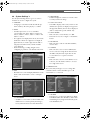
5.4 How to Log in
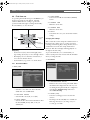
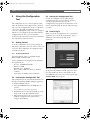
When you start the Configuration Tool as a stand-alone
application via a network, the Login window appears.
(Click Exit to discontinue login and exit the
application.)
Getting Started
To use the Configuration Tool to change settings, the
unit must be physically connected to a PC via a network
connection. The Configuration Tool application must
be installed on the PC.
5.1.1
System requirements
Operating platform: A PC or compatible running
Windows 2000 or Windows XP.
For the Configuration Tool application, the minimum
PC requirements are:
•
•
•
•
•
Processor: 600 MHz Pentium III
Memory: 128 MB
Hard disk space: 10 MB free
Video system: 16 MB video memory; 1024x768
resolution
Connectivity: 10/100-BaseT network interface
5.2 Installing the Configuration Tool
The Configuration Tool is automatically installed on the
PC when you install the DVR4C Manager application.
To install Configuration Tool:
1. Insert the CD-ROM into the CD-ROM drive on
your PC.
> The installation program starts automatically.
2. If installation does not start automatically, locate the
Setup.exe file on the CD and double click it.
3. Follow the instructions on the screen and select to
install the Configuration Tool when asked to
complete the installation.
Bosch Security Systems
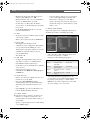
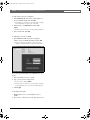
When the Configuration Tool application is started for
the first time, the DVR list is usually empty. You must
first add a DVR to the list. To add a DVR to the list,
click Add in the left bottom corner of the program. The
Add New DVR window appears.