1
Maxgaming Qld
Card Accounts User Guide
The reason for the Suspension can be seen in the Promotions Audit Report found in Promotions
Reports.
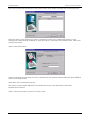
Click on the OK button to suspend the patron's account or click on the Cancel button to cancel
the transaction.
The status of the patron is updated and displayed on the Patron Maintenance screen.
Click on the Close button or press F12 or Esc.
6.6 Activating a Patron
To reactivate a patron that was previously suspended select the patron in the Patron Maintenance
window (the patron has to be suspended to be able to be re-activated).
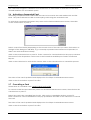
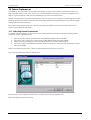
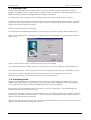
Click on the Activate button (or press F8). Enter reason for Patron Activation in the pop-up window.
The reason for the Suspension can be seen in the Promotions Audit Report found in Promotions
Reports.
Click on the OK button window to activate the patron's account or click on the Cancel button to
cancel the transaction.
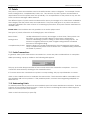
The status of the patron is updated and displayed on the Patron Maintenance screen.
NOTE: All cards attached to this patrons were suspended when the patron was suspended. You will
need to re-activate each of the patron’s cards after re-activating the patron. Please see
ACTIVATING PATRON CARDS on page 21 for more information.
Click on the Close button or press F12.
14