1
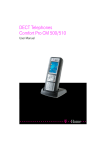
Eurofone 210
NOTE:
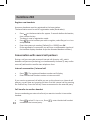
The pause “P” is useful when the Eurofone 210 is connected behind a PABX.
Where the PABX requires a second dial tone the pause “P” must be inserted
between the PABX access number (normally 0 or 9) and the telephone
number.
Add new entries in the phonebook
•
•
•
•
•
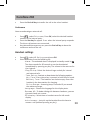
Press
Select Phonebook and press OK to confirm.
Press
. Select Add and press OK to confirm.
Enter the desired name, number and ringer melody.
Press OK to confirm.
Edit phonebook
•
•
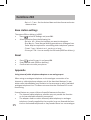
Press
, Press
Select a function from the list:
- Add – as described above.
-View – View number and melody of the selected entry.
- Edit – Select the desired entry and edit it.
- Delete - Delete entry.
- Delete All – Delete the entire phonebook.
- PB Status – View the number of free space.
Call list
The caller’s number is displayed on the handset. The call list can contain up
to 10 entries. NEW CALLS (missed calls) are displayed as NEW CALLS on
the LCD display. Once the missed calls have been reviewed the NEW CALLS
notification will disappear from the display.
To use this function, the caller’s number must be transmitted (CLIP). Contact
your network operator for further information. You must have an active
caller ID service from your Network operator / service provider.
11