1
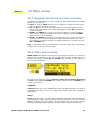
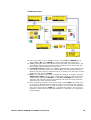
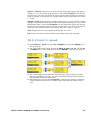
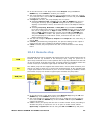
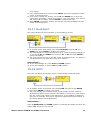
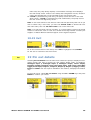
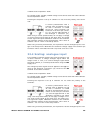
main code, the pump briefly displays a confirmation message and redisplays
the sixth Setup screen. Access to the Setup and Configuration menus, direction
control and keypad lock is now protected by the new security code.
If STOP is pressed during code entry, the pump returns the user to the sixth
Setup screen. If STOP is pressed during code confirmation, the pump returns
the user to the first digit-entry screen.
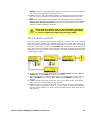
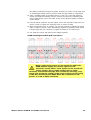
Note: A user code cannot be set unless a main code has previously been set. If you
wish to cancel only a user code, you must use Cancel codes to cancel both user
and main codes, then use Set main code to set a new main code.
Note: If a code has been set but forgotten, it is still possible to access the Setup
screens to cancel the code or reset it to another three-digit number. Contact your
supplier or Watson-Marlow Technical support for the bypass sequence.
18.23 Exit
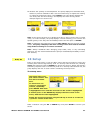
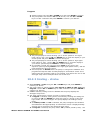
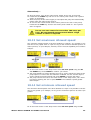
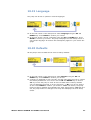
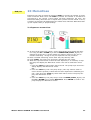
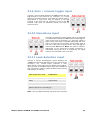
In the seventh screen of the Setup menu Exit is highlighted. Press ENTER.
The user is returned to the main menu.
Du
19 Pin out details
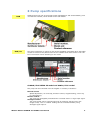
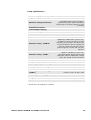
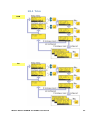
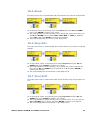
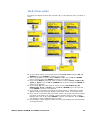
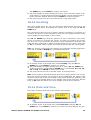
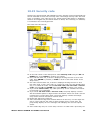
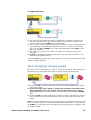
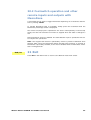
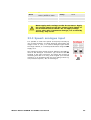
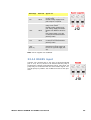
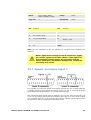
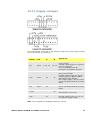
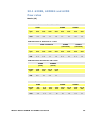
Selecting Pin out details from the main menu causes the pump to display an information screen and then its preset pin and voltage details under 18 headings:
Analogue input 1, Analogue input 2, Analogue output, Tacho output,
Direction enable, Direction input, Run/Stop input, Leak input, Auto/Man
toggle, Dose input, Output 1, Output 2, Output 3, Output 4, Supply, 0 volts,
Earth and Others. No user input is available in this section; it displays information
only.
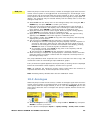
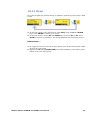
In the main menu, select Pin out details using the UP or DOWN keys and press
ENTER to confirm your choice.
Watson-Marlow 620DuN and 620Du User Manual
50