1
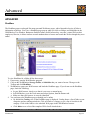
Interface
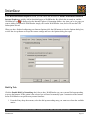
Grabbing Tab
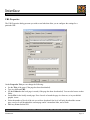
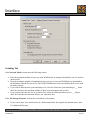
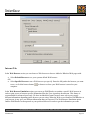
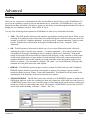
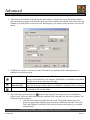
In the Network Limits section enter the following criteria:
•
•
•
•
Enter the maximum number of times you want WebWhacker to attempt to download a site if a whack is
unsuccessful.
Enter the maximum number of simultaneous pages per server you want WebWhacker to download in
the Maximum Threads Per Server box. This keeps WebWhacker from overwhelming Web servers with
too many requests.
If you want to limit the time spent whacking a site, select the Limit time spent whacking to ___ hours
check box and enter the maximum number of hours you want spent in the text box.
If you want to limit the total size of a whacked site, select the Limit total whack size to ___ Kbytes
check box and enter the maximum Kbytes you want in the box.
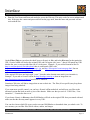
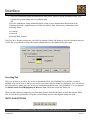
In the File Storage Structure section select checkboxes to determine:
•
If you want to store your whacked sites in a folders named after the original sites domain name, select
Use Domain in Directory.
BLUE SQUIRREL SOFTWARE – www.bluesquirrel.com - 686 E. 8400 South, Sandy, UT 84070
WebWhacker
20
Page 20