1
Table of Contents
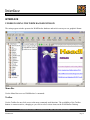
WHAT IS WEBWHACKER? ............................................................................................................................ 4
How It Works.................................................................................................................................................. 4
WebWhacker Storage ..................................................................................................................................... 4
WebWhacker – File or Proxy.......................................................................................................................... 4
Offline Browsing............................................................................................................................................. 5
Scheduling WebWhacker to Whack a Web Site............................................................................................. 5
INSTALLING WEBWHACKER....................................................................................................................... 5
System Requirements...................................................................................................................................... 6
How to Use the Blue Squirrel Catalog CD ..................................................................................................... 6
Product Installation for Microsoft Internet Explorer Users ............................................................................ 6
Product Installation for Netscape Navigator Users......................................................................................... 7
Installation Troubleshooting ........................................................................................................................... 7
REGISTRATION................................................................................................................................................ 7
Registering Electronically............................................................................................................................... 7
Registering Manually ...................................................................................................................................... 7
SETTING PROGRAM OPTIONS ..................................................................................................................... 8
INTERFACE........................................................................................................................................................... 9
UNDERSTANDING THE WEBWHACKER WINDOW................................................................................. 9
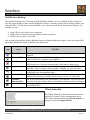
Menu Bar......................................................................................................................................................... 9
Toolbar............................................................................................................................................................ 9
WebWhacker Desktop .................................................................................................................................. 10
Whack Status Bar.......................................................................................................................................... 10
AppBar.......................................................................................................................................................... 11
Properties Dialog............................................................................................................................................... 11
Folder Properties........................................................................................................................................... 11
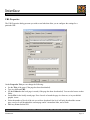
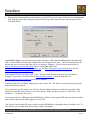
URL Properties ............................................................................................................................................. 12
CONFIGURING WEBWHACKER................................................................................................................. 15
General Tab................................................................................................................................................... 16
View Tab....................................................................................................................................................... 17
Proxy Tab ...................................................................................................................................................... 18
Enable Remote Proxy.................................................................................................................................... 18
Local Proxy Cache ........................................................................................................................................ 19
Grabbing Tab ................................................................................................................................................ 20
Internet Tab ................................................................................................................................................... 22
Dial-Up Tab .................................................................................................................................................. 23
Searching Tab ............................................................................................................................................... 24
MENU BAR OPTIONS.................................................................................................................................... 24
File Drop Down Menu .................................................................................................................................. 25
Edit Drop Down Menu.................................................................................................................................. 27
URL Drop Down Menu ................................................................................................................................ 28
View Drop Down Menu................................................................................................................................ 30
Tools Drop Down Menu ............................................................................................................................... 32
Help Drop Down Menu................................................................................................................................. 32
UP & RUNNING IN 10 MINUTES:.................................................................................................................... 34
2
BLUE SQUIRREL SOFTWARE – www.bluesquirrel.com - 686 E. 8400 South, Sandy, UT 84070
WebWhacker
Page 2