1
Print2fax is a Windows print monitor designed to send its output directly to a E-Fax. Once installed, you can print to a
E-Fax from any application, and it will pop up a simple dialog box, allowing you to enter the destination FAX number.
It's not intended to be fancy or all encompassing, just a quick and easy way to send fax from any Windows application
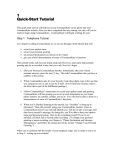
Click Install
It is packaged in the form of a Windows Installer, which installs the required sets of .DLL files and registers the
monitor with the system. This adds support for a new type of port to your system, called a " Print2fax Port." Once
you've successfully installed the files, setup is straightforward, but it has a number of steps
Please refer to Print2fax.zip user guide while install
12.3 Print2fax user’s guide
Print2fax is a Windows print monitor designed to send its output directly to a E-Fax Server. Once installed, you can
print to a E-Fax Server from any application, and it will pop up a simple dialog box, allowing you to enter the
destination FAX number. It's not intended to be fancy or all encompassing, just a quick and easy way to send FAXes
from any Windows application
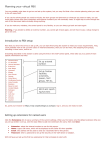
Print2fax installation:
It is packaged in the form of a Windows Installer, which installs the required sets of .DLL files and registers the
monitor with the system. This adds support for a new type of port to your system, called a " Print2fax Port." Once
you've successfully installed the files, setup is straightforward, but it has a number of steps. First, you'll want to
create an appropriate PostScript printer using the "Add Printer" button. You want to select a "Local printer," but since
it's not a physical printer, uncheck the "Automatically detect and install my Plug and Play printer" box.
Linkcom France
11 rue du Soleil Levant 92140 CLAMART
33
Copyright © 2009 – Linkcom – All rights reserved