1
Table of Contents
PREFACE......................................................................................................2
1. INTRODUCTION.......................................................................................3
2. SETUP......................................................................................................3
2.1
2.2
2.3
2.4
Install Location............................................................................................................3
Directory Contents.......................................................................................................3
Running the Application................................................................................................4
Connection Setup.........................................................................................................4
3. OPERATION.............................................................................................5
3.1
3.2
3.3
3.4
3.5
Basic Principle..............................................................................................................5
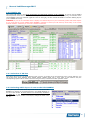
Intro Screen................................................................................................................5
File Menu: “Show time schedule”...................................................................................6
File Menu: “Show types of datasources”..........................................................................7
File Menu: “Show list of Layouts”...................................................................................8
4. CONTROL WINDOW.................................................................................9
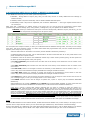
4.1 INPUTS tab..................................................................................................................9
4.2 LAYOUTS tab.............................................................................................................10
4.2.1 Selection of SB-size.............................................................................................10
4.2.2 Selecting which layout is sent to the LED-BOARDS...................................................10
4.2.3 Selecting which layout to EDIT or DELETE or DUPLICATE..........................................11
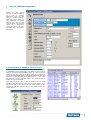
4.2.4 Selection of EVENT in Time Schedule......................................................................12
4.2.5 How to use the “Participants” layout.......................................................................13
4.2.6 How to use the “Results” layout.............................................................................13
4.2.7 Program SB with RaceTime Settings (IN OUR EXAMPLE FILE FOR SPRINT LAYOUT)..........13
4.2.8 Extra information on Position (Xpos and Ypos of field)..............................................13
4.2.9 Extra information on Rectangle dimensions (Width and Height of field).......................13
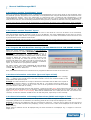
4.3 OUTPUTS tab.............................................................................................................14
4.4 SETTINGS tab............................................................................................................15
4.5 TOOLS tab.................................................................................................................15
4.5.1 How to use the “Node programming” feature...........................................................16
4.5.2 How to use the “Font Display Test”.........................................................................16
5. Photos of OUR example layouts, for 3 display sizes..............................17
www.timetronics.be
TimeTronics NV
Lammerdries-Oost 23B
B-2250, Belgium
Tel +32 (0)14 23 19 11
Fax +32 (0)14 23 20 24
VAT BE0440 224 404
HR Turnhout 64540
KBC Bank 414-4191871-52
SWIFT : KREDBE22
IBAN : BE64 4144 1918 7152





![English [2012v1]](http://vs1.manualzilla.com/store/data/005994732_1-5b50c16b769d7d14a751f578cdbfd574-150x150.png)

![English [2015v1]](http://vs1.manualzilla.com/store/data/005829431_1-1fdc30543d444fb0915a40c3aab945a8-150x150.png)