1
USING DREAMWEAVER CS4 437
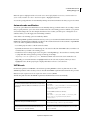
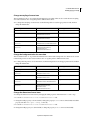
Building Spry pages visually
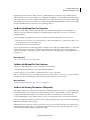
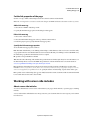
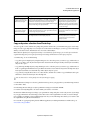
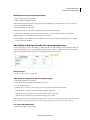
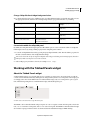
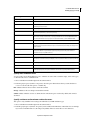
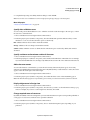
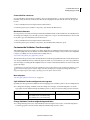
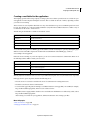
Background color to change
Relevant CSS rule
Relevant property to change
Background color of widget in valid state
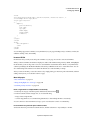
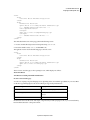
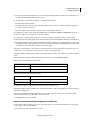
.textareaValidState textarea,
textarea.textareaValidState
background-color: #B8F5B1;
Background color of widget in invalid state
textarea.textareaRequiredState,
.textareaRequiredState textarea,
textarea.textareaMinCharsState,
.textareaMinCharsState textarea,
textarea.textareaMaxCharsState,
.textareaMaxCharsState textarea
background-color: #FF9F9F;
Background color of widget in focus
.textareaFocusState textarea,
textarea.textareaFocusState
background-color: #FFFFCC;
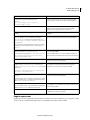
Working with the Validation Select widget
About the Validation Select widget
A Spry Validation Select widget is a drop-down menu that displays valid or invalid states when the user makes a
selection. For example, you can insert a Validation Select widget that contains a list of states, grouped into different
sections and divided by horizontal lines. If the user accidentally selects one of the divider lines as opposed to one of the
states, the Validation Select widget returns a message to the user stating that their selection is invalid.
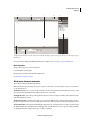
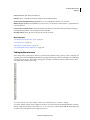
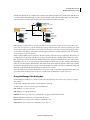
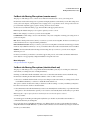
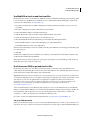
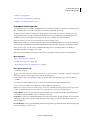
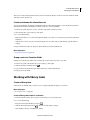
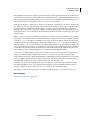
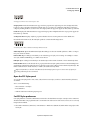
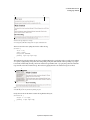
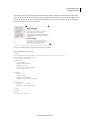
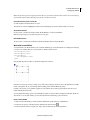
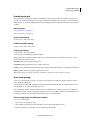
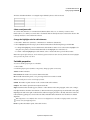
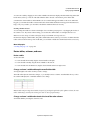
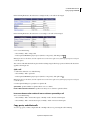
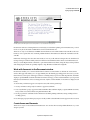
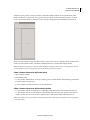
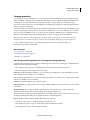
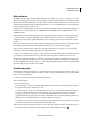
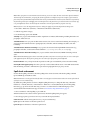
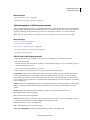
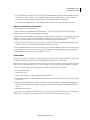
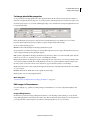
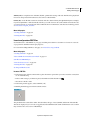
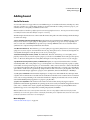
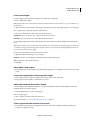
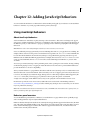
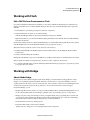
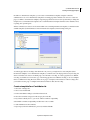
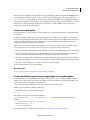
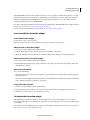
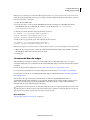
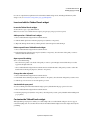
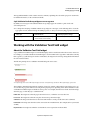
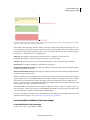
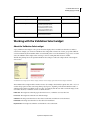
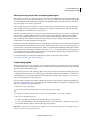
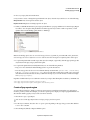
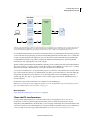
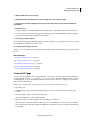
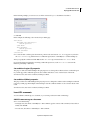
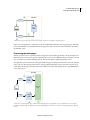
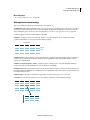
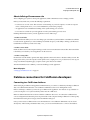
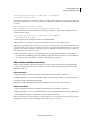
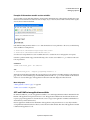
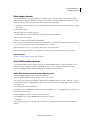
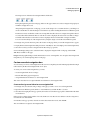
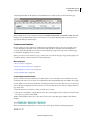
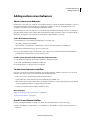
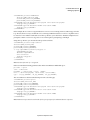
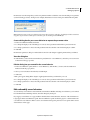
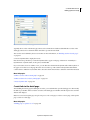
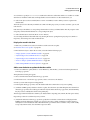
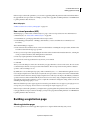
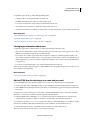
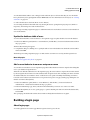
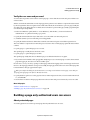
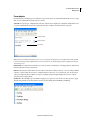
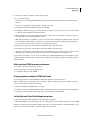
The following example shows an expanded Validation Select widget, as well as the collapsed form of the widget in
various states:
B
C
D
A
A. Validation Select widget in focus B. Select widget, valid state C. Select widget, required state D. Select widget, invalid state
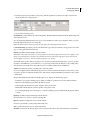
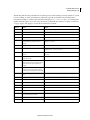
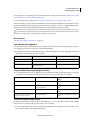
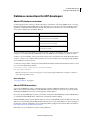
The Validation Select widget includes a number of states (for example, valid, invalid, required value, and so on). You
can alter the properties of these states using the Property inspector, depending on the desired validation results. A
Validation Select widget can validate at various points—for example, when the user clicks outside the widget, as the
user makes selections, or when the user tries to submit the form.
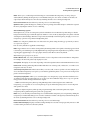
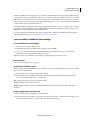
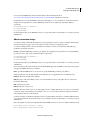
Initial state The widget state when the page loads in the browser, or when the user resets the form.
Focus state The widget state when the user clicks the widget.
Valid state The widget state when the user has selected a valid item, and the form can be submitted.
Invalid state The widget state when the user has selected an invalid item.
Required state The widget state when the user has failed to select a valid item.
Updated 24 September 2009