1
USING DREAMWEAVER CS4 637
Building forms
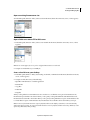
This choice causes the browser to render text associated with a check box and radio button with a focus rectangle, and
enables the user to select the check box and radio button by clicking anywhere in the associated text instead of just the
check box or radio button control.
Note: This is the preferred option for accessibility; however, the functionality may vary depending on the browser.
No Label Tag Does not use a label tag, as follows:
<input type="radio" name="radiobutton" value="radiobutton">
RadioButton3
Access Key Uses a keyboard equivalent (one letter) and the Alt key (Windows) or the Control key (Macintosh) to
select the form object in the browser. For example, if you enter B as the Access Key, users with a Macintosh browser
could type Control+B to select the form object.
Tab Index Specifies a tab order for the form objects. If you set tab order for one object, you must set the tab order for
all objects.
Setting a tab order is useful when you have other links and form objects on the page and need the user to tab through
them in a specific order.
5 Click Yes to insert a form tag.
The form object appears in the document.
Note: If you press Cancel, the form object appears in the document, but Dreamweaver does not associate accessibility tags
or attributes with it.
Edit accessibility values for a form object
1 In the Document window, select the object.
2 Do one of the following:
• Edit the appropriate attributes in Code view.
• Right-click (Windows) or Control-click (Macintosh), and then select Edit Tag.
Building ColdFusion forms
About ColdFusion forms
ColdFusion forms provide you with several built-in mechanisms to validate form data. For example, you can check to
make sure a user has entered a valid date. Some form controls have additional features. Several do not have HTML
counterparts, and others directly support dynamically populating the control from data sources.
Dreamweaver provides a number of enhancements for ColdFusion developers who use ColdFusion MX 7 or later as
their development server. These enhancements include more Insert panel buttons, menu items, and Property
inspectors so that you can rapidly build and set the properties of ColdFusion forms. You can also generate code that
validates the information provided by site visitors. For example, you can check that the e-mail address provided by a
user contains the @ symbol, or that a required text field contains a certain type of value.
Updated 24 September 2009