1
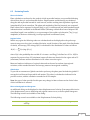
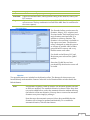
Delete
Reinitialize
OK
Cancel
Deletes the current set of defaults. Not available for None, Default, or
Factory defaults.
Resets the Default set of defaults to its factory settings and make this set the
startup set of defaults
Applies current defaults to the application (one-time).
Exits default dialog without making any changes.
Defaults can be selected on the fly from the main application window by selecting a set from the
Defaults drop-down list.
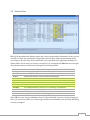
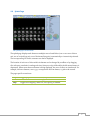
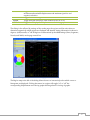
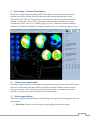
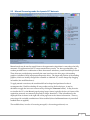
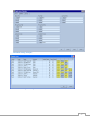
16.2 General Settings
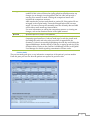
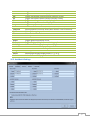
The general panel is divided into two sections: one for application wide settings and one for page
specific settings. The application settings are:
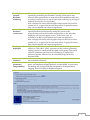
Process
Anonymize
1234
Score
Report
Segments
Convert
Surface Color
scale
Function Color
scale
Primary Color
scale
Normalize
Sequence
Browse
Results File
Prompt
Toggles automatic processing of input datasets.
Toggles off display of patient identification.
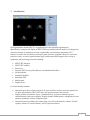
Sets default display mode (one, two, three or four datasets).
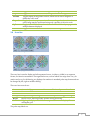
Sets display of scoring polar maps.
Sets the initial state of the ARG (Auto Report Generator) panel.
Sets the default scoring model to Cedars 20-segment or AHA 17-segment.
Converts old ARG studies from 20 segments to 17 segments (if applicable).
If unchecked, old ARG studies will load in the number of segments they
were saved with.
Sets the default surface color scale for all 3D surface images.
Sets the default polar map / parametric surface color scale.
Sets the default color scale for all 2D images.
Toggles automatic normalization of display windowing levels based on
segmented LV surfaces or regions.
Defines default page ordering on the toolbar.
Allows selection of default normal limits.
Sets results file dataset ID.
Toggles prompting for a file name when saving results.
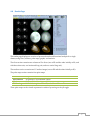
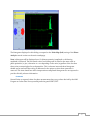
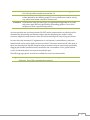
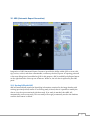
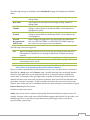
The following settings are available on the General tab page in the Page Options section:
Availability of any setting is specific to the page selected in this section.
Label
Lines
Spin
Gate
Rock
Multiple
Toggles image labeling.
Toggles motion reference lines.
Toggles continuous spatial cine.
Toggles temporal cine.
Toggles bi-directional angular projection cine for sub-360° acquisitions.
Toggles multiple mode.
57