1
Linux Java developers have several choices when considering IDEs for creating Java applications. The
most popular open source IDEs are NetBeans
( http://www.netbeans.org/ ) and Eclipse
(
http://www.eclipse.org/ ).
NetBeans is an open source, cross-platform IDE written in Java. Currently it supports
development in Java, but you can add support for other languages. The source code
for NetBeans is available under the Sun Public License, an open source license very
similar to the Mozilla Public License.
Eclipse is an open, extensible IDE. It is extensible in that it is a foundation for constructing
and running integrated software development tools. Source code access and use is
controlled through the Common Public License, which allows individuals to create
derivative works with worldwide re-distribution rights that are royalty free [OBJ].
The main difference between Eclipse and NetBeans is that Eclipse is based on the Standard Widget
Toolkit (SWT) and NetBeans is Swing-based. There is a lot of debate in the industry over the two
approaches. Swing is considered more “cross-platform”, while SWT is considered by some to be faster
and more appealing from a GUI standpoint because the framework uses some of the underlying
operating system graphics capabilities.
Eclipse’s strength lies in its ability to easily develop and integrate third-party tools into the development
environment by the use of plug-ins. While Java is the main development focus, there are tools available
for doing C++ development and web services development. This open framework provides a featurerich development environment that allows the developer to efficiently create tools that integrate
seamlessly into the Eclipse Platform1.
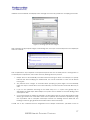
We downloaded Eclipse from the Eclipse (www.eclipse.org) download site. We selected the Linux
(x86/GTK 2) version. After downloading the install package, we unzipped the package under the /opt
directory. We then set up the PATH environment variable to include the eclipse bin directory. At this
point, we were ready to run Eclipse via the eclipse command (/opt/eclipse/bin/eclipse).
For example, HP is developing a number of Eclipse plug-ins to support OpenCall, OpenView, and other
HP software initiatives. See devresource.hp.com for more information.
1
©2003 H EWLETT -P ACK ARD C OMP ANY
7