1
Feedback module with 8 occupancy detectors
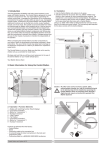
Connecting the RS8-DC to your digital system and / or layout:
First of all: Turn off power or turn off your digital control system, any wiring in the digital system has
to be done with the power turned off to avoid introducing parasites in it and / or to avoid irreparable
damage due to unwanted voltage drops or crossings of wires that could cause a short.
Power Connection: Connect the AC power cord to terminals marked with the symbol ~. It is
indistinct order connection of the cables. This power must come from the AC power transformer.
Ensure that the load connected to the transformer does not exceed its rated power.
It is also possible to connect the power terminals to the output of power amplifiers or boosters of any
command station.
Feedback connection: Connect the RS module output cables to the RS input of the command
station or the output of another feedback module in parallel. Remember that it is important to
correctly connect the cable R to the R in the command station and cable S equally to S.
Digital power connection: Connect the power cords to the output digital power booster or digital
amplifier, (in the case of Lenz J and K).
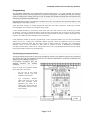
Connecting different track sections: Each output numbered (1 through 8) is ready to connect to
the different track sections. For this reason it is important to know that current passes through them
to the track, and that they apply to the letter K, ie, that the isolation has to be done on the track side
where the letter K is connected to the digital current.
After all this you can connect or turn on the digital system to verify the operation of the feedback
module.
Module functions (led-button operation):
By the red LED's in one end, next to the button, you can see different states of feedback module.
Once the module powered three things can happen:
st
-
1 : function properly, the LED stays off, when there is a change in inputs LED lights for a
short time.
-
2 : track without voltage, so the LED will blink with rapid intervals
-
3 : no operation of the feedback bus, so the LED will blink slowly at regular intervals
nd
rd
To find out which address has the feedback module, if pressed for a short amount of time the button,
the LED signals with morse type digits the module address separated by a space.
If the digit is zero, the LED lights for double space of time, if any other number blinks between
spaces many times as the number meant.
For example: If the address is 073, show a zero as the first digit, ie the LED will light up once for
twice as long, then comes a space, then blinks seven times consecutively, then comes a space and
then blink again three times.
Finally if you have to program the module with a new address different from the default (065), press
the button longer until the LED lights, then the module is in "programming" mode, and don’t goes off
until you send an address, or press again the button that will return to normal operation.
Page 2 of 4