1
TOC-2
Contents
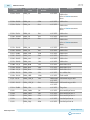
Overview.............................................................................................................. 1-1
General Description.....................................................................................................................................1-2
Handling the Board..................................................................................................................................... 1-4
Getting Started.................................................................................................... 2-1
Quartus II Web Edition Software.............................................................................................................. 2-1
Installing the Development Kit..................................................................................................................2-1
Installing the USB-Blaster Driver.............................................................................................................. 2-2
Board Update Portal.................................................................................................................................... 2-2
Board Test System............................................................................................... 3-1
Using the Configure Menu......................................................................................................................... 3-3
The System Info Tab....................................................................................................................................3-5
The GPIO Tab.............................................................................................................................................. 3-7
The Flash Tab............................................................................................................................................... 3-9
The HSMC Tab.......................................................................................................................................... 3-11
The DDR3 Tab........................................................................................................................................... 3-13
The ADC Tab............................................................................................................................................. 3-15
The HDMI Tab...........................................................................................................................................3-17
The Sleep Mode Tab.................................................................................................................................. 3-18
The Power Monitor................................................................................................................................... 3-20
The Clock Control..................................................................................................................................... 3-22
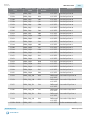
Board Components..............................................................................................4-1
Board Overview............................................................................................................................................4-1
Featured Device............................................................................................................................................4-3
Configuration............................................................................................................................................... 4-4
Using the Quartus II Programmer................................................................................................ 4-4
Selecting the Internal Configuration Scheme.............................................................................. 4-4
Switch and Jumper Settings............................................................................................................ 4-5
Status Elements............................................................................................................................................ 4-7
Setup Elements............................................................................................................................................. 4-7
General User Input/Output........................................................................................................................4-8
Clock Circuitry............................................................................................................................................. 4-9
On-Board Oscillators.....................................................................................................................4-10
Off-Board Clock Input/Output....................................................................................................4-11
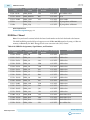
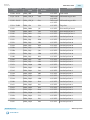
Components and Interfaces..................................................................................................................... 4-12
10/100/1000 Ethernet PHY...........................................................................................................4-12
Digital-to-Analog Converter........................................................................................................ 4-15
HDMI Video Output.....................................................................................................................4-15
Altera Corporation