1
BlomURBEX™ AutoCAD & AutoCAD Map 3D Plug-in
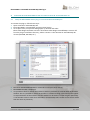
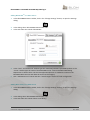
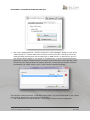
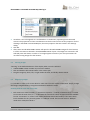
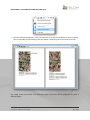
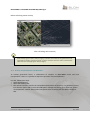
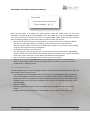
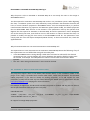
5. To select a projection from the reduced list of the most used projections, choose “Show most
used projections” from the upper dropdown box. The list will show only those projections
selected at least once or any other marked explicitly as “most used”. To select click in the list and
then click in OK, or double click an item in the list. Alternatively, it is possible to remove items
from this “most used” list clicking with the right mouse button and selecting “Remove from most
used”. The current selected projection cannot be removed from this list.
10
Customer Support Document
Oct 2013



















![Intergraph Geomedia [6.1-2013] User manual](http://vs1.manualzilla.com/store/data/005689587_1-58c82d14f3ba8ebe92b5c45af00d079c-150x150.png)
![ArcMap [v10.0- v.10.2] User manual](http://vs1.manualzilla.com/store/data/005724954_1-1f5d2da94c774511c91b8b97dbbbcd93-150x150.png)
![Autodesk MAP [2007-2009] User manual](http://vs1.manualzilla.com/store/data/005814944_1-7d4ade0f748ad8f526e057550ef902e1-150x150.png)

![Autocad [2007-2009] User manual](http://vs1.manualzilla.com/store/data/005776291_1-e398978f20775312922048f8d5b8f7a5-150x150.png)
![MapInfo [v9.5 - v10.0] User manual PDF](http://vs1.manualzilla.com/store/data/005662542_1-c58f11f989f54f88b5c049879cd1b1b4-150x150.png)