1
NemaStudio User Guide
2
Table of Contents
NemaStudio User Guide ............................................................................................................................................ 4
Welcome to NemaStudio............................................................................................................................................ 4
Licensing NemaStudio ................................................................................................................................................ 7
NemaStudio License .............................................................................................................................................. 7
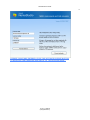
Registering your license ......................................................................................................................................... 9
Introduction ................................................................................................................................................................. 11
Prerequisites .......................................................................................................................................................... 11
Installing NemaStudio .......................................................................................................................................... 13
Setting up NemaStudio ............................................................................................................................................. 18
Communications Settings .................................................................................................................................... 18
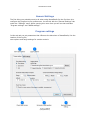
General Settings ................................................................................................................................................... 22
Program settings ............................................................................................................................................... 22
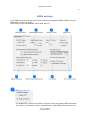
NMEA settings .................................................................................................................................................. 25
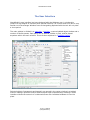
The User Interface..................................................................................................................................................... 28
Menu bar ................................................................................................................................................................ 29
Tool bar .................................................................................................................................................................. 32
Dockable panels .................................................................................................................................................... 35
Panel: Instrument Selection ............................................................................................................................ 36
Panel: NMEA Object Explorer ........................................................................................................................ 41
Panel: Object Control Center .......................................................................................................................... 42
Objects: Instruments and Targets ........................................................................................................................... 44
Instruments ............................................................................................................................................................ 46
GPS instrument ................................................................................................................................................. 46
Weather instrument .......................................................................................................................................... 52
© 2011, Sailsoft
([email protected])