1
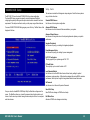
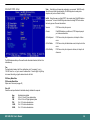
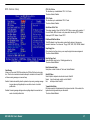
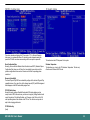
Power Management Setup
V/H SYNC+Blank
cause the system to turn off the vertical and horizontal synchronization signals and writes blanks to the screen.
Blank Screen
This option only writes blanks to the screen.
DPMS
Initial display power management signaling.HDD Power Down is
always set independently
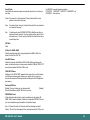
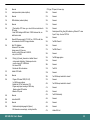
Video Off In Suspend
Controls what causes the display to be switched off
Suspend -> Off
Always On
All Mode -> Off
Modem Use IRQ
Name the interrupt request (IRQ) assigned to the modem (if any) on your system. Activity
of the selected IRQ always awakens the system.
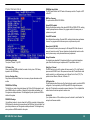
Suspend Mode
When the suspend mode has been enabled after the selected period of system inactivity,
all devices except CPU will be shut down.
Power Supply Type
Select the power supply type.
CPU THRM-Throtting
This BIOS feature determines the clock speed of the processor when it is in the Suspend
To RAM (STR) power saving mode. It has no effect when the processor is in normal
active mode. Available options for this BIOS feature are set values of the processor's
power consumption. They range from a low of 12.5% to a high of 87.5%.
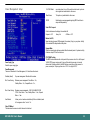
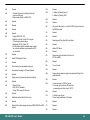
Power Management
There are 4 selections for Power Management, 3 of which have fixed mode :
Disabled (default)
No power management. Disables all four modes.
Min. Power Saving
Minimum power management. Doze Mode = 1 hr.,
Standby Mode = 1 hr., Suspend Mode = 1 hr.,
Max. Power Saving
Maximum power management -- ONLY AVAILABLE FOR SL
CPU's.. Doze Mode = 1 min., Standby Mode = 1 min., Suspend
Mode = 1 min.
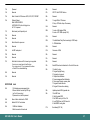
User Defined
Allows you to set each mode individually. When not disabled, each
of the ranges are from 1 min. to 1 hr.
Video Off Method
This determines the manner in which the monitor is blanked.
BPC-300-7012 User's Manual
22