1
Chapter 5: Navigate the Web Configurator
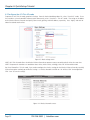
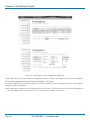
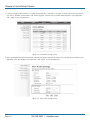
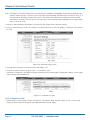
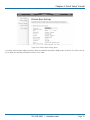
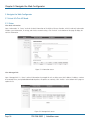
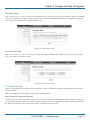
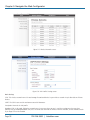
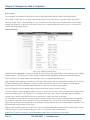
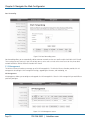
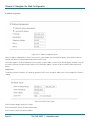
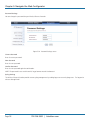
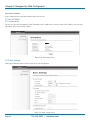
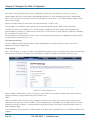
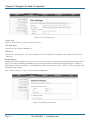
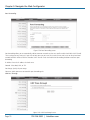
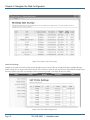
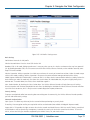
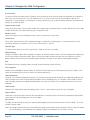
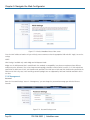
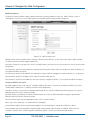
Disable Wireless LAN Interface
Check this option to disable the WLAN interface, then the wireless module of Wireless Ethernet Extender will stop working and
no wireless device can connect to it.
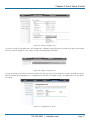
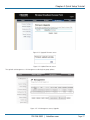
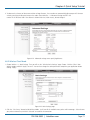
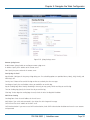
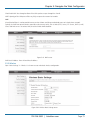
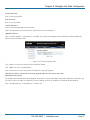
Operation Mode
Four operating modes are available in IEEE 802.11n VAC Access Point when it acts as a FAT AP.
AP: The Wireless Ethernet Extender establishes a wireless coverage and receives connectivity from other wireless devices.
Wireless Client: The Wireless Ethernet Extender is able to connect to the AP and thus join the wireless network around it.
Bridge: The Wireless Ethernet Extender establishes wireless connectivity with other APs by keying in remote MAC address. Please
refer to the “WDS Settings” for detailed configuration.
AP Repeater: The Wireless Ethernet Extender serves as AP and Bridge concurrently. In other words, the IEEE 802.11n VAC Access
Point can provide connectivity services for CPEs under Bridge mode.
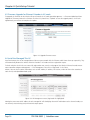
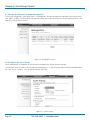
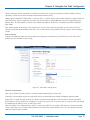
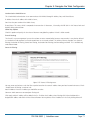
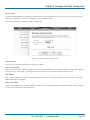
Wireless Network Name (SSID)
This wireless network name is shared among all associated devices in your wireless network. Keep it identical on all those devices.
NOTE: The SSID is case-sensitive and can not exceed 32 characters.
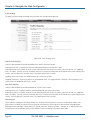
Broadcast SSID
Under AP mode, hiding network name is necessary when you are in a wireless environment that may have potential risk. By |
disabling broadcast SSID, the STA can not scan and find the Wireless Ethernet Extender, so that malicious attack by some illegal
STA could be avoided.
802.11 Mode
The Wireless Ethernet Extender can communicate with 802.11b/g or 802.11b/g/n wireless devices.
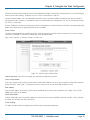
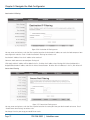
HT Protect
Enable HT (High Throughput) protect to ensure HT transmission with MAC mechanism. Under 802.11n mode, a wireless client can
be divided into HT STA and Non-HT STA, among which the one with HT protect enabled gets higher throughput.
Frequency/Channel
Channel varies much as the available band differs from country to country. Select a proper operating channel in the drop-down
list according to your situation.
Extension Channel
Only applicable to AP, AP Repeater, and 40 MHz channel width, extension channel indicates the use of channel bonding that
allows the Wireless Ethernet Extender to use two channels at once. Two options are available: Upper Channel and Lower Channel.
Channel Mode
Four levels are available: 5 MHz, 10 MHz, 20 MHz, and 40 MHz. The last one can enhance data throughput, but it takes more
bandwidth, thus it might cause potential interference.
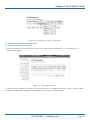
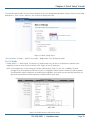
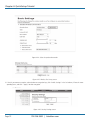
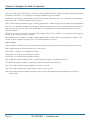
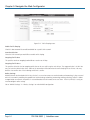
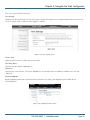
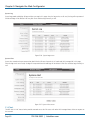
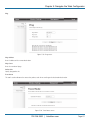
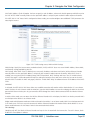
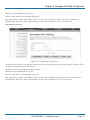
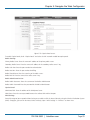
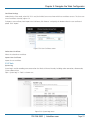
Antenna
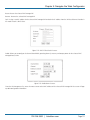
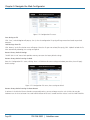
By default, IEEE 802.11n VAC Access Point uses its built-in antenna for directional transmission; however, if you prefer to use an
external antenna for your case-dependent applications, you can switch from “Internal (8 dBi)” to”External (N-Type).”
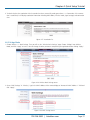
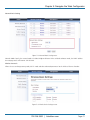
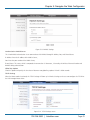
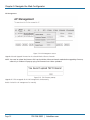
When External (N-Type) is selected, an Antenna Gain bar will appear to allow you specify the gain of the external antenna. The
antenna gain calculates the TX power back off needed to remain in compliance with regulations.
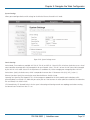
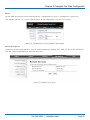
NOTES:
You are able to choose “External (N-Type)” only when you have installed the external antenna properly; otherwise, the Wireless
Page 76
724-746-5500 | blackbox.com