1
ATENA Input File Format
69
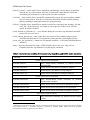
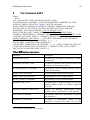
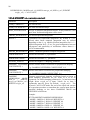
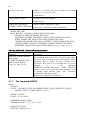
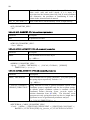
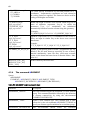
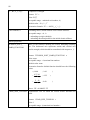
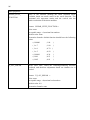
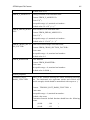
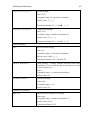
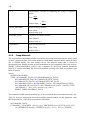
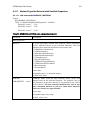
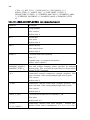
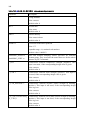
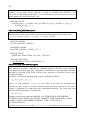
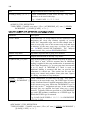
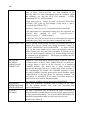
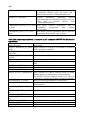
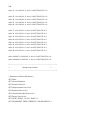
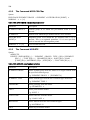
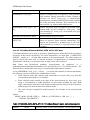
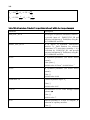
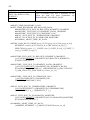
id1 { n }number_nodes_1
id2 { n }number_nodes_2
…
idm { n }number_nodes_m
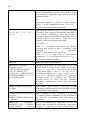
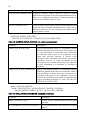
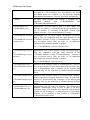
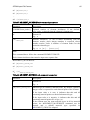
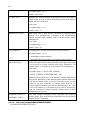
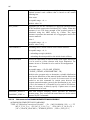
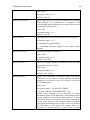
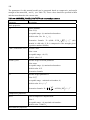
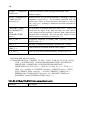
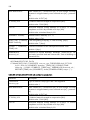
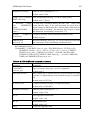
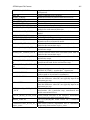
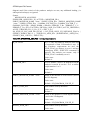
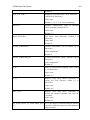
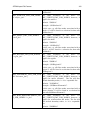
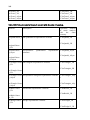
Table 57: &ELEMENT_INCIDENCES sub-command parameters
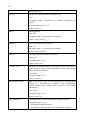
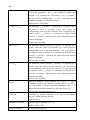
Parameter
Description
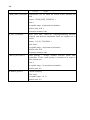
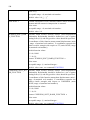
[NNODES num_nodes ]
Optional number of element incidences. If not defined,
num_nodes is derived from the element’s element type.
id
Element id.
E.g.: n
{ n }number_nodes
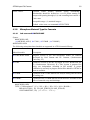
Element incidences, i.e. ids of nodes incidenting with the
element. number_nodes integer numbers is expected, where
number number_nodes is number of element nodes for the
particular element type
E.g.: n1 n2 [n3 ] .... [n number_nodes ]
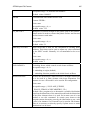
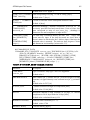
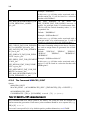
Note:
This command has to follow the command ELEMENT GROUP.
Each element incidences data must be input on a separate line.
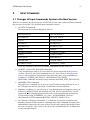
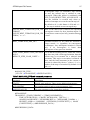
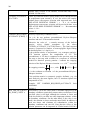
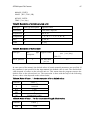
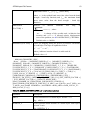
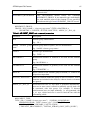
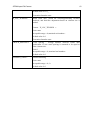
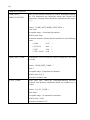
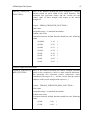
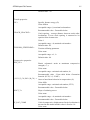
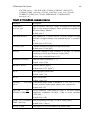
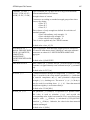
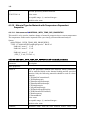
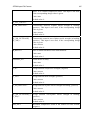
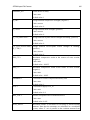
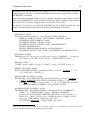
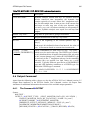
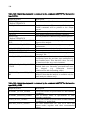
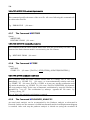
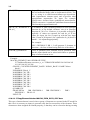
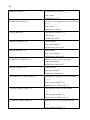
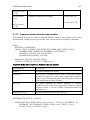
&ELEMENT_MATERIALS:
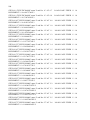
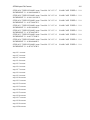
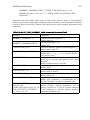
id1 { n }number_of_material_points
id2 { n }number_of_material_points
…
idm { n }number_of_material_points
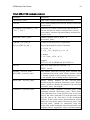
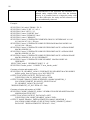
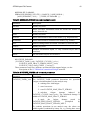
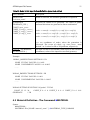
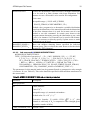
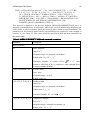
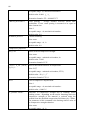
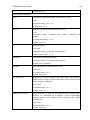
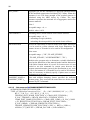
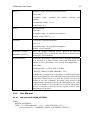
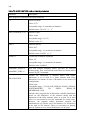
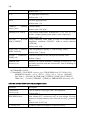
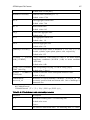
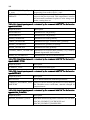
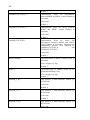
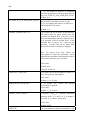
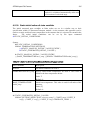
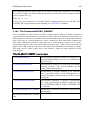
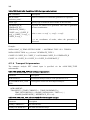
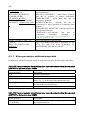
Table 58: &ELEMENT_MATERIALS sub-command parameters
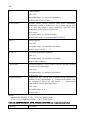
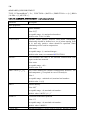
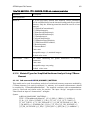
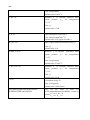
Parameter
Description
id
Element id.
E.g.: n
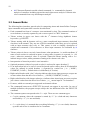
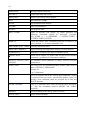
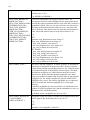
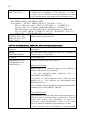
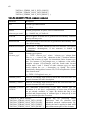
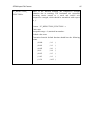
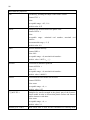
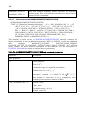
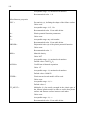
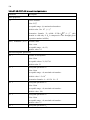
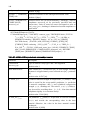
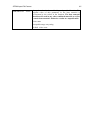
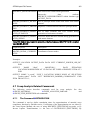
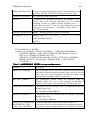
{ n }number_of_material_points
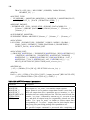
Material type at element’s material point. By default, a positive
integer value is expected for each material point of the element.
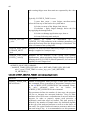
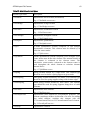
If the input value n is zero, it indicates that this and all
remaining material points use the default material type.
If the input value n is negative, it indicates that this and all
remaining material points are of type (-n).
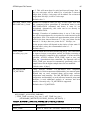
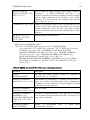
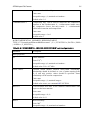
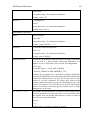
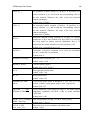
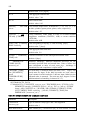
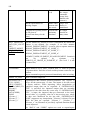
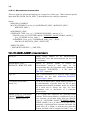
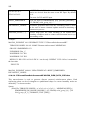
If the element uses the same material types in all its material
points, the &ELEMENT_MATERIALS command can be
omitted and a default material type specified in
&ELEMENT_GROUP is adopted.