1
Table of Contents
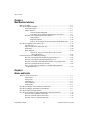
BridgeVIEW Security ..................................................................................................... 7-8
Environment Security ....................................................................................... 7-8
How Do You Log In and Out? ........................................................... 7-9
How Do You Find Your Access Level? ............................................. 7-9
How Do You Find Your Environment Access Privileges? ................ 7-10
How Do You Change Your Password? .............................................. 7-10
How Do You Prompt the Operator to Log In to Your
Application?..................................................................................... 7-11
How Do You Identify the Current Operator? ..................................... 7-11
How Do You Restrict Access to the BridgeVIEW Environment? ..... 7-11
How Do You Create and Modify User Accounts? ............................. 7-11
How Do You Modify the List of Available User Access Levels? ..... 7-12
How Do You Modify Access Privileges in the BridgeVIEW
Environment?................................................................................... 7-13
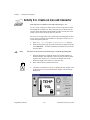
Operator Interface Security ............................................................................... 7-14
How Do You Limit User Access to MMI Objects? ........................... 7-14
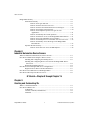
Chapter 8
Industrial Automation Device Servers
What Are Industrial Automation (IA) Device Servers? .................................................. 8-1
How Do You Install and Configure a Device Server? .................................................... 8-2
Installing and Configuring the NI-DAQ Server................................................ 8-3
Installing and Configuring Device Servers from the BridgeVIEW Device
Servers CD ..................................................................................................... 8-4
Registering Simulation Servers......................................................................... 8-4
How Do You View BridgeVIEW Server Configuration?............................................... 8-5
Registered Server Device and Item Parameters ................................................ 8-7
How Do You Use DDE Servers with BridgeVIEW?...................................................... 8-8
How Do You Develop an IA Device Server? ................................................................. 8-9
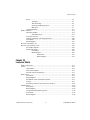
G Tutorial—Chapter 9 through Chapter 15
Chapter 9
Creating and Customizing VIs
What is a Virtual Instrument?.......................................................................................... 9-1
How Do You Build a VI?................................................................................................ 9-1
VI Hierarchy ..................................................................................................... 9-1
Controls, Constants, and Indicators .................................................................. 9-2
Terminals .......................................................................................................... 9-4
BridgeVIEW User Manual
x
© National Instruments Corporation