1
2. SETTING UP
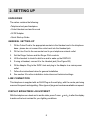
UNPACKING
The carton contains the following:
• Telephone body and handpiece
• Coiled Handset cord and line cord
• 9V DC Adaptor
• Quick Start-up Guide
GENERAL SETTING-UP
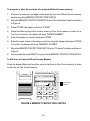
1.
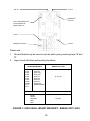
Fit the Coiled Cord to the appropriate sockets in the Handset and in the telephone
base - please do not connect the coiled cord into the Headset jack
2.
Fit the Line Cord to the rear socket and to your telephone network outlet
3.
Set the Ringer Volume and the Ringer Pitch controls
4.
Lift the handset to check for dial tone and to wake up the DISPLAY
5.
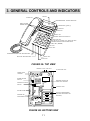
If using a Headset, connect it to the Headset jack (See Figure 2B)
6.
Fit the Adaptor Plug to the 9VDC Jack and plug in the Adaptor to a mains power
outlet
7.
Follow the instructions below for general installation
8.
See section 9 for other installation instructions and technical settings.
LINE CONNECTION
This telephone is supplied with an RJ45 Plug as the wall plug, with the centre pair being
reserved for speech and signalling. Other types of plugs and cords are available on request.
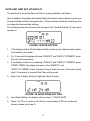
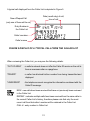
DISPLAY BRIGHTNESS ADJUSTMENT
With the telephone on-hook and in an idle state, press Cursor
to achieve the best contrast for your lighting conditions.
8
and
to alter the display