1
EasyInput – User Installation Manual
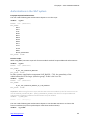
Authorizations in the SAP system
EasyInput required authorizations
The user needs following SAP authorizations objects to run the script:
OBJECT: ‘S_RFC’
ACTVT: ‘16’ (=execute)
RFC_NAME:
SRFC
RFC1
STTF
BATG
BACV
MRFC
SDTB
SDDO
SUF4
SYST
SCTM
SBDC
/BCC/Z_EASYINPUT
RFC_TYPE: ‘FUGR’
Function script:
When using BAPI/ Function script each function module used will require additional authorizations:
OBJECT: ‘S_RFC’
ACTVT: ‘16’ (=execute)
RFC_NAME:
ID_OF_THE_FUNCTION_MODULE
RFC_TYPE: ‘FUNC’
In older systems (application component SAP_BASIS < 720), the granularity of the
authorizations has to be larger (function group). If this is the case use:
OBJECT: ‘S_RFC’
ACTVT: ‘16’ (=execute)
RFC_NAME:
ID_OF_THE_FUNCTION_GROUP_OF_THE_MODULE
RFC_TYPE: ‘FUGR’
Important: When using function script with the SAP conversion module (in the full version one can
use the module provided by BCC - /BCC/Z_EASYINPUT_RCONV, that does not require additional
authorizations) following additional authorizations may be needed:
OBJECT: ‘S_TABU_RFC’
ACTVT: ‘03’ (=display)
The user needs following SAP authorizations objects to use the BAPI transaction to choose the
function modules (only the script developer needs these authorizations):
OBJECT: ‘S_TCODE’
http://easyinput.net
6/7




![[U4.81.12] Opérateur INTE_MAIL_3D](http://vs1.manualzilla.com/store/data/006360284_1-917f4164f1cafb65372c9c035f1a70f5-150x150.png)