1
Page 14
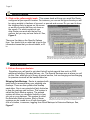
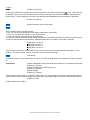
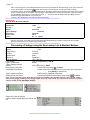
Note: The price of the shipping
Charge & Box Price is shown along
with other information about this
package. If you want to know how to
print this item, go to the category
"PRINT INDIVIDUAL MANIFEST
TRANSACTION".
Clear this screen & return to the rate
screen Click the [X] located in the
upper right hand corner.
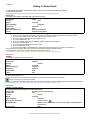
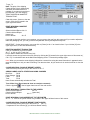
PRINT INDIVIDUAL MANIFEST
TRANSACTION
Select Individual Report: Alt + N
Check Individual Report:
[space bar]
Print to Screen
Alt + P
If you plan to give this receipt to your customer, you can remove the cost from this report and if you need to adjust the
labor and packaging cost, you can go back to the [Manifest Screen] and adjust these prices.
IMPORTANT: On the report screen, you must click on [Close] or Alt +C to close this form. If you click the [X] in the
upper right corner, it will Close Dexter Entirely.
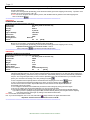
DELETE A MANIFEST TRANSACTION
Click on Transaction you wish to Delete
Alt + T or click on the [Trash Can]
Do you want to delete this record? click [Yes]
Leave this screen and go back to the main screen by clicking the [X] located in the upper right corner of this screen or [
Cltl + F4]. You should be back at the Main Rate Shopping screen. Process this package again.
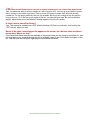
Note: When you process the same shipping information a second time using the same information, it appears that the
rates has disappear or only one rate is showing. The rates are there, all you need to do is use the scroll bar to view the
rates.
CLOSE INDIVIDUAL PACKAGE REPORT SCREEN
Select the word [Close] at the top of this Screen or Alt + C
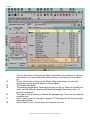
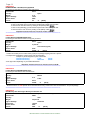
ADDING LABOR COST & OTHER PACKAGING CHARGES
Box Price:
$2.85
Other Charge: $2.00
Labor:
$3.00
Total:
$7.85
Note: Dexter automatically calculate the Total.
Turn off the Cost (Do not want to show on receipt to customer)
Click the [eyeball]
in the left upper hand corner of the main screen
PRINT INDIVIDUAL TRANSACTION TO THE SCREEN
Select Individual Report:
Alt + N
Check Individual Report:
[space bar]
Print to Screen
Alt + P
PRINT INDIVIDUAL PACKAGE REPORT TO THE PRINTER
Alt + P or Click on the [Green Printer icon] located in the upper left-hand corner of this screen.
CLOSE INDIVIDUAL PACKAGE REPORT PRINT SCREEN
Select the work [Close] at the top of this Screen or [Alt + C]
***Important--Do not click the [X], you will close Dexter entirely.
B&L Associates is an online software vendor of excellence