1
Page 16
Dexter Frequently Asked Question
How do I disable a carrier whose services I do not offer at my store?
If you do not use a particular carrier, go to the Specific Options area to deselect them. This way, the rates for
that carrier will not be offered. This will also boost performance as Dexter will not have to look up rates that
you have no intention of using.
Click on the Specific Options button
on the upper button bar.
Click on the Carriers folder.
Uncheck those carriers you do not wish to offer.
How do I disable a carrier service that I do not offer at my store?
If you do not use a particular service:
Click on the specific carrier’s button
on the upper button bar.
Click on the “Services Offered” tab.
Uncheck those services you do not offer at your store. By doing this, the markups for those services you do
not offer will not be shown, nor will Dexter have to process them, which will boost performance somewhat.
If Dexter finds that a postal code is invalid, can I enter change this if I know it is a valid postal code?
Yes. Click on the gray button next to the box where the city and state normally appears after shopping for
rates (it will say “Invalid” in it). Let us know if you do this so we can update our database.
How do I get my rate screen back?
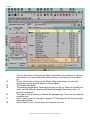
Click on the Rate Shopping
button located in the far left hand corner of your screen.
Are my special service markups automatically added to the price quoted to my customers?
Yes. As are insurance fees, fuel surcharges, rural surcharges and residential delivery surcharges.
Where do I edit the special services such as COD, Certified, Delivery Confirmation, etc?
All of the special services, including fuel surcharges, rural surcharges and residential delivery surcharges
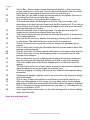
can be edited by clicking on the Special Services button
on the upper button bar.
How do I print a hard copies of my carrier service markups?
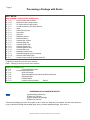
Click on the Rate Tables button
on the upper button bar..
Is there a way to hide the carrier costs so customers will not see them?
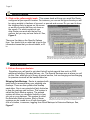
The carrier cost can be toggled on and off by clicking the eyeball button
on the upper button bar. You
can also choose to have the carriers costs on or off when you first open the Dexter shopping window from
the Specific Options area.
What’s the difference between Quick Markups and Extensive Markups?
Quick Markups are limited in scope. You can only set one specific currency and/or percentage value for an
entire service, except letters, which are normally marked up differently, and you are allowed to do this in
Quick Markups. Extensive Markups, however, have no limitations as to how you markup your rates.
B&L Associates is an online software vendor of excellence