1
Page 9
Step 2
hit [Enter] or [Tab] key
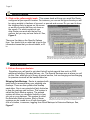
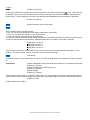
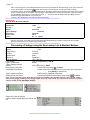
Key in the box dimensions or select a box size from the Box List by clicking on this image
or [Alt + B] to open the
list and [Alt +D] to close the list. Box dimensions will only show up when you choose the other box package type as
listed in Step 1. These dimensions are used to calculate dimensional weights and oversized boxes, if applicable.
hit [Enter] or [Tab] key
Step 3
type the insurance amount in the space.
Step 4
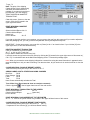
There are three ways to calculate the rate.
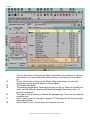
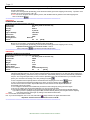
LOne, you can click the appropriate carrier button at the bottom of the screen
LTwo, you can choose the All button to get all carrier rates.
LThree, you can use the Alt keystrokes as listed below.
You will notice that the first letter on each button is underlined. This underlining denotes that the Alt key when used in
conjunction with the letter that is underlined, will depress the button. For instance if you want to calculate
Postal Rates, use Alt + P
FedEx Rates, use Alt + F
UPS Rates, use Alt + U
All the Rates, use Alt + A
If you choose the All button, use the arrow keys to move from one carrier to another after the rates appear. If you
prefer you can use the mouse and click on the tabs at the top of each rate page.
Step 5
Clear screen
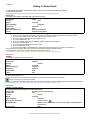
To clear the screen, click the “little bucket” next to the “X” at the top of the screen in the right hand corner, or use Alt +
W.
International
Leave the Destination Postal Code area blank except for U.S. territories and Canada
hit [Enter] or [Tab] Key
Choose the Country from the drop down list
hit [Enter] or [Tab] Key
Enter the Weight
hit [Enter] or [Tab] Key
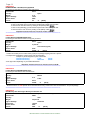
Choose Letter or Carrier Pack or Carrier Box or Other Box. It is very important to choose the right package because
Letter and Carrier Pack weight is cheaper than other box if the package weighs two pounds or less for some carriers.
hit [Enter] or [Tab]
Follow the instruction in Step 2.
B&L Associates is an online software vendor of excellence