1
[email protected]
3. Averaging
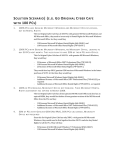
Figure 21: Analysis wizard – averaging
1. If you use the cursor to select a data set, it will be highlighted in the Based on data
set list, but you have the option of selecting a different data set
2. Select an averaging option (if you choose custom averaging, choose the number of
averaging points in the Points box)
3. Enter a name in the Name box (optional - the default name include both the
function and the data set names)
4. Select an Open option
5. Click OK
50