1
Firmware Update
Firmware Update
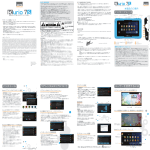
3. Click OK to display the window as shown below:
23
u
r
.
e
d
4. Upon restart, the system will enter the interface as shown
below:
Update system firmware by following the steps:
1. Download the update package from Wholesale's web site
with extension name ".ZIP" and copy it to the boot directory in
a TF card, and then connect the card to the port at the right
side of the device.
2. When the system detects the TF card, select Settings from
the menu and click Backup and Reset > Recovery Mode, to
pop up the windows as shown below:
b
a
r
t
g
5. Press the Volume Down (which means Move Down upon
system update) at the left side of the device to move the
cursor in the figure above down to "Apply update from
external storage" to display a window as shown below:
24