1
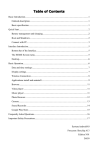
Contents
Considerations
Operating Instructions for PD1099
Major Functions and Parameters
Buttons & Interfaces
Basic Operations
Main Interface
Browser
Install/Uninstall APK Applications
File Manager
Video Playback
Audio Playback
Video Input
Camera
Recorder
Settings
Firmware Update
Trouble Shooting with Android
Instructions on AV1099 Display
Major Functions and Parameters
Buttons & Interfaces
Basic Operations
02
Considerations
u
r
.
e
d
03
1. Do not have this product exposed to humidity, dust, steam, fume, and direct sunlight or related environmental effects.
2. Use soft cloth, rather than any diluents or chemical cleaning agents to remove dust or dirty on this product.
04
05
06
07
10
11
13
14
15
17
18
19
20
23
27
a
r
t
g
b
Note: Any design or specification may be subject to change without prior notice,
and for any discrepancy, the real product shall prevail.
3. Keep this product away from any hot or cold location (storage temperature: -30 ℃ ~70 ℃ ; operation temperature: -
10°C~55°C).
4. Do not fall down or strike this product with force.
5. A power supply of DC12V±10% shall be provided for this product.
6. Do not try to repair this product, and for any problem, switch off the power and stop using this product, and then contact
your local dealer immediately. As high-precision electronic parts are contained in this product, any disassembly of or update
to it by unauthorized personnel may cause damage to it.
28
29
30
03