1
In This Chapter
This chapter explains Webdriver features that enable you to add HTTP
headers to AppPages to retrieve non-HTML pages and use cookies, to upload
client files for Web browsers that support the ENCTYPE attribute of the FORM
tag, and to pass image map coordinates. It includes the following topics:
■
“Adding HTTP Headers to AppPages,” following
■
“Uploading Client Files” on page 13-7
■
“Passing Image Map Coordinates” on page 13-12
Adding HTTP Headers to AppPages
Webdriver enables you to use HTTP headers in your AppPages to retrieve
non-HTML pages and to use cookies.
Retrieving Non-HTML Pages
You can retrieve non-HTML pages by changing the content type of an
AppPage and adding an HTTP header to the AppPage.
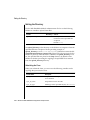
To change the content type of an AppPage, add an HTTP header to the
AppPage to replace the default text/html content type header. Use the
following syntax within a variable expression to set the content type:
$(HTTPHEADER,content-type,mimetype/subtype)
Webdriver adds a content-length header to the page, because only
Webdriver can determine the size of the page.
Using Other Webdriver Features 13-3