1
Disassembly
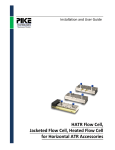
1. Remove the cell from the accessory by unscrewing the two hex head socket cap screws at the top of
the cell, then lifting the cell out of the accessory.
2. Set the cell on a flat surface. Loosen button screws on the sides of the cell ½ turn.
3. Once all screws are loose, remove all screws and the outer caps on both ends.
PN 350-0201900-00
P a g e |5