1
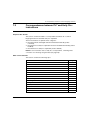
7.4 Correspondences between PL7 and Unity Pro: SFBs . . . . . . . . . . . . . . .
Types of Unity Pro Function Block Instances of SFBs . . . . . . . . . . . . . . .
Behavior of Converted SFBs in Modicon M340 Applications . . . . . . . . . .
Call of SFB Substitutions in Structured Text . . . . . . . . . . . . . . . . . . . . . . .
Call of an SFB in instruction list language. . . . . . . . . . . . . . . . . . . . . . . . .
Call of an SFB in ladder language. . . . . . . . . . . . . . . . . . . . . . . . . . . . . . .
Chapter 8 Correspondences between ladder language elements.
The definition of a ladder network . . . . . . . . . . . . . . . . . . . . . . . . . . . . . . .
The rungs . . . . . . . . . . . . . . . . . . . . . . . . . . . . . . . . . . . . . . . . . . . . . . . . .
Coils . . . . . . . . . . . . . . . . . . . . . . . . . . . . . . . . . . . . . . . . . . . . . . . . . . . . .
Operate blocks and compare blocks . . . . . . . . . . . . . . . . . . . . . . . . . . . . .
Conversion restrictions: PL7 ladder language. . . . . . . . . . . . . . . . . . . . . .
Chapter 9 Correspondences between Structured Text language
elements . . . . . . . . . . . . . . . . . . . . . . . . . . . . . . . . . . . . . .
9.1 Correspondences between PL7 and Unity Pro: Structured Text language
sequences . . . . . . . . . . . . . . . . . . . . . . . . . . . . . . . . . . . . . . . . . . . . . . . . .
The sequences . . . . . . . . . . . . . . . . . . . . . . . . . . . . . . . . . . . . . . . . . . . . .
9.2 Correspondences between PL7 and Unity Pro: Structured Text language
instructions . . . . . . . . . . . . . . . . . . . . . . . . . . . . . . . . . . . . . . . . . . . . . . . .
Command instructions. . . . . . . . . . . . . . . . . . . . . . . . . . . . . . . . . . . . . . . .
Chapter 10 Correspondences between Instruction List language
elements . . . . . . . . . . . . . . . . . . . . . . . . . . . . . . . . . . . . . .
10.1 Correspondences between PL7 and Unity Pro: Instruction List language
sequences . . . . . . . . . . . . . . . . . . . . . . . . . . . . . . . . . . . . . . . . . . . . . . . . .
The sequences . . . . . . . . . . . . . . . . . . . . . . . . . . . . . . . . . . . . . . . . . . . . .
10.2 Correspondences between PL7 and Unity Pro: Instruction List language
instructions . . . . . . . . . . . . . . . . . . . . . . . . . . . . . . . . . . . . . . . . . . . . . . . .
Command instructions. . . . . . . . . . . . . . . . . . . . . . . . . . . . . . . . . . . . . . . .
Boolean instructions . . . . . . . . . . . . . . . . . . . . . . . . . . . . . . . . . . . . . . . . .
Instruction List language extensions . . . . . . . . . . . . . . . . . . . . . . . . . . . . .
Chapter 11 Correspondences between Grafcet language elements
Grafcet instructions . . . . . . . . . . . . . . . . . . . . . . . . . . . . . . . . . . . . . . . . . .
Conversion Settings for PL7 Grafcet Elements. . . . . . . . . . . . . . . . . . . . .
Conversion restrictions: PL7 Grafcet language. . . . . . . . . . . . . . . . . . . . .
Chapter 12 Other correspondences between PL7 and Unity Pro
elements . . . . . . . . . . . . . . . . . . . . . . . . . . . . . . . . . . . . . .
127
128
129
130
132
134
137
138
139
140
141
142
143
144
144
145
145
147
148
148
149
150
151
152
157
158
159
160
161
Printouts, animation tables, and runtime screens . . . . . . . . . . . . . . . . . . .
161
Part IV Differences between PL7 and Unity Pro . . . . . . . . .
163
Chapter 13 Differences between the application structures . . . . . .
13.1 Differences between PL7 and Unity Pro: functional modules . . . . . . . . . .
Functional Modules . . . . . . . . . . . . . . . . . . . . . . . . . . . . . . . . . . . . . . . . . .
35006148 07/2011
165
165
165
5