1
JoomlaPack User Manual
Version 1.2
The first link (“click here”) will open the installer embedded in the backup archive. More specifically,
it will open the script installation/index.php, relative to the current directory. At this point do not close
the Kickstart window!
11.3.4
Finishing installation
Go through your restoration process as usual. When it's done and you're prompted to delete the
installation directory, get back to the Kickstart window.
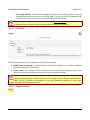
Then click the second link. Seemingly nothing happens, but Kickstart restored your .htaccess (if you
had one), deleted the backup archive and itself. You're done; close the Kickstart window.
12 JoomlaPack Utilities
The JoomlaPack Utilities is a set of command-line PHP scripts used to extract backup archives created
by JoomlaPack.
You can not execute them from a web browser. Doing so will result into a warning and the operation
will be aborted. In order for the scripts to work, you'll need to know the absolute path to the PHP
executable (php.exe on Windows). Whenever you see /path/to/php in this file, substitute it with the
absolute path to the PHP executable.
Most Linux users needn't know the absolute path, as the PHP executable is added to a folder in their
path when its package is installed. For more information you can refer to your distribution's
documentation.
12.1
JoomlaPack UnZIP
The JoomlaPack UnZIP is a command-line script which extracts a ZIP file to the current directory. Its
purpose is to overcome the corrupt file warning which other UnZIP utilities produce when they
encounter a JoomlaPack generated ZIP archive. In order to use it, copy the ZIP archive and unzip.php
inside the target directory somewhere on your filesystem. From the command line, go to this directory
and use the utility:
/path/to/php unzip.php myarchive.zip
Substitute /path/to/php with the absolute path to your PHP executable and myarchive.zip with the name
of the ZIP file you want to extract. As the extraction process goes on you'll see the names of the files
being extracted on your screen.
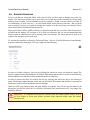
Be careful! This script overwrites existing files without prompting. Make sure you don't have files you
want to keep named the same as some files inside the archive, as they will get overwritten.
12.2
JoomlaPack UnJPA
The JoomlaPack UnJPA is a command-line script which extracts a JoomlaPack Archive (JPA) file to
the current directory. Its purpose is to provide users with a command line utility which can extract JPA
archives. As JPA is a custom format, UnJPA is the only known command line utility able to handle this
Page 39