1
190
CHAPTER 21. COLOR PACKAGE
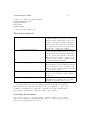
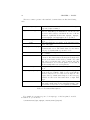
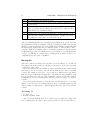
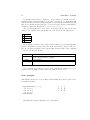
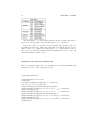
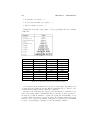
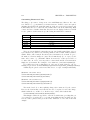
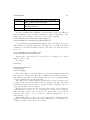
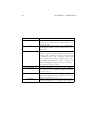
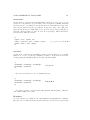
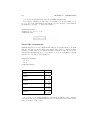
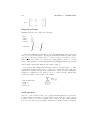
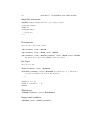
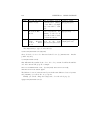
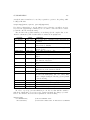
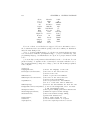
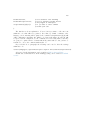
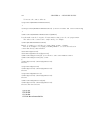
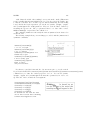
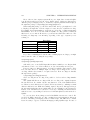
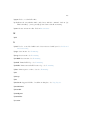
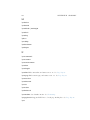
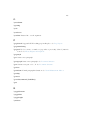
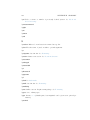
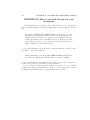
model:
gray
description:
you can only define
shades of gray
rgb
you refer to the
Red-Green-B lue
model
cmyk
you refer to the
C yan
M agenta
Y ellow
blacK
model
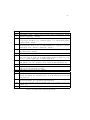
color-spec:
just one number between
0 (black) and 1 (white),
so 0.95 will be very light
gray, 0.30 will be dark
gray
three number given in the
form red,green,blue; the
quantity of each color is
represented with a number between 0 and 1
four
numbers
given
in
the
form
cyan,magenta,yellow,black
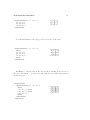
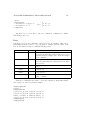
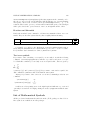
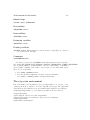
example:
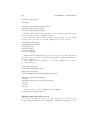
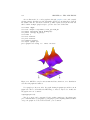
\definecolor{lightgray}{gray}{0.95}
\definecolor{orange}
{rgb}{1,0.5,0}
\definecolor{orange}
{cmyk}{0,0.5,1,0}
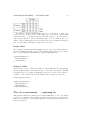
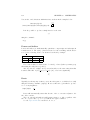
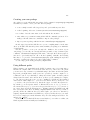
The simplest way to type colored text is by:
\textcolor{declared-color}{text}
where declared-color is a color that was defined before by \definecolor. Another
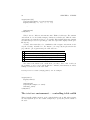
possible way is by
\color{declared-color}
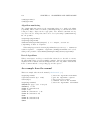
that will switch the standard text color to the color you want. It will work until the
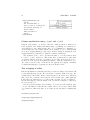
end of the current TeX group. For example:
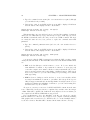
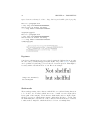
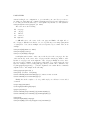
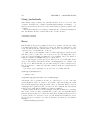
this is standard black text, {\color{red} this will look red},
and this will look black again.
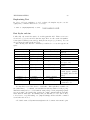
The difference between \textcolor and \color is the same difference between \texttt
and \ttfamily, you can use the one you prefer.
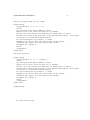
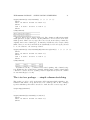
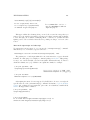
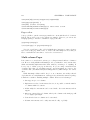
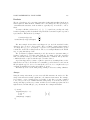
Finally, you can also change the background color of the whole page by:
\pagecolor{declared-color}