1
W123456,017
W123456,001,new password
W123456,016,telephone number
W123456,002
W123456,003
W123456,004,telephone number
W123456,006,time
W123456,008
*#RESUME
Restart the Device
Modify user passwords
Monitoring ,The device callback this number
Open the voice control function
Close the voice control function
Set the alarm numbers/admin number
Set the time into alarm status
Query the current total mileage
Initialize the password is 123456
4. The Workflow Description
4.1 Once the device start, it will update the location of last time automatically.
4.2 The update time of car stop is 6 times of the update time car moving. For example, if you
set 10 seconds to update one time when car is moving, so, when the car stops, the update
time will be 60 seconds. You only set update time of car moving by SMS command
(W123456, 014, time), and you can’t set the update time of car stop by SMS.
4.3 After ACC off 20 seconds, the car will go into alarm status automatically.
4.4 If the device detected the shake or vibration happened over 1 minute in ACC off status, it
will alarm by SMS/calling.
4.5 You can choose the alarm way through SMS or calling by sending SMS code to switch.
4.6 This device support 9-100V voltage.
5. How to active GPRS
5.1 Setting GPRS connection(APN setting)
*APN, APN Name, ip,port,user name,password
For example: *APN,CMNET,0.0.0.0,0
Here ip and port means simcard’s agent IP and port, which is different with our server IP and
port, if your mobile company have no agent IP and port, just write 0.0.0.0,0. If no user name
and password, just ignore it.
It will reply SMS if setting ok.
5.2 Setting server IP and port
W123456,012,IP,port
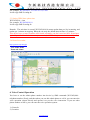
www.kingya.net








![- [ [ [ ANSEL ] ] ]](http://vs1.manualzilla.com/store/data/005876018_1-a636cab6934c7a831e92a71c6eb2f063-150x150.png)