1
Index
1.
2.
3.
4.
5.
6.
7.
8.
9.
Cam Viewer1 Summary......................................................................................................... 4
Required computer................................................................................................................. 4
Installing Cam Viewer1 .......................................................................................................... 5
Cam Viewer1 Application ...................................................................................................... 5
Device list menu ..................................................................................................................... 6
5.1.
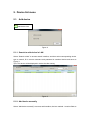
Add device ................................................................................................................. 6
5.1.1.
Search to add device in LAN.................................................................... 6
5.1.2.
Add device manually ................................................................................. 6
5.2.
Edit Device ................................................................................................................. 7
5.3.
Delete device .............................................................................................................. 8
5.4.
Device right-click Menu............................................................................................. 8
View Video and video setting menu .................................................................................... 9
6.1.
Play Video .................................................................................................................. 9
6.2.
Audio&Video/Image parameters/PTZ control ........................................................... 9
Local Menu ............................................................................................................................ 10
7.1.
System Setting .......................................................................................................... 10
7.1.1.
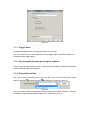
Trigger alarm............................................................................................. 11
7.1.2.
Play automatically after launching the software .................................. 11
7.1.3.
Default Record Plan ................................................................................ 11
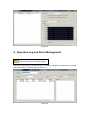
Operation Log and Alarm Management ............................................................................ 12
Play back recording and inquire recording file ................................................................. 13