1
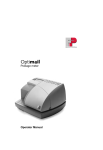
136 optimail 30 Operator Manual
Mail piece specifications for franking
Format (Length x Width)
Min. 140 mm x 90 mm
Thickness
Letters: up to 6 mm
Postcards: up to 1 mm
Material
Smooth paper
No high-gloss paper
No extremely fibrous paper
No structured paper
No dark paper
When in doubt about imprint quality, use a self-adhesive double label from Francotyp-Postalia.
Label
Use only self-adhesive double labels from
Francotyp-Postalia!
Subject to short-term modification.



![[mailcredit / ENG] User Manual](http://vs1.manualzilla.com/store/data/005957121_1-8f833d5244dc8652c61044097905507f-150x150.png)