1
[Popular Galaxies]
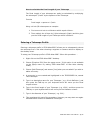
The Hyper-LEDA contains a list of galaxies with popular
names which may be accessed from the [Popular
Galaxies] command that appears in the menu bar on the
Hyper-LEDA database window.
To select a galaxy from the list double-click on a listed
galaxy or choose the [Select] command to choose the
highlighted galaxy from the list.
After selecting a galaxy you are returned to the HyperLEDA window where the astrophysical data is displayed
for the galaxy.
[Map]
The [Map] command centres the STAR Atlas:PRO™ chart
on the selected galaxy/object.
[Copy to Obs]
Copies the selected object and details into the STAR
Atlas:PRO™ Observation Planner.
You may also add notes to accompany the addition of the
object into the Observation Planner.
Refer to the STAR Atlas:PRO™ User Manual for complete
details of this command.
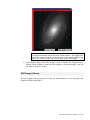
[Picture]
This is the image control button/indicator.
If an image is attached to this object [Picture] is
STAR Atlas:PRO™ User Manual – Pg 143