1
Installation . 3
Home > Installation
Articles in this section
System Requirements
Installation
Uninstalling
Activation and
Registration
Home > Installation > System Requirements
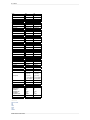
System Requirements
Macintosh
Operating
System
Mac OSX 10.6, 10.7 (current maintenance releases)
Windows
Windows XP, Windows Vista, Windows 7 (current
maintenance releases)
Processor
Intel Core 2 Duo or better
Intel Core 2 Duo or better
Memory
4 GB RAM (8 GM recommended)
4 GB RAM (8 GB recommended)
Hard Disk
100 MB Hard Disc Space
100 MB Hard Disc Space
Display
OpenGL 2.0 capable video card with 256 MB dedicated
VRAM running at 1280x800 or higher
OpenGL 2.0 capable video card with 256 MB dedicated
VRAM running at 1280x800 or higher
Optional Host
Applications
Adobe Photoshop CS4, CS5
Adobe Photoshop Elements 9, or 10
Apple Aperture 2.1 or 3
Adobe Photoshop Lightroom 2 or 3
Adobe Photoshop CS4, CS5
Adobe Photoshop Elements 9, or 10
Adobe Photoshop Lightroom 2 or 3
Other
Internet connection for activation, auto updates and
video tutorials
Adobe Flash 10 player
DVD drive for installation from disc
Administrator privileges to install and uninstall
Internet connection for activation, auto updates and
video tutorials
Adobe Flash 10 player
DVD drive for installation from disc
Administrator privileges to install and uninstall
Microsoft .NET 3.5 framework or higher (installed
automatically if missing)
Home > Installation > Installation
Installation
To install Perfect Portrait, double click the installer icon and allow the installer to guide you.
IMPORTANT: YOU MUST CLOSE LIGHTROOM AND APERTURE BEFORE INSTALLING.
Mac OS X
The application and all other required files and documentation are installed in the Perfect Portrait folder in the user's Applications directory.
The default installation installs all necessary files into all supported versions of Photoshop Lightroom found during the installation process.
If a previous versions of Perfect Portrait is found, it will be replaced.
Support files and frameworks are installed into /Library/Application Support/
Windows Vista and Windows 7
The application and all other required files and documentation are installed in the Perfect Portrait directory in the onOne Software folder in Program
Files.
The default installation installs all necessary files into all supported versions of Photoshop Lightroom found during the installation process.
If a previous versions of Perfect Portrait is found, it will be replaced.
Support files and frameworks are installed into \ProgramData\onOne Software\
Windows XP
The application and all other required files and documentation are installed in the Perfect Portrait directory in the onOne Software folder in Program
Files.
The default installation installs all necessary files into all supported versions of Photoshop Lightroom found during the installation process.
If a previous versions of Perfect Portrait is found, it will be replaced.
Perfect Portrait User Guide