1
Command
Description
Parameter Range
Command
Description
Parameter Range
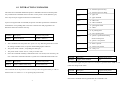
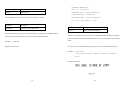
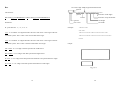
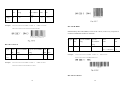
<STX>KI0n
Sets cut mode.
n value:
‘0’ : Standard control codes.
‘0’ : mode 0, normal mode. (cut
‘1’ : Alternative control codes.
<STX>KI;n Sets control code set.
n value :
and back-feed for the next label).
‘1’ : mode 1, cut without
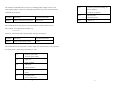
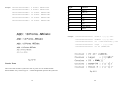
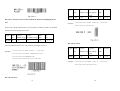
Refer to the list below for standard and alternative control codes. To exit from the
back-feed.
alternative mode, just reset the menu on the printer panel or send the command of
“!KI;1”.
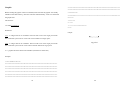
To set to mode 1 (<stx>KI01), ensure to comply with the following conditions:
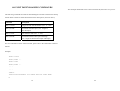
Control codes
Hexadecimal value
CR
0DH
-
The label length must exceed 1.5 inches.
-
The printer must be X2000+/X3000+/G6000/G7000.
ESC
1BH
-
The last label of a batch job cannot be cut until next label data is sent to the printer.
STX
02H
\
5CH
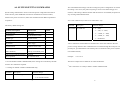
Parameter Range
[
5BH
— is a two digit value and in terms
!
21H
Standard (default)
Alternative
Command
Description
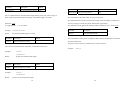
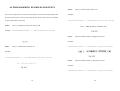
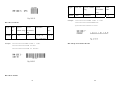
<STX>K15— Sets the gap height
of millimeters.
**
This command is not applicable to X2000+/X3000+/G6000/G7000.
If the gap height is more than 6 mm the command must be sent otherwise the label
detection may be incorrect.
Command
Description
Parameter Range
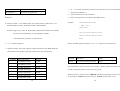
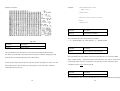
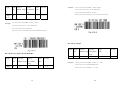
<ESC>KI;_
Sets offset value for
_ is a binary signed byte in
cutting or peeling
terms of pixels. 00H ~ 7FH are
position.
positive values and 80H ~ FFH are
This command is for OS214/204/202/314 PPLA only.
Example: <STX>K1508
negative values.
Sets the gap height to 8 mm.
This command set the cut position for specific labels.
**
This command is not for X2000+/X3000+/G6000/G7000.
11
12